




When you’re running one or two jobs, construction planning often happens in your head, your phone, or in a notebook. And for a while, that works. But as soon as you add more subbies, more clients, and overlapping timelines, things start to feel chaotic.
Construction planning won’t stop surprises, but it does stop them from wrecking your week. The real goal isn’t perfection or military-grade schedules. It’s visibility. Knowing what’s happening, what’s changing, and what needs attention before it becomes a problem.
With better planning, surprises become manageable, and you can stay on top of your profits despite missed changes and uncoordinated trades.
In this guide, we look at practical construction planning approaches, why they often stop working as jobs scale, and how to put simple, reliable systems in place without overcomplicating your workflow.
What is Construction Planning, and What Does it Include?
Construction planning is deciding what happens, in what order, by whom, and when. But for residential builders, it’s more than a timeline. It’s a coordination system.
It’s how you:
- Align scope with what was priced.
- Decide who’s responsible for what.
- Manage dependencies between tasks.
- Keep costs, timing, and expectations in sync.
Construction planning isn’t something you do once before starting the build. It continues throughout the entire job. Every time the scope shifts, a delivery is delayed, or a client changes their mind, the plan needs to evolve.
Construction planning vs scheduling vs estimating
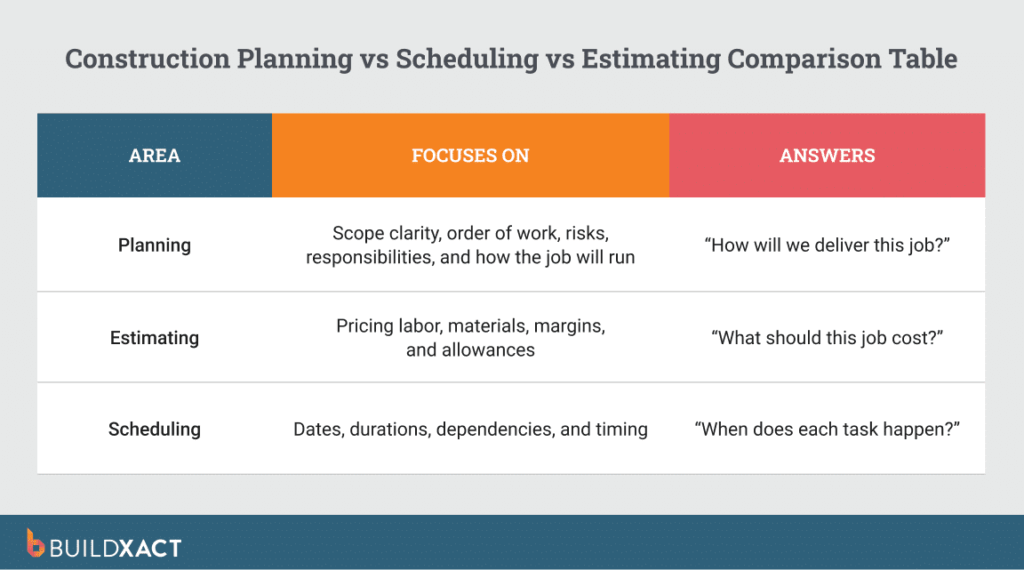
These three terms are often blurred together, but they serve different purposes and treating them as separate silos can create real problems.
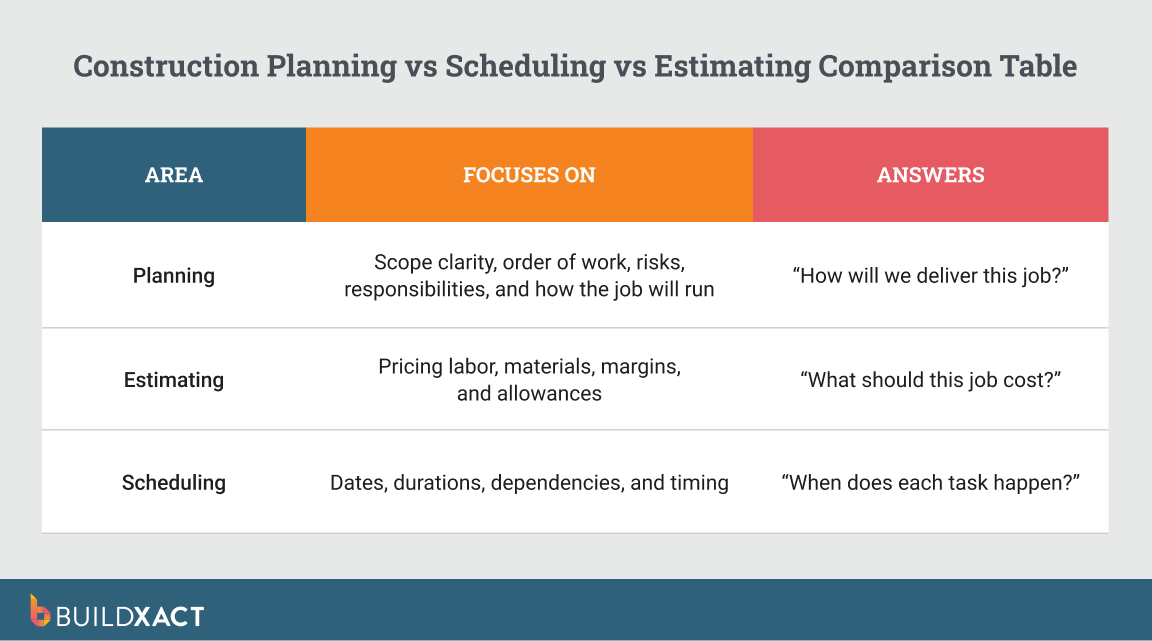
Construction estimating answers: “What should this job cost?”
It’s about pricing labour, materials, overhead, and margin. But when estimating changes and the plan doesn’t, margin leaks quietly through untracked adjustments.
Construction scheduling answers: “When exactly does each task happen?”
It sets dates and durations. But when the schedule shifts and the scope doesn’t align, trade-offs and delays follow.
Construction planning answers: “How will we deliver this job?”
It defines scope, responsibilities, risks, and workflow. If planning isn’t updated as the job progresses, assumptions pile up, and clarity disappears.
When estimating, planning, and scheduling live in separate documents or systems, changes fall through the cracks. Research shows that 75% of projects exceed planned budgets, with an average 15% cost increase due to mid-project changes. Misalignment is often a major contributor.
The Construction Planning Process for a Residential Job
Construction planning brings together many moving parts, including scope, trades, timelines, materials, availability, and changes. A good planning session walks through the job from a business and site perspective, not just a schedule. The goal is to identify problems before they happen.
Here’s what a proper, real-world construction planning should involve.
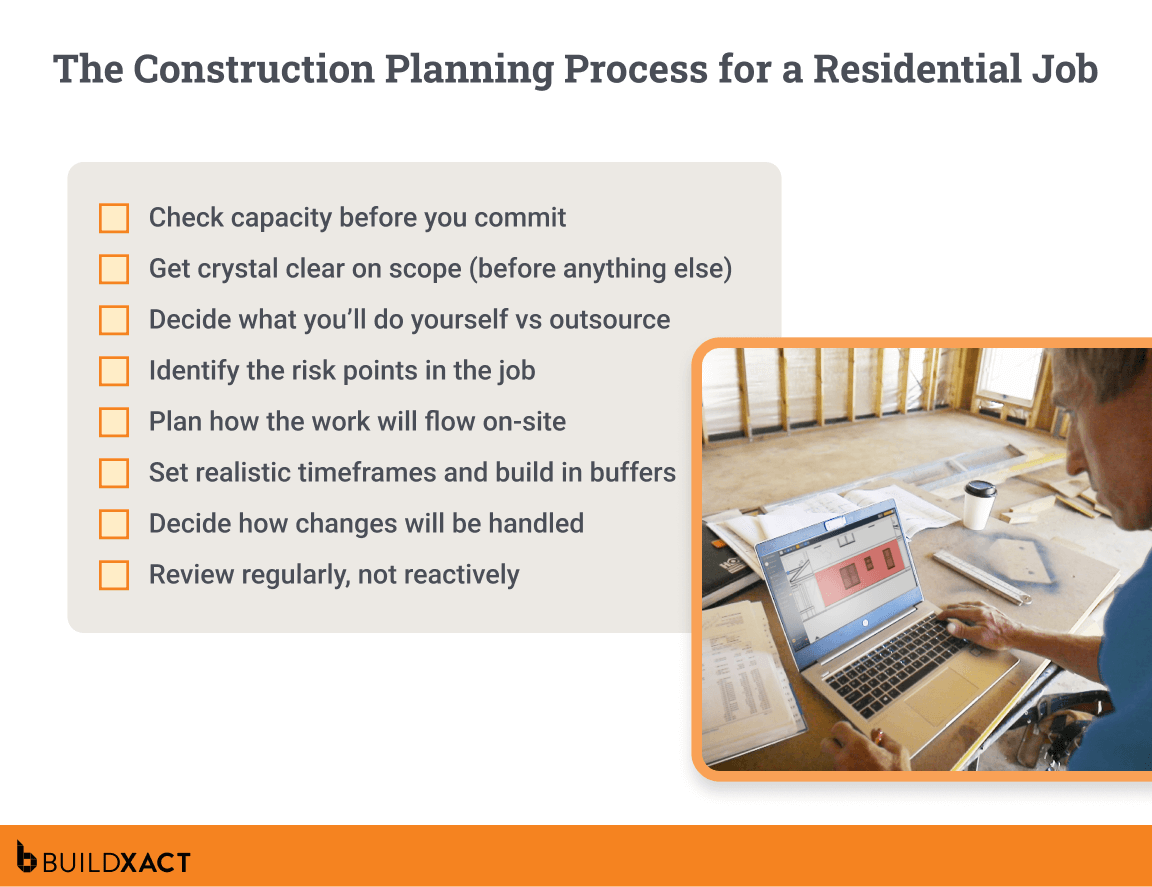
1. Check capacity before you commit
Before planning the job, step back and review your current workload. What other jobs are active? What’s overlapping? Do you realistically have the time and focus to take this on?
Without a high-level view of all your jobs, you risk overcommitting before you even start.
2. Get crystal clear on scope
Before you lock in dates or start booking trades, confirm all inclusions and exclusions in writing, and flag any provisional sums. Follow up with your client to see if any decisions haven’t been finalised.
If something is still vague, it needs to be addressed now, not when a trade is already on site.
For example, a client says, “We’ll confirm the tile choice later,” but no one formally notes it. The tiler is booked, but the tiles aren’t selected in time, and the job stalls for a week. That delay is a scope clarity problem, not a scheduling problem.
3. Decide what you’ll do yourself vs outsource
If you’re a hands-on builder who still jumps in on the tools, that’s an asset. But it makes it even more important to define early what’s on your plate and what needs to be subcontracted.
Create a detailed list of the work you’ll handle personally. For everything that requires subbies or specialists, confirm that those trades are available. You can then assess from the get-go where you will be relying on others to keep the job moving.
4. Identify the risk points in the job
Risk management doesn’t mean expecting the worst. It means being realistic and recognizing where delays or disruptions are most likely to occur.
Before setting dates, consider weather-sensitive changes, materials that could be delayed, and parts of the job that often run late. Building enough awareness and flexibility into your plan to handle these pressure points will prevent them from derailing the whole job.
5. Plan how the work will flow on-site
Only now does the “order of work” come into play.
Start by mapping what has to happen first, what can safely overlap, and what must be fully completed before the next stage begins. Think about real-world hand-offs, not just between trades, but between you and the trades as well.
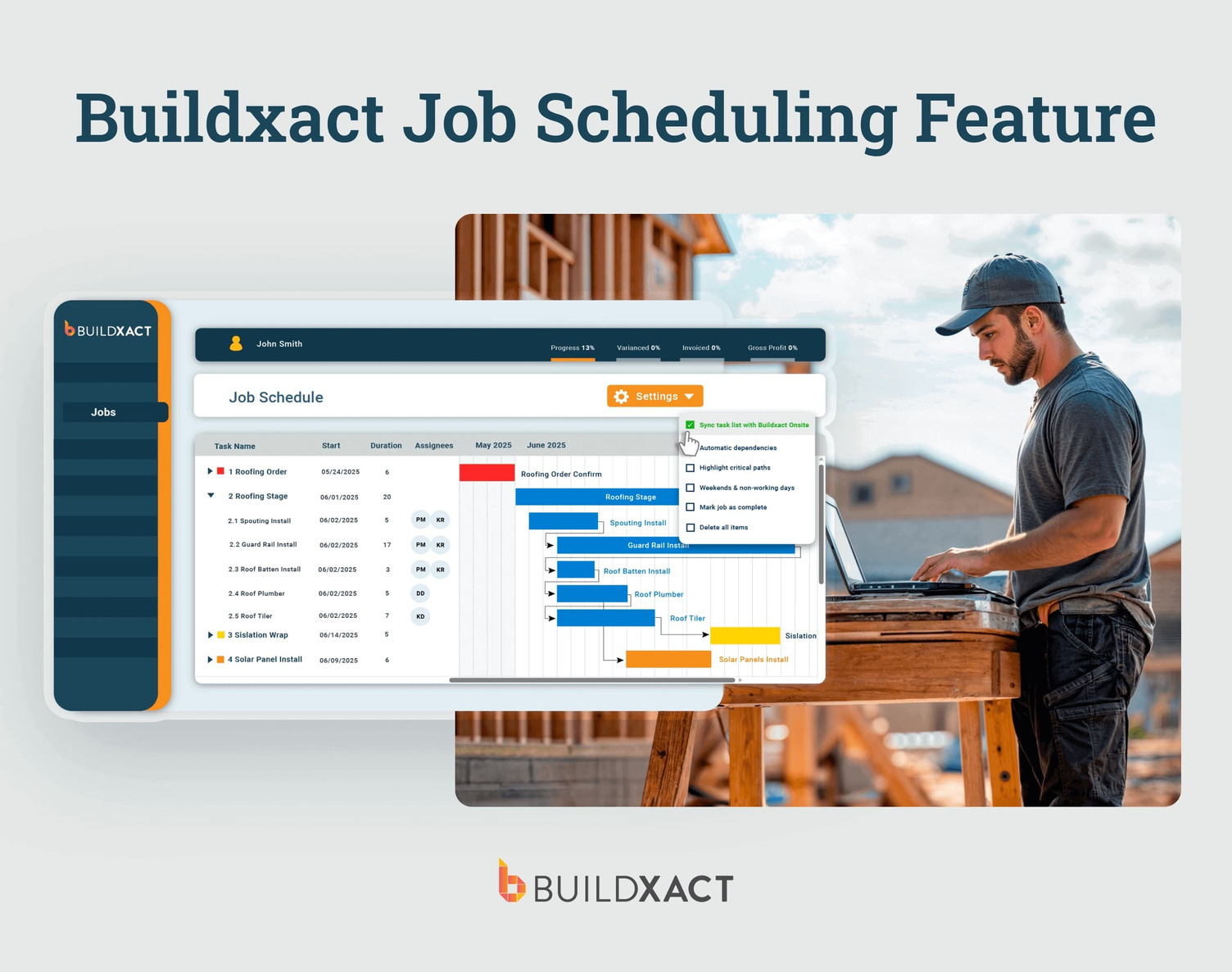
This step is about keeping the job moving without unnecessary stops and starts, not squeezing the timeline tighter. When work flows cleanly from one stage to the next, productivity improves naturally without forcing speed or creating rework.
6. Set realistic timeframes and build in buffers
Now that you have your flow mapped out, you can create timelines. As well as how long you think each task will take based on real conditions, factor in:
- Weather delays
- Inspection wait times
- Material hiccups
- Client indecision
Avoid best-case scenarios and add buffers for where delays are likely. A slightly longer, but accurate timeline protects your reputation far more than an optimistic one you can’t meet.
7. Decide how changes will be handled
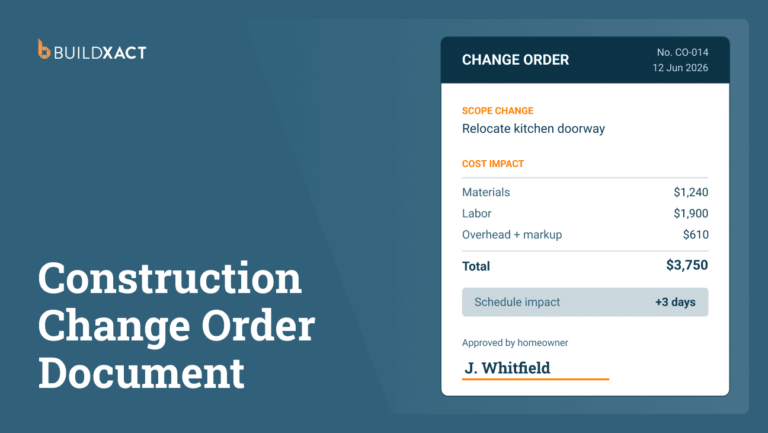
Variations are part of every residential job, so your planning should assume they’ll happen, or at least allow for them. The key is deciding upfront how changes will be documented, approved, and fed back into the job.
As soon as a variation is confirmed, the plan needs to reflect it immediately. That means updating the schedule, adjusting costs, and revising scope. If the change is agreed to but the plan stays the same, your timeline and budget aren’t accurate anymore, and you’re working off outdated information.
8. Review regularly, not reactively
Construction planning doesn’t end when the job starts. Use the plan as a living reference that stays up to date based on real progress. This is where software makes a real difference.
With Buildxact, keeping your plan accurate is quick and connected. Change management lives in one accessible place, and once a variation is approved, budgets and timelines are automatically updated. You can generate professional variations and keep all related communication aligned, so cost and schedule impacts are reflected in real time.
Common Construction Planning Mistakes (and How to Avoid Them)
Here are some of the most common mistakes residential builders fall into, and how to avoid them.

Focusing on outcomes, not the process
It’s easy to fixate on the finish date or the final result and skip the planning that gets you there. But strong outcomes come from repeatable processes. Shifting focus to how the work flows makes results more predictable and less stressful.
Assuming things will work themselves out
Experience is valuable, especially in residential construction, where you’ve seen similar jobs play out before. But relying too heavily on intuition to “fill in the gaps” is risky.
Unchecked assumptions lead to missed hand-offs, unclear responsibilities, and last-minute scrambles that put unnecessary pressure on the job. With proper planning and documentation, you stay in control instead of leaving it to guesswork.
Overbooking trades “just in case”
Booking people early or stacking dates as a safety net often feels smart until plans shift and everything clashes. Overbooking creates pressure and gaps that are hard to recover from.
Instead of locking in more than you need, focus on clear confirmation and realistic buffers so one slip doesn’t derail the entire timeline. Having better visibility into what’s happening on site also reduces the urge to “just book everyone now.”
With tools like Buildxact’s mobile app, trades can see up-to-date schedules and job details from anywhere, improving coordination and reducing the guesswork that often leads to overbooking.
The Power of a Reliable Construction Planning Tool
Without an established process and system, plans end up scattered across notebooks, spreadsheets, and emails. This haphazard setup makes it incredibly difficult to manage as jobs overlap and changes pile up.
With the right all-in-one construction management software, everything lives in one place, making it easier to see what’s confirmed, what’s changed, and what needs your attention.
Keeping scope, timing, and costs connected
When scope, timing, and costs are linked, changes don’t slip through the cracks, and it’s easier to protect your margins. Instead of updating one document and forgetting another, everything stays aligned. You immediately see how a change affects the schedule and the budget, not weeks later when it’s harder to fix.
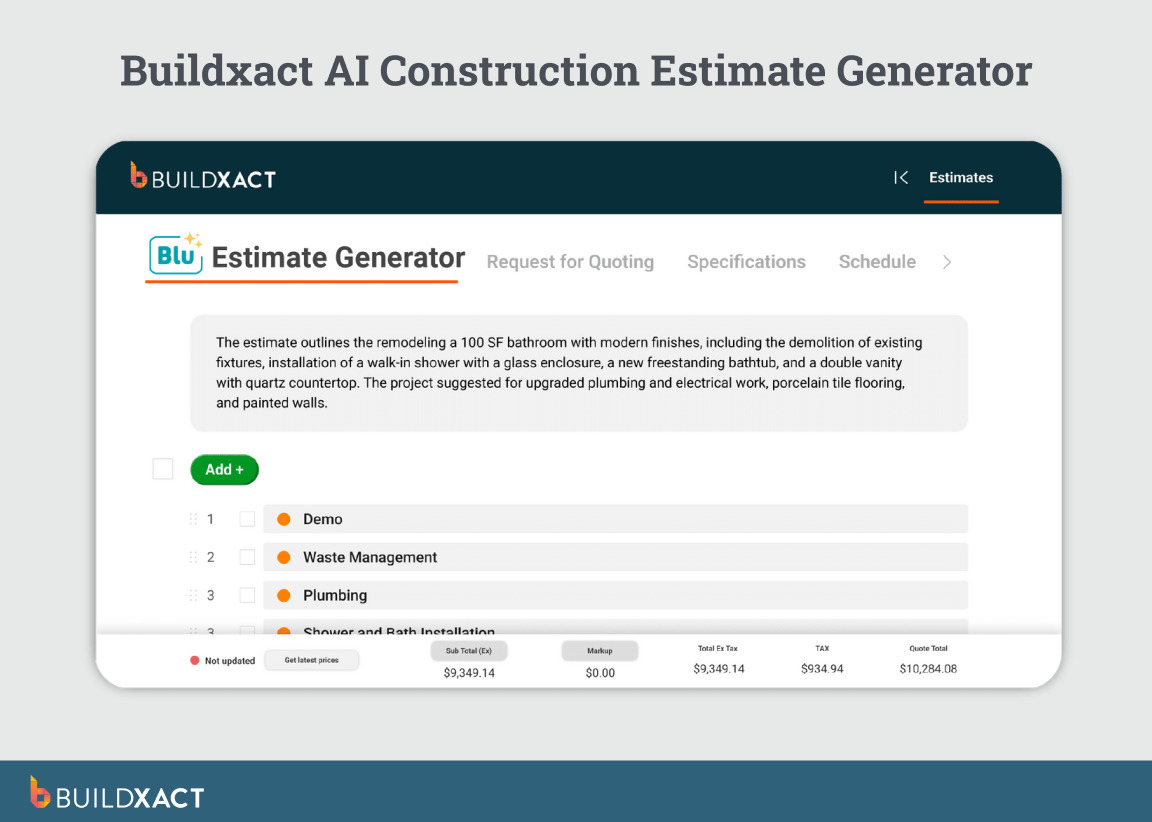
Turn estimates into a real plan
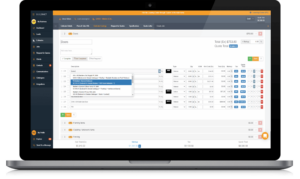
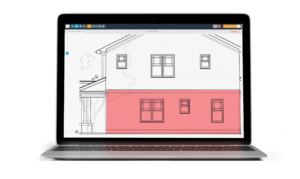
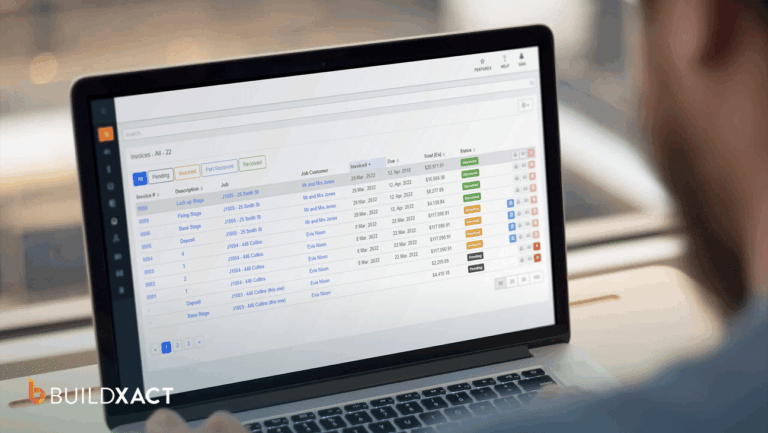
With tools like Buildxact, you can create a takeoff and estimate, and then automatically generate a schedule and budget that aligns with what you’ve priced. The flow from estimating to planning is seamless, reducing double-handling and manual re-entry.
Deal with changes without starting over
A good planning tool should let you update the plan on the fly and immediately show you the impact. When a variation is approved, costs and timelines adjust without you having to rebuild the schedule from scratch.
Simplify trade bookings and communication
Instead of juggling texts and emails, keep everyone working from the same up-to-date schedule. Automated invites and reminders reduce no-shows and miscommunication, while shared visibility keeps trades aligned. Clear communication becomes part of the system, not something you have to constantly chase.
Support Simpler Construction Planning With Software that Scales
When you’re running one job, it’s possible to keep your construction planning fairly “on the fly.” But if your goal is to grow your business and take on more clients, you need tools that can handle more moving parts.
Buildxact is designed specifically for SMB residential builders. It’s quick to get up and running, and built around how you already work. You can create digital takeoffs, build detailed estimates, convert them straight into schedules and budgets, and manage variations, all in one connected platform.
If you’re ready to scale without the chaos, start for free with Buildxact today.