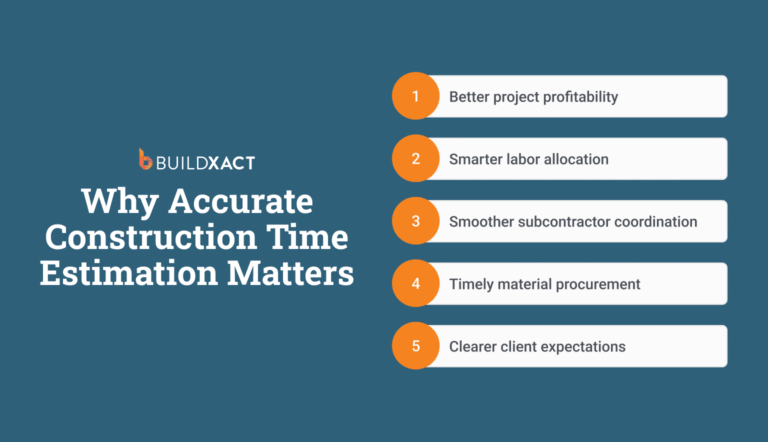





The problem with a plasterboard estimate rarely appears when you send the quote to the client. It appears weeks later, when the supply truck unloads at the site.
You review the invoice for joint compound, tape, and screws and realise the quote never explicitly priced those materials. The issue is not that you forgot them; rather, your takeoff included wall measurements, but nothing turned that into a material list.
That gap, measurement on one side, materials on the other, with nothing connecting them, is why the “small things” slip through every time.
It’s also why searching for plasterboard estimating software is not about finding a faster way to measure square footage.
What you need is a system that connects takeoff directly to a material list, so every wall measurement automatically accounts for boards, screws, tape, and compound before purchasing starts.
This guide reviews plasterboard estimation software and plasterboard takeoff software through that lens, examining which tools hold up when estimates become material orders and which break down as soon as the job moves off paper.
How Plasterboard Estimating Software Helps Residential Builders
You already know how to measure walls, calculate board counts, and produce accurate cost estimates. The hard part is keeping that work intact across the estimating process, from plans to spreadsheets, from quote to purchase order, and from your head to a quote the client can actually read.
Plasterboard estimating software closes those handoff points. Here’s where it helps most.
Reduce errors caused by manual re-entry and disconnected information
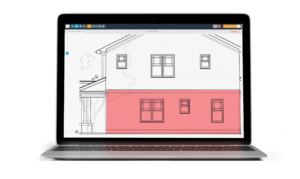
Plasterboard estimating software keeps the quantity takeoff linked to the estimate, so surface areas and material quantities flow into line items without re-entry, even when working from PDF plans.
What you measure is what gets priced, so no more copying quantities between tools, no rebuilding the same line items in a different format.
That matters because most estimating errors come from moving quantities by hand: plans to notes, notes to spreadsheets, spreadsheets to bids.
Each handoff is a chance for a line item to drop, a quantity to shift, or a material to disappear.
When volume picks up, those handoffs multiply, and “being careful” stops scaling. Keeping the connection intact prevents those gaps from becoming losses.
Keep material and pricing changes from silently eroding margins
Plasterboard pricing shifts, and it changes between the day you quote and the day you buy. When you use estimating software with live or connected pricing updates, those numbers update inside the estimate, so a quote sent last month reflects what materials actually cost today.
Without that connection, margin loss happens invisibly. You misquote because the number was accurate when you entered it, and outdated by the time you ordered materials. Across multiple jobs, those small drifts compound, and you don’t realise the margin is gone until the job is finished.
Connected pricing doesn’t eliminate price movement. It makes the movement visible before it becomes a loss.
Account for Plasterboard recipies instead of relying on memory
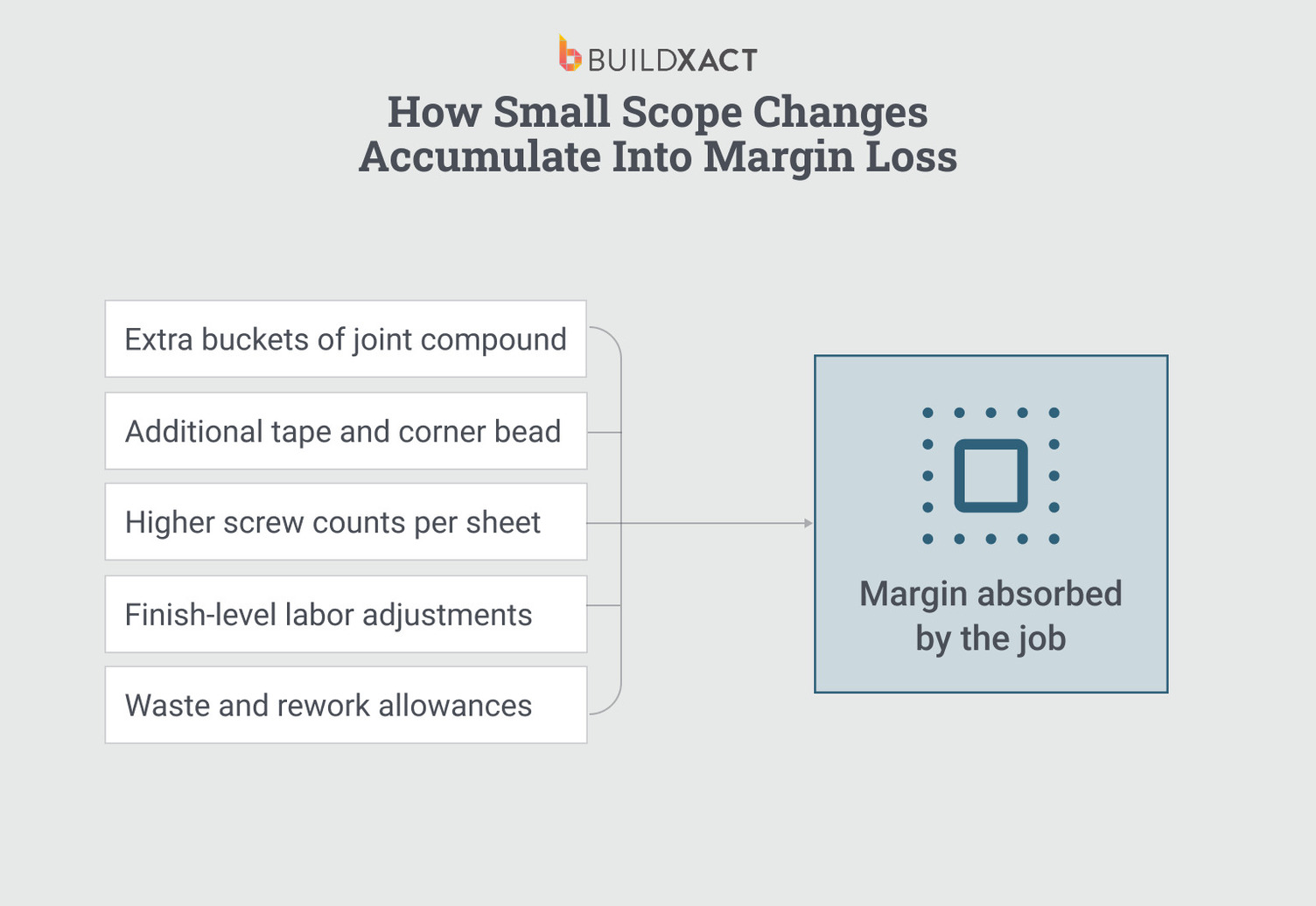
Plasterboard is rarely just boards. A single-wall measurement must account for plasterboard sheets, studs, fasteners, tape, compound, corner bead, and finish levels, and the ratios vary based on wall height, finish spec, and waste allowance.
Estimating software that supports material recipes lets you build that logic once, producing a complete bill of materials from a single measurement.
Without recipes, every estimate depends on you remembering every component every time.
The items you miss are screws, mud, extra tape, and other things you know belong on the job but don’t always make it onto the bid. Under fatigue, under deadline pressure, those omissions become routine.
Recipes make sure your expertise shows up on every estimate, not just the ones you had time to think through.
Spend less time rebuilding estimates outside of business hours
Estimating software with reusable templates and connected data means building fewer estimates from scratch. A previous job with a similar plasterboard scope serves as a starting point for adjusting measurements, updating pricing, and preparing the quote without reconstructing every line item.
That matters because the time that bleeds into nights and weekends is rarely the first estimate.
It’s the rework: revising a quote because pricing changed, rebuilding a scope because the original was in a spreadsheet you can’t find, redoing a takeoff because the quantities and the quote were never connected.
When the workflow is fragmented, every revision is a restart. Connected estimating software breaks that loop, so revisions update what’s already there rather than replace it.
Create bids that explain the scope clearly to clients
Estimating software that generates bids with line-by-line breakdowns gives clients visibility into what’s included: boards, fasteners, compound, labour, and finish levels instead of a single number with no context. When the scope is visible, there’s less back-and-forth over what the price actually covers.
That visibility matters because clients don’t push back on price as often as they push back on uncertainty. A lump-sum plasterboard quote invites questions: what’s included, what’s extra, what happens if something changes.
Each of those questions costs you time and puts you on the defensive. A detailed quote answers them before they’re asked.
Clear scope documentation also protects you downstream. When a client disputes a variation or claims something was included, the original quote either backs you up or it doesn’t. The more specific the quote, the fewer conversations you have to win on memory.
Key Features to Look For in Plasterboard Estimating Software
The features below should help you evaluate different estimating tools when deciding whether a specific tool actually delivers on those outcomes.
Not every feature matters equally. The ones that matter most are the ones that keep your estimate aligned with real costs and scope as the job progresses.
Digital takeoffs that stay connected to the estimate
Measuring plasterboard quantities is rarely the hard part. The problem starts when those measurements must be exported, copied, or retyped into a separate tool to produce a priced estimate.
Look for software whose takeoff feeds directly into the estimate, where the measurement and the line item are the same thing, not two versions of the same number living in different places.
When quantities and pricing stay connected, changes to one update the other. When they don’t, every revision introduces risk.
Recipes that reflect how plasterboard is actually built
Plasterboard work is a recipe problem. A wall isn’t a single material; it’s studs, boards, fasteners, tape, compound, and corner bead, each with quantities tied to measurements. When you estimate by individual item, the obvious materials make the list, and the ancillary ones depend on memory.
Look for software that lets you build recipe, a single wall measurement that generates the full material list based on rules you set once.
The screws, tape, and compound should show up because the wall type requires them, not because you remembered to add them.
Pricing that updates without rebuilding the estimate
Plasterboard wall material costs fluctuate, and a static estimate locks in a number that was accurate once but is outdated by the time purchasing starts.
Look for software that automatically updates pricing in estimates either through live supplier connections or centralised price lists that update every line item when a cost changes. The question is simple: when a material price changes, does the estimate update automatically, or do you have to find and fix each instance manually?
Built-in checks that flag missing materials before the quote goes out
Most plasterboard estimating mistakes are omissions, not miscalculations. The board count is correct, but the fasteners aren’t included in the bid. The wall measurement is accurate, but the finish materials aren’t included. These aren’t dramatic errors, but they’re the kind that repeat across jobs and compound over time.
Look for software that has built-in checks to flag what’s missing before the quote goes out.
Recipe templates help you know if a wall type requires tape, compound, and fasteners. The tool you pick should flag the absence of those items.
Checklists and discipline work at low volume. At higher volume and under deadline pressure, you need the system to catch what fatigue won’t let you catch
Reusable templates that reduce rebuild work over time
Many plasterboard estimates are variations of previous jobs: similar wall types, finish specs, and material lists. Without reusable templates, each estimate starts from scratch, and the time spent on the last estimate doesn’t carry over.
Look for software that lets you save estimate structures and reuse them. A template built for a standard interior wall: studs, boards, tape, compound, and fasteners at set ratios, should be something you build once and apply to every similar scope. Each job then becomes an adjustment, not a reconstruction.
The value isn’t just speed but consistency. When the same wall recipe produces the same material list every time, the omissions that creep in during manual rebuilds no longer appear.
Bids that clearly explain the scope to clients
Clients don’t trust lump-sum numbers without breakdowns. A plasterboard quote that shows a single total invites questions about what’s included, what’s not, and what happens when something changes. Each of those conversations takes time and reduces your chances of winning the job.
Look for software that produces bids with a clear scope: materials, quantities, labour, and finish levels laid out clearly enough for the client to see what they’re paying for.
That clarity helps you close the job and protects you when a change order arises, and the client claims something was already included.
Integration points that reduce re-entry across the job lifecycle
Estimates don’t live in isolation once work starts. You’ll need to include the numbers in your plasterboard quote, in purchase orders, supplier lists, job schedules, and invoices. Every time you retype that information into a different system, you reintroduce the same re-entry risk the estimate was designed to avoid.
Look for software that estimates data flows forward into purchasing, invoicing, and job tracking without manual transfers.
During evaluation, look for a tool that ensures the information you entered at takeoff remains intact by the time the invoice goes out, or that no one has to rebuild it along the way.
Plasterboard Estimating Software Comparison for Residential Builders
The comparison below applies those criteria to six tools that appear when residential builders search for plastreboard estimating software.
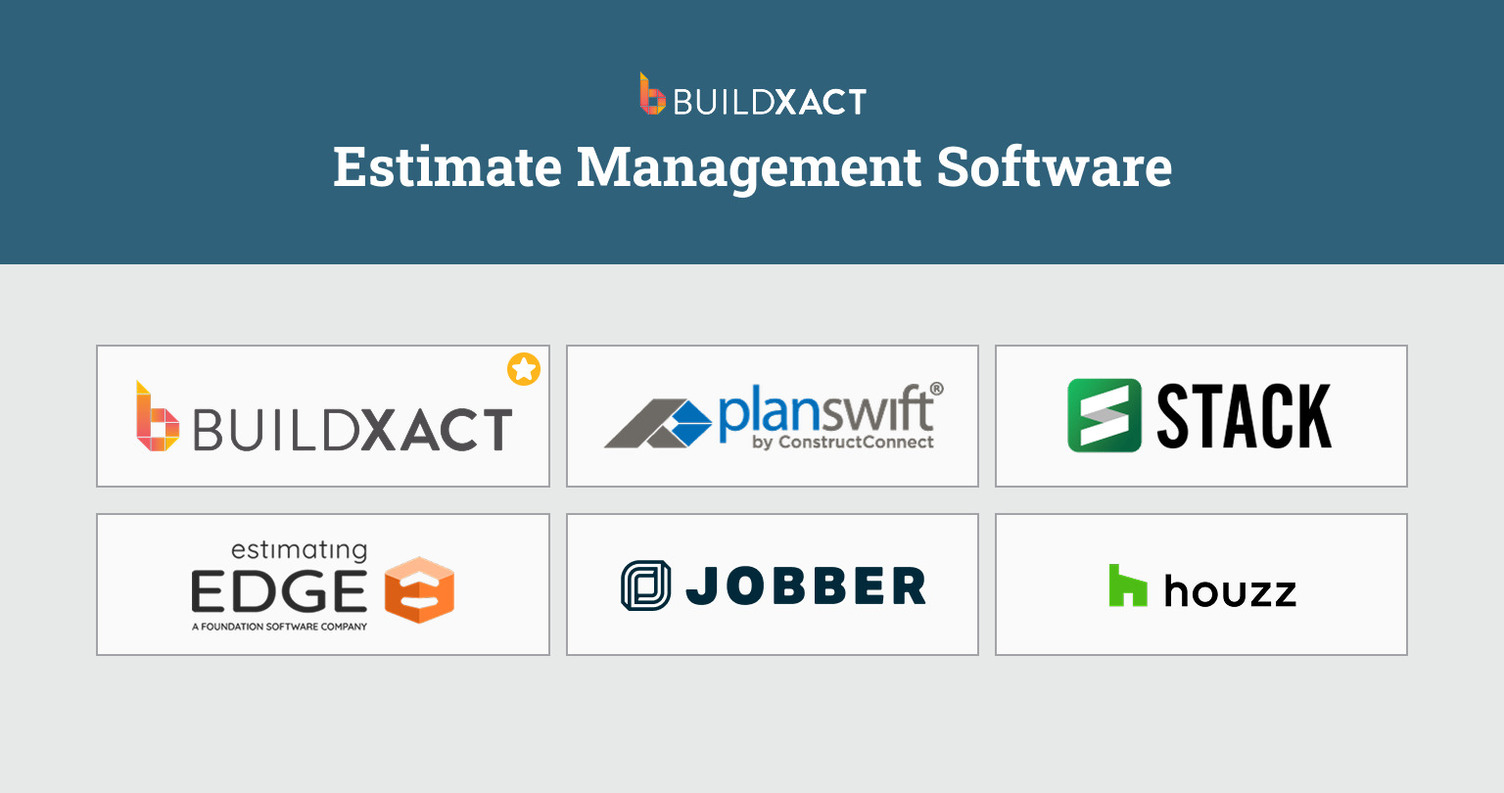
Each tool is evaluated on how well it handles the failure points that matter most: re-entry, pricing accuracy, recipe logic, and whether estimate data survives past the bid.
Buildxact
Buildxact is an estimating and job management platform built for residential builders who need plasterboard estimates to stay connected to purchasing, invoicing, and job costs, not just produce a bid.
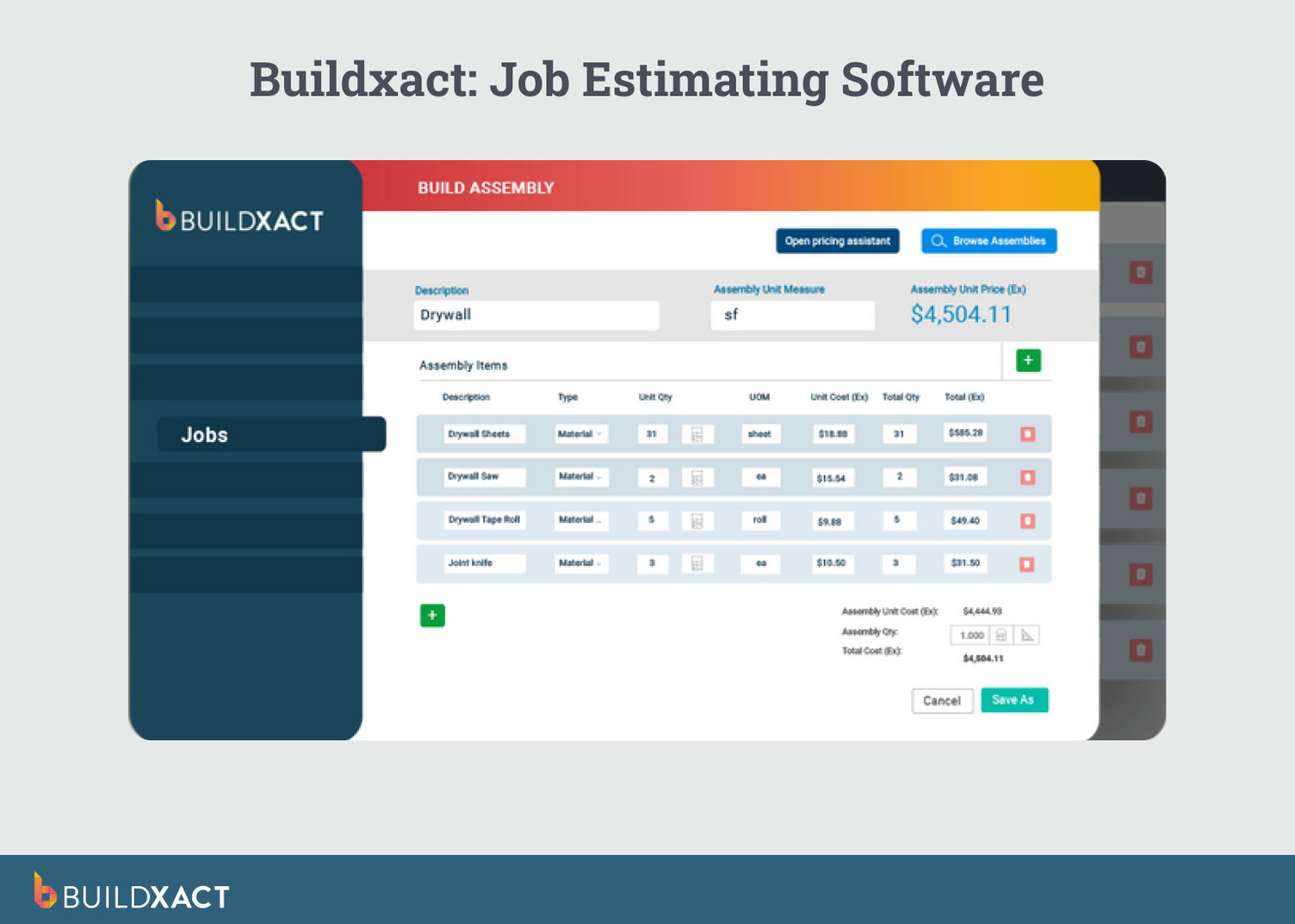
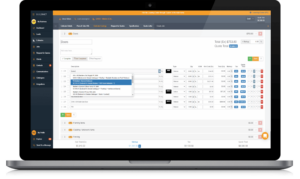
Wall measurements generate full plasterboard material lists through recipe logic that carries forward into contracts, purchase orders, and invoicing without re-entry. What you measure is what gets ordered and billed, so scope doesn’t get reconstructed later from spreadsheets, emails, or memory.
In plasterboard estimating, that connection depends on how wall recipes are defined. Buildxact supports this through its Blu Assembly Assistant.
How Blu’s Assembly Assistant supports plasterboard estimating
For plasterboard work, Buildxact’s Blu Assembly Assistant helps builders translate wall measurements into complete plasterboard recipes without manually defining every material ratio.
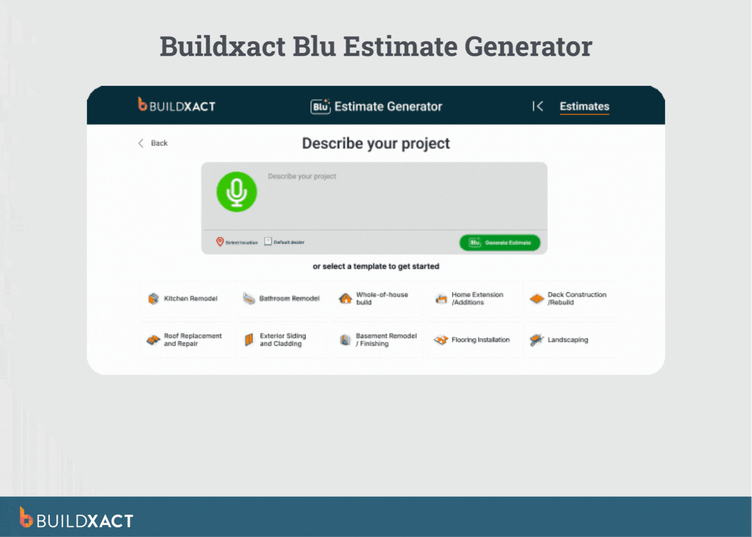
Instead of relying on memory to include screws, tape, compound, corner bead, and waste allowances, Blu guides users through building a wall type once, based on how it’s actually constructed.
That recipe then drives the full material list every time the wall is measured, reducing the most common plasterboard estimating failure: accurate takeoffs that still produce incomplete material orders.
Over time, plasterboard recipes built for standard wall types are reused across similar jobs, pricing updates flow through existing estimates, and the scope you quote is the scope that gets ordered and billed.
Benefits
- Recipe-based estimating: Recipes generate the full material list from a single wall measurement.
- Connected supplier pricing: This updates estimates when material costs shift, so a quote sent three weeks ago reflects what materials actually cost today.
- Estimate-to-invoice continuity: Measurements and scope carry through to specs, purchase orders, and invoicing without re-entry.
- Compounding efficiency: Each plasterboard recipe you build gets reused across future jobs, making estimates faster and more consistent over time.
Drawbacks
- Recipes, templates, and supplier data require upfront setup to match how your wall systems are actually constructed. The first few estimates may feel slower than your existing process.
- The system follows a set structure, which means it offers less flexibility than a custom spreadsheet, but that structure is what keeps everything connected.
Best for
Residential builders who estimate, sell, and manage their own jobs and want estimates that stay connected to real costs across the full job lifecycle, not just faster takeoffs.
PlanSwift
PlanSwift is a takeoff tool built for speed: upload digital plans, click to measure, and export quantities.
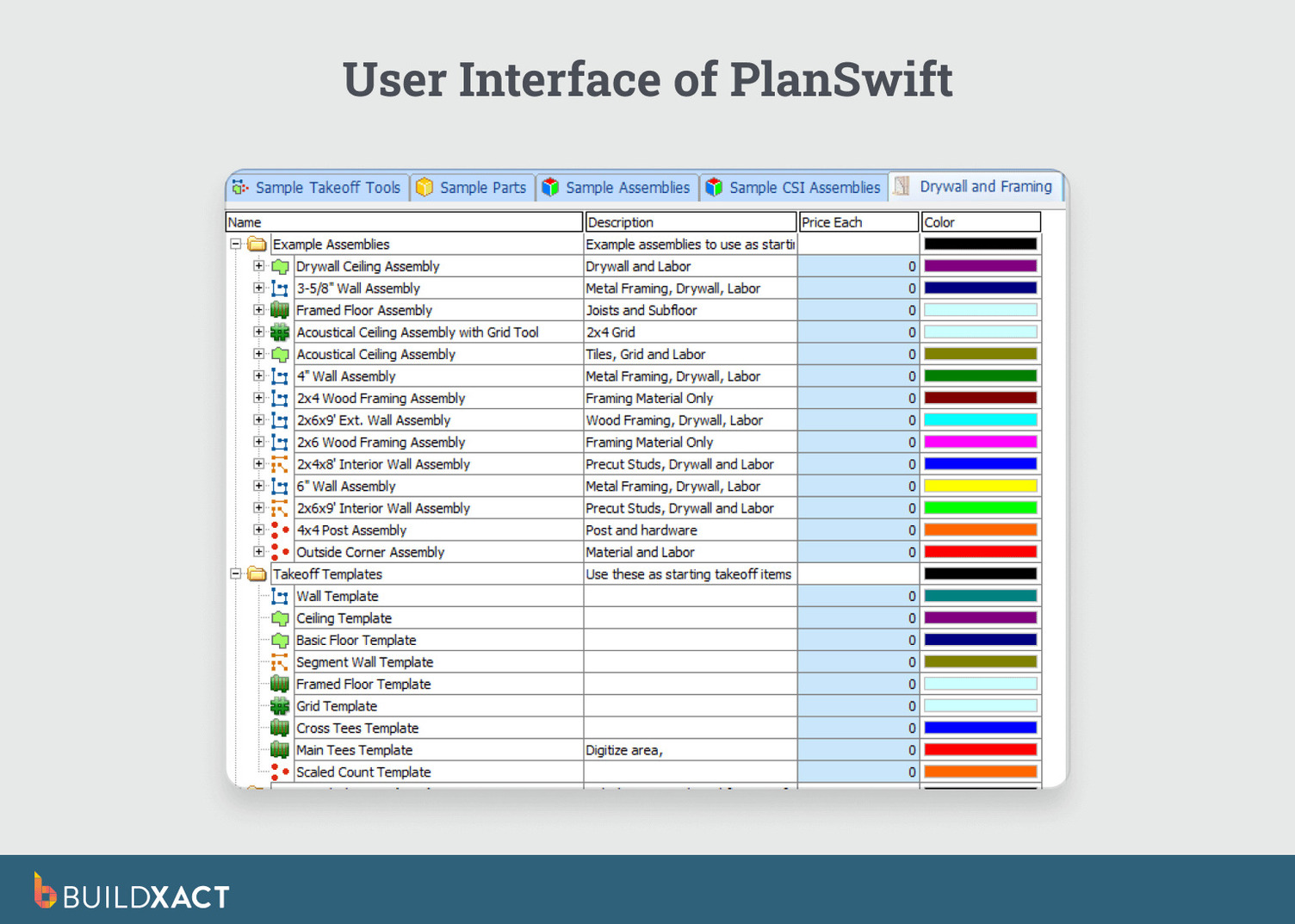
For plasterboard estimating, that means fast area and linear measurements from blueprints without printing or scaling by hand. The software supports multiple trades through customizable plugins, including plasterboard-focused add-ons for framing and board calculations.
Benefits
- Fast, precise digital takeoffs with a relatively low learning curve are often cited by users as significantly reducing the time required to measure plans compared to manual methods.
- Broad plan format support: PDF, DWG, DXF, TIF, JPG, with direct imports from online plan rooms, reducing friction when plans arrive in different formats.
- Drag-and-drop recipes and parts allow experienced estimators to build custom items and cost components directly on digitised blueprints.
Drawbacks
- Quantities exported to Excel or other tools exist separately from pricing and job data, so purchasing, invoicing, and job tracking require manual transfers.
- Performance issues are reported with very large or complex plan files, particularly during extended estimating sessions.
- No built-in connection to downstream job management, purchasing, or invoicing workflows.
Best for
Estimators who already manage pricing, purchasing, and accounting elsewhere and need faster, more accurate measurement, not a connected estimating workflow that carries data beyond takeoff.
STACK
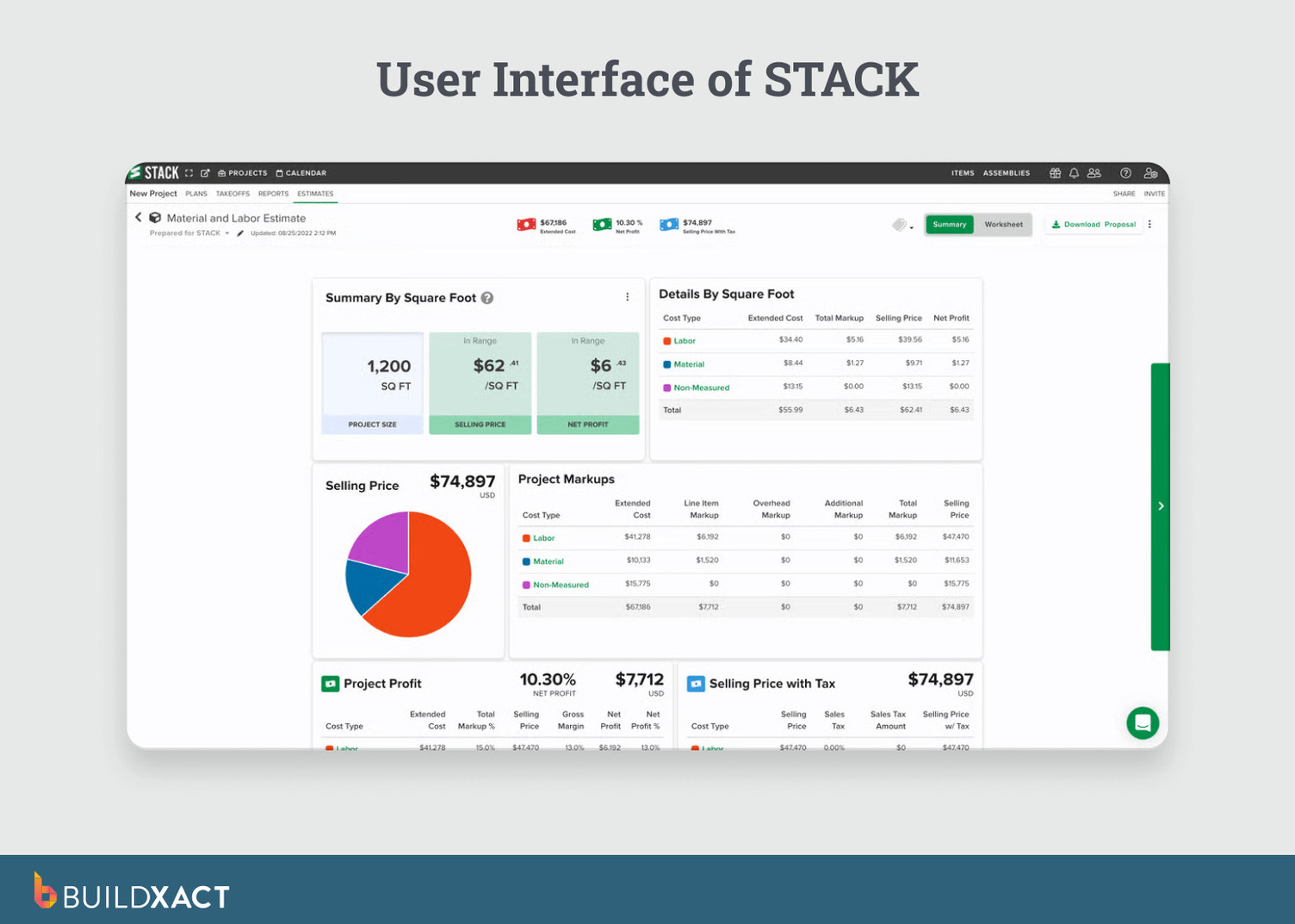
STACK is a cloud-based takeoff and estimating platform designed for teams that need shared access to plans, measurements, and bids from anywhere. Plasterboard estimating is handled through digital takeoffs with pre-built recipes and item libraries, all accessible from a browser without requiring a desktop install.
Benefits
- Cloud-based access for teams allows multiple estimators to work from the same set of plans and measurements, improving consistency and coordination across bids.
- Pre-built recipes and item libraries support volume estimation without having to rebuild material lists from scratch on every project.
- OCR-powered plan search and automated document organization help speed up navigation and setup on large quote packages.
Drawbacks
- Estimating and job execution are not tightly connected by default. Estimate data does not automatically carry into scheduling, purchasing, or invoicing workflows for small builders unless additional tools or integrations are used.
- Material pricing often requires manual setup. Users report that importing and maintaining vendor pricing in usable formats can be time-consuming, especially across multiple suppliers.
Best for
Growing teams quoting at volume that need shared, cloud-based access to takeoffs and estimates, and that intentionally separate preconstruction estimating from downstream job execution.
Estimating Edge
Estimating Edge is a trade-specific takeoff and estimating system designed for commercial interior finish contractors, including plasterboard, framing, acoustical, and insulation.
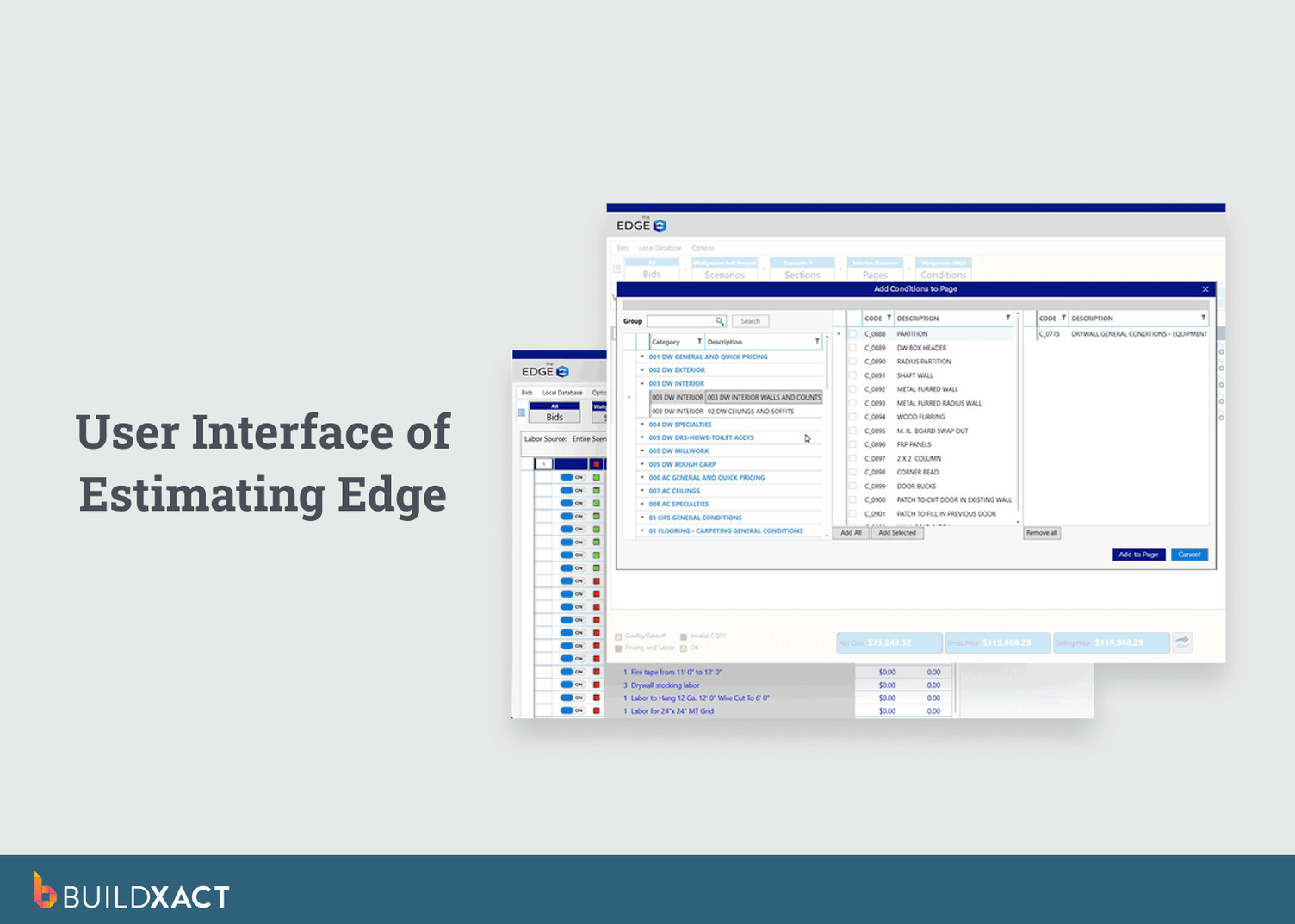
Unlike general-purpose estimating tools, the platform is built around the complexity of commercial plasterboard scopes: varying wall types, rated and non-rated recipes, and labour conditions that change by height, access, and finish spec.
Benefits
- Adjust labour rates based on wall height, access conditions, and scope complexity, so an 8-foot wall and a 12-foot wall carry different production rates automatically.
- Trade-specific manufacturer databases come preloaded for plasterboard materials from suppliers like USG and Armstrong.
- Universal edits propagate labour and material changes across the entire estimate at once, including change orders.
Drawbacks
- Setup is heavy with required training, and database editing has a steep learning curve.
- Users report that formulas are difficult to read without documentation.
- Built for commercial workflows with dedicated estimating departments, which can feel like overkill for residential owner-operators managing their own jobs.
Best for
Commercial plasterboard subcontractors or interior finish firms with dedicated estimators handling complex, high-volume scopes where labour modeling precision justifies the investment.
Jobber
Jobber is a job management and invoicing platform designed for service-based contractors who need scheduling, dispatch, and client communication in one place.
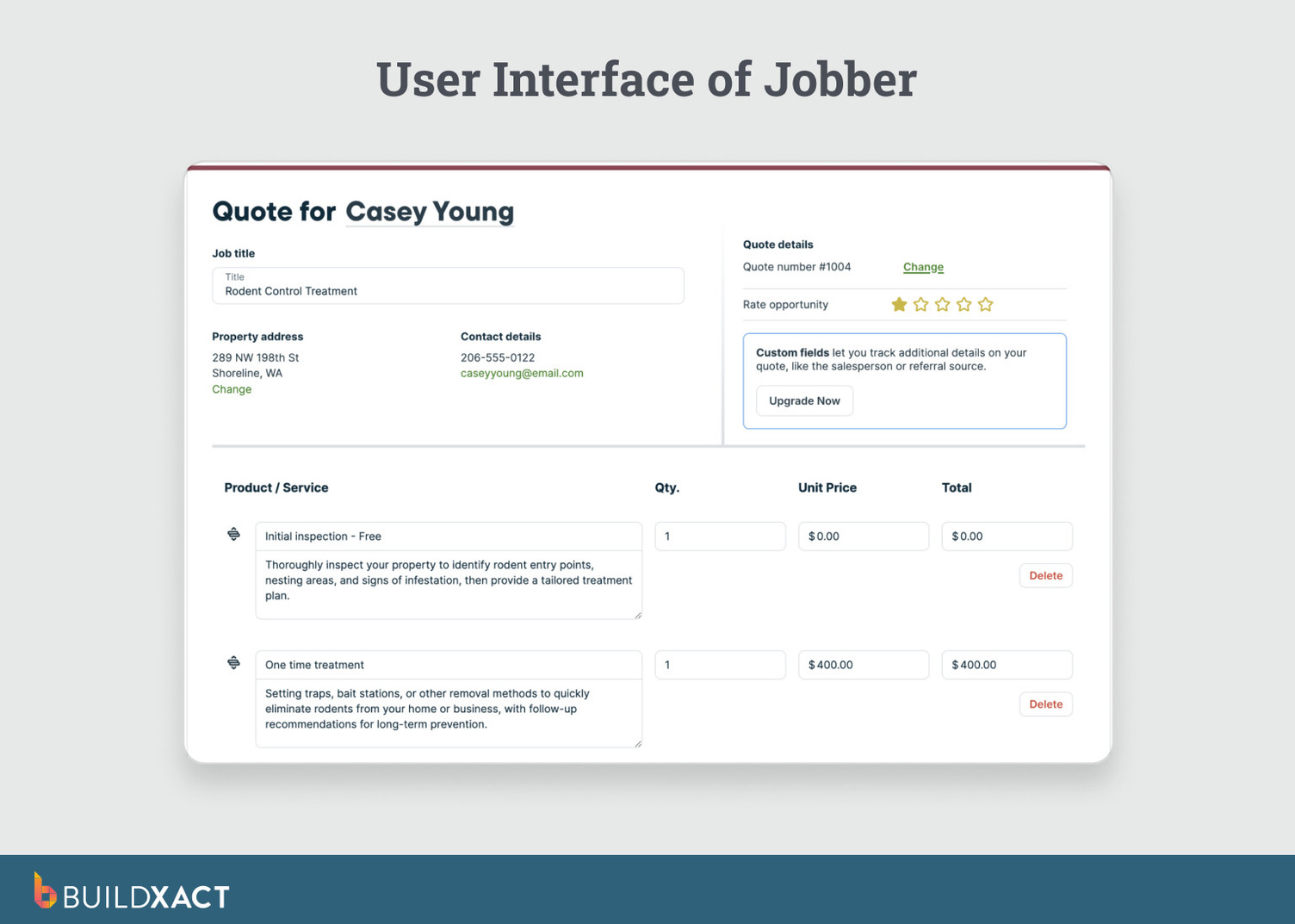
It covers the operational side of running a contracting business: booking, reminders, crew tracking, and payments, with estimating available through templates and line-item quotes.
Benefits
- Clean scheduling, dispatch, and invoicing workflow with minimal setup time.
- Client-facing features are strong; online booking, automated appointment reminders, and online payment collection reduce administrative back-and-forth.
- Estimated margin visibility on quotes helps adjust pricing before sending.
Drawbacks
- Estimating is template-based, not recipe-driven. No takeoff capability, no material logic, no connection between measurement and material list.
- Limited depth for material-dense scopes, users report that it lacks the robust line-item detail needed for complex estimates.
- Pricing climbs as team size grows, with key features locked behind higher tiers.
Best for
Service-based contractors with simple, repeatable scopes where the main pain is scheduling and client communication, not estimating accuracy on material-heavy work like plasterboard.
Houzz Pro
Houzz Pro is a job management and client experience platform built for residential contractors and designers who prioritise polished proposals, lead generation, and visual presentation.
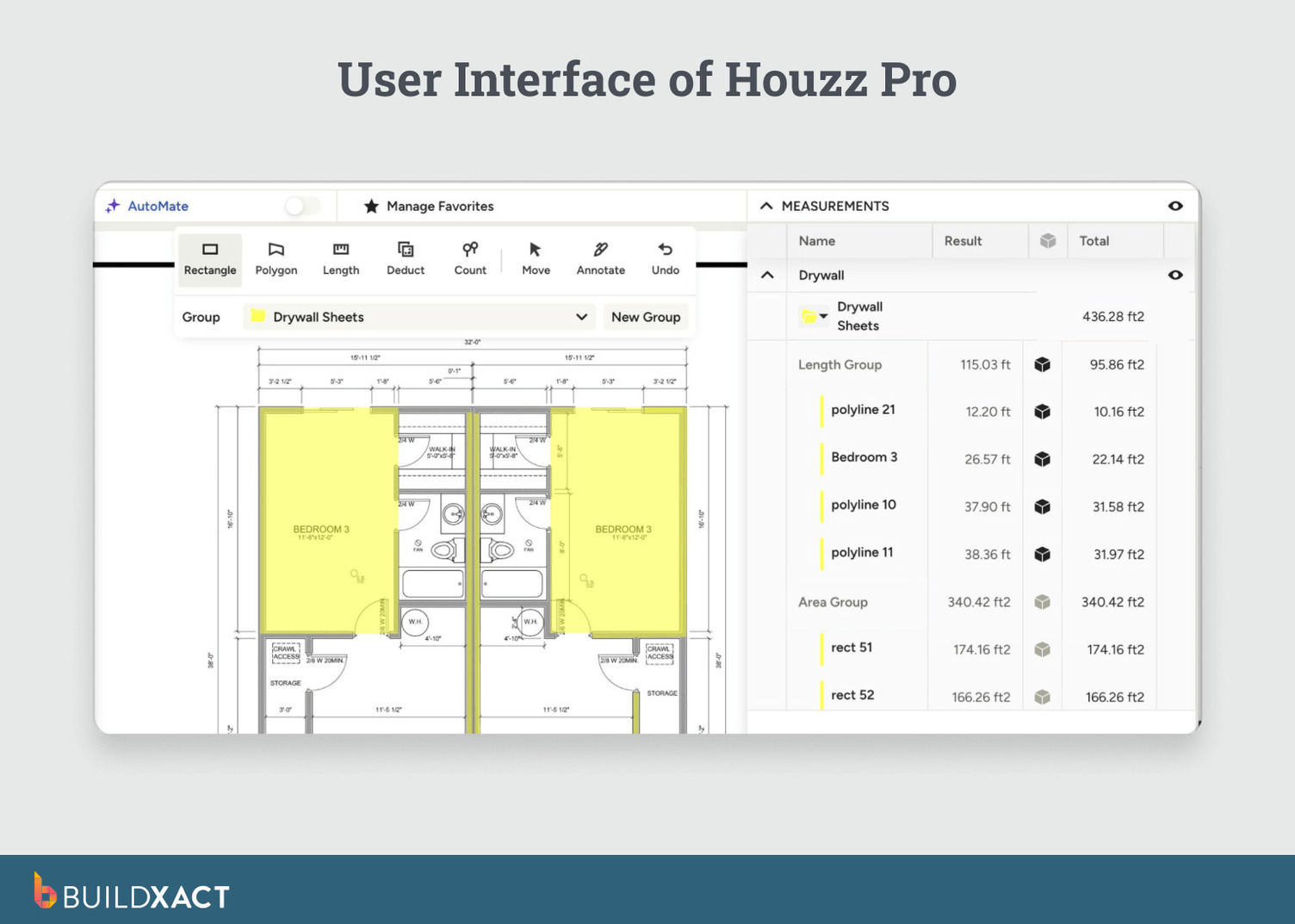
Estimating is supported through templates, recipes, and takeoff features, but the platform’s primary strength lies in how work is packaged and presented to clients rather than in how deeply estimating logic is applied to material-heavy scopes.
Benefits
- Professional proposals with 3D floor plans and visual selections create a polished client experience that can help improve close rates.
- Built-in lead generation connects estimates directly to the Houzz marketplace and its network of homeowners.
- Templates and recipes help structure estimates, and AutoMate AI can generate draft, edit-ready estimates from prompts.
Drawbacks
- Estimate continuity is limited for revision-heavy workflows. While takeoff measurements can be used to create estimates, changes to measurements do not consistently propagate through pricing and scope once estimates are built, making iterative edits more manual for material-dense work.
- Estimating, invoicing, and job management are not tightly unified, requiring coordination between modules as jobs progress.
- Limited construction-specific integrations beyond tools like QuickBooks and Gmail restrict how estimate data flows into downstream systems.
Best for
Builders and remodelers who prioritise client-facing presentation, lead generation, and proposal quality over deep estimating continuity for material-heavy scopes like plasterboard.
See how Buildxact and Houzz Pro compare when estimating depth and client presentation start to matter.
Choosing Plasterboard Estimating Software That Keeps Your Estimate Connected
Most plasterboard estimating problems don’t start with bad math. They start after the quote when material prices shift, scope changes, and the estimate you sent no longer matches what you’re ordering or billing. Every tool above handles that gap differently.
Some optimise for speed at takeoff. Others go deep on labour logic or client presentation.
Buildxact keeps the estimate connected from takeoff through pricing and purchasing to invoicing, so the numbers you quote match those on your purchase orders and invoices.
Start a free Buildxact trial or sign up for a demo and run your next plasterboard estimate through it, and see what estimating feels like when you bid, order, and bill from the same numbers for the first time.