

Every time you price a job, you’re adding markup to your costs. But the number you really care about is your margin (how much profit you’re making on the job).
Markup and margin aren’t the same thing, but they are connected. Set up your markup correctly, and you’ll hit your margin goals.
The real trick isn’t so much about getting margin right on one job; it’s whether your blended margin across all jobs keeps you profitable.
As builders scale, margin math has to add up across every bid, whether you’re the one pricing the job or your partner or your admin is, whether it’s a slow Tuesday or the third bid you’re rushing out before Friday.
This article breaks down the key differences between margin and markup, walks through the math on a real job, and gives you a reference table so the markup you set delivers the margin you’re after.
Key Takeaways
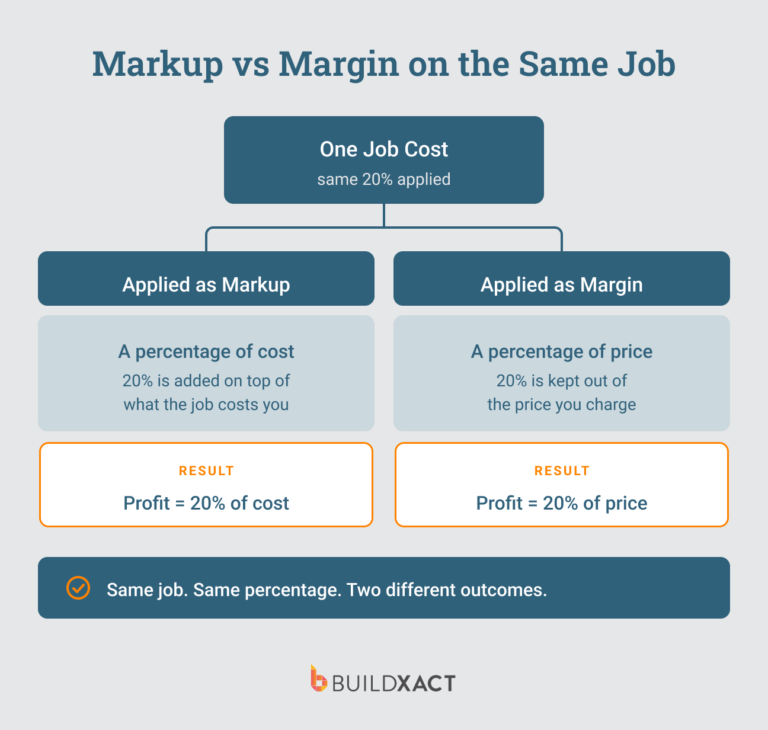
- Markup is a percentage of your cost. Margin is a percentage of your selling price. Same profit dollars, different base, so the two percentages never match.
- Adding a 20% markup does not give you a 20% margin. It gives you 16.67%. To land a true 20% margin, you need a 25% markup.
- Getting margin right on one job matters less than achieving your desired blended margin across every job.
- Materials, labor, and subs carry different risk, so marking them up differently and rolling that up to one target margin is key.
- Estimating software like Buildxact keeps margin accurate by tracking estimated against actual cost as the job runs, not just at closeout.
Margin vs Markup: Core Differences
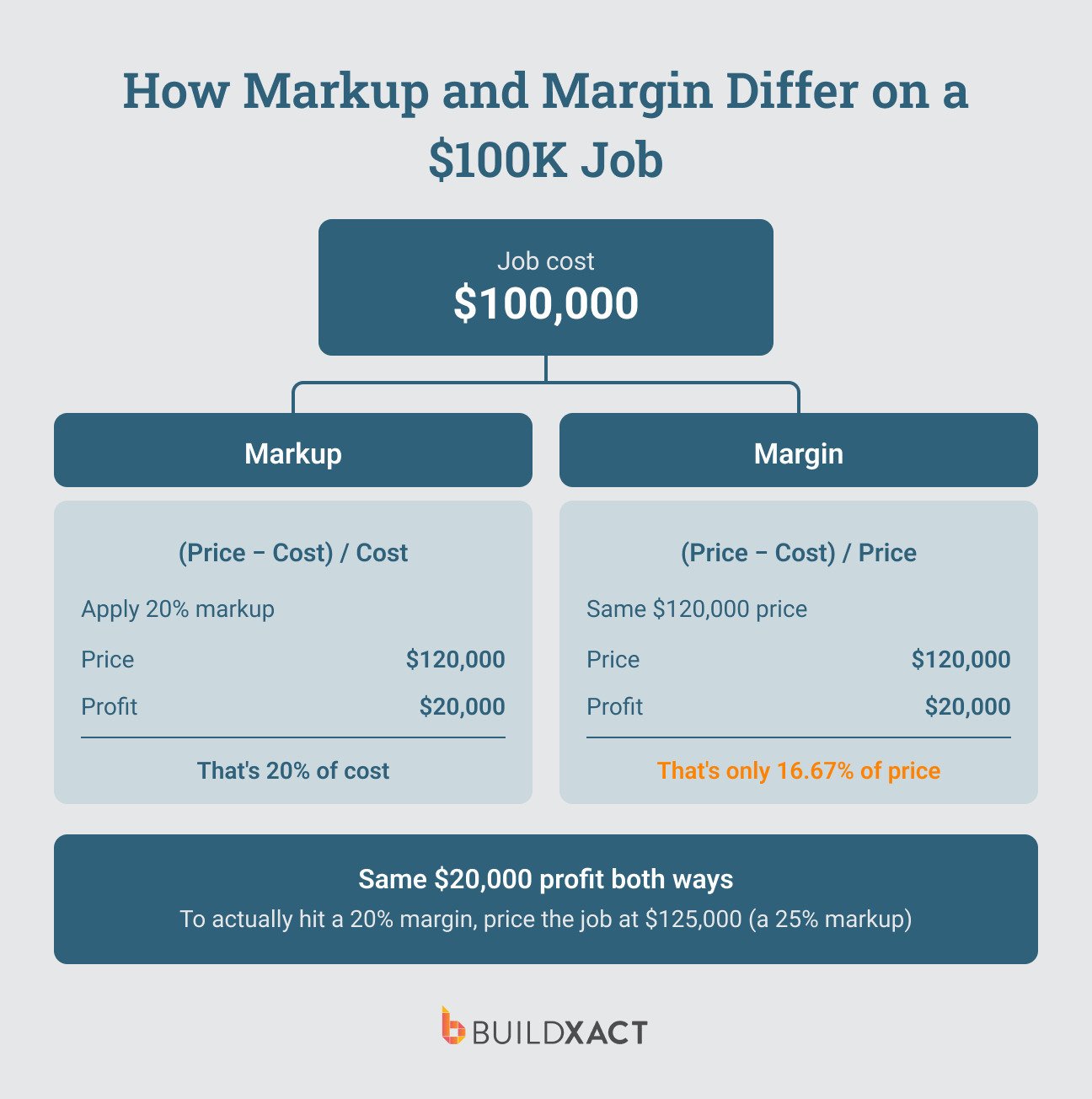
Markup is a percentage of your cost. It’s the amount you add on top of what you pay. If something costs $1M and you mark it up by 25%, then you sell it for $1.25M.
Margin is a percentage of your selling price. It’s the amount you keep as profit out of what you sell. If you sell something for $1.25M, and you have a 20% margin, then you keep $250k as net profit, with the remaining $1M going to costs.
In both cases, the costs ($1M), selling price ($1.25M), and profit ($250k) are the same, but the margin and markup differ. Your markup is 25%, but your margin ends up being 20%.
Understanding how each is calculated helps you see where the difference comes from:
- Margin formula: (Revenue – Cost) / Revenue x 100
- Markup formula: (Revenue – Cost) / Cost x 100
The key difference is the denominator. Margin divides profit (revenue minus cost) by revenue, while markup divides it by cost.
Builder’s Markup-to-Margin Reference Table
Consistency across jobs is what keeps you hitting your target margin across the entire portfolio. Whoever’s pricing the job, whether it’s you or not, needs to land on the right markup fast and get it right every time.
A reference table takes the guesswork out. Here’s how it works.
Find your target margin in the left column, and you’ll see the markup you need to add right next to it. For example, if you want to make a 15% margin, then you need to mark up the costs by 17.6%.
The example figures show how profit changes at each rate, so you can see the difference at a glance.
| Target Margin | Required Markup | Price ($100K cost) | Gross Profit |
| 10% | 11.10% | $111,111 | $11,100 |
| 15% | 17.60% | $117,60 | $17,600 |
| 20% | 25.00% | $125,000 | $25,000 |
| 25% | 33.30% | $133,300 | $33,300 |
| 30% | 42.90% | $142,900 | $42,900 |
When to Use Margin vs Markup
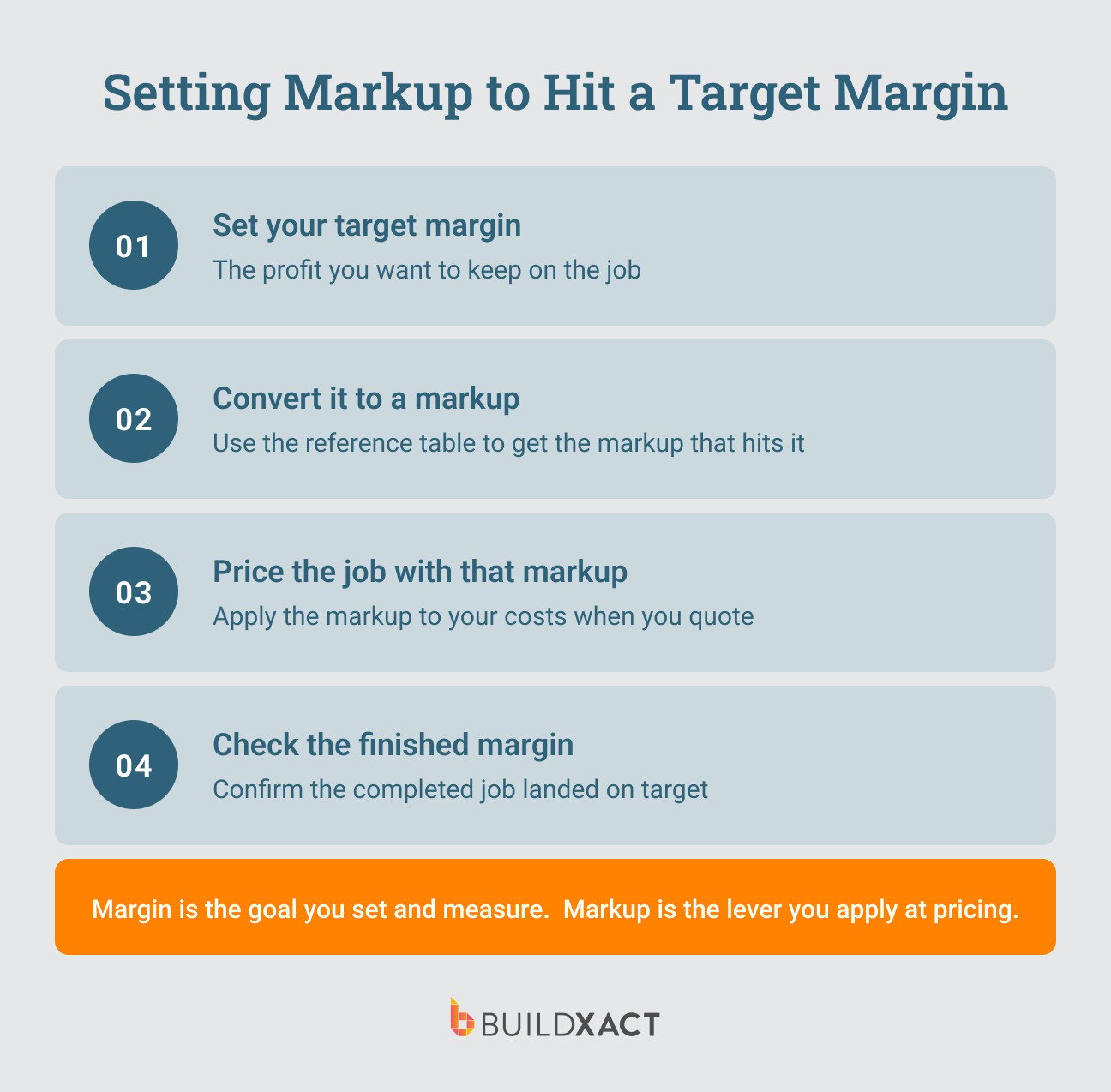
Margin and markup aren’t competing ideas that your team chooses between. It’s not about using one over the other. It’s about knowing when to use each one, and how.
Margin is what you measure on every job as well as across jobs. It tells you what share of revenue you actually keep, and it’s the number you compare across jobs of different sizes and report at year-end.
For example, you might find that while new builds give you more revenue per job, you actually make more margin (and therefore profit) on kitchen remodels. That’s an important business observation, as it tells you where to focus your marketing efforts (assuming you want to prioritize higher-margin jobs).
Markup is what you do at estimate time. You’ve calculated your costs, and you add a percentage on top to get your price.
The best move is to know what margin you’re going after, and make sure you apply the right markup to hit it, meaning your workflow looks something like this:
- Set your target margin
- Convert to the markup that achieves it (using the table above)
- Price the job
- Check the finished job’s margin to confirm
Of course, you still need to sanity check your final price.
Just because a price achieves your desired margin doesn’t mean it’s realistic or going to get the go-ahead from your client, and sometimes it’s wise to accept a slightly smaller margin to win the job, especially if you can offset it with a higher-margin job down the track.
Setting Markup by Cost Category to Protect Your Blended Margin
Applying a flat markup across all cost categories is the easiest move, but it’s also where the most margin risk exists, because materials, labor, and subcontractors don’t move the same way once a job is actually underway.
Dealer pricing locks in a material cost early, so that part of the job comes close to predictable. But labor hours have a tendency to run over, and subcontractors re-quote as scope changes. Those two categories carry more risk between the estimate and the finished job, and a single markup applied across all three doesn’t account for that.
The estimating decision that actually protects your target margin isn’t “what’s my markup.” It’s “what’s my markup, by category, so the blend still lands where I need it.”
Say you’re pricing a job with three cost categories, and you mark each one up differently based on how you price that kind of work:
- Materials: $100K cost, marked up 25% → $125K
- Labor: $60K cost, marked up 40% → $84K
- Subs: $40K cost, marked up 15% → $46K
Your total cost is $200K, and your total price rolls up to $255K. That’s $55K of profit on a $255K price, which works out to a 21.6% margin on the job as a whole.
Labor carries the heaviest markup because it carries the most risk of running over. Materials carry the lightest markup because dealer pricing already did some of the work of locking in the number. You price each category the way it needs to be priced, then read the margin at the end to see where the whole job landed, and adjust as required to hit your target margin.
Getting three categories to roll up to one target margin is a calculation you’re redoing on every job, for every estimator pricing it. Buildxact lets you apply markup at the category level and the line level and see exactly how much each category is attracting, so the blend runs the same way whether it’s you pricing the job or someone on your team.
How blended margin works across the entire portfolio
Blending markup across categories protects the margin on one job. It doesn’t answer the question that actually determines whether your year hits target, which is what your margin looks like across every job you run, not just this one.
So where should your blended margin actually land?
NAHB’s Cost of Doing Business Study puts the average net profit margin for residential remodelers at 6.3% in 2024, with gross profit margins averaging 29.9%. Builders working new construction have historically run higher, with an 8.7% average net profit margin the last time NAHB reported builder-specific figures.
Say you’re running 4 new builds and 12 remodels this year, and you’re aiming for a 25% blended gross margin across all of them. Here’s how that might play out:
| Job | Revenue | Margin | Profit |
| New Build 1 | $360,000 | 21% | $75,600 |
| New Build 2 | $340,000 | 27% | $91,800 |
| New Build 3 | $320,000 | 13% | $41,600 |
| New Build 4 | $380,000 | 32% | $121,600 |
| Remodel 1 | $42,000 | 27% | $11,340 |
| Remodel 2 | $38,000 | 18% | $6,840 |
| Remodel 3 | $43,000 | 31% | $13,330 |
| Remodel 4 | $47,000 | 29% | $13,630 |
| Remodel 5 | $52,000 | 42% | $21,840 |
| Remodel 6 | $40,000 | 10% | $4,000 |
| Remodel 7 | $44,000 | 32% | $14,080 |
| Remodel 8 | $39,000 | 23% | $8,970 |
| Remodel 9 | $48,000 | 39% | $18,720 |
| Remodel 10 | $41,000 | 35% | $14,350 |
| Remodel 11 | $36,000 | -3% | -$1,080 |
| Remodel 12 | $46,000 | 33% | $15,180 |
| Total | $1,916,000 | 24.60% | $471,800 |
Note that no single job in the table hits 25% exactly. A few of them are barely profitable. One even loses money. But the jobs that deliver a higher net margin (42%, for example), make up for them.
The blend across all 16 still lands close to where you were aiming, because the strong jobs are covering for the weak ones.
That’s an important risk worth recognizing.
The wider the spread between your best job and your worst, the more your whole year depends on catching the underperformers early enough to fix them, not on the average holding up by itself. That’s a tracking problem as much as an estimating one.
How Estimating Software Protects Your Margin
Setting the right markup gets your margin right at the moment you price. But costs no longer move annually; they move weekly.
Protecting your margin means not just pricing correctly at the beginning, across the entire portfolio, but tracking costs as they change and keeping price aligned with scope as the job evolves (as they do).
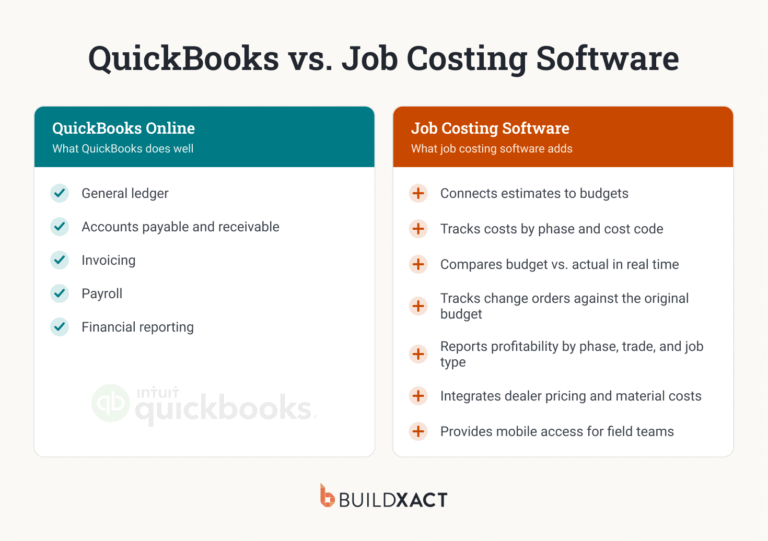
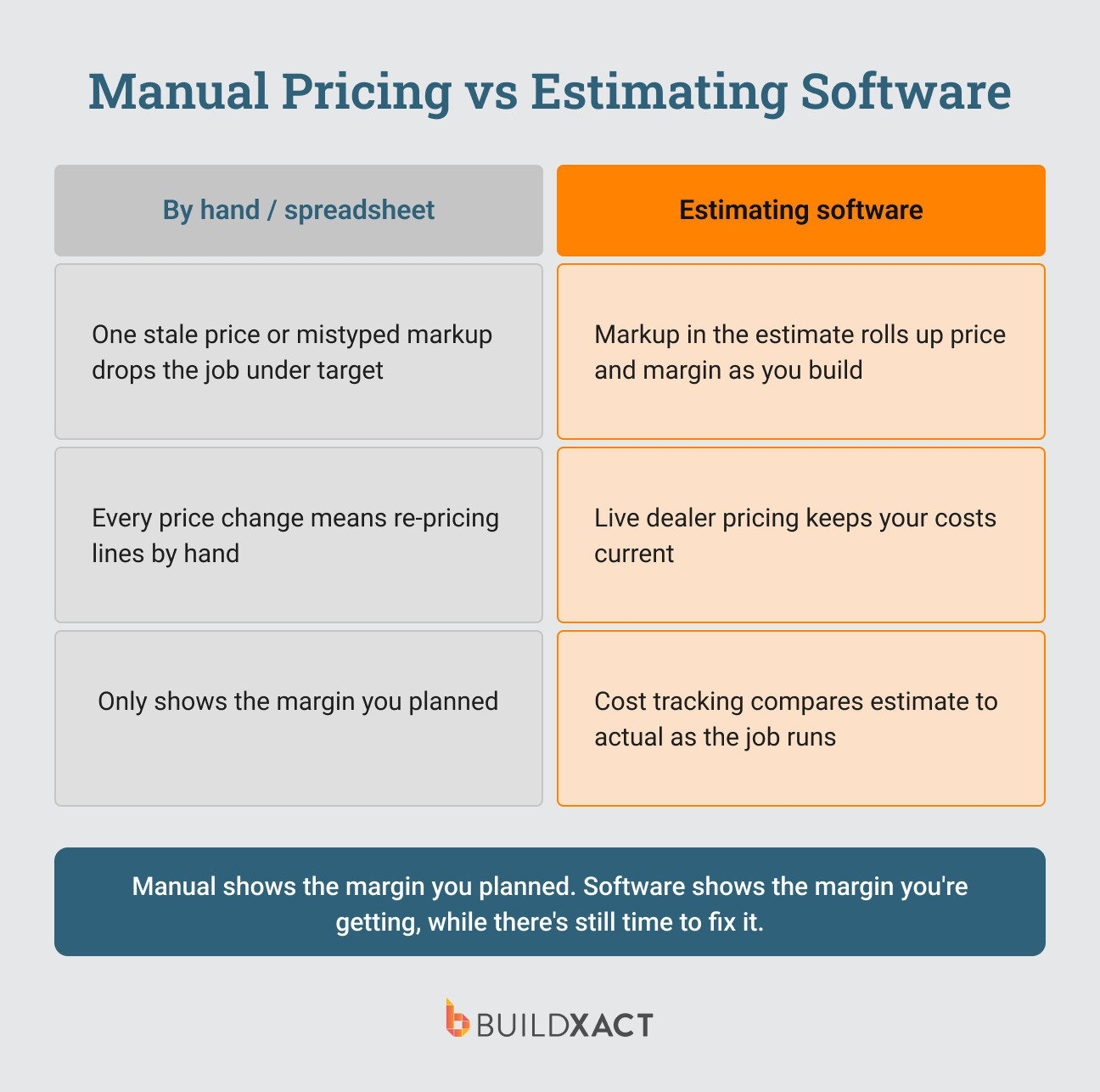
In a spreadsheet, one stale material price or one mistyped markup on a single line can drop the whole job under your target margin, and there’s a good chance you won’t catch it until the job’s done and paid for, and you run the post-game analysis to find you didn’t make the margin you expected to.
Construction estimating software takes over the parts that fall apart by hand. Here’s how Buildxact does it:
- Live dealer pricing keeps material costs current so you’re not bidding on stale numbers. Prices come straight from your dealer’s price list and update at the click of a button, so a bid isn’t built on last month’s costs, which could kill your margin.
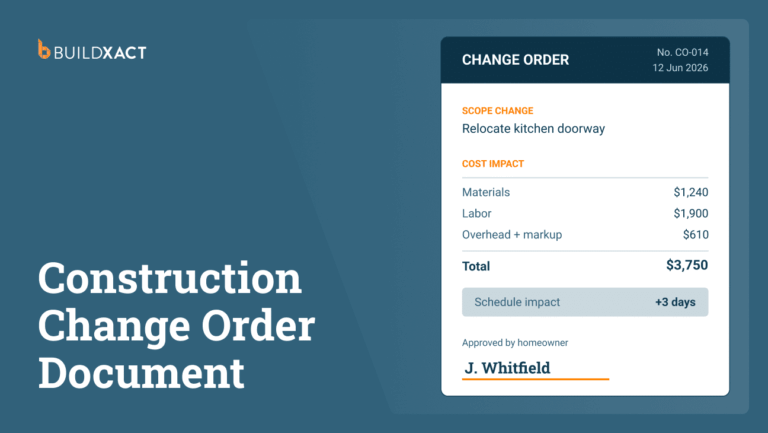
- Change orders and cost changes flow through without re-pricing every line by hand. Changes are processed like estimates and imported directly into budget reporting, with no double-handling of data, which is where manual spreadsheet errors tend to creep in. Markup is applied automatically as costs change to protect your target margin.
- Cost tracking compares your estimate against actual spend as the job runs, line-by-line or by job category. This is the part that keeps your margin accurate: you see the job drifting off its target margin while it’s still underway, not at closeout when it’s too late to correct. The markup sets the target, and cost tracking is what tells you whether you’re actually hitting it.
Builders using Buildxact see an average of 17% more revenue on whole-house builds. Faster, more accurate estimates mean more competitive bids go out the door, and more of them turn into jobs.
Put together, these are what keep your margin from drifting on any single job, so the number that matters, your actual profit across every build and remodel this year, is the one you land on.
FAQ
Is 20% margin the same as 25% markup?
Yes. If you had 25% markup to your costs, you’ll achieve a 20% margin.
For instance, if you mark up $200k in costs by 25%, you’ll price the job at $250k. That means you’ll keep $50k in profit, which would be 20% of the $250k price.
What is the difference between 30% margin and 30% markup?
They sound similar, but the math works out very differently.
A 30% markup on $200k in cost prices the job at $260k. You’d make $60k in profit, which is around 23% margin, not 30%.
To make a 30% margin on the same job, you’d need to price at around $286k, which actually takes a markup percentage of 42.9% to reach.
Is it better to use markup or margin?
Neither is necessarily better. They do different jobs.
Markup is what you apply at the estimate time, adding a percentage on top of your costs to set your price. Margin is what you measure afterward to see what share of revenue you actually kept and to compare jobs of different sizes.
The strongest approach is to use both: decide the margin you want, apply the markup that gets you there, then check the finished job’s margin to confirm you hit it.
What margin is a 15% markup?
A 15% markup gives you a 13% margin. On $200K in cost, adding 15% prices the job at $230K, and the $30K profit is 13% of that price.