Discover Why Builders Rank Buildxact a Top Performer
From “overwhelmed” to on top of it No one has time to learn another system. That’s why Buildxact empowers builders who need to hit the ground running. It’s quick to set up, easy to learn, and simple to use. CoConstruct offers robust features, but it’s dated interface can slow adoption, especially for builders managing smaller projects solo or with lean teams.
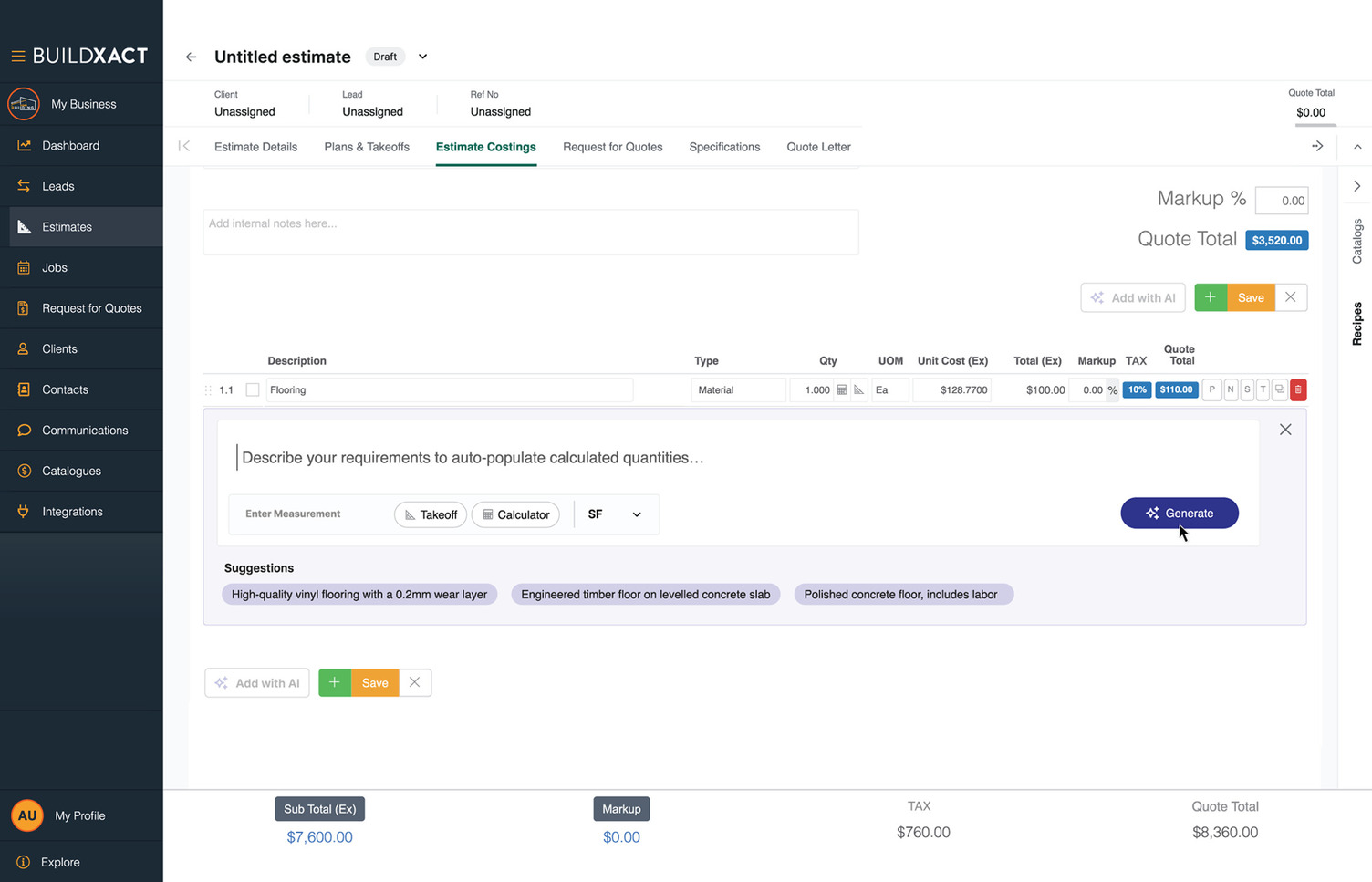
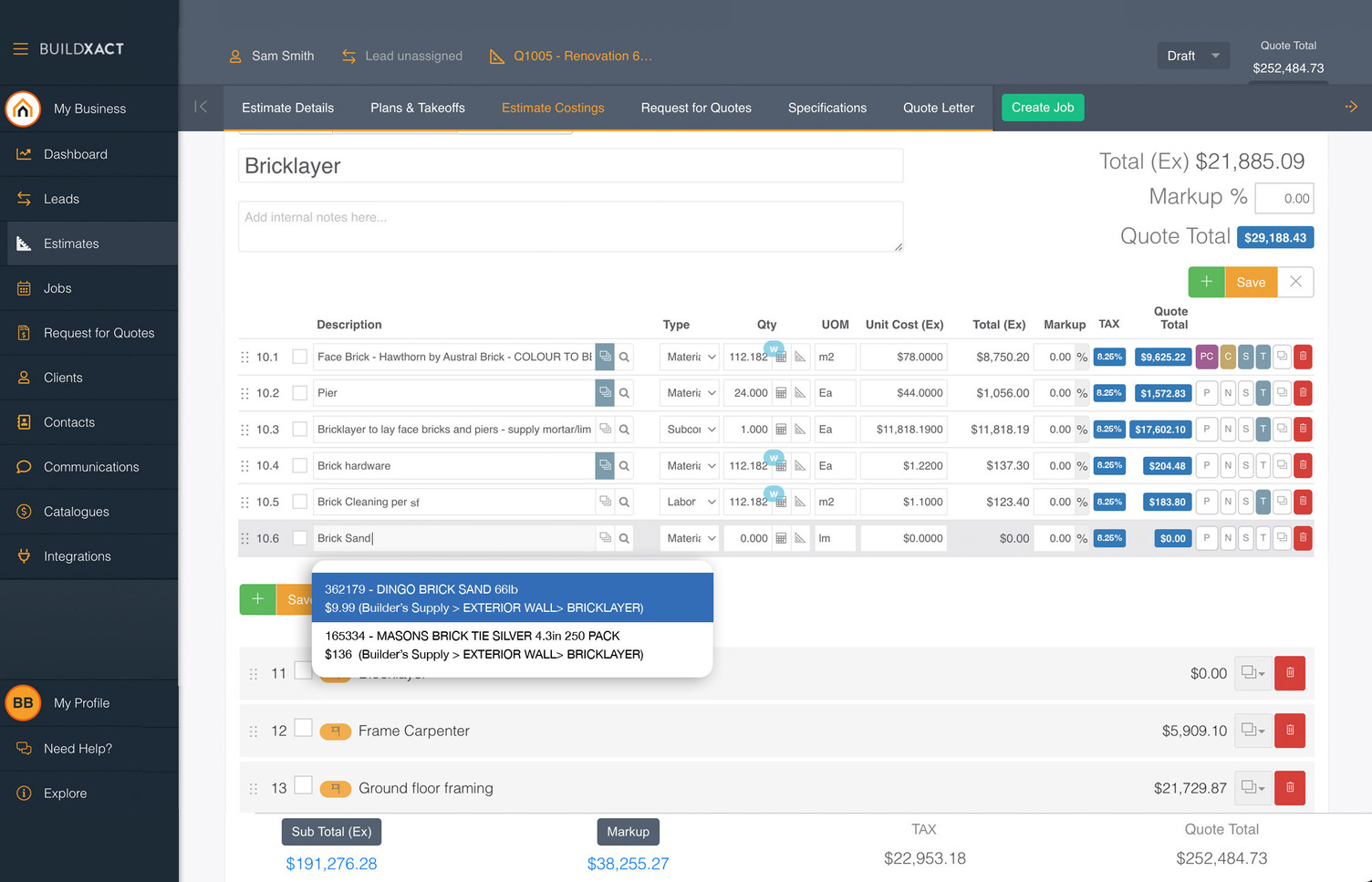
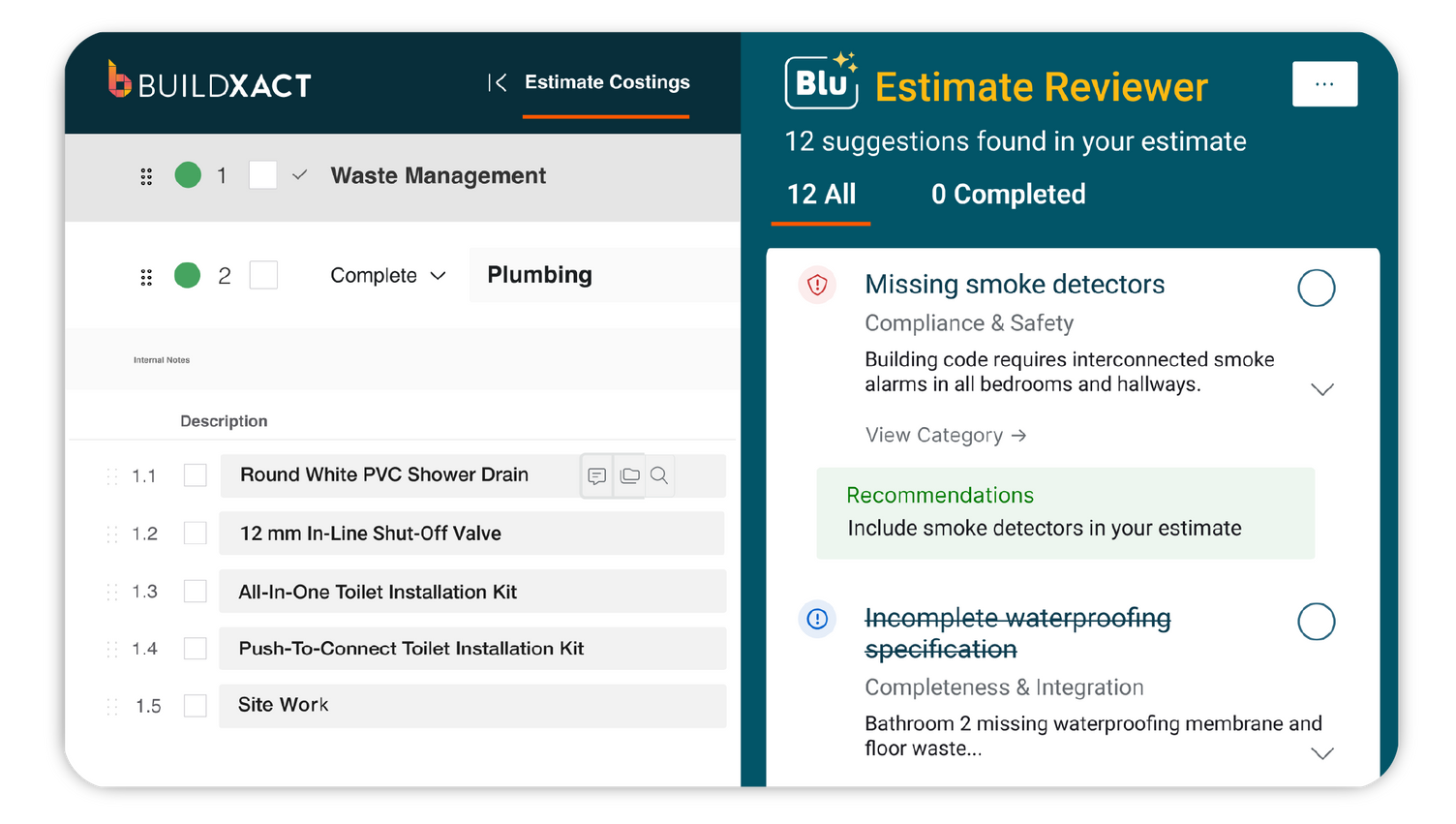
AI-powered estimates that win more work Estimating shouldn’t feel like gambling or guesswork. Buildxact’s BluAI reduces takeoff time by 50%, delivers 7x faster quotes, and keeps pricing accurate with live supplier feeds. CoConstruct supports manual estimates and templates but without the same AI-assisted takeoffs or real-time pricing integration, leaving teams vulnerable to human error and slower quote delivery.
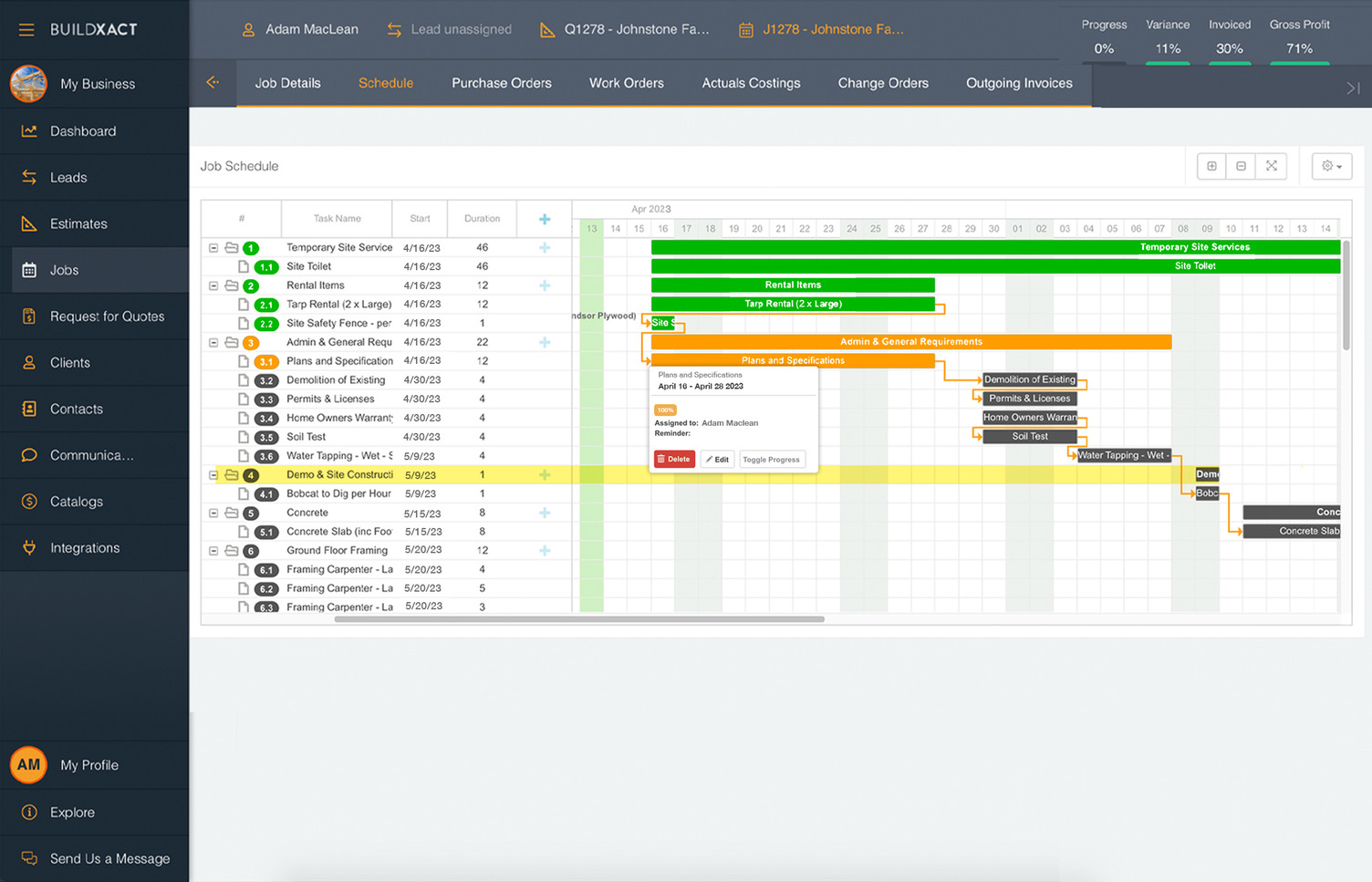
Track jobs, timelines, and budgets in one place Scattered notes and spreadsheets create version chaos. Buildxact unifies your project details, so you can instantly review a job’s status and profitability. CoConstruct does offer job tracking, but builders often report jumping between multiple tabs and tools to manage budgets, selections, and schedules, making real-time oversight harder in the field.
Features
Buildxact
CoConstruct
No steep learning curve
Buildxact is built for builders, not IT teams (users rate it a 4.6/5 for ease of use)
👍
👎
Fast ROI and payback
Most Buildxact builders cover their annual subscription in just one job.
👍
👎
Avoids “feature overwhelm”
Buildxact’s focused features save time rather than overwhelm you with extras.
👍
👎
Instant efficiency
New Buildxact users complete their first estimate 7x faster than manual methods
👍
👎
Designed for residential builders
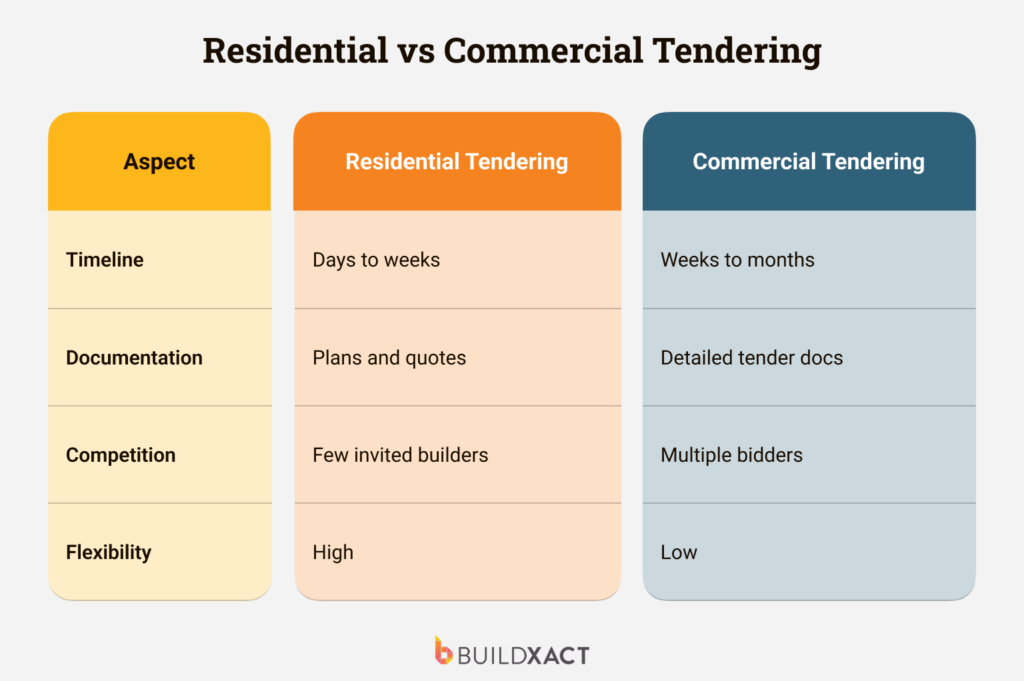
Buildxact is purpose-built for residential workflows, not commercial contractors.
👍
👎
Fast quoting turnaround
Buildxact cuts quote turnaround by up to 30%, so you never miss a lead.
👍
👎
Sounds good, but...
Will Buildxact grow with me as my business scales?
Absolutely. Buildxact is designed for business growth. Unlimited users and flexible features mean you can scale freely without adding complexity, chaos, or spiralling costs.
How does Buildxact’s AI estimating tool work?
Buildxact’s digital estimating tool, Blu, speeds up takeoffs and estimates, catches missing items, and reduces quoting errors, so you protect margins and save on admin time.
Hear from our customers
“Getting started with Buildxact was actually intuitive because it’s set up in a way that you would follow in real life. It’s all right there, and there’s tutorials to step you through.”
“My life prior to Buildxact was all work—no life. I was easily spending 30 to 40 hours per week, on top of a normal 40-hour work week trying to create estimates.”
“My life before Buildxact involved juggling multiple software tools, leading to inefficiencies and increased costs. Now, everything is in one location, and managing projects has become significantly easier.”
“We were looking for a tool to simplify everything for us, and that’s exactly the role Buildxact took on. Buildxact swooped in and saved the day.”
“My accountant loves it because all she has to do is review the bottom line number, so across the board we’ve become more efficient."
For builders: The Entry subscription is for builders, contractors and estimators just starting out with takeoffs and estimates using software tools. Buildxact designed Pro for builders already accustomed to using software and for builders typically involved in whole-of-house projects using small teams of 1-3 people. Pro offers a full set of project management tools, like scheduling and professional invoicing.
For suppliers: The Pro package for suppliers is designed for account managers and store managers looking to free up time spent on multiple pricing conversations so that more time can be spent consulting with customers. The Enterprise package adds the ability to control user access to specific features.
There are no additional fees. Upgrades, maintenance, support and unlimited training is all included in your subscription fee. The only time you pay extra is when you add extra users to your account. Check out our pricing page for full pricing options.
Buildxact offers 3 annual plan options (Entry, Pro or Teams). Each is designed to meet your specific business needs, and you can pay your annual plan in monthly installments or save money by paying in full upfront. See our pricing for all the details.
No. Buildxact is for construction estimation and construction management. It does not offer computer-aided design or drafting functions as part of the platform of project management solutions.
Yes, you can. It’s possible to upgrade your subscription from Entry to Pro or Pro to Teams at any stage. Contact our Customer Support Team by clicking the chat button on the bottom right of your screen in Buildxact.
Yes. Buildxact features two-way integration with major accounting platforms like Xero, QuickBooks, and MYOB, so you can keep your numbers accurate without the risk of double entry and maintain financial visibility throughout the project lifecycle.
Buildxact eliminates siloed and manual spreadsheets, texts, and notes. Instead, manage takeoffs, quotes, schedules, and budgets in a centralized location, across teams — exactly what you need to reduce admin bloat, increase winning bids, and complete projects successfully.
Buildxact’s features are built to fit the residential workflows you and your team use daily. Our templated tools ramp up your operations rapidly, without wasting time on complex customizations.
Cloud-based construction takeoff software allows you to speed up the process while not compromising accuracy. Top-notch accuracy can make a big difference for a custom home builder's bottom line since they will have the capacity to take on more work because they have more time.
We use cookies to give you the best online experience. Cookies keep our site secure and reliable. They let us personalise Buildxact.com to you and help us analyse how the site is used.
Cookie Preferences
Manage your cookie preferences below:
Essential cookies enable basic functions and are necessary for the proper function of the website.
Name
Description
Duration
Geolocation Config
This cookie is used to store the consent settings based on the visitor's location.
30 days
Cookie Preferences
This cookie is used to store the user's cookie consent preferences.
30 days
CloudFlare provides web performance and security solutions, enhancing site speed and protecting against threats.
The _cfuvid cookie is only set when a site uses this option in a Rate Limiting Rule, and is only used to allow the Cloudflare WAF to distinguish individual users who share the same IP address.
session
cf_clearance
Whether a CAPTCHA or Javascript challenge has been solved.
session
__cfseq
Sequence rules uses cookies to track the order of requests a user has made and the time between requests and makes them available via Cloudflare Rules. This allows you to write rules that match valid or invalid sequences. The specific cookies used to validate sequences are called sequence cookies.
session
cf_ob_info
The cf_ob_info cookie provides information on: The HTTP Status Code returned by the origin web server. The Ray ID of the original failed request. The data center serving the traffic
session
cf_use_ob
The cf_use_ob cookie informs Cloudflare to fetch the requested resource from the Always Online cache on the designated port. Applicable values are: 0, 80, and 443. The cf_ob_info and cf_use_ob cookies are persistent cookies that expire after 30 seconds.
session
__cfwaitingroom
The __cfwaitingroom cookie is only used to track visitors that access a waiting room enabled host and path combination for a zone. Visitors using a browser that does not accept cookies cannot visit the host and path combination while the waiting room is active.
session
cf_chl_rc_i
These cookies are for internal use which allows Cloudflare to identify production issues on clients.
session
cf_chl_rc_ni
These cookies are for internal use which allows Cloudflare to identify production issues on clients.
session
cf_chl_rc_m
These cookies are for internal use which allows Cloudflare to identify production issues on clients.
session
__cfruid
Used by the content network, Cloudflare, to identify trusted web traffic.
session
__cf_bm
Cloudflare's bot products identify and mitigate automated traffic to protect your site from bad bots. Cloudflare places the __cf_bm cookie on End User devices that access Customer sites that are protected by Bot Management or Bot Fight Mode. The __cf_bm cookie is necessary for the proper functioning of these bot solutions.
session
__cflb
When enabling session affinity with Cloudflare Load Balancer, Cloudflare sets a __cflb cookie with a unique value on the first response to the requesting client. Cloudflare routes future requests to the same origin, optimizing network resource usage. In the event of a failover, Cloudflare sets a new __cflb cookie to direct future requests to the failover pool.
session
These cookies are needed for adding comments on this website.
Name
Description
Duration
comment_author
Used to track the user across multiple sessions.
Session
comment_author_email
Used to track the user across multiple sessions.
Session
comment_author_url
Used to track the user across multiple sessions.
Session
Google Tag Manager simplifies the management of marketing tags on your website without code changes.
Name
Description
Duration
cookiePreferences
Registers cookie preferences of a user
2 years
td
Registers statistical data on users' behaviour on the website. Used for internal analytics by the website operator.
session
These cookies are used for managing login functionality on this website.
Name
Description
Duration
wordpress_logged_in
Used to store logged-in users.
Persistent
wordpress_sec
Used to track the user across multiple sessions.
15 days
wordpress_test_cookie
Used to determine if cookies are enabled.
Session
Marketing cookies are used to follow visitors to websites. The intention is to show ads that are relevant and engaging to the individual user.
A video-sharing platform for users to upload, view, and share videos across various genres and topics.
Registers a unique ID on mobile devices to enable tracking based on geographical GPS location.
1 day
VISITOR_INFO1_LIVE
Tries to estimate the users' bandwidth on pages with integrated YouTube videos. Also used for marketing
179 days
PREF
This cookie stores your preferences and other information, in particular preferred language, how many search results you wish to be shown on your page, and whether or not you wish to have Google’s SafeSearch filter turned on.
10 years from set/ update
YSC
Registers a unique ID to keep statistics of what videos from YouTube the user has seen.
Session
DEVICE_INFO
Used to detect if the visitor has accepted the marketing category in the cookie banner. This cookie is necessary for GDPR-compliance of the website.
179 days
LOGIN_INFO
This cookie is used to play YouTube videos embedded on the website.