
Fieldwire is a field coordination tool: plan viewing, task assignments, punch lists, and offline access. Once work begins, the crew knows where to look. It helps teams manage what’s happening on the jobsite.
For small to mid-sized residential builders, however, the buying decision usually comes down to whether estimating, pricing, scheduling, and job costing stay connected once work begins, or whether those functions still live across spreadsheets, dealer portals, and disconnected systems.
This guide compares Fieldwire alternatives through that lens. Some platforms focus on strengthening field execution. Others are built to run the job from pricing through completion by keeping quantities, costs, schedules, and changes connected from the start.
You’ll see how residential-focused platforms like Buildxact differ from field management tools and how to choose software that matches how small builders actually price, plan, and control their jobs.
Choosing a Fieldwire Alternative That Fits Residential Building Workflows
Use the following six criteria to evaluate Fieldwire alternatives for residential construction:
- Estimating capability: Does the tool support quantity takeoffs and detailed estimates inside the system, or does it still rely on exporting data to spreadsheets to finish the job?
- Cost and margin visibility: Can you track actual costs against the original estimate while the job is in progress, rather than reconciling them only after closeout?
- Field coordination coverage: How does the tool support core on-site workflows like plan markups, punch lists, task management, and real-time updates without becoming the primary system’s sole focus?
- Residential builder fit: Is the tool designed for builders managing 10–50 homes per year, or is it for large commercial teams with multi-million-dollar, multi-stakeholder projects?
- Pricing scalability: Does the pricing model stay predictable as teams expand, or do per-user fees compound with every crew member and subcontractor you add?
- Workflow continuity: Will the tool reduce reliance on disconnected tools by integrating with accounting systems, suppliers, and scheduling, or add another layer to an already fragmented stack?
These criteria separate tools built for residential construction from tools adapted for it. Before comparing alternatives, let’s look at how Fieldwire is intended to be used, and the types of workflows it is built around.
Fieldwire: Common Use Cases in Residential Construction
Fieldwire is designed primarily for on-site coordination. In residential construction, it is most often used to manage drawings, punch lists, inspections, and day-to-day task execution once work is underway.
For teams whose estimating, pricing, and job costing already happen in separate systems, Fieldwire typically functions as a field-layer tool rather than a system for planning or controlling the job end-to-end.
Common characteristics of workflows where Fieldwire is used include:
- A focus on on-site visibility and coordination, with plan markups, punch lists, inspections, and task tracking managed directly from drawings
- Estimating and job costing are handled elsewhere, such as in spreadsheets, standalone takeoff tools, or accounting software
- Lower project volume or complexity, where manual coordination between systems remains manageable
- Established field workflows, where crews and subcontractors are already trained and aligned around Fieldwire’s execution-first approach
In these environments, Fieldwire supports field execution without changing how jobs are priced, costed, or financially controlled.
The platforms covered in the sections that follow are designed for builders whose pressure points begin earlier during estimating, pricing, and job setup, and who are looking to restructure how those pieces connect across the job lifecycle.
Fieldwire Alternatives at a Glance
| Tool | Best For | What It Handles Well | Where It Breaks Down |
| Buildxact | Residential builders needing an estimate-to-completion workflow in one system | Digital takeoffs and estimating in one system; team-wide access via a single subscription; Home Depot live pricing via Pro Xtra integration | Not a field-first tool; field coordination depth is lighter than dedicated field platforms |
| Procore | Commercial GCs needing enterprise PM and financial controls | RFIs and document control; project financials with budget/cost tracking and accounting sync | Heavy for smaller residential teams; enterprise-level rollout and cost |
| Buildertrend | Residential PM and client communication | Client and team coordination; estimating positioned as connected to proposal/budget/invoice and “real-time job costing” messaging | If you need estimate-first takeoffs/dealer pricing depth, this may not be the strongest fit |
| Houzz Pro | Remodelers needing lead gen and client experience tools | Lead generation and CRM layer; project management tooling (daily logs, scheduling, dashboards) and estimates/proposals/invoicing positioning | Not a field coordination-first platform (plan markups/punchlists aren’t the primary value prop) |
| Contractor Foreman | Small contractors prioritizing low entry cost | Broad all-in-one coverage; job costing, estimates, scheduling, and invoicing are explicitly included | Depth and polish can lag higher-end platforms; user limits depend on tier |
1. Buildxact
Best for: Residential builders who need estimating and job costing connected from bid through completion.
Buildxact is construction estimating and job management software designed specifically for residential builders who want to keep pricing, costs, and job data connected throughout the build.
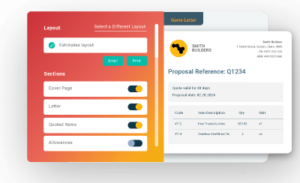
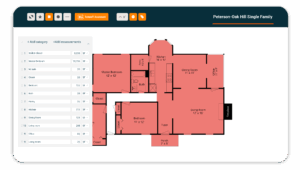
Builders create digital takeoffs from uploaded plans, build estimates using dealer pricing (including live Home Depot pricing), and carry those estimates forward into purchase orders, scheduling, and job cost tracking.
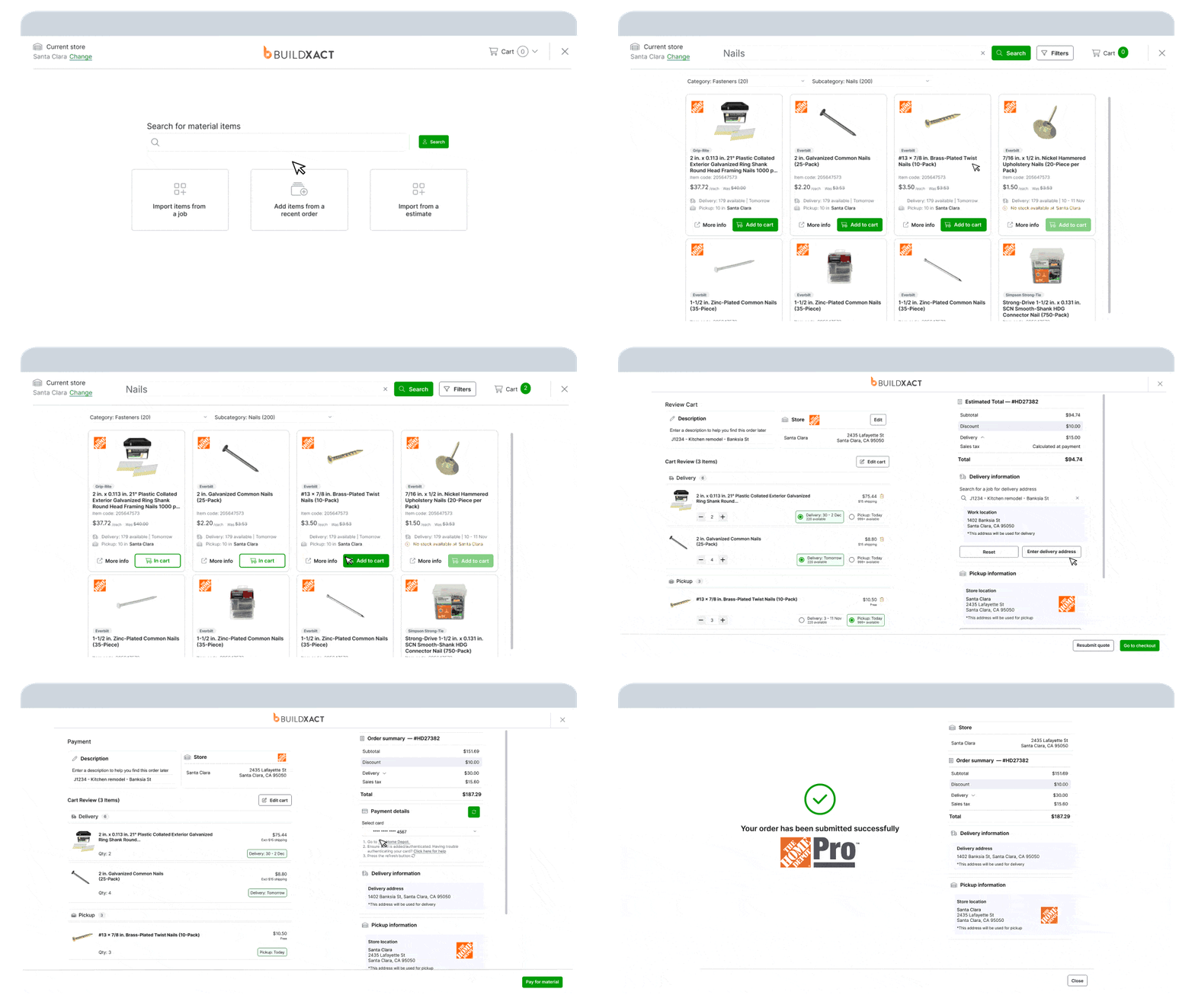
Rather than being replaced by spreadsheets or exported into separate systems, the estimate remains the financial reference point for the job.
This approach supports builders who price frequently and need visibility into job performance as work progresses, with actual costs tracking against the original estimate during the build rather than being reconciled only at closeout.
How Buildxact is designed to support residential workflows
Buildxact centers the job around quantities, pricing, and costs. Additionally, estimating, purchasing, scheduling, and cost tracking all reference the same underlying data, reducing the need to reconcile numbers across multiple tools.
As materials are ordered and invoices are recorded, actual costs update against the estimate in real time. The distinction lies in financial visibility rather than on-site task coordination, with the platform focused on how jobs are priced, monitored, and managed financially.
Key features
- Digital takeoffs from uploaded plans: Quantities are pulled directly from drawings, eliminating manual measurement and spreadsheet re-entry.
- Live dealer pricing, including Home Depot Pro: Estimates reflect current material pricing rather than static price lists.
- Estimate-driven purchasing and scheduling: Purchase orders and build schedules are generated directly from the approved estimate.
- In-progress cost tracking: Actual costs track against the original estimate while the job is underway, providing visibility before closeout.
- Unlimited users: Teams can collaborate on plans without per-seat pricing as headcount grows.
- Accounting integrations: Syncs with QuickBooks and Xero to carry job financials into accounting without double entry.
Drawbacks
- Field coordination is lighter than what you’d get from Fieldwire or Procore. Plan markups and punch lists exist, but they’re not the core of the tool.
- Commercial GCs running multi-trade projects with RFI and submittal workflows will find the scope too narrow for their needs.
- If your primary gap is on-site documentation and estimating already runs smoothly in your current setup, a field-first platform is still the better fit.
Pricing
Buildxact offers three plans: Foundation ($199/month), Pro ($399/month), and Master ($599/month). Builders can start for free or book a demo to review the full workflow end-to-end.
Want to see how Buildxact stacks up against Fieldwire on estimating, scheduling, and financial management? See the full Buildxact vs. Fieldwire comparison.
2. Procore
Best for: Commercial GCs managing multi-trade projects where financials, documentation, and field coordination need to run from one system.
Procore is a construction project management platform built primarily for commercial general contractors operating at enterprise scale.
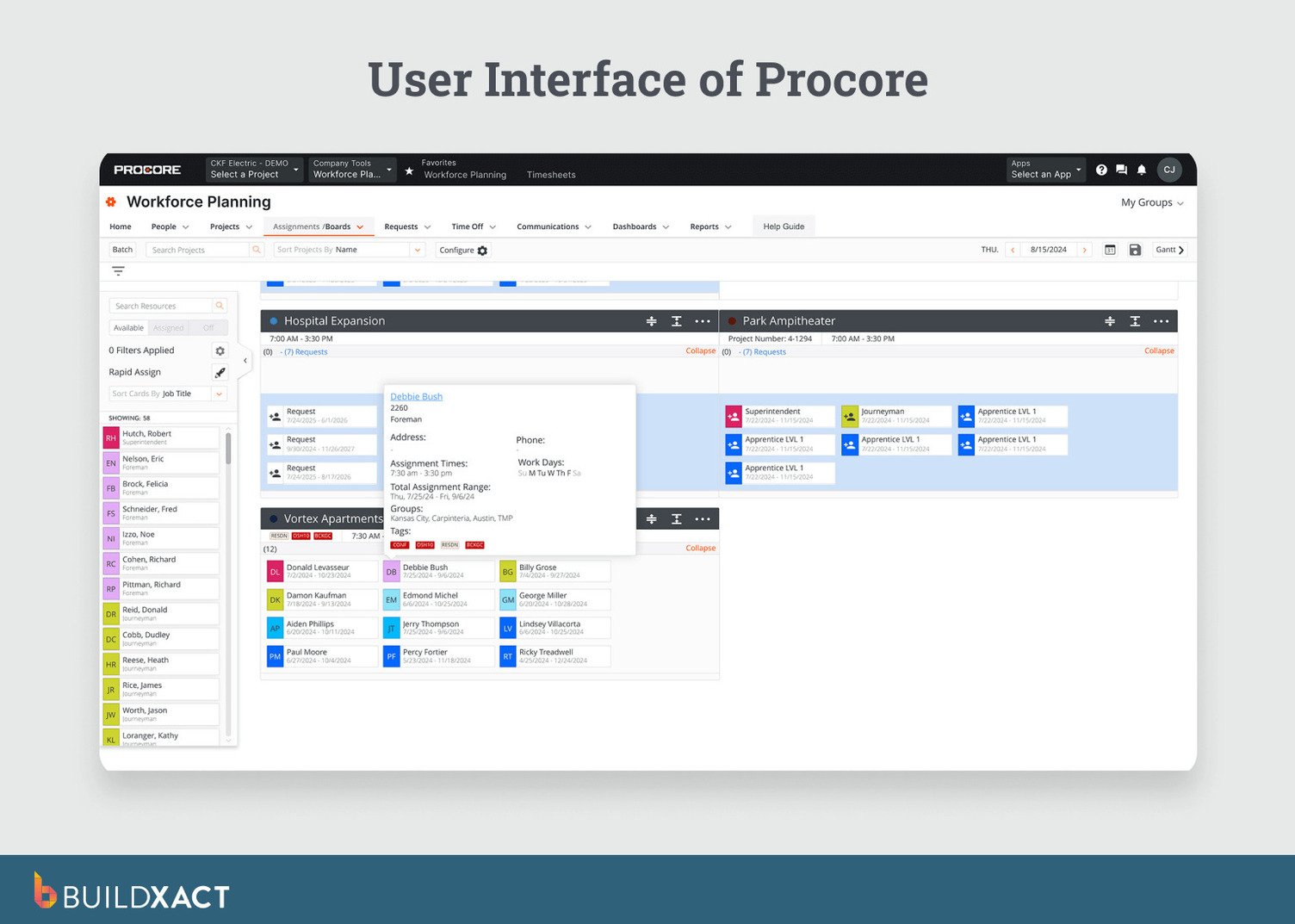
It supports a wide range of workflows across the build lifecycle, including RFIs, submittals, change orders, daily logs, financial tracking, and field collaboration. These capabilities are designed to help large teams coordinate documentation, compliance, and financial oversight across long project timelines.
How Procore fits into commercial construction workflows
Procore is commonly adopted in environments where formal documentation, auditability, and multi-stakeholder coordination are critical. The platform stores project records so teams can reference financials, contracts, and correspondence months or even years after construction is complete.
Its scope and structure reflect the needs of commercial projects with multiple trades, layered approvals, and extended closeout requirements rather than fast-turn residential estimating or job setup.
Key features
- RFIs, submittals, and change orders: Documentation with audit trails supports compliance and dispute resolution.
- Project financial management: Budgeting, contracts, purchase orders, and invoicing are managed alongside daily logs and field activity.
- Field coordination tools: Mobile access to plans, punch lists, and site updates for large project teams.
- Enterprise integrations: Connects with major ERP, accounting, and scheduling platforms.
- Mobile app with offline capability: Supports on-site access in low-connectivity environments.
Drawbacks
- Procore is sold on annual contracts with pricing tied to company size, project volume, and required modules, which can be disproportionate for small residential builders.
- The platform has a steep learning curve and often requires dedicated onboarding, configuration, and administrative support.
- Estimating and bidding are secondary to project management infrastructure, making the system less suited to builders who need to price residential jobs quickly and frequently.
Pricing
Procore does not publish pricing publicly. Contracts are customized based on project volume, company size, and selected modules.
3. Buildertrend
Works for: Residential builders whose primary pain is client communication and project coordination, not estimating speed.
Buildertrend is a project management platform built for residential builders and remodelers. It brings together scheduling, budgeting, daily logs, selections, proposals, and client communication into a single system.
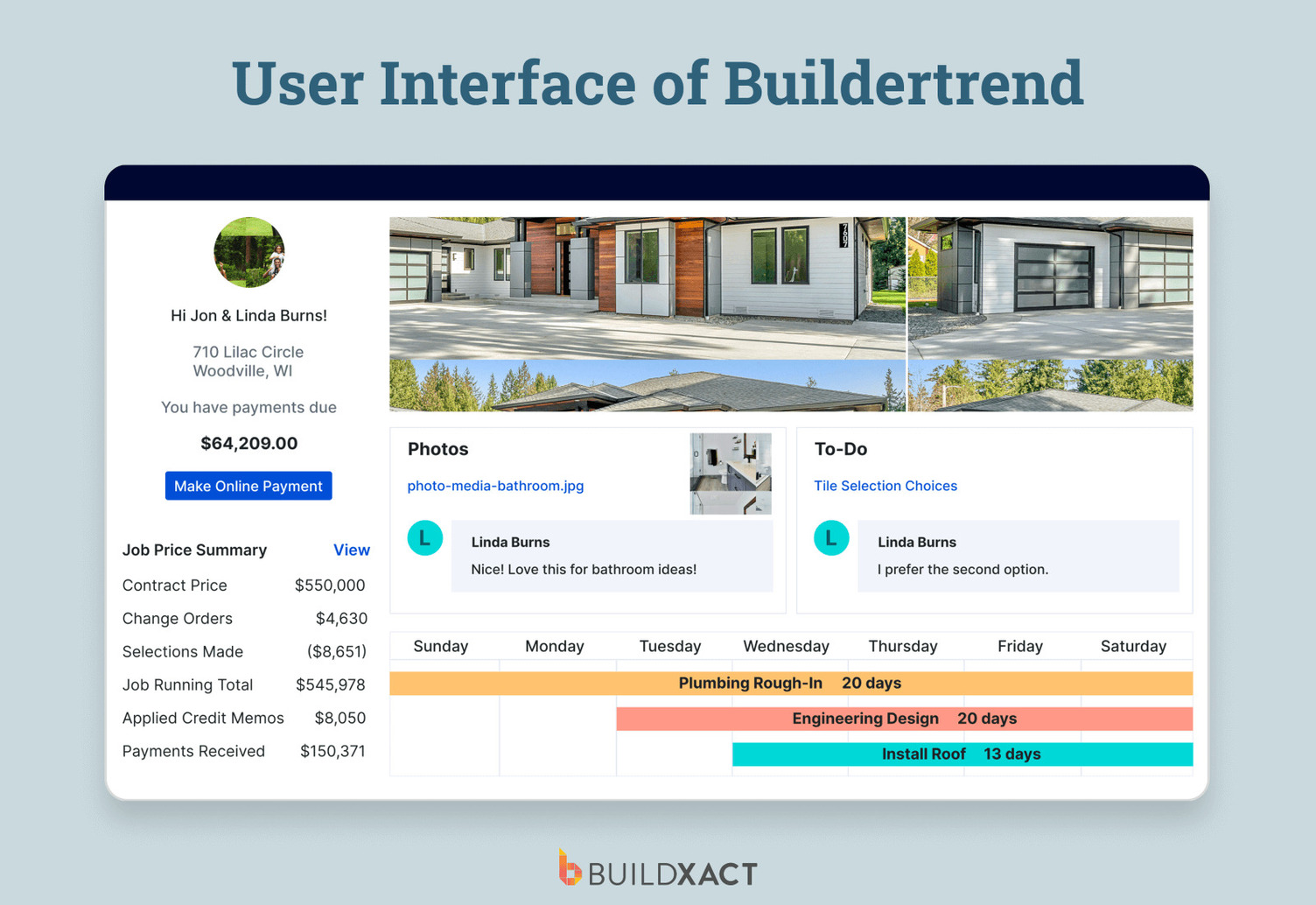
A core part of the platform is its client-facing portal, where homeowners can view schedules, review progress, approve selections, and track updates. The portal handles communication, selections, and approvals, replacing email threads and manual follow-ups.
BuilderTrend’s role in residential construction
BuilderTrend is structured to coordinate work between the builder and the homeowner. Schedules, selections, change orders, and progress updates are managed in a shared environment accessible by both internal teams and clients.
Homeowners log in to review timelines, approve selections, and view updates rather than responding to individual messages. Buildertrend acquired CoConstruct, adding remodeling and custom home project features to the platform.
Key features
- Scheduling and notifications: Gantt-based schedules with automated updates sent to trades, clients, and internal teams.
- Budgeting and scope adjustments: Scope changes are documented and priced before being applied to the project budget.
- Estimates and proposals: Proposals can be created within the platform. Approved proposals connect to budgeting features.
- Accounting integrations: Syncs with QuickBooks and Xero to support budget updates and financial reconciliation.
Drawbacks
- Estimating and proposals are part of the workflow, but digital takeoffs and dealer pricing integrations are not as central as in estimate-first platforms.
- Some processes, such as converting proposals into active jobs, may require manual adjustments rather than flowing automatically from one stage to the next.
- External trade partners may require additional onboarding, particularly if they are not accustomed to portal-based collaboration.
- Pricing
4. Houzz Pro
Aimed at: Remodelers focused on lead generation and client-facing workflows, not builders whose bottleneck is estimating accuracy.
Houzz Pro is a business platform for remodelers and design professionals that combines marketing visibility on the Houzz marketplace with tools for lead management and client-facing project workflows.
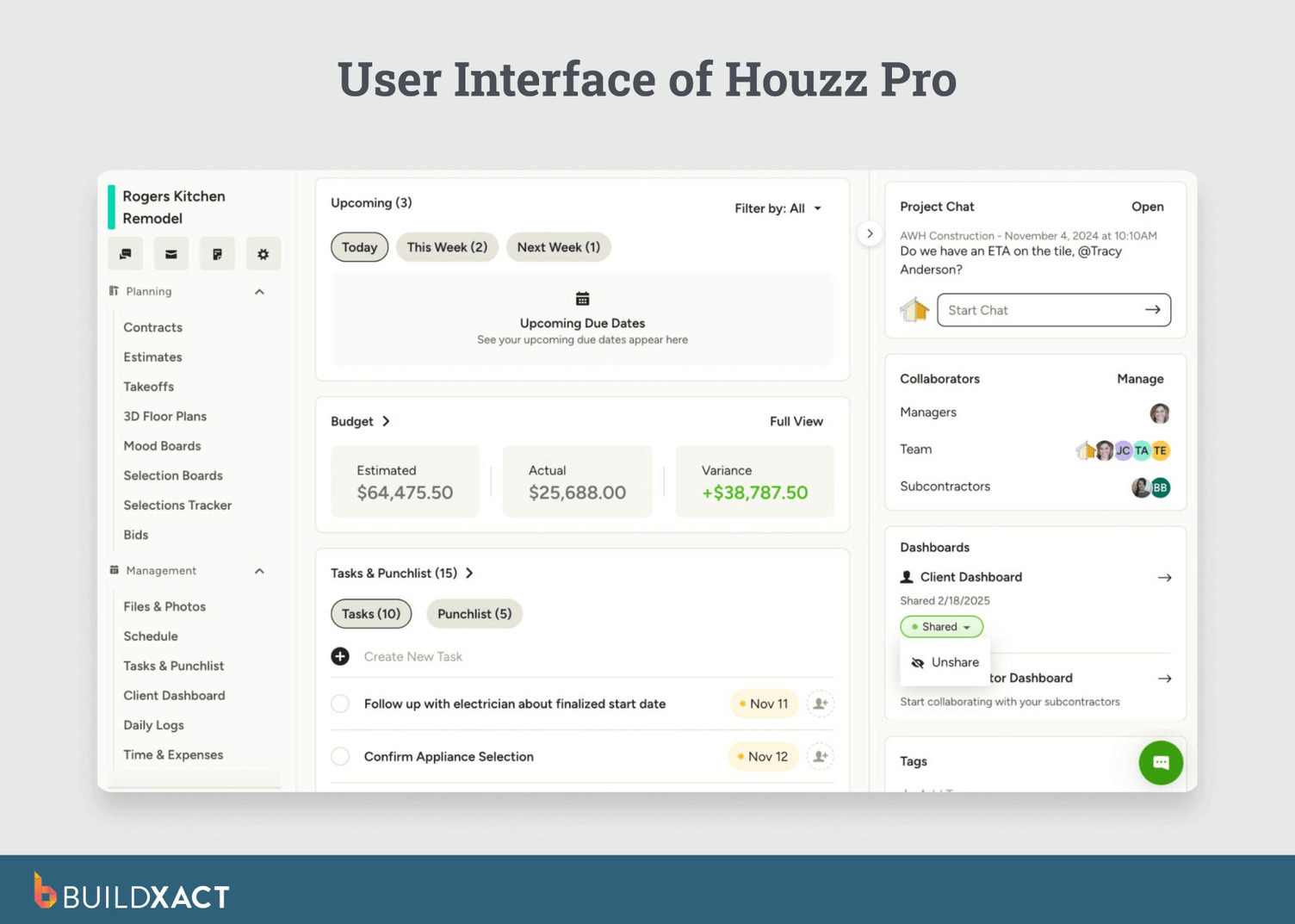
The platform includes tools for lead management, proposals, approvals, and client communication, in addition to its marketplace features. The system is structured around managing the client relationship before and alongside project execution, not around on-site coordination or construction control.
Houzz Pro’s role in client acquisition and management
Houzz Pro is used primarily at the front of the workflow, where projects originate and client decisions are made.
The platform is used to manage homeowner inquiries from the Houzz network, handle leads, and process proposals, contracts, and approvals. Project-related tools cover visualization, communication, and payment. They do not extend to field execution.
Houzz Pro’s tools are oriented toward lead management and client communication. The platform does not extend to site coordination or job cost control during construction.
Key features
- Marketplace-driven lead generation: Inbound homeowner inquiries through the Houzz platform, tied to business profiles with portfolios and reviews.
- Client-facing visualization tools: Design and presentation features, including 3D floor plan capabilities, used to support early alignment with homeowners.
- Proposals, contracts, and payments: Proposals, contracts, invoicing, and payment tools are accessible alongside lead and project management features.
- Accounting integration: QuickBooks Online integration is available for financial data transfer.
Drawbacks
- Variable lead performance. Lead volume and quality can vary by market and trade, making inbound demand less predictable as a primary pipeline.
- Pricing volatility: Subscription costs may increase at renewal, introducing longer-term commercial risk for some businesses.
- Limited estimating depth. Estimating tools are present but do not center on takeoff-driven workflows or dealer-based pricing.
- No field coordination layer: Houzz Pro does not provide on-site task management, punch lists, or field execution workflows comparable to field-first platforms.
Pricing
Houzz Pro offers Pro, Custom, and Enterprise tiers, with features scaling from core CRM and estimating tools to expanded marketing, scheduling, and reporting capabilities. Pricing is not publicly available; details are provided during a demo.
6. Contractor Foreman
Works for: Small crews making their first move from paper, spreadsheets, and disconnected tools into a digital system, where budget is the primary constraint.
Contractor Foreman is a construction management platform designed for small to mid-sized contractors who want estimating, scheduling, time tracking, invoicing, safety documentation, and basic project oversight in one system.
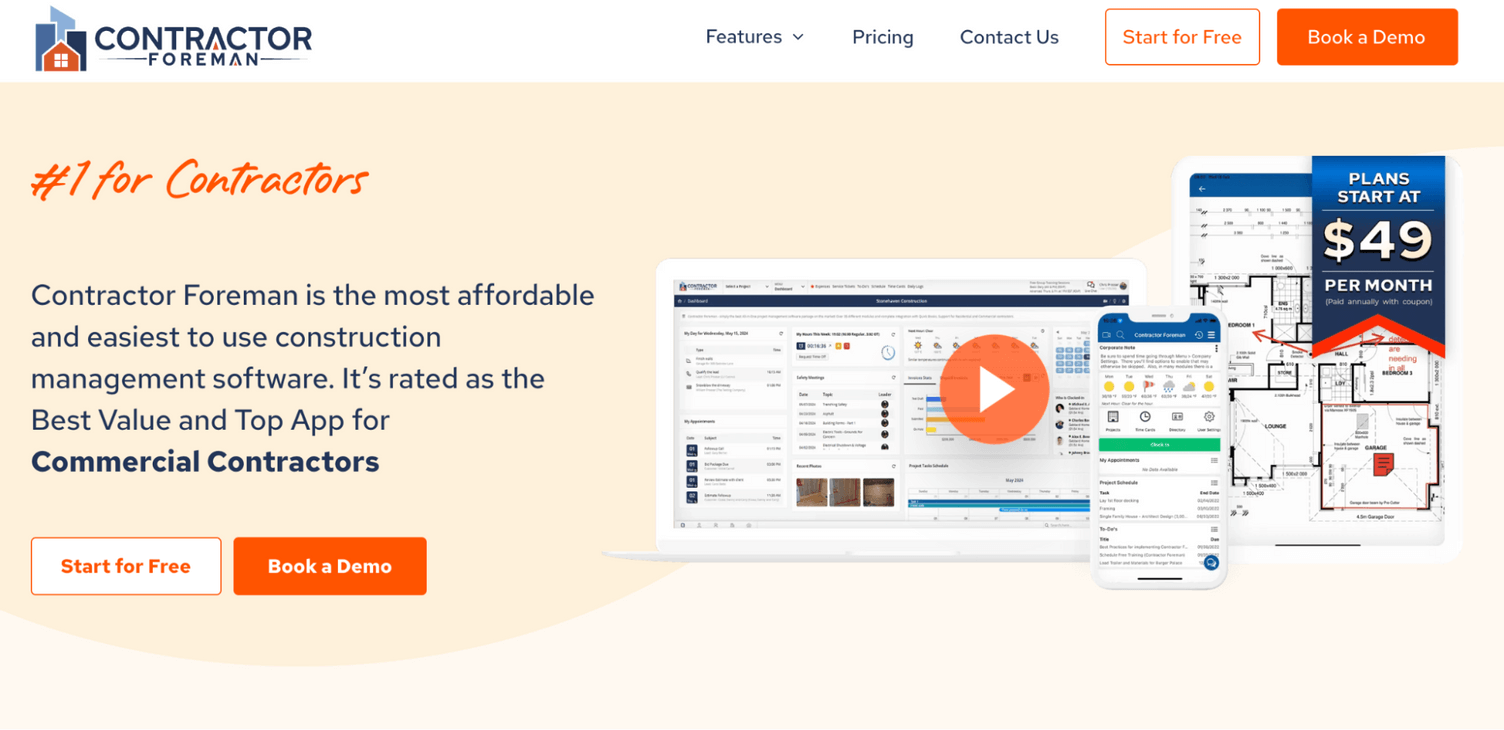
Rather than specializing deeply in a single stage of the workflow, the platform bundles administrative and operational tools. It includes features for budgets, daily logs, CRM functions, and document management.
How residential builders use Contractor Foreman
Contractor Foreman is commonly adopted by small teams whose operational friction comes from managing work across spreadsheets, text messages, and disconnected systems.
In these environments, the pressure typically sits on basic administration rather than advanced estimating automation or complex field coordination. Estimates need to turn into invoices. Change orders need to be recorded. Time needs to be tracked. Daily activity needs a record.
The platform covers estimating, scheduling, time tracking, budgeting, safety documentation, and client communication.
The tradeoff is specialization. Contractor Foreman prioritizes accessibility and breadth of coverage over advanced estimating workflows, real-time margin controls, or enterprise-level project governance.
Key features
- Basic estimating and invoicing: Simple estimate creation and invoicing to replace spreadsheets, without plan-based takeoffs, AI assistance, or dealer pricing integrations.
- Scheduling tools: Gantt charts and calendar views for communicating timelines to crews.
- Daily logs and time tracking: Record who was on site and what work was performed, providing baseline documentation for payroll and reporting.
- Client portal and document management: Tools for sharing documents and updates with clients.
- Accounting integration and mobile access: QuickBooks integration and a mobile app for basic field access.
Drawbacks
- Limited estimating depth: Estimating is manual and entry-based, with no takeoffs from plans, AI-assisted measurement, or dealer pricing integrations.
- Shallow job costing visibility: Job costing functionality exists, but it is not structured for real-time margin tracking during the build. Invoices reflect what was billed, not how the job is performing financially mid-project.
Pricing
Contractor Foreman starts at $49/month for the Basic plan. The most commonly used Pro plan costs $221/month.
For a full breakdown of where Contractor Foreman falls short on estimating depth and connected workflows, see the Contractor Foreman vs Buildxact comparison.
Buildxact: The Fieldwire Alternative Built for Residential Builders
Fieldwire is built for field coordination. It covers drawings, inspections, and task management once work is underway.
The alternatives in this guide diverge based on where the breakdown occurs. Some expand enterprise project management. Others specialize in takeoffs or client communication.
Buildxact stands apart when the pressure point sits between estimating and job costing. It keeps digital takeoffs, dealer pricing, purchase orders, scheduling, and cost tracking tied to the same estimate throughout the build.
Choosing the right alternative depends on where the breakdown happens. If your crew is already coordinated on site, but the estimate doesn’t follow the job through purchasing, scheduling, and cost tracking, a stronger field app won’t close that gap. Start for free or book a demo and see how Buildxact handles estimating through to job completion.