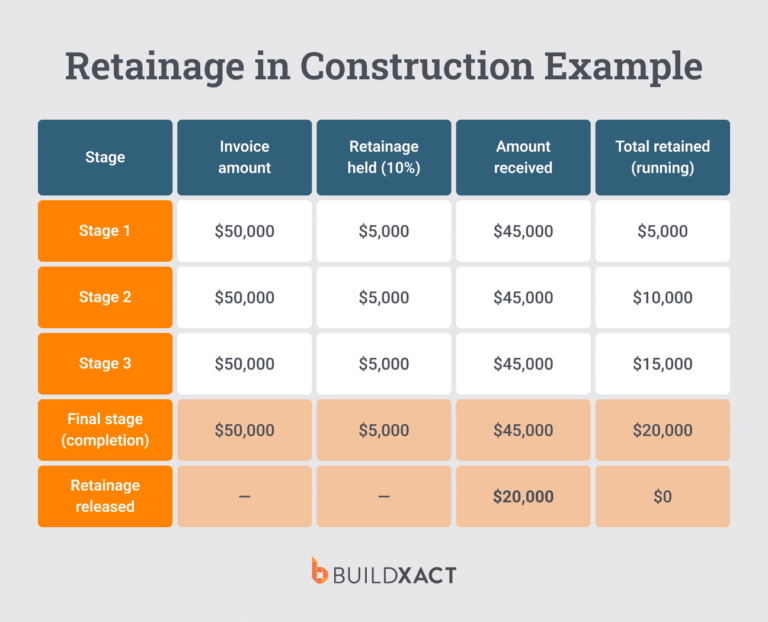


Residential builders lose money in different ways. Sometimes it’s a rushed bid or a missed line item. You approve the work, then the numbers start drifting. A scope change comes in by text or a dealer price shift, so you rebuild the invoice from memory. At some point, the estimate no longer matches what’s actually happening on site, and fixing it means absorbing the cost.
So, when an estimate lives in a spreadsheet or a standalone file, every update forces re-entry across schedules, purchase orders, and invoices.
Estimate management software stops that breakdown and reconnects otherwise siloed functions like estimates, budgeting, and materials costing.
This guide compares the leading estimate management software for residential builders through the lens that matters once work starts: whether the estimate holds together as the job progresses or breaks down, creating rework, delays, and margin erosion.
You will see side-by-side comparisons and clear recommendations to help you choose software that protects your margin beyond the bid.
How Estimate Management Software Helps Residential Builders
Once work begins, estimating serves as a reference point for dozens of subsequent decisions.
Every change tests the system. Can updated numbers carry forward without re-entry? Can you see what changed and why? Can pricing, scope, and approvals stay aligned as the job moves?
Here’s what changes when estimate management software coordinates and centralizes this information, even as the job evolves.
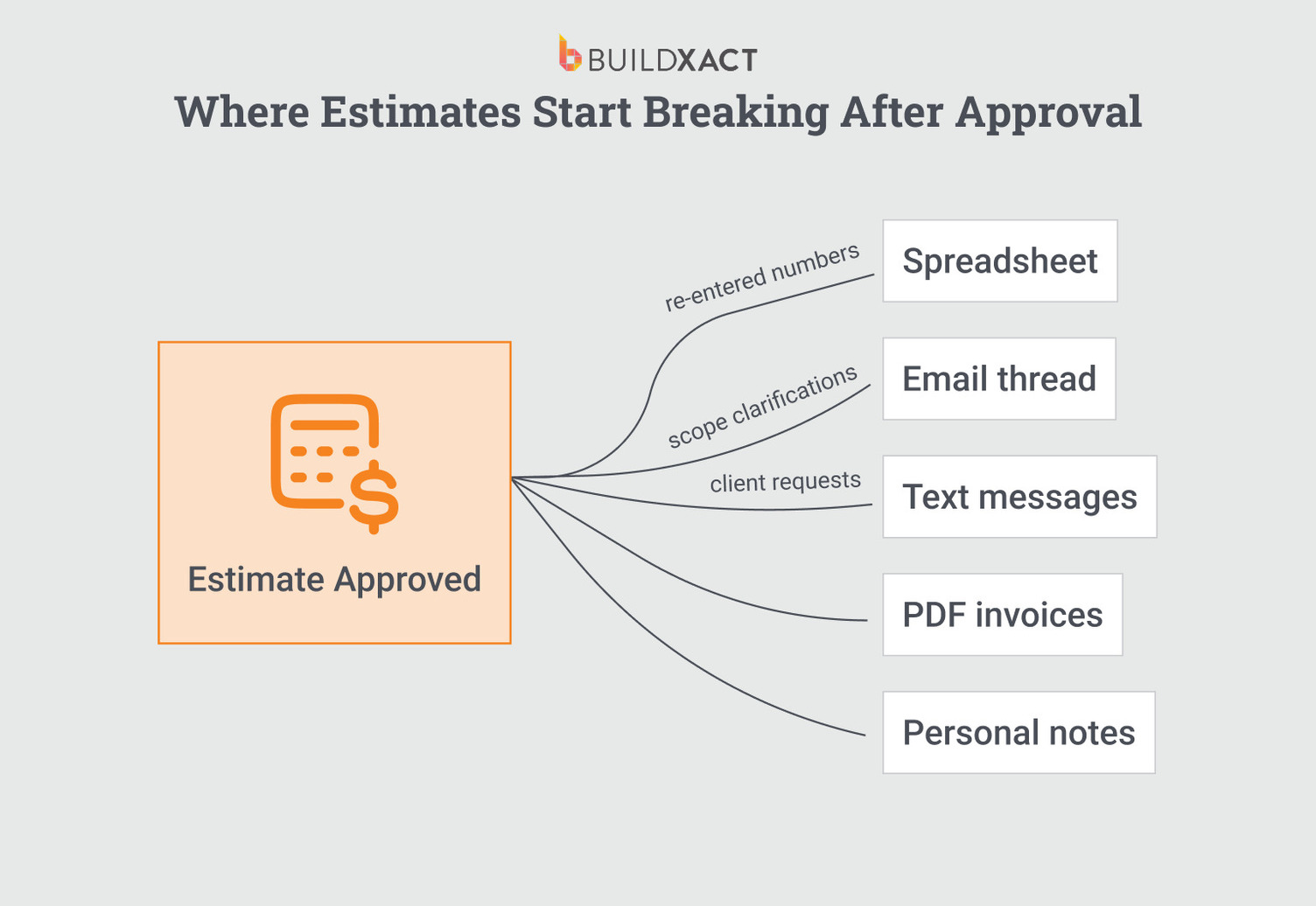
Reduce re-work across estimates, revisions, and jobs
Re-work happens because construction estimating information resets whenever something changes.
A small scope adjustment forces updates in multiple places. You change quantities in one file, revise pricing in another, and resend documents from a third. Each version holds different numbers. So you re-enter, cross-check, and hope nothing slipped between them.
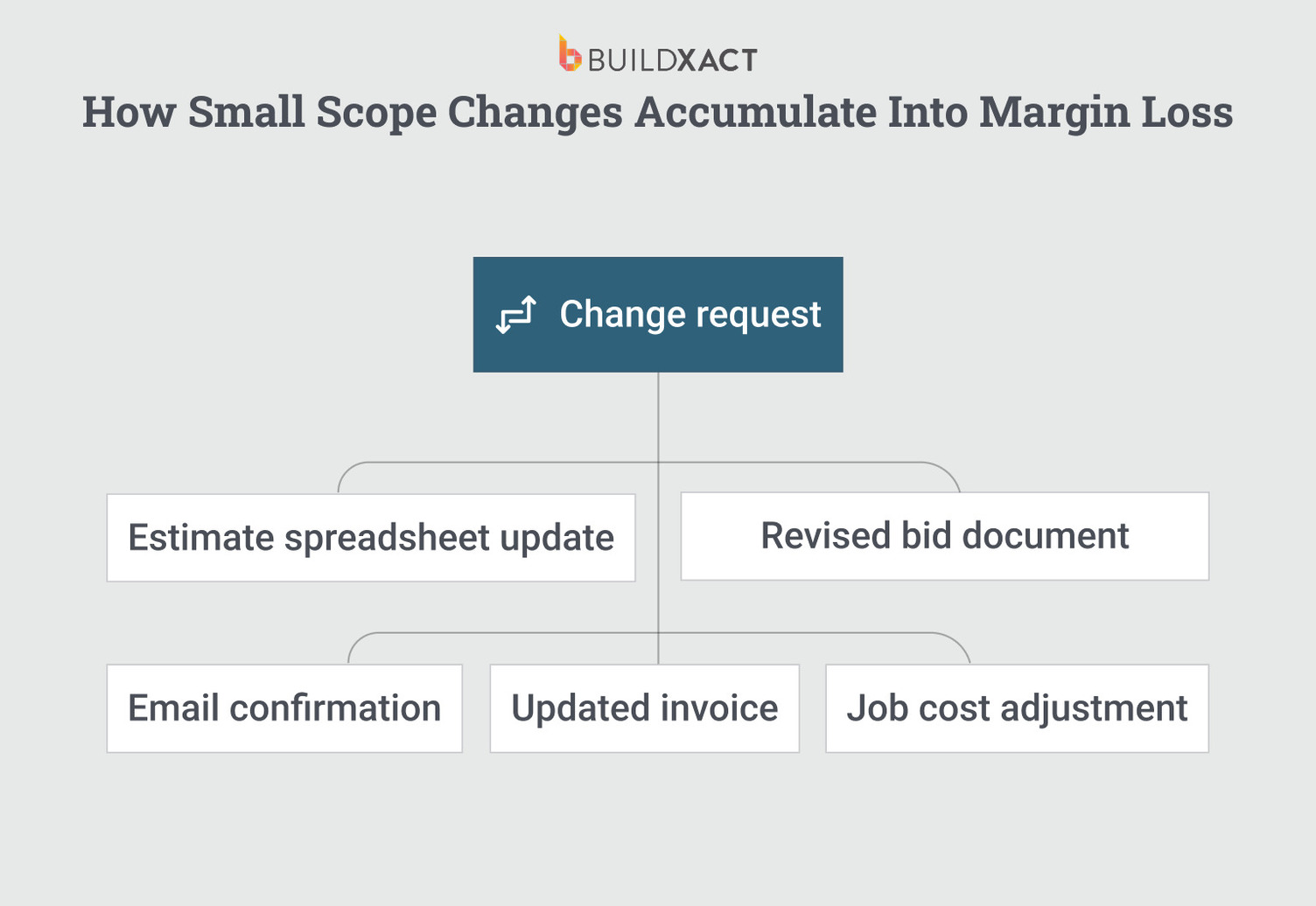
If you’ve been doing this long enough, the re-entry doesn’t feel like extra work. It feels like being thorough, the kind of attention to detail that keeps jobs from going sideways. But the time shows up somewhere, usually, in a gap between what you bid for revisions and what they actually cost you to produce.
Estimate management software changes this by treating the estimate as a single source that revisions modify, rather than a snapshot that gets copied and adjusted.
When the client adds a deck, you adjust the scope in one place, the quantities update, the pricing follows, and the margin recalculates. You’re not opening three files to make sure the numbers match because there’s only one set of numbers.
The revision still takes time. But it’s the time spent on the actual change, not on ensuring every document agrees with every other.
Keep the estimate data connected after the bid
After approval, the estimate remains as a static file that has served its purpose and is now archived.
You build schedules from memory, purchase orders from partial numbers, and invoices from whatever version you can find. As the job progresses, the logic behind the original price becomes harder to recover.
What was included blurs. Allowances lose their context, and assumptions fade right when decisions depend on them.
On smaller jobs, this doesn’t feel urgent. You remember what’s in the bid. But three weeks in, when the client asks whether the upgraded fixtures were included, the answer takes longer than it should.
Estimate management software changes this by keeping the estimate attached to the job as it moves.
When your crew asks whether the allowance covers the client’s tile selection, you pull up the estimate and show them the line item. The quantity, the price, and the note you added about the client’s preference. It’s where the job is, not somewhere you’d have to dig for.
Protect margins before work begins
Margin problems come from committing to a price without fully controlling how the margin is applied across the estimate.
In spreadsheet-based estimating, markup is often kept separate from the estimate itself. You apply it once at the end, adjust it manually, or override it to win the job. Once the bid is approved, that margin logic disappears. When scope changes, pricing updates don’t consistently reflect the original margin intent.
Estimate management software changes this by letting you add markup directly within the estimate, at the job, category, or line-item level before the bid goes out. Margin becomes part of the estimate structure, not a final adjustment.
When costs change or scope expands, the system recalculates margins automatically, rather than forcing you to re-price manually or absorb the difference. You see the impact before committing, while there’s still room to adjust pricing, scope, or approach.
The estimate doesn’t just produce a number. It enforces the margin rules you set when the job is still optional, not after it’s locked in.
Respond while homeowners are still engaged
Response time affects outcomes long before pricing does.
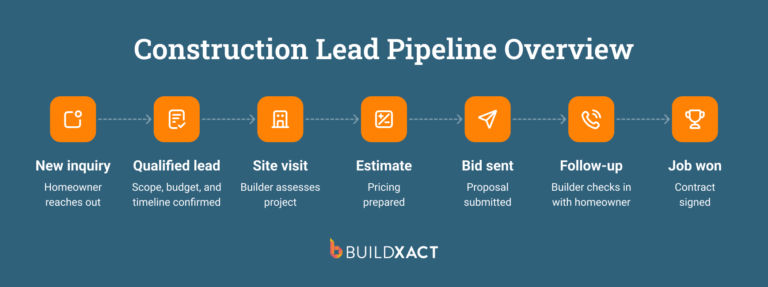
This isn’t about rushing work. It’s about staying relevant while the homeowner is still deciding. After a site visit, homeowners compare builders based on who follows up clearly and promptly. When an estimate takes days to assemble, the delay itself shapes the decision regardless of how accurate the final number is.
The delay usually comes from ongoing rebuilding work. Recreating assemblies, rechecking pricing, and manually referencing recent jobs instead of reusing them.
Estimate management software shortens that window by reusing prior work. Common scopes, quantities, and pricing are already in place, so new estimates start from existing structures instead of blank files.
Judgment is still required, but the estimate no longer depends on rebuilding known work, which keeps the time between site visit and proposal short enough to remain competitive.
Prevent small omissions from becoming margin leaks
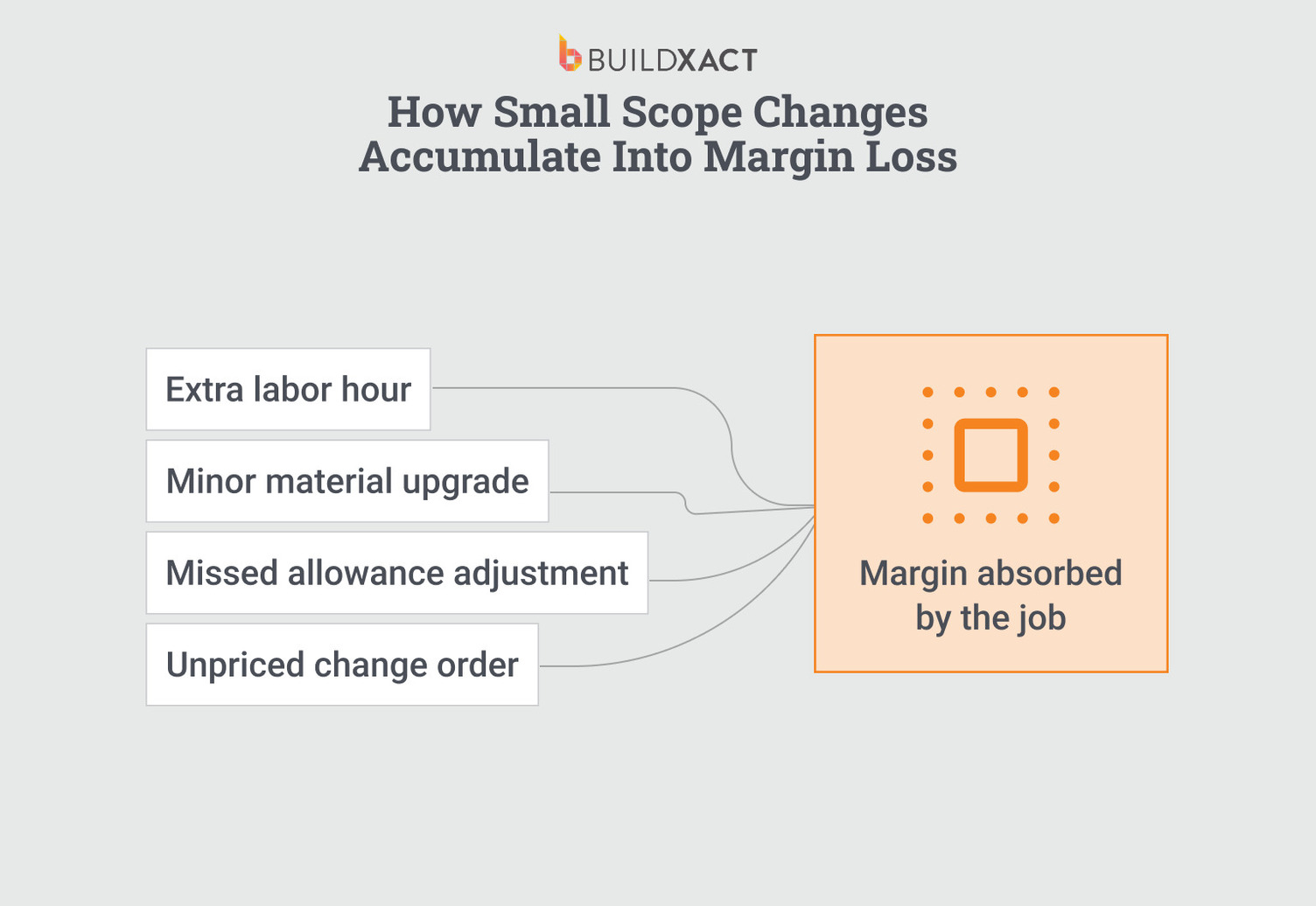
Most margin loss comes from small items that never make it into the estimate, like fasteners, disposal fees, travel time, and minor labor adjustments.
These items are easy to miss and hard to notice. Each omission seems insignificant on its own, so it rarely gets corrected.
The issue is repetition. When estimates rely on memory or ad hoc notes, the same items drop out of job after job. Nothing captures those misses in a way that prevents them from recurring.
Estimate management software reduces this leakage by carrying forward previously included items. Assemblies and templates reflect past work, so commonly missed costs appear by default instead of relying on recall.
Key Features to Look For in Estimate Management Software
You do not need the software with the most features. You need the software that holds up when you are mid-job, mid-revision, and mid-conversation with a client who remembers the scope differently than you do.
The features that matter are the ones that prevent breakdowns under real working conditions.
Designed for residential builders (not generic construction)
Many estimating tools built for commercial contractors or large teams assume the availability of dedicated estimators, project managers, and time for setup and maintenance.
However, you work differently. You develop estimates between site visits, and you do not have an administrative team to configure workflows or manage the system. When software assumes roles, handoffs, or setup time you do not have, friction shows up immediately.
You see it in long setup periods, unused features, and extensive workarounds just to make it work. So you either use a small portion of the tool or abandon it and return to spreadsheets that fit how you actually work.
Evaluation signal:
- If the software requires role setup, process configuration, or ongoing administration before it becomes usable, it is not built for residential builders.
Centralized estimate and project records
When your estimate lives in one place, notes in another, photos on your phone, and documents in email, every mid-job question turns into a search.
You know the information exists, but you just cannot access it fast enough to answer confidently. So you respond from memory, approximate, or delay the answer until you can track it down.
Those shortcuts create problems later. Details drop out during revisions, and context disappears during handoffs, leading to disputes over items documented but unavailable when needed.
Evaluation signal:
- If you cannot access notes, photos, documents, and approvals directly from the estimate while the job is active, the system will fail under pressure.
Communication and approval history tied to the estimate
When approvals are not recorded with the estimate, you carry the risk for every change.
Verbal approvals move work forward, but they do not protect you later. When you invoice, the change no longer has a clear reference tied to the scope and pricing that governed the job.
Many builders absorb the cost to avoid the dispute.
Evaluation signal:
- If the system does not record approvals and scope changes within the estimate itself, you bear the risk of every disputed change.
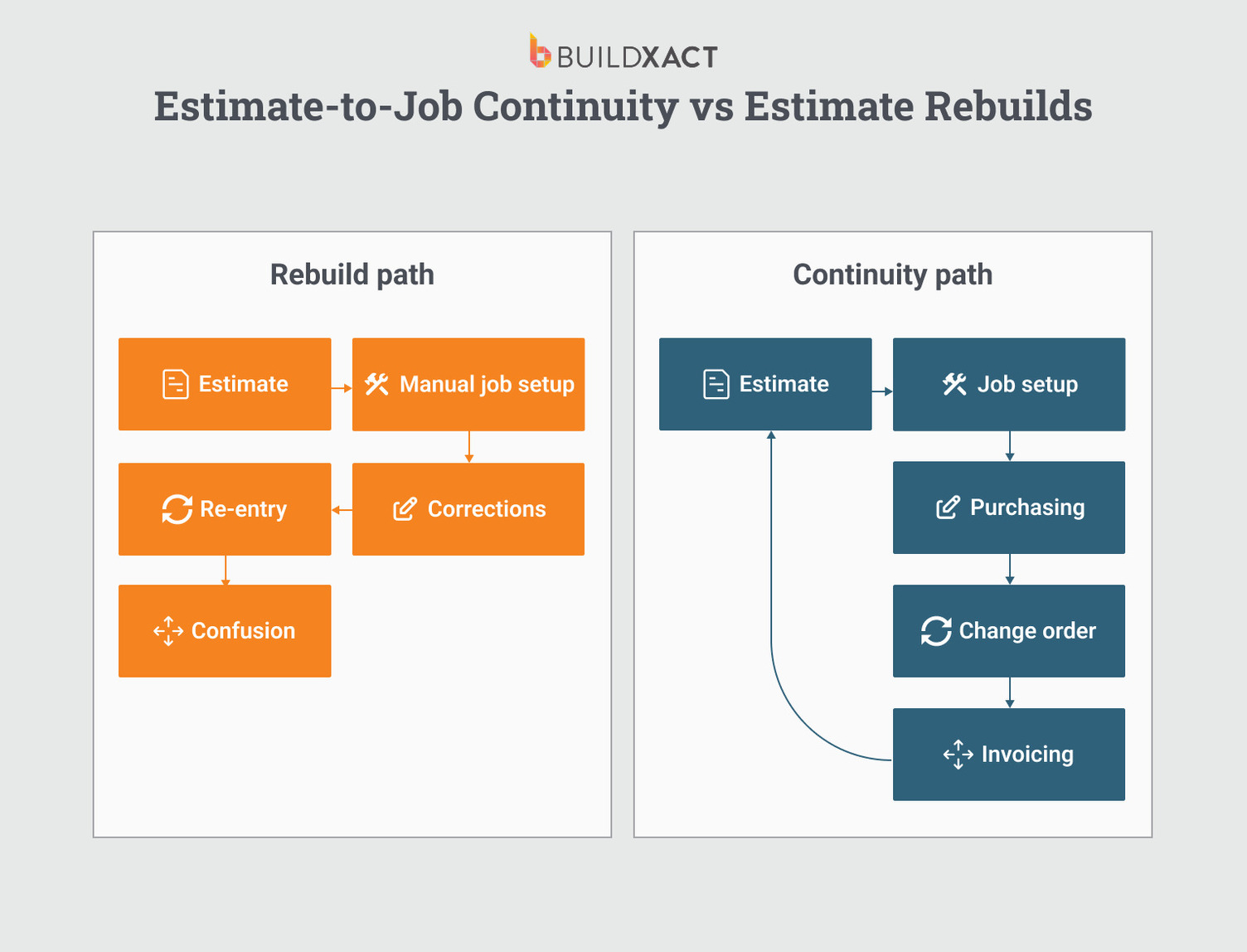
Workflow continuity from estimate to job
After you approve a job, most estimating tools stop helping. You save the estimate, then rebuild the work elsewhere. You create schedules separately, recreate quantities for purchase orders, and then need to re-enter pricing into invoices.
Every re-entry creates another chance for error. A wrong quantity leads to a wrong order, and a wrong order causes delays and unplanned costs.
You can double-check your work, but you cannot eliminate risk in a process that forces you to rebuild information that already exists.
Evaluation signal:
- If the software requires you to re-enter quantities or pricing after approval, it will recreate errors at scale.
Ease of use and realistic adoption
You learn new software at night, on weekends, or in short gaps between jobs. You do not have time for long training cycles or complex setups.
When a system takes weeks to learn or configure, you use only part of it. The rest never gets set up. You pay for a capability you never reach.
Partial adoption means that you rely on a system that never fully supports the work that matters most.
Evaluation signal:
- If the software doesn’t deliver value without dedicated training or setup, it’s useless to your team — and a drain on your operating expenses.
Estimate Management Software Comparison: The Best Tools for Residential Builders
Not every estimating platform is optimized around the same core job. Some tools are designed primarily for client-facing workflows, helping teams present estimates clearly, communicate changes, and manage approvals. Others are built to treat the estimate as an operational anchor, carrying quantities, pricing, and scope forward into job setup, purchasing, and cost tracking.
The tools below are all capable construction estimating solutions. The difference is what they emphasize once the estimate is created and how well that estimate stays connected as work moves from pricing into execution.
At a Glance: Estimate Management Software for Residential Builders
| Tool | Best for | Estimating strength | Workflow continuity (estimate → job) | Ease of use |
| Buildxact | Residential builders who need estimating to carry into scheduling, purchasing, and job tracking | Strong | Strong | High |
| Buildertrend | Builders looking for an all-in-one residential construction platform | Medium | Medium | Medium |
| PlanSwift | Estimators prioritizing takeoffs and preconstruction workflows | Strong (takeoff-focused) | Weak | Medium |
| Procore Estimating | Firms already operating inside Procore’s enterprise ecosystem | Medium | Strong (ecosystem-dependent) | Low–Medium |
| Databuild | Teams tying estimating closely to ordering and accounting | Strong (detail-oriented) | Medium | Low–Medium |
| Buildern | Residential builders seeking an integrated estimating and job workflow | Medium–Strong | Medium–Strong | Medium–High |
Scores reflect how each tool supports estimating as a system over time, not how many features it offers at the bid stage.
Buildxact
Buildxact helps residential builders keep estimates usable after a job is approved, when pricing, scope, and costs usually start to drift.
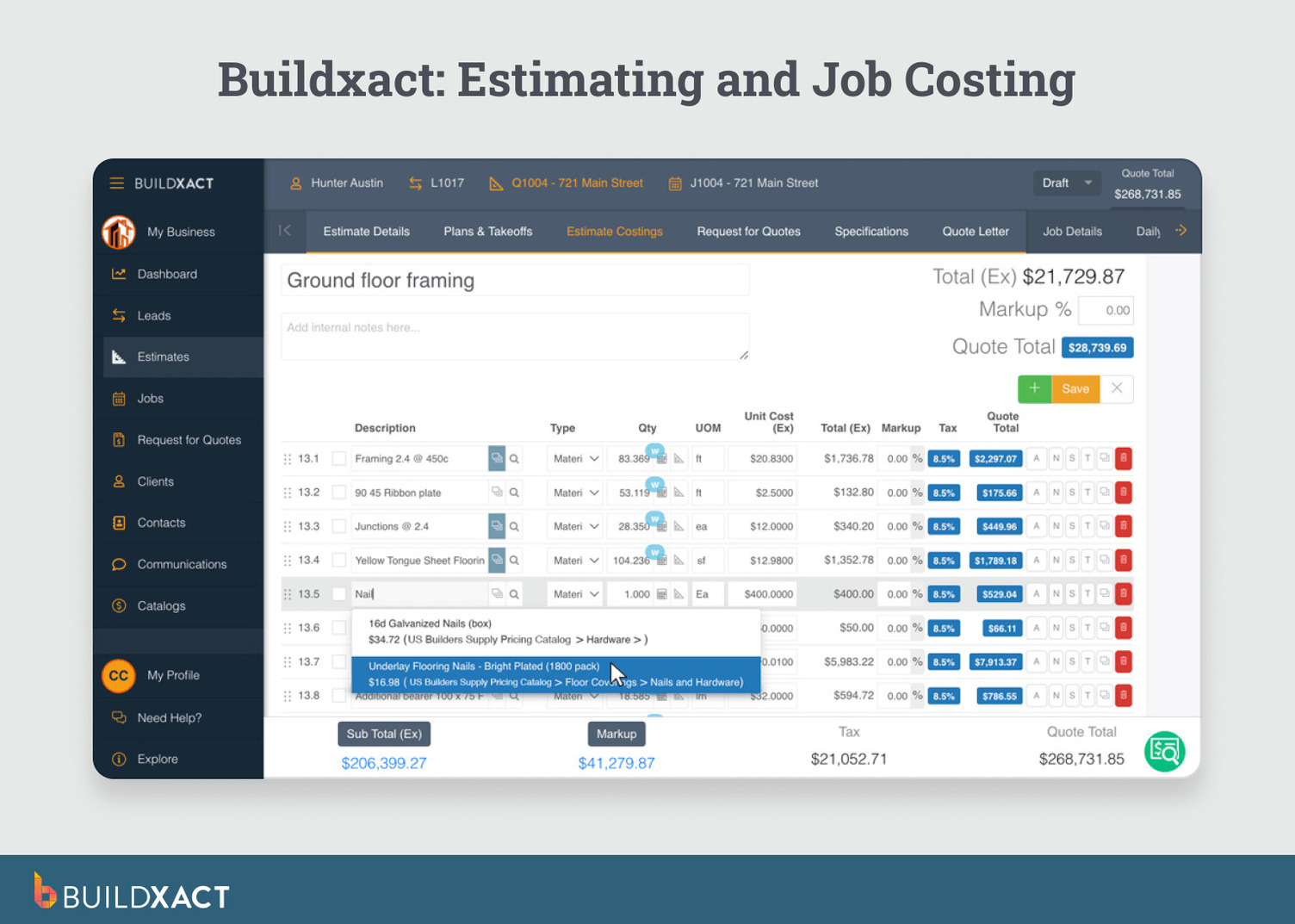
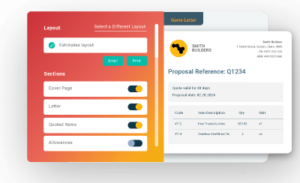
How it works: you build the estimate once, then use it as the source for job setup, purchasing, job costing, and billing. Quantities and pricing don’t need re-entry downstream. Changes update the original estimate instead of forcing rebuilds across spreadsheets, emails, and PDFs.
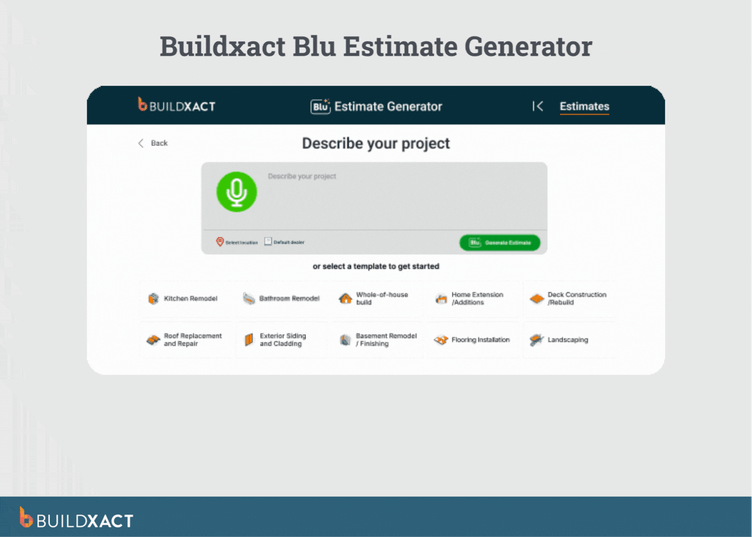
Blu, Buildxact’s AI-assisted estimating assistant, reduces the time and dependency constraints that slow estimating for small teams. Instead of waiting on dealer callbacks, Blu generates material quantities and pulls live pricing directly from integrated dealer catalogs, including The Home Depot.
This allows builders to price jobs while clients are still engaged, without relying on outdated lists or after-hours consolidation.
For builders like Joshua Bradley of BradWay Construction & Restoration, the constraint was time. Dealer response delays pushed estimating into nights and stretched bid cycles. Using Blu removed that waiting period by locking pricing into the estimate immediately, rather than days later.
“If you’re trying to solicit multiple dealers, all of that adds to your build-out. Whereas if you’ve got The Home Depot tied to Buildxact, you click it and in a couple of seconds it’ll populate whatever’s in that estimate and lock it into that price.”
— Joshua Bradley, BradWay Construction & Restoration
This is the core difference Buildxact is built around: estimating does not stop at approval. The estimate continues to operate as the reference point for the job.
Benefits
- AI-assisted estimate generation: Generate material suggestions and quantities based on project scope instead of assembling estimates line by line. Blu provides a structured starting point that reduces missed items while keeping scope, labor, and pricing decisions under your control.
- Live dealer pricing inside the estimate: Pull current SKUs and pricing directly from integrated dealer catalogs, including The Home Depot. This removes the delay caused by waiting on dealer callbacks and allows you to price work while the homeowner is still engaged.
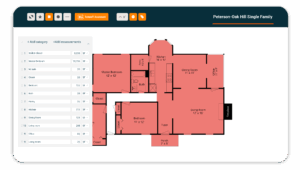
- Quantity-driven assemblies tied to takeoffs: Connect digital takeoffs to assemblies that calculate required materials automatically. When measurements change, quantities update without manual recalculation, reducing revision effort during active jobs.
- Estimate-to-job continuity by default: Use the approved estimate as the job’s budget baseline. Line items carry forward into purchasing, scheduling, and billing without re-entry, so execution runs on the scope you bid on rather than reconstructed numbers.
- Revision tracking anchored to original scope: Update quantities or pricing mid-job while retaining visibility into what was originally included and why. Changes reference the same estimate structure, making cost impact clear before the margin erodes.
- Template-driven consistency across jobs: Reuse assemblies, pricing logic, and cost structures from prior work. Items you’ve learned to include carry forward automatically, reducing reliance on memory and preventing repeat omissions.
- Pricing refresh on saved estimates: Update material pricing on existing estimates to reflect current costs without rebuilding the estimate, supporting faster turnaround when decisions pause or change.
Drawbacks/limitations
- Blu assists with estimate generation but does not replace builder judgment or scope decisions.
- Builders need to invest time upfront to structure assemblies and pricing for consistent results.
- The system is not designed for large commercial or multi-disciplinary enterprise projects.
Who it’s best for
Buildxact is best suited to residential builders who need estimating to scale without adding administrative overhead. For owner-builders and small teams, estimating often breaks down not because of accuracy, but because pricing depends on slow dealer responses and manual consolidation.
Buildertrend
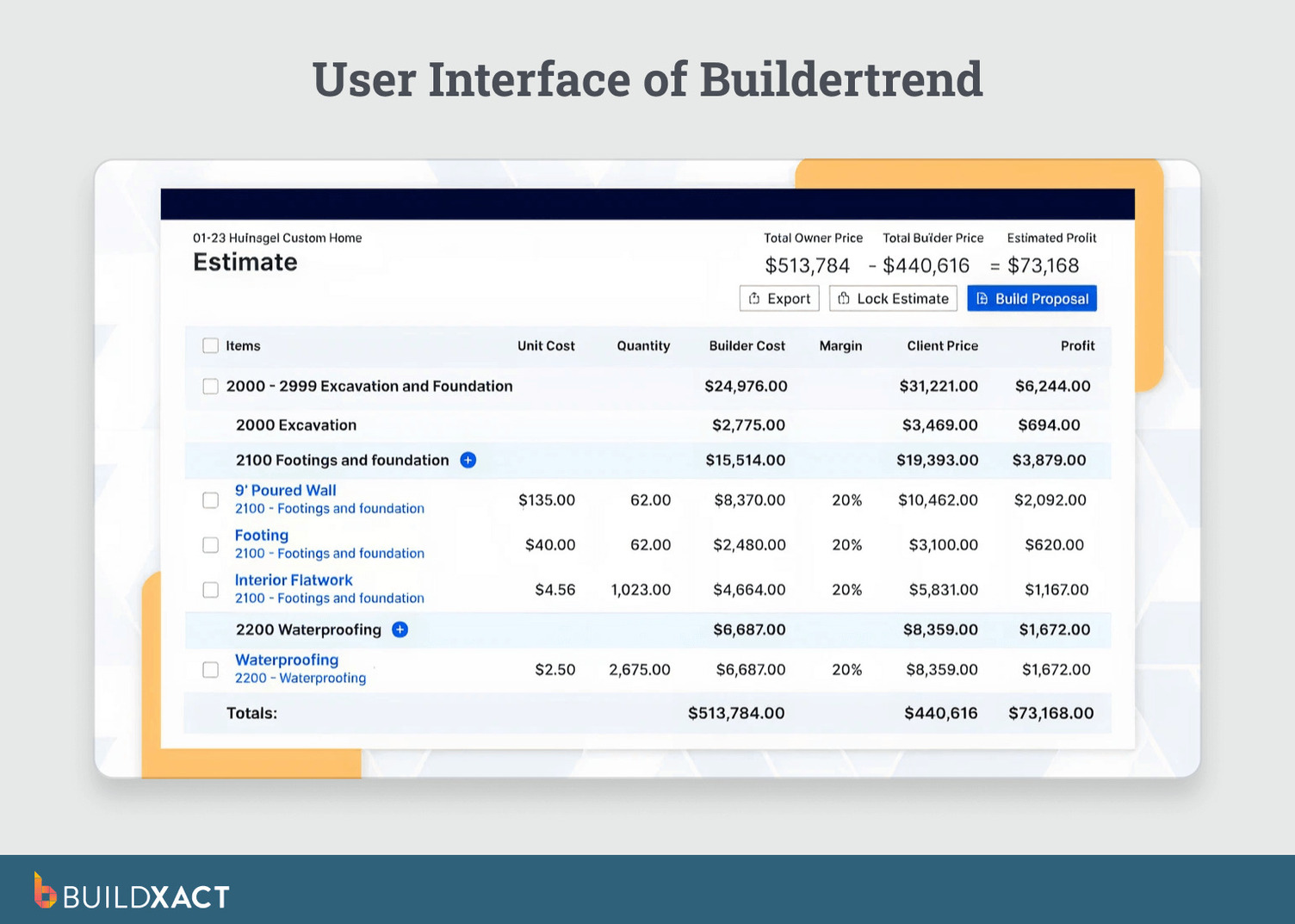
Buildertrend is an all-in-one construction management platform used by residential builders. Estimating is one component of a broader system that also includes scheduling, client communication, and project tracking.
Benefits
- Estimating functionality accessible within a broader project management platform.
- Client portals and communication features are included alongside estimating.
- Estimating, scheduling, and client updates are managed within the same system.
Drawbacks / Limitations
- Estimating workflows rely on spreadsheet-style inputs and manual updates.
- Estimating is one of many modules rather than a primary system focus.
- Platform configuration and cost increase as additional functionality is adopted.
Who it’s best for
Residential builders looking to manage multiple operational functions in one platform, with estimating treated as part of a wider system rather than a standalone workflow.
Wondering how well Buildertrend works when it comes to the estimating function connecting to your job’s progression? See how Buildxact vs Buildertrend stack up when estimates move beyond the bid.
PlanSwift
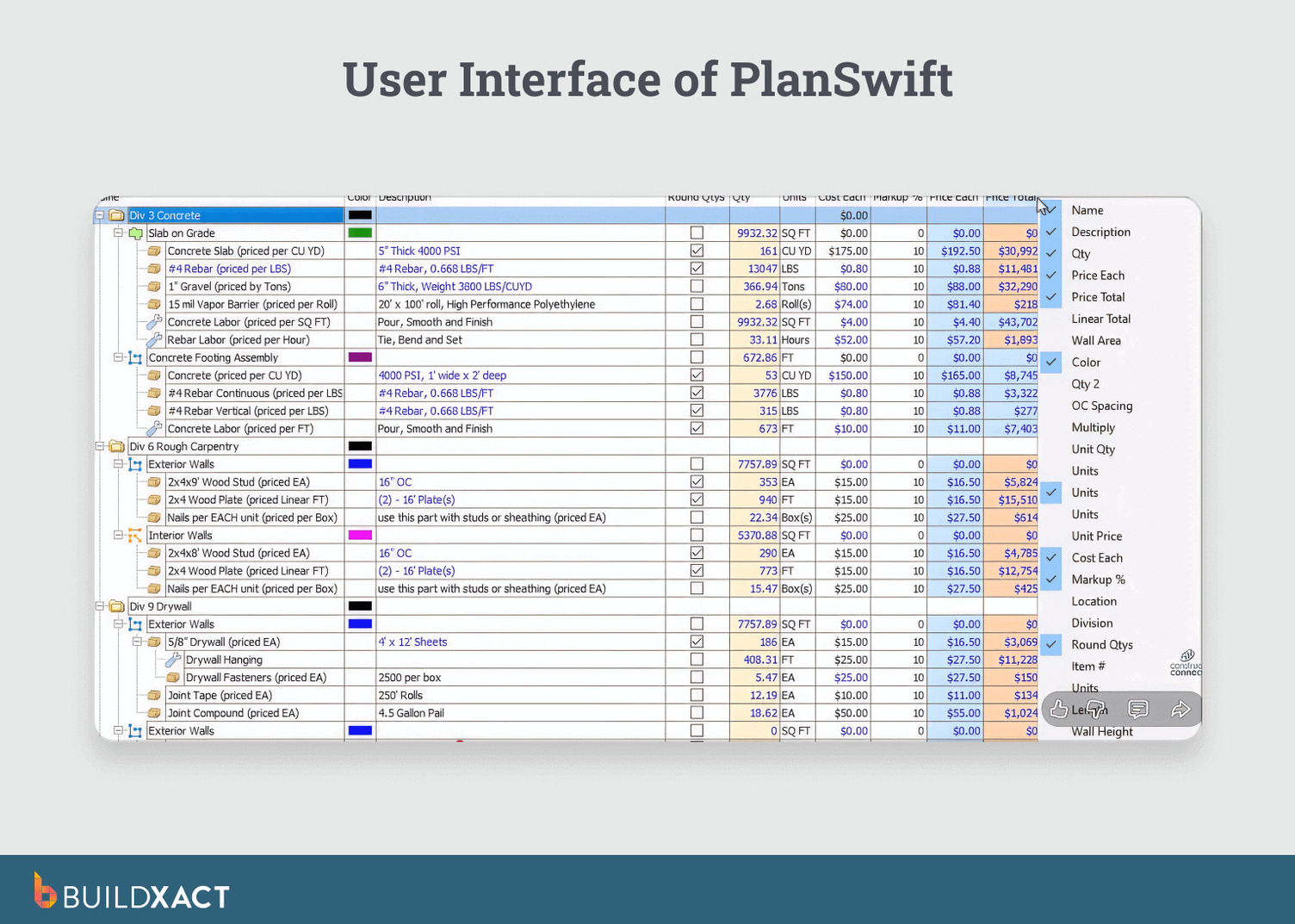
PlanSwift is an estimating and takeoff tool primarily used during preconstruction and estimating phases. It focuses on measurement and quantity takeoffs rather than job execution or cost tracking after approval.
Benefits
- Takeoff and measurement tools are used during estimating-focused phases.
- Estimating logic designed for estimator-driven workflows.
- Commonly used in estimating-only or preconstruction contexts.
Drawbacks / Limitations
- Limited support for job management after the estimate is approved.
- Estimating data does not automatically carry into purchasing, scheduling, or billing.
- Often requires pairing with additional systems to manage active jobs.
Who it’s best for
Builders or estimators who prioritize takeoff and estimating activities and manage job execution in separate systems.
Using PlanSwift primarily for takeoffs? See how Buildxact approaches estimating when the job continues past approval, not just preconstruction.
Procore estimating
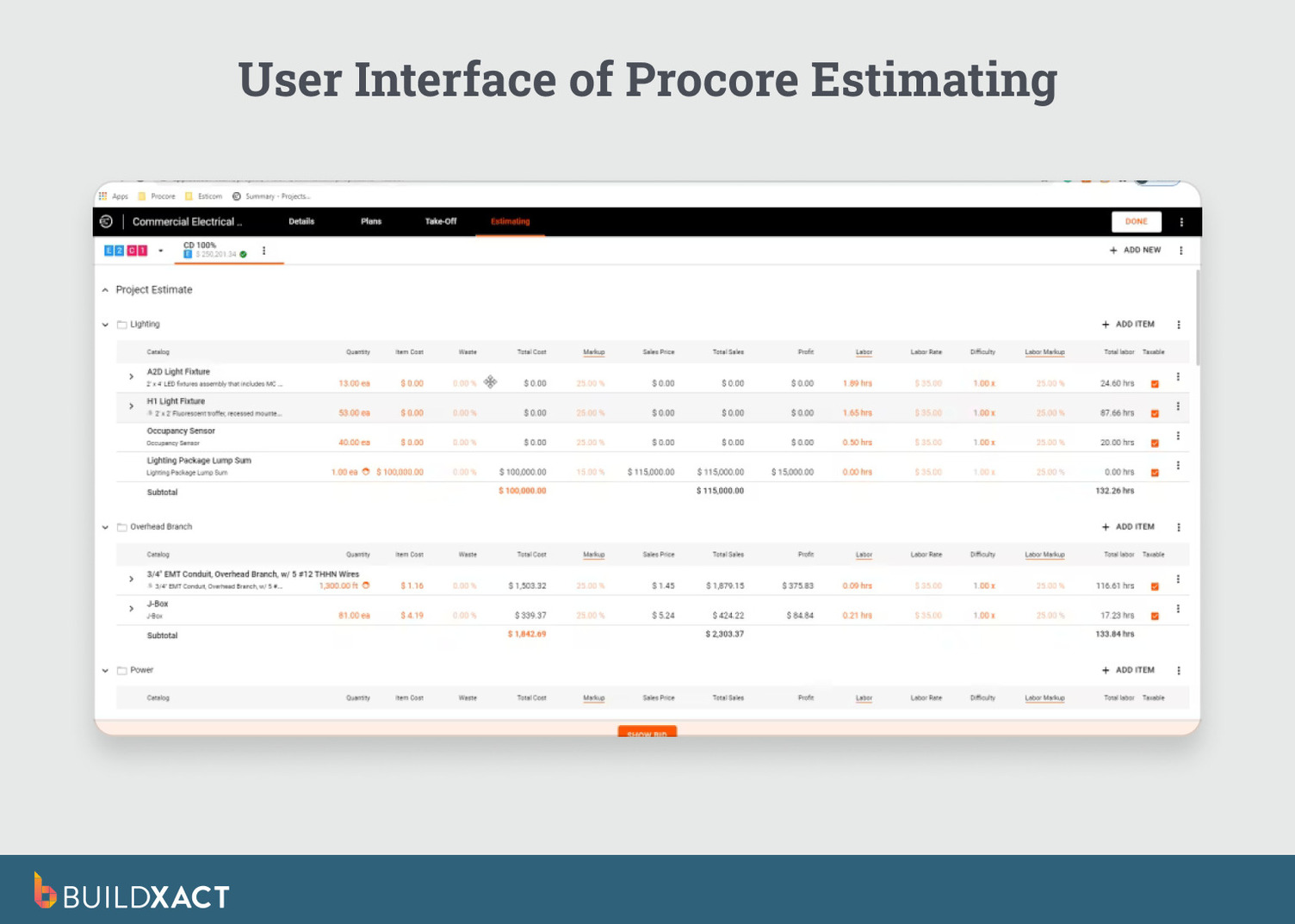
Procore Estimating is part of Procore’s enterprise construction management platform. Estimating operates as one component of a broader ecosystem that includes contracts, project controls, and financial reporting.
Benefits
- Estimating is integrated within a larger enterprise construction platform.
- Data continuity is supported when teams operate fully inside the Procore ecosystem.
- Designed to support multi-stakeholder and multi-project environments.
Drawbacks / Limitations
- Estimating workflows are not designed to be lightweight or standalone experiences.
- Platform complexity and cost can exceed the needs of residential builders.
- Setup and adoption typically require dedicated administrative resources.
Who it’s best for
Larger firms that have already standardized on Procore want estimating to be connected to enterprise-level project controls.
Considering Procore for estimating? See how Buildxact compares to Procore on estimating usability, residential workflow fit, and downstream re-entry after approval.
Databuild
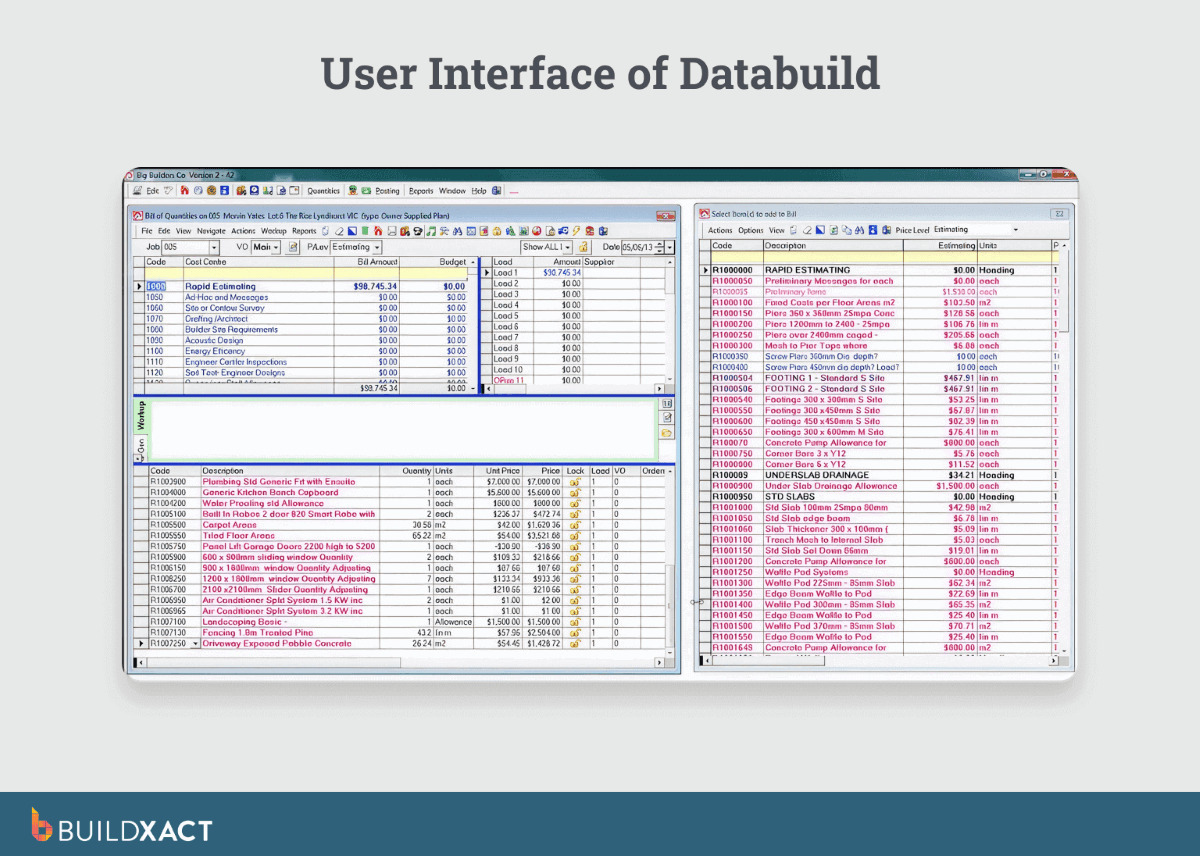
Databuild positions estimating as part of a broader operational system, linking estimating with ordering, accounting, and job cost reporting.
Benefits
- Estimating functionality structured around detailed cost breakdowns.
- Estimating is connected to ordering and accounting workflows.
- Designed to align bid costs with financial reporting.
Drawbacks / Limitations
- Estimating workflows introduces higher complexity for day-to-day residential use.
- System setup and operation require more time and process definition.
- Less emphasis on speed or simplicity during active job phases.
Who it’s best for
Teams that want to maintain a strong focus on operational finance and can support a more structured system with dedicated IT or software specialists could benefit from Databuild’s unique approach to estimate management.
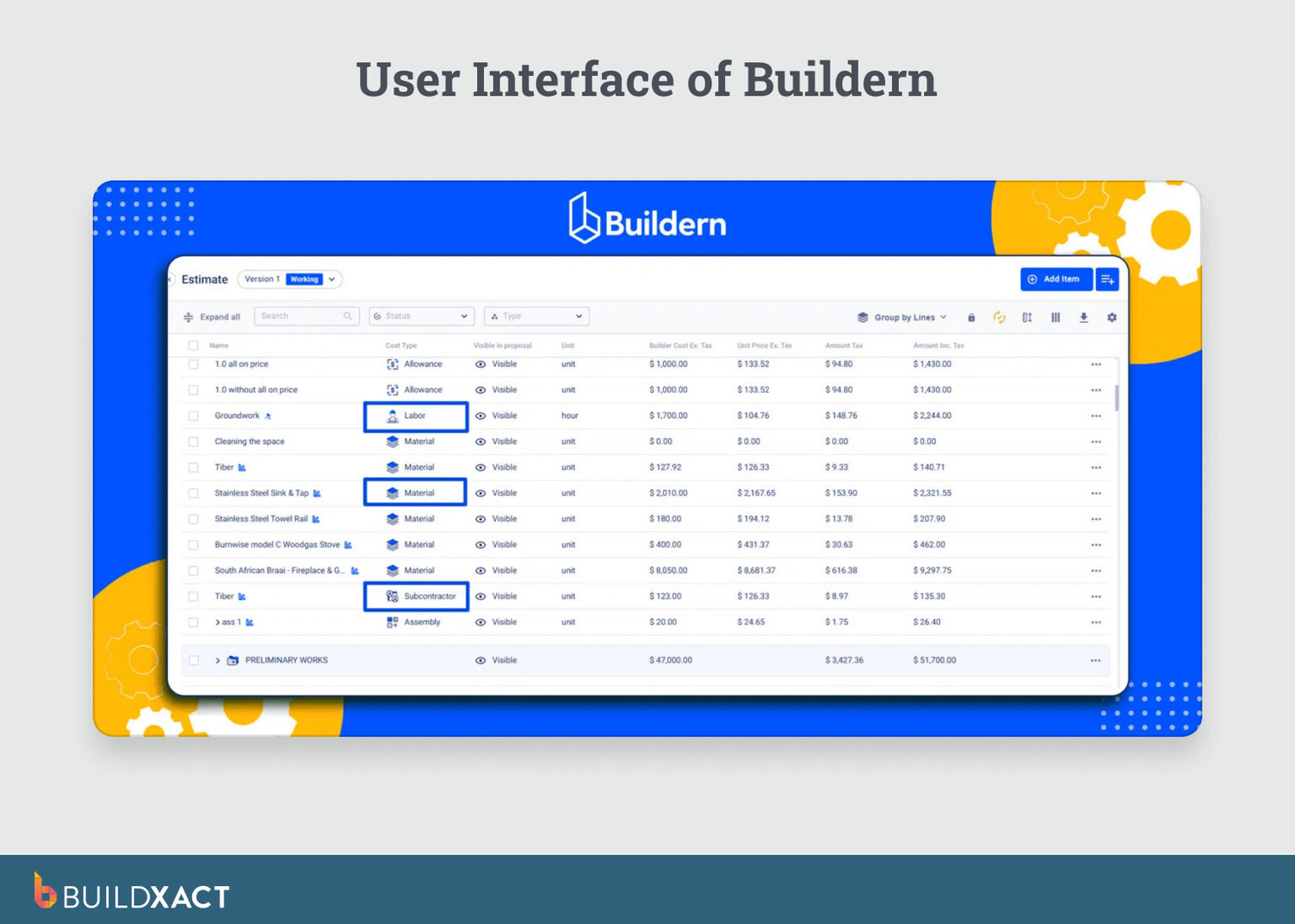
Buildern
Buildern is a residential-focused platform that combines estimating with job workflow and profitability tracking. It positions estimating as part of a connected job lifecycle rather than a standalone activity.
Benefits
- Estimating and job workflow are accessed within the same platform.
- Platform direction centered on residential builder use cases.
- Setup and deployment are structured for smaller teams.
Drawbacks / Limitations
- Smaller ecosystem compared to more established platforms.
- Limited historical review volume and long-term case studies.
- Feature coverage continues to evolve over time.
Who it’s best for
Residential builders looking for an integrated estimating and job workflow platform and are comfortable evaluating a newer system.
Choose Estimating Software That Carries Your Estimate Into the Job
Estimating problems rarely come from calculation. They show up when the estimate becomes unusable once work begins.
The bid gets approved, then rebuilt into schedules, purchase orders, and cost tracking. Each re-entry adds risk. Each manual reconciliation burns time you already spent estimating.
Many tools look capable at the bid stage. If estimated data still has to be re-entered after approval, the system breaks when execution starts.
The right choice reduces downstream correction by keeping your estimate numbers and measurements intact.
Buildxact carries your estimate directly into the job, without re-entry or rebuilds. Start for free or book a demo to walk through a real estimate-to-job workflow.