
You finish a site visit, head back to the office, and open Excel to build the estimate. Material costs, labor rates, and site measurements are spread across multiple tabs. Two hours in, you adjust one formula, and something breaks.
A linked field goes blank. Now the next hour goes to tracing the error instead of finishing the bid, and the proposal goes out late.
That’s one version of the problem.
Here’s the other.
Material costs move between the day you price the job and the day the client approves it. Without live pricing tied to the estimate, you end up rebuilding parts of the same job two or maybe three times.
And the software built for more complex project workflows often feels heavier than what a small or midsize landscape contractor can realistically adopt.
If you’re evaluating landscape business management software for project work, the real questions are not about who has the longest feature list. They’re simpler than that:
- Can it handle a multi-trade landscape estimate without sending you back to spreadsheets?
- Can it pull live material pricing into the estimate without manual repricing?
- Can it carry the job from takeoff to proposal to cost tracking without double entry?
- Can you start using it without having to rebuild how your business already runs?
This guide breaks down six landscape business management tools, what each one was built for, where each one starts to strain, and how to find the right fit for the kind of landscape work you actually do.
But before getting into the tools, it helps to understand why most reviews get this wrong from the start.
Lawn Maintenance Software vs. Design-Build Software
Most landscape business management software reviews treat this as one category. They compare tools based on features like CRM, scheduling, billing, and reporting, then assume the best option is the one that offers the most features. But that framing misses the actual decision contractors are trying to make.
Under the label of landscape software, there are really two different operating models.
Recurring service work:
- Routing crews
- Scheduling visits
- Managing repeat jobs
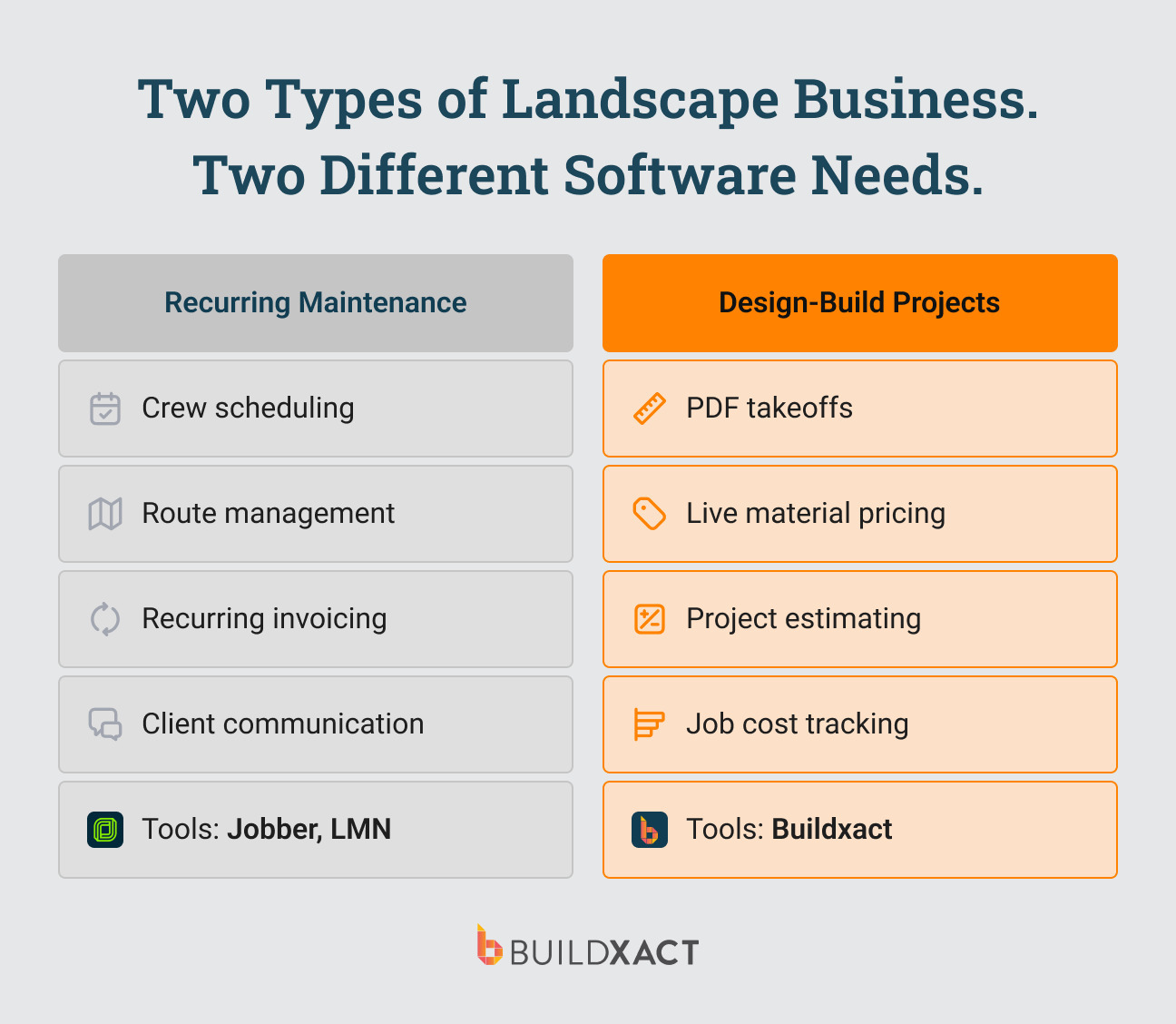
Project-based work:
- Building estimates,
- Running takeoffs from PDF plans,
- Pricing materials,
- Managing multi-phase installs.
Those workflows overlap far less than most reviews suggest. And the tool that works well for one usually starts to break for the other.
If you run maintenance crews, the real pressure is on scheduling, routing, and recurring billing. If you run project-based landscape work, the pressure sits somewhere else: how the estimate gets built, how material costs stay current, and whether the job holds together after the proposal is approved.
That is why this category split matters. Most contractors are not choosing between six interchangeable tools. They are first trying to figure out which software category best fits the kind of work they actually do.
If your primary work is recurring maintenance routes and crew scheduling, Jobber and LMN serve that business well. This guide is for landscape contractors doing project-based work: hardscape, planting installs, irrigation, and site work who need software built around estimating, takeoffs, and job costing.
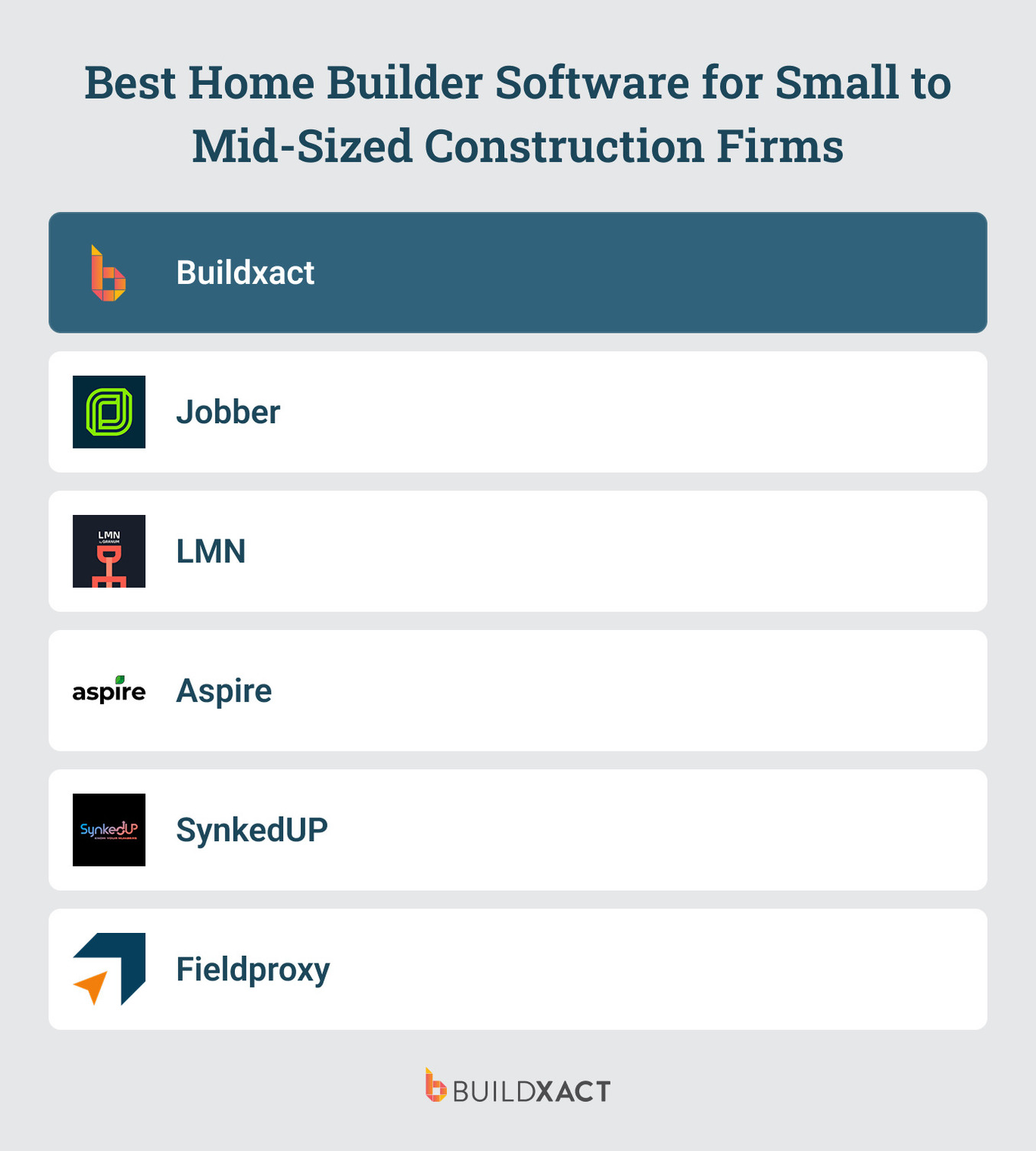
Landscape Business Management Software: Quick Comparison (2026)
| Tool | Best For | Starting Price | Where it Fits Best |
| Buildxact | Landscape design-build contractors who need to move from takeoff to estimate to job cost tracking without spreadsheets | From $199/month | Takeoff to live dealer pricing to job cost in one connected workflow |
| Jobber | Small landscaping businesses schedule recurring maintenance jobs | From $49/month | Recurring scheduling, billing, and crew dispatch |
| LMN | Mid-size landscaping teams that need estimating depth and have the operational discipline to manage it | From $297/month | Landscaping-specific estimating and job costing |
| Aspire | Large commercial operators managing multiple branches, crews, and contracts at scale | Contact for pricing | Enterprise job costing and multi-branch management |
| SynkedUP | Landscape contractors who need clearer visibility into job profitability. | From $399/month | Live job costing with estimated vs. actual visibility |
| Fieldproxy | Field service businesses focused on dispatch, workforce tracking, and field execution. | From $449/month (billed annually) | Unlimited users, AI-native workflows, configurable dispatch |
What to Look For in Landscape Business Management Software
For project-based landscape work, the decision usually comes down to how you build and manage an estimate from the first measurement to the final job cost.
With that in mind, you start looking for tools that support the way your work actually happens, from pricing the job to tracking it once work begins.
Can it handle plan-based estimating without breaking your workflow?
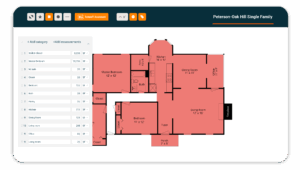
For project-based landscape work, estimating usually starts with a plan. You upload a PDF, measure directly from the drawing, and turn those measurements into materials, labor, and line items inside the estimate.
That sounds simple, but this is where most software starts to break. Some tools can send a bid. Fewer can actually support plan-based estimating with the level of detail a multi-trade outdoor project requires.
If the software cannot handle takeoffs from plans, accurate quantities, and estimate structure in one place, you’re back to spreadsheets before the job is even won.
Can it keep material pricing up to date with live pricing?
Material costs can change between the day you build the estimate and the day the client approves it. That is a normal part of project work. The problem starts when pricing lives outside the estimate. If the software doesn’t keep those numbers connected to live pricing, every cost change creates more work.
You have to update price lists manually, check line items one by one, or rebuild parts of the estimate just to make sure the numbers still hold.
That slows the job down at the point where you need confidence the most. It also creates room for small mistakes that are easy to miss but expensive to carry forward. One outdated line item, one missed material adjustment, or one reused price from an old job can distort the margin before the work even starts.
For project-based contractors, this is about being able to reprice quickly, trust the number you are sending out, and move into the job without wondering whether the estimate still reflects what the work will actually cost.
Does the estimate carry through to the job?
In stronger systems, the estimate carries forward into the job, the schedule, and the budget. That means costs can be tracked against the original price without having to enter the same information twice. In weaker systems, estimating happens in one place, scheduling in another, and cost tracking in yet another. That is where double entry, missed updates, and budget drift start.
For project work, that handoff matters just as much as the estimate itself. If the estimate does not carry through cleanly, the software is not removing risk. It’s just moving the risk to a later stage of the job.
Scheduling boards, route optimization, and recurring billing are not the main criteria here. They matter for maintenance operations. The tools below are evaluated against the three checks that matter most for project-based landscape contractors.
The Best Landscape Business Management Software for Design-Build Contractors
1. Buildxact
Best for: Landscape design-build contractors who need to move from takeoff to estimate to job cost tracking without spreadsheets.
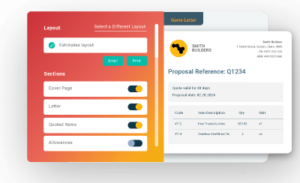
Buildxact is an estimating-first software platform for contractors doing project-based work who need to move from takeoff to estimate to proposal to job cost tracking, all in one connected system.
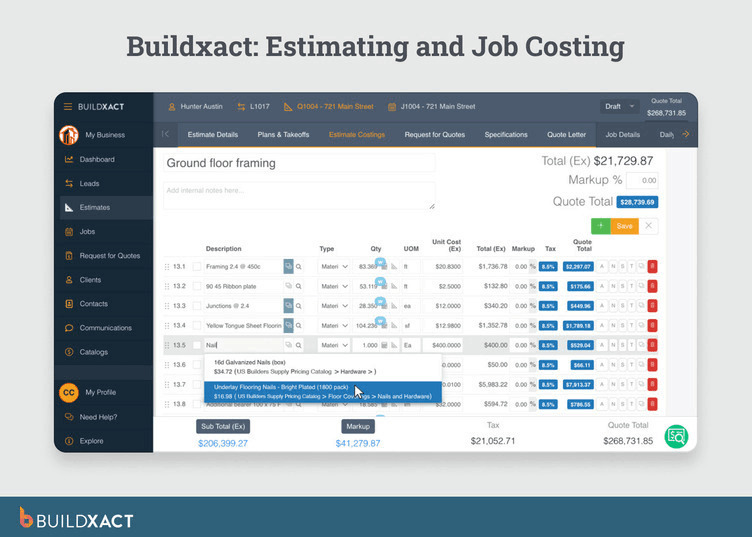
For landscape design-build contractors, that matters because the estimate is not a side step before the job starts. It’s the foundation for pricing, purchasing, scheduling, and cost control once work begins.
That makes Buildxact a stronger fit for contractors whose main bottleneck is building accurate estimates from plans, keeping material pricing current, and carrying that estimate into the live job.
It is less well-suited to businesses whose primary needs are recurring service scheduling, route management, or CRM-heavy field service operations.
That shows up in three parts of the workflow that matter to project-based contractors:
1. Plan-based estimating is central to the product
Buildxact starts where many project-based jobs start: with a PDF plan. Measurements taken from the drawing feed directly into the estimate, keeping quantities tied to the source rather than being rebuilt manually later.
2. Pricing stays connected to the estimate
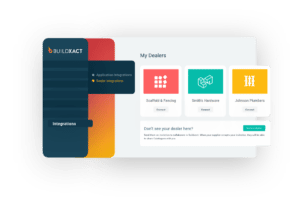
Connected dealer catalogs, including The Home Depot, reduce the need to reprice jobs manually when costs change. That is especially useful for contractors who revise estimates between the bid and approval stages.
3. The estimate carries through to the job
Once accepted, the estimate moves into the job side of the platform, where scheduling, purchasing, and job cost tracking continue from the same underlying data. That reduces double-entry and lowers the odds of budget drift later.
Key features
- Digital takeoffs from uploaded PDF plans, with support for up to 20 pages per file
- AI-assisted takeoff support through Blu, including auto-scaling and auto-measuring for supported plan types
- Live dealer pricing through connected catalogs, including The Home Depot and Epicor BisTrack-supported dealers
- Templates and assemblies for reusable material and labor calculations
- Scheduling generated from estimated tasks
- Job costing across estimated, committed, and actual cost states
- Buildxact Onsite mobile app for field updates, photos, and daily logs
- QuickBooks Online and Xero integration
Pros
- Built for the estimating stage where project risk usually starts: The product is designed around takeoff, estimate build, proposal, and cost tracking, not around dispatching recurring visits.
- Reduces double entry across the job lifecycle: Takeoff links to estimate, estimate carries into the job, and purchase orders feed committed costs into job tracking.
- Helps reduce manual repricing: Connected pricing makes it easier to update estimates as material costs change, rather than rebuilding sections from scratch.
- Assemblies can compress estimate build time: You can use assemblies to automate material and labor calculations based on a single measurement input.
Cons
- It makes more sense for contractors pricing installs and site work than for teams focused on repeat visits, dispatch, and recurring billing.
- It is not designed for full sales and marketing workflows, deep pipeline management, or automation.
- It works best when your dealer is connected to enable live pricing.
Pricing
Plans start at $199/month for Foundation, then $399/month for Pro, and $599/month for Master. All plans include unlimited users, and annual billing saves 15%.
2. Jobber
Best for: Small landscaping businesses schedule recurring maintenance jobs
Jobber is field service management software built for recurring service work. It fits maintenance businesses well because the core workflow runs from bid to schedule to dispatch to invoice to payment, all within one system.
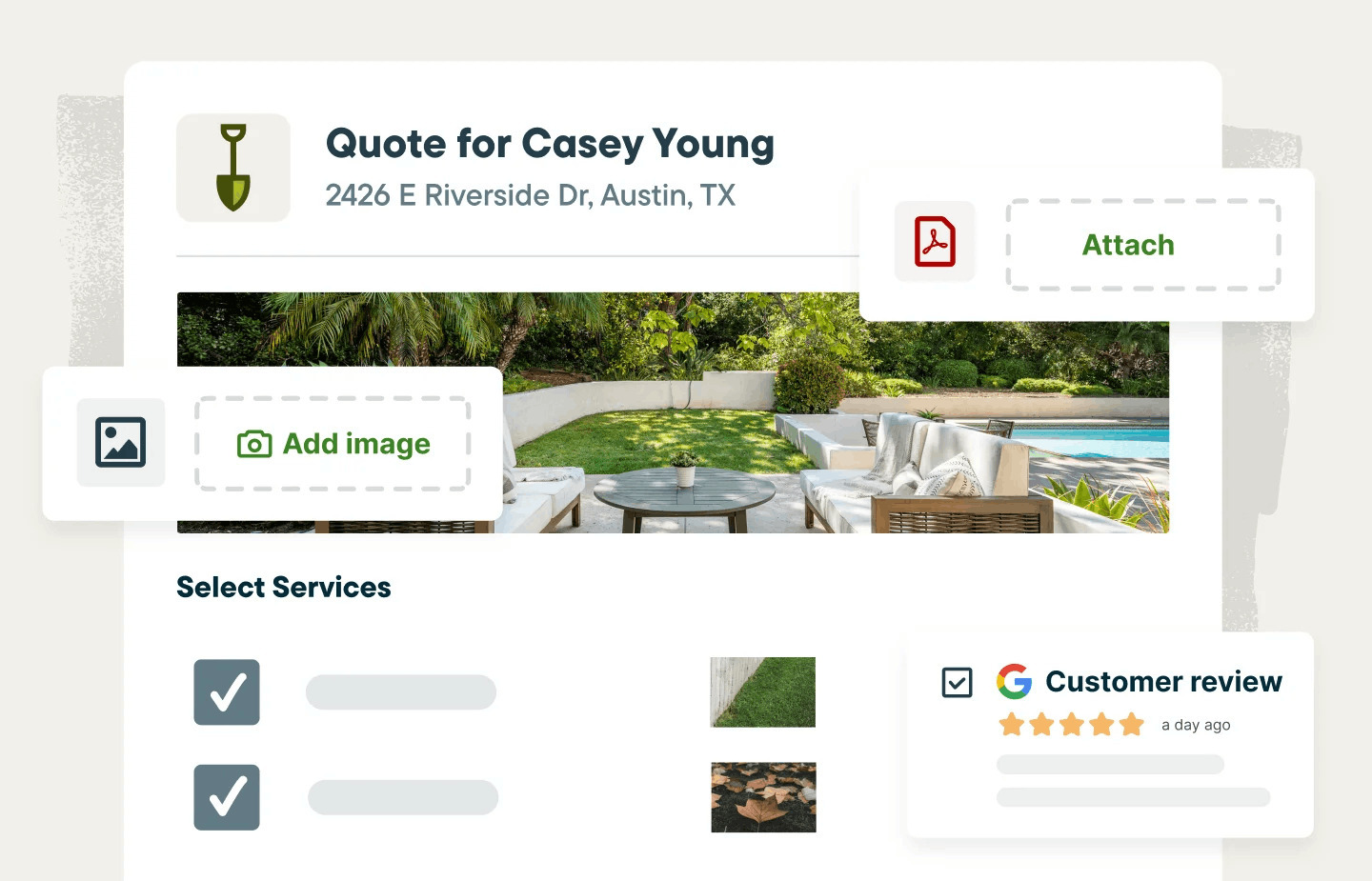
That makes it a strong fit for teams managing repeat visits, route-based work, and ongoing client communication. It is less suited to contractors whose jobs start with plans, takeoffs, and more complex project estimating.
Key features
- Recurring jobs can be scheduled in a way that matches ongoing service work
- Billing can be set up around per-visit, monthly, or custom service arrangements
- Routing tools are available on some plans
- Customers can approve bids, see upcoming visits, and pay online
- Crews can track time, view assignments, and upload photos or signatures from the field
- Home Depot pricing can be pulled into bid line items in the US
Pros
- Handles repeat service visits well, with scheduling, billing, dispatch, and customer communication in one place
- Feels lighter and easier to adopt than more operationally heavy platforms
- Presents job profitability in a usable way for service businesses on higher-tier plans
Cons
- Falls short when jobs start with plans, takeoffs, and detailed estimating
- Quotes better for service work than for complex project pricing
- Limits pricing integrations
- Locks some profitability features behind higher pricing tiers
- Gets harder to justify on seat-based pricing as the team grows
Pricing
Jobber’s monthly plans start at $49 for Core, $139 for Connect, and $199 for Grow for individual users. Team pricing starts at $199 per month for five users.
3. LMN by Granum
Best for: Mid-size landscaping teams that need estimating depth and have the operational discipline to manage it.
LMN by Granum is business management software that combines estimating, scheduling, crew execution, and job costing into one landscaping-focused system.
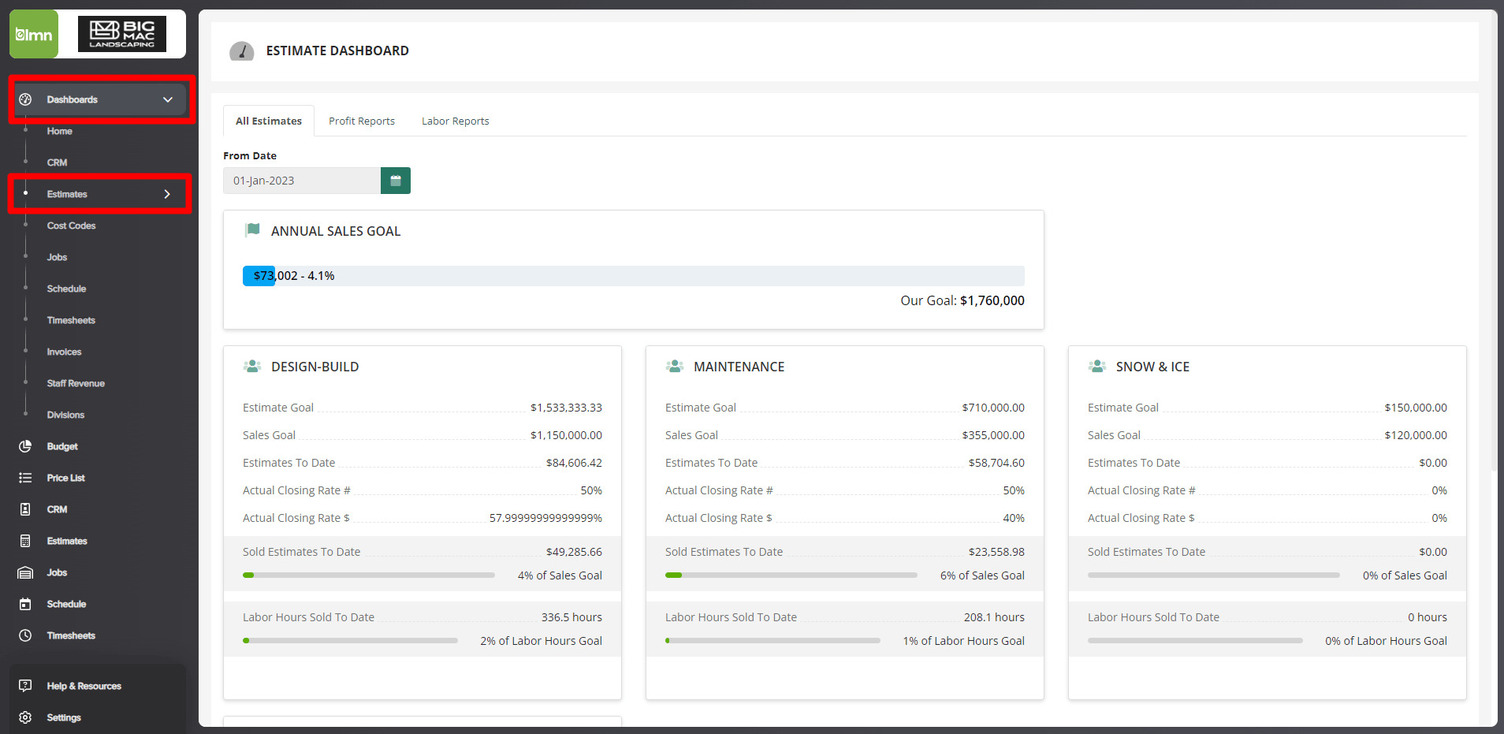
LMN works best when the business already has solid processes in place. Its depth is part of the appeal, but it also means more setup, more discipline, and a steeper learning curve than lighter-weight tools.
It is less suited to small teams that need plan-based estimating, live pricing, and minimal operational overhead.
Key features
- Estimating is one of LMN’s stronger areas, especially if you care about overhead recovery and production rates
- The LMN Crew app covers a lot on the field side, including schedules, timesheets, GPS tracking, offline use, and mobile estimate approval
- Job costing is part of the system, with labor and material tracking built in
- Beam AI gives you address-based takeoffs, though that is not the same as measuring from uploaded plans
- QuickBooks and Zapier are both in the mix
Pros
- It feels much more landscaping-specific than a generic field service tool
- There is real depth on the estimating and job costing side
- It can handle both maintenance work and installation work in the same system
- The field side is well covered through the LMN Crew
Cons
- It takes more work to learn than lighter tools
- It works better when the business already has solid processes in place
- If you need takeoffs from uploaded PDF plans, this is not really built for that
- Live dealer pricing is not something LMN clearly offers
- For a very small team or owner-operator, it can feel like more system than you need
Pricing
LMN Starter is listed at $297/month and Professional at $648/month. If you want the Enterprise version, contact the sales team for a custom quote.
4. Aspire
Best for: Large commercial landscape operators managing multiple branches, large crews, and complex multi-year contracts at scale.
Aspire is enterprise-grade business management software built for large landscape and outdoor service companies. It combines estimating, scheduling, job costing, reporting, and field execution in one platform, with unlimited users across plans.
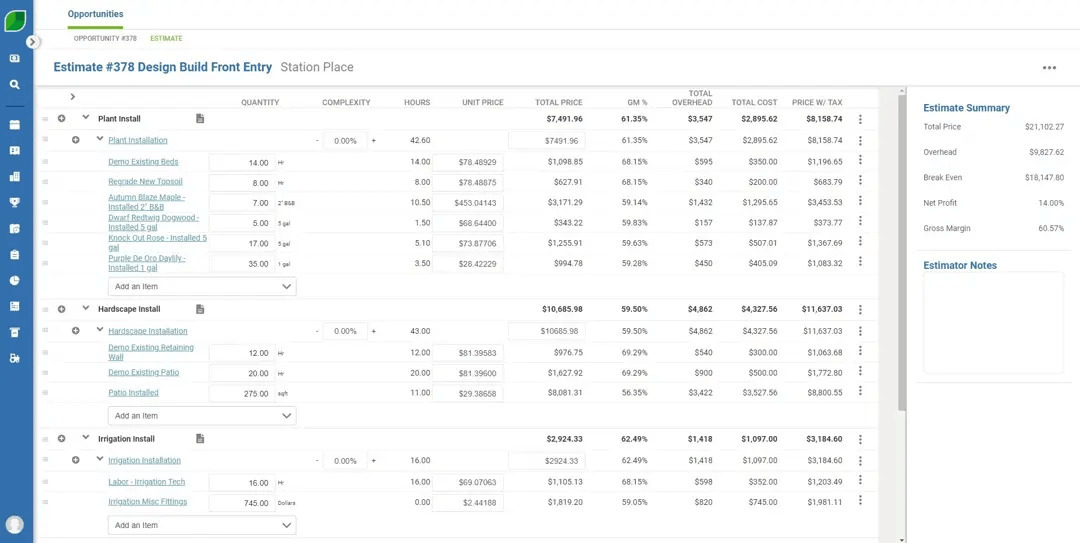
That makes it a strong fit for businesses managing multiple crews, work types, and locations simultaneously.
Aspire is less suited to smaller design-build contractors that need faster adoption and less operational overhead.
Its strength is scale, but that same complexity can make it heavy for businesses that do not need enterprise reporting, multi-branch visibility, or support over long implementation periods.
Key features
- Aspire covers a wide range of work, from maintenance and construction to snow
- PropertyIntel is a real strength if takeoffs from aerial imagery and PDFs matter to you
- Job costing runs across different work types, not just one slice of the business
- Scheduling is built for ongoing operational complexity, not just basic crew coordination
- The mobile app works offline, which matters for field teams
- QuickBooks and Acumatica are both supported on the accounting side
Pros
- Aspire makes the most sense when the business is already operating at real scale
- Unlimited users help once headcount starts growing across teams or branches
- PropertyIntel gives it a stronger takeoff capability than a lot of tools in this category
- The reporting and job costing depth are built for operators who need visibility across the whole business
- If you’re running multiple branches or service lines, this is the kind of system that can actually hold that together
Cons
- Getting it up and running is a much bigger lift than most smaller contractors need
- For businesses under roughly $3M, it can feel like too much system for the stage they are at
- Some of the accounting structure still depends on the connected system rather than living fully inside Aspire
Pricing
Aspire uses quote-based pricing that varies by business size and complexity. Unlimited users, implementation, training, and future upgrades are included in the core platform.
5. SynkedUP
Best for: Landscape contractors who need clearer visibility into job profitability.
SynkedUP is business management software built for landscape and design-build contractors, with a strong focus on overhead-aware estimating and live job costing.
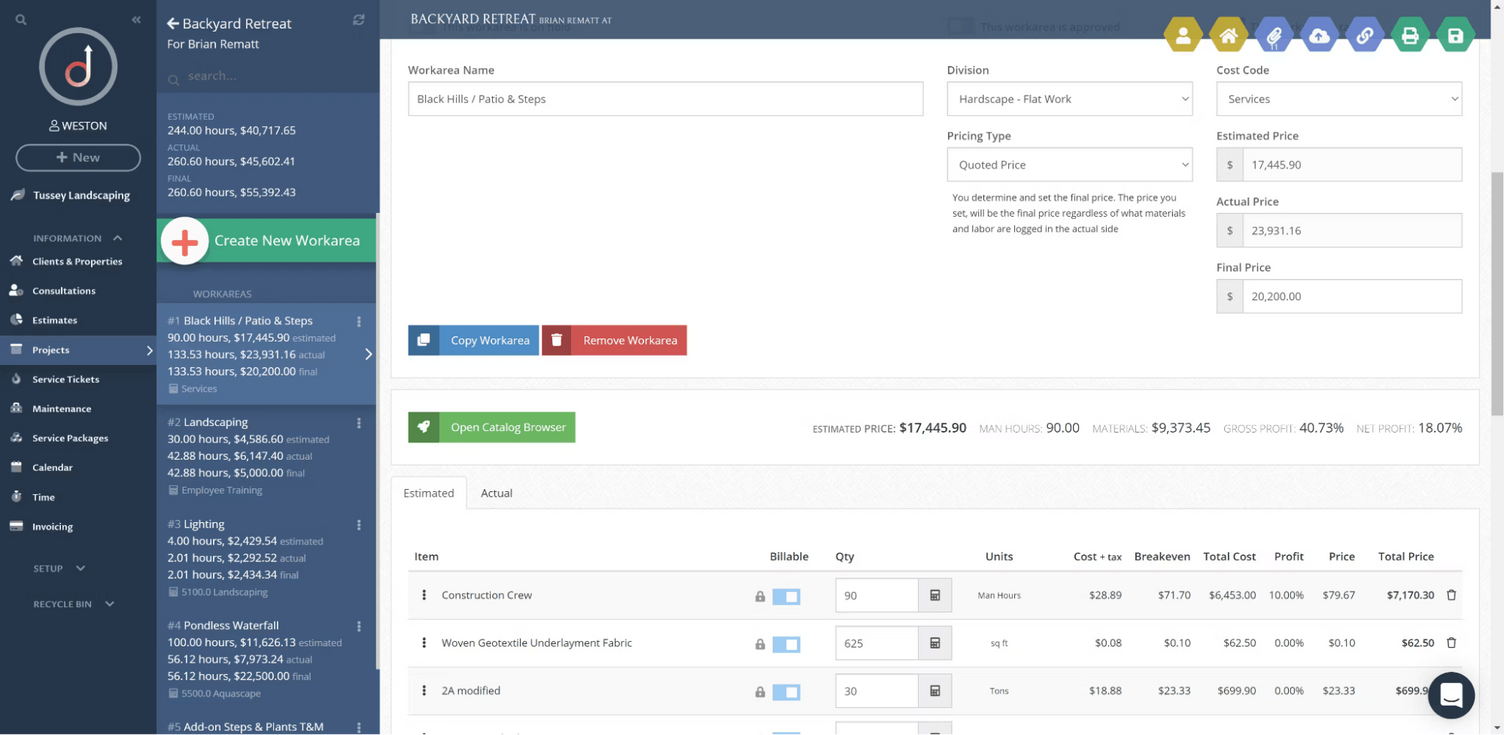
It’s a better fit for contractors who want tighter margin visibility during the job than for teams that need plan-based estimating from drawings.
That makes SynkedUP useful for businesses where the main issue is not getting the estimate out, but understanding whether the work is recovering overhead and staying profitable once the job is underway.
Key features
- Estimating is built around production rates, overhead recovery, and protecting margin from the start
- Live job costing keeps estimated and actual numbers visible while the job is still in motion
- Scheduling works across jobs, time-and-material work, and per-visit jobs
- The mobile app supports offline use and lets crews upload photos and videos from the field
- QuickBooks Online is supported, and Zapier is there if you need extra connections
Pros
- The platform is clearly built around profitability, not just getting bids out the door
- Job costing feels like a core part of the system rather than something added on later
- Pricing is public, which makes it easier to size up without a sales call
- If you want to see how jobs are performing in real time, this is where SynkedUP is strongest
Cons
- If your jobs start with plans and takeoffs, SynkedUP will feel limited
- Pricing updates are not tied to a documented live dealer feed
- There is no free trial, so it is harder to test before committing
- QuickBooks Desktop is not supported
Pricing
The Standard plan starts at $399/month or $359/year and includes 2 users. PRO plan starts at $599/month or $539/year and includes 5 users. Additional users are $20/month, and the monthly plan includes a $1,000 one-time activation fee.
6. Fieldproxy
Best for: Field service businesses focused on dispatch, workforce tracking, and field execution.
Fieldproxy is AI-native field service management software built around dispatch, scheduling, and field execution.
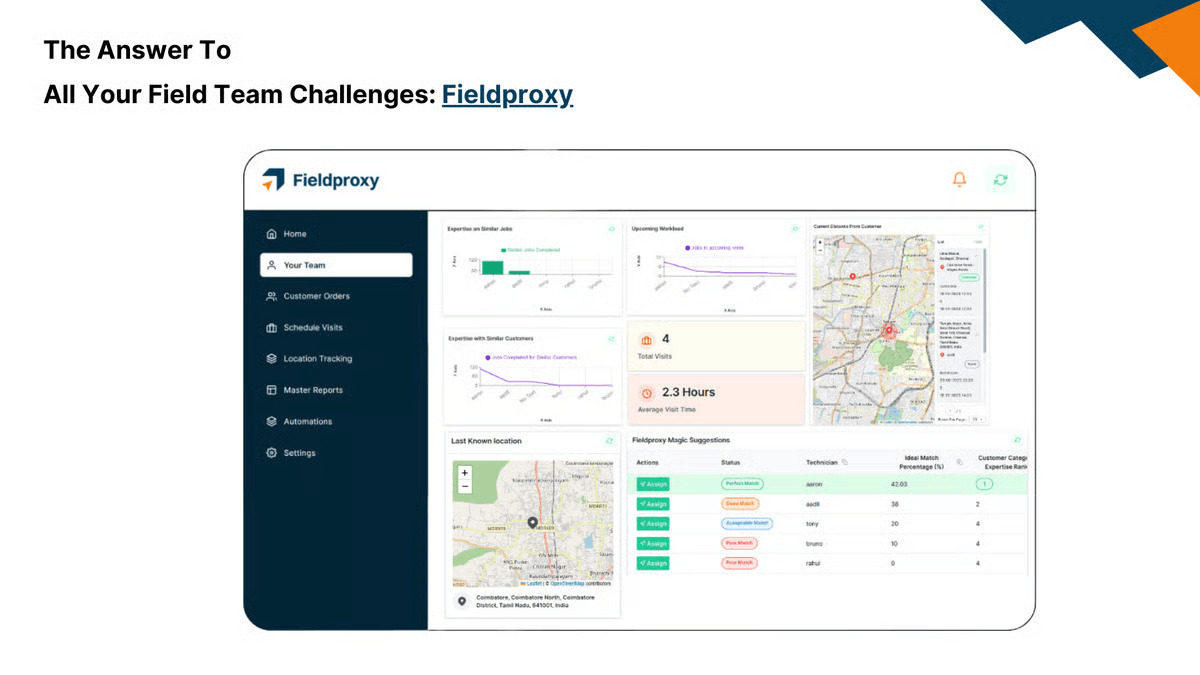
This software is a better fit for businesses managing high-volume service operations than for contractors who need landscape-specific estimating or plan-based project workflows.
That makes it useful for teams whose main bottleneck is coordinating field staff at scale, not building detailed estimates from plans or tracking project costs through a design-build job.
Key features
- Scheduling and dispatch are at the center of the platform, including recurring jobs
- GPS check-ins and live crew visibility give managers a clearer view of where work is happening
- Teams can build custom forms and checklists, then collect photos, signatures, and field updates through the mobile app
- All plans come with unlimited users, which changes the pricing math for larger teams
- API access is available on the Essentials and Growth plans
Pros
- Fieldproxy makes more sense as a workforce management tool than as an estimating tool
- Unlimited-user pricing is useful if headcount tends to grow or change seasonally
- The forms and workflow side looks flexible enough for teams that need process control in the field
- It is easier to see the appeal if your operation depends on dispatch, visibility, and coordination across a distributed team
Cons
- Once the need shifts to landscaping-specific estimating, the fit starts to weaken
- There is no clear evidence of plan-based takeoffs, live dealer pricing, or deeper job costing
- Annual billing raises the commitment level from the start
- Implementation adds cost on top of the subscription
Pricing
Essentials starts at $449/month billed annually, and Growth starts at $849/month billed annually, both with unlimited users. Additional jobs incur extra charges, implementation is billed separately, and custom pricing is available for higher-volume plans.
How to Know If Buildxact Is Right for Your Landscaping Business
Once you separate recurring maintenance software from project-based estimating software, the decision becomes much clearer.
If your business runs on recurring visits, route management, and crew dispatch, tools like Jobber and LMN are built for that. But if your work starts with plans, estimates, material pricing, and job cost control, you’re solving a different kind of problem.
That’s where Buildxact fits best. It is a stronger fit for landscape contractors doing project-based outdoor work such as hardscape, planting installs, irrigation, and site work, especially when estimating is starting to break under spreadsheet-based processes or disconnected tools.
If you need a single system that can handle work from takeoff through proposal to job cost tracking, Buildxact may be the right fit..
The simplest way to know is to run a real estimate through the platform. One live job is usually enough to tell whether the workflow fits before you commit.
Start for free and enjoy a 14-day free trial with full access to all features — no credit card required.