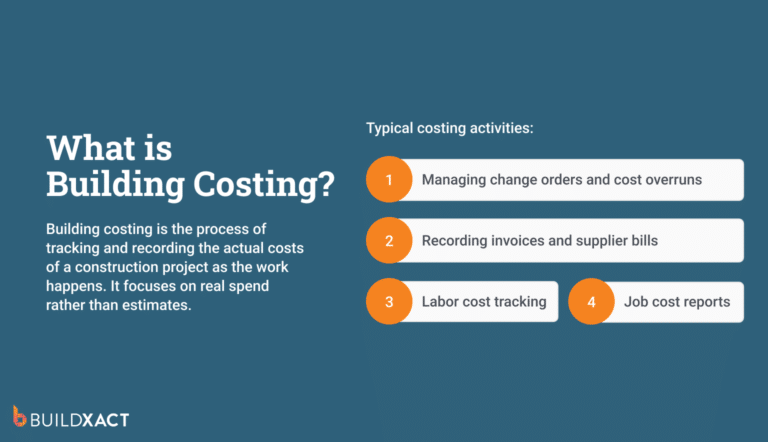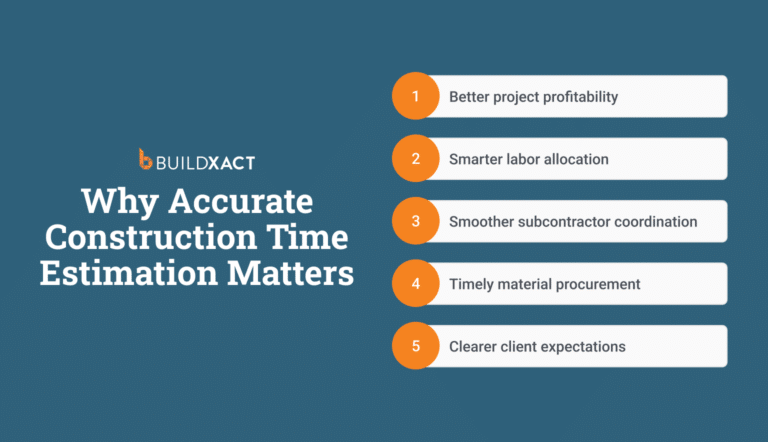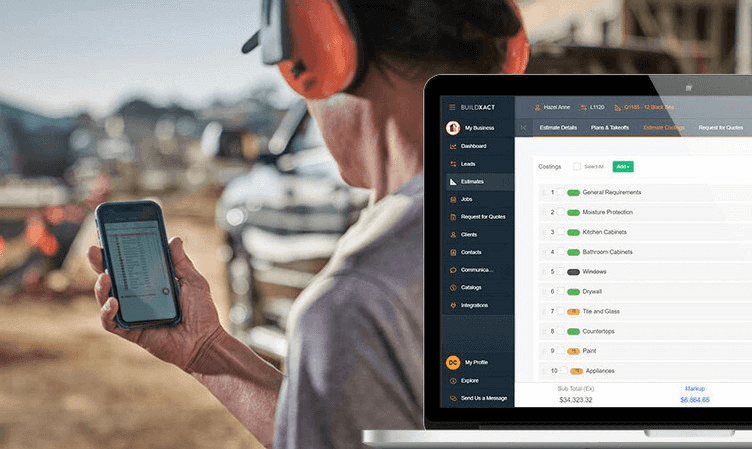

Carpentry estimates rarely fail during estimation. They break after approval, when the job moves into preparation, and changes require you to reopen the numbers.
Without a single source of truth that keeps pricing, scope, and decisions aligned, your estimate no longer controls every pricing decision.
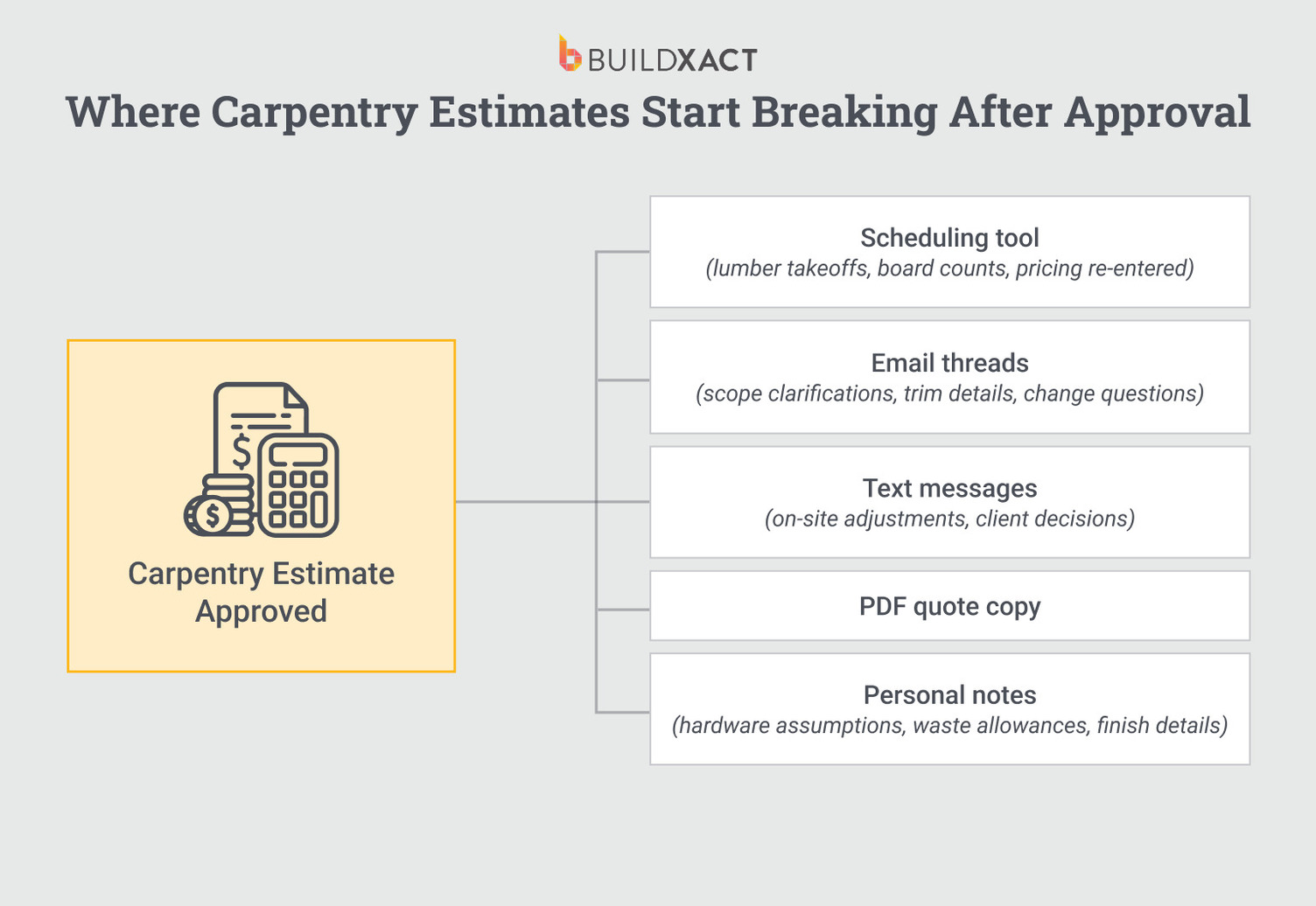
After approval, you recheck quantities, prices shift, and assumptions change. The estimate still exists, but it no longer governs every pricing decision.
Updates come through emails, spreadsheets, dealer quotes, or conversations, and the original estimate no longer serves as the reference point for the job.
Most carpentry estimating software focuses on getting estimates approved. After that, some tools lock pricing to the original breakdown, while others push the work of managing changes across multiple tools back onto you.
This guide compares carpentry estimating software based on what happens after approval: where prices get re-entered, how scope changes are tracked, and whether the system maintains pricing continuity as the build progresses.
If you’re deciding whether the software should continue to govern pricing after approval or if you should manage that continuity yourself, this comparison will help you choose.
How Carpentry Estimating Software Helps Residential Builders
Carpentry estimating software turns your estimate into a system that governs pricing after approval. When your numbers stay connected in one place, you spend less time rebuilding bids and more time running the job.
Cut estimating time without working nights or weekends
Estimating often happens after site visits, client calls, and dealer conversations are done for the day. You sit down at night to measure plans and build quotes. The work itself is not complicated, but its repetitive nature adds up.
- You measure the same rooms more than once.
- You rebuild similar framing layouts from scratch.
- You reformat bids to make them look clean for clients.
So, a single estimate can span several evenings because you keep returning to it to verify the numbers.
Good estimating software shortens that cycle. You measure once and reuse those quantities.
You save assemblies for common carpentry tasks instead of rebuilding them.
When you adjust one line item, the totals update immediately. Time shrinks because repetition shrinks.
Reduce pricing mistakes
Experience helps you move fast, but memory does not protect your margin on every job. When you price doors, drywall, framing, and finishes from memory, small gaps slip through.
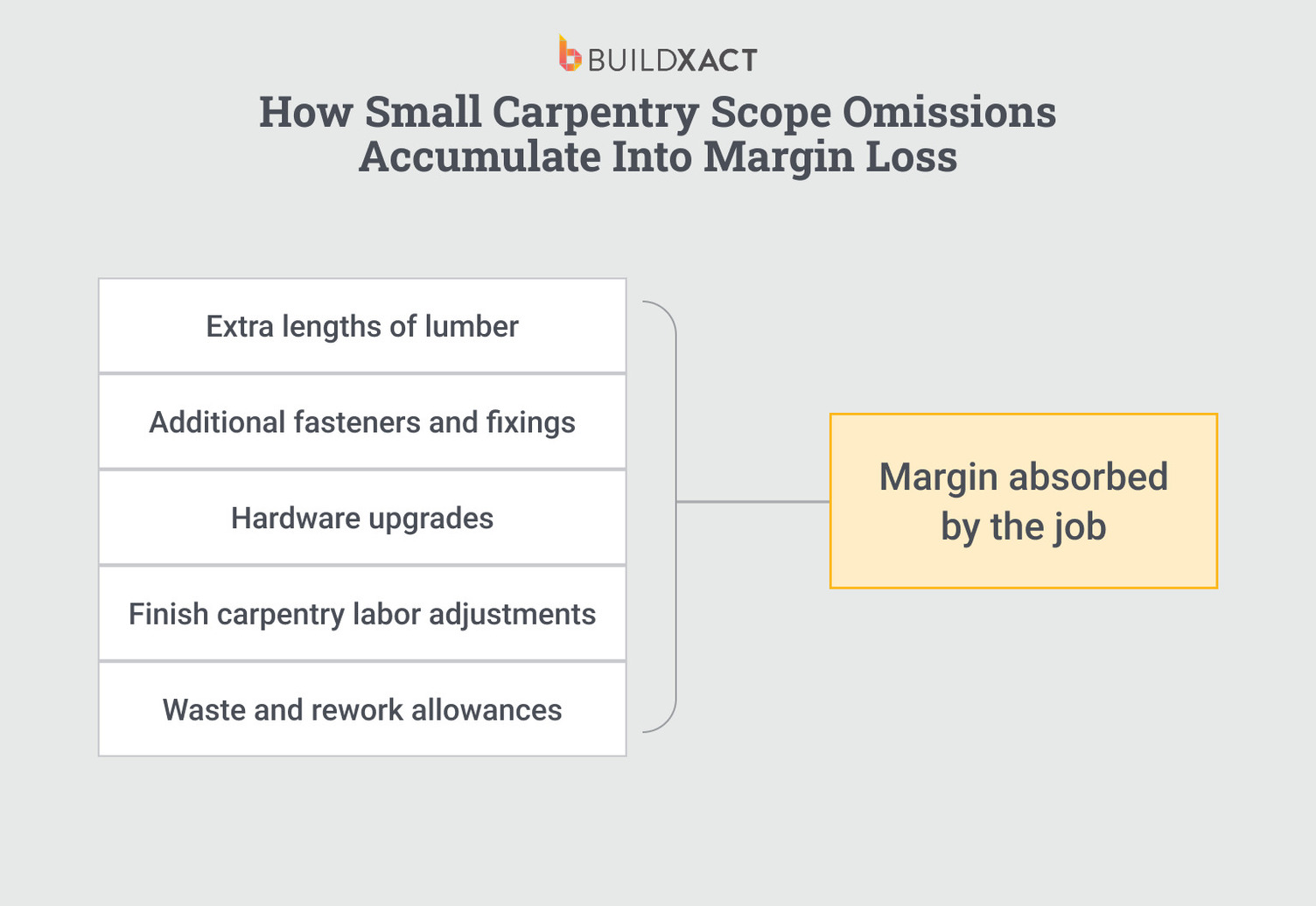
You forget a hardware set, underestimate waste, and miss a change order between similar rooms. Each oversight looks minor on its own, but across a full house, those small misses add up.
Estimating software breaks down carpentry work into measurable components rather than lump sums.
You see framing, drywall, doors, and finishes tied to clear quantities and labor. When something changes, you see exactly which line items move and how that affects your total.
A clear structure reduces the risk of burning yourself on details you meant to include.
Show clients exactly where their money is going
Clients rarely push back on price when they understand it. But they will push back when they see only a total and have no visibility into the supporting details.
A detailed carpentry estimate shows framing, finishes, fixtures, and labor as distinct parts of the job. When a client asks why a number looks high, you can point to specific quantities and decisions rather than defend a single lump sum figure.
Clear scope changes the conversation. Instead of negotiating blindly, you walk through line items and explain how materials, selections, and labor shape the final number. Transparency builds trust and shortens the back-and-forth before approval.
Eliminate copy-pasting between estimates, quotes, and job prep
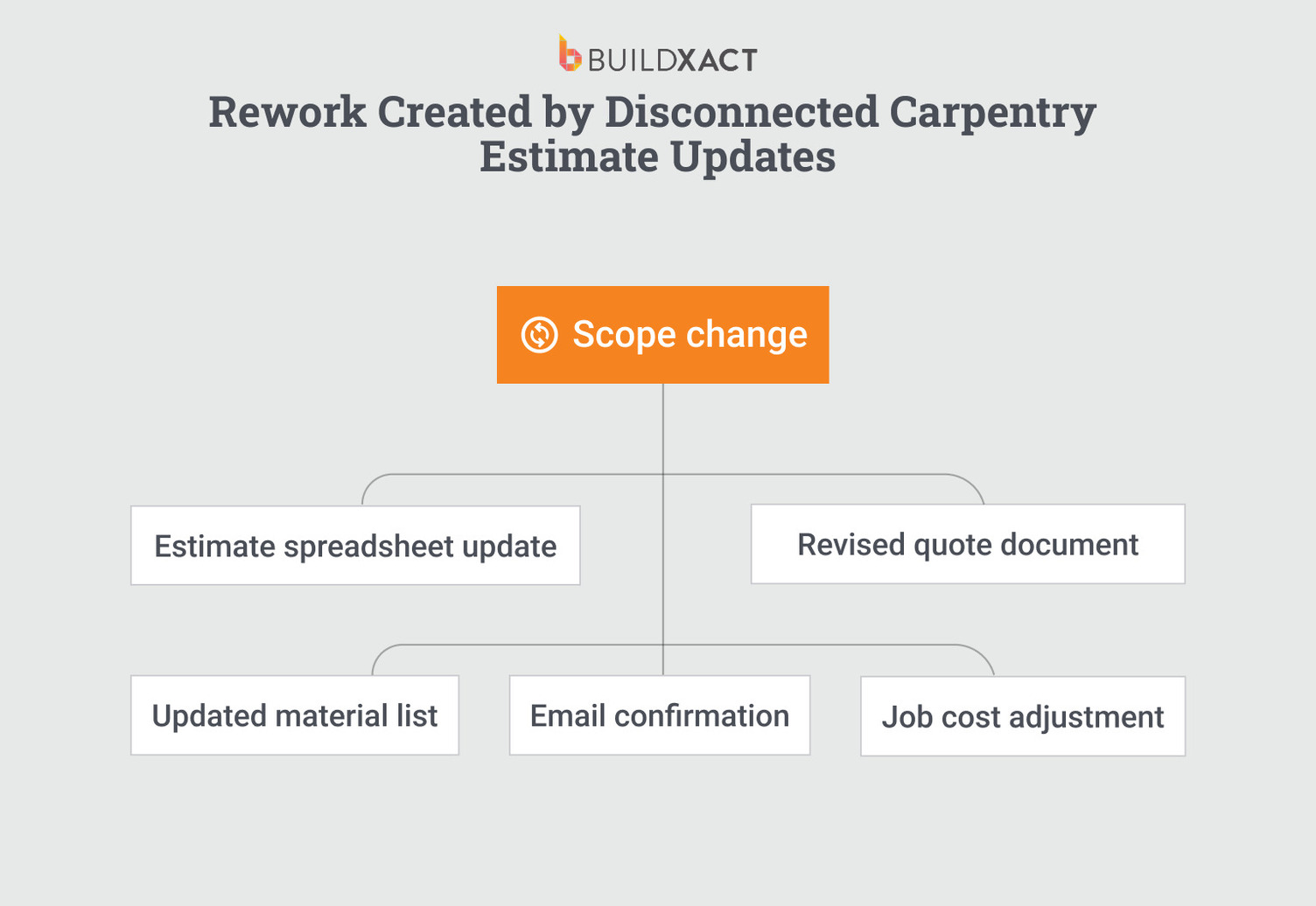
Many builders still move numbers between Excel, Word, email, and printed documents. Each transfer creates risk. You copy a figure into a quote, adjust it later in a spreadsheet, and forget to update both places.
As the job moves toward scheduling and purchasing, scope and pricing can drift because information is spread across several files. You double-check everything because you do not trust that all versions match.
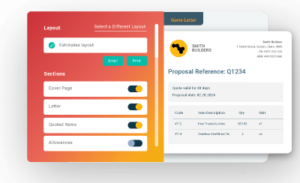
Estimating software that integrates takeoff, estimate, and bid into a single system eliminates handoffs.
You adjust quantities or pricing in one place and generate updated documents directly from that source. Fewer transfers mean fewer chances for numbers to fall out of sync.
Grow without carrying every estimate in your head
In many small building businesses, one person becomes the system. You…
- Remember how you priced the last project.
- Know which dealer quoted which rate
- Keep mental notes about margins and allowances.
But, as volume increases, that memory load becomes unmanageable. You field calls about old estimates while building new ones. Growth slows because every pricing decision ultimately comes back to you.
When estimates live in a structured system, you reduce reliance on memory. You document quantities, pricing logic, and markups in a repeatable format.
That structure allows you to delegate parts of the process without losing control of the margin. Growth becomes possible because the business no longer depends on one person’s head.
Key Features to Look For in Carpentry Estimating Software
Most estimating tools look similar at first glance, but they behave very differently once the job changes. When a client swaps materials or a dealer updates pricing, you should not have to rebuild the estimate to stay accurate.
These features determine whether your numbers stay connected as the build progresses.

Digital plans and takeoffs that replace manual measurement
Manual takeoffs create risk. You print plans, include your markup, and calculate quantities separately. If you misread a dimension or overlook an area, the mistake won’t show up until materials arrive or labor runs over.
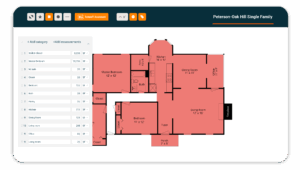
Digital takeoffs let you measure directly on plans and store those quantities inside the estimate.
You reduce the chance of missing areas because everything stays in one place. When plans update, you adjust measurements in the same system rather than starting over.
Consistent measurement reduces late-night rechecks and gives you confidence that your quantities reflect the actual drawings.
Automation that reduces repetition, not judgment
Estimating requires judgment. You decide how to price labor, how much waste to include, and which dealers to use. Software should not remove that control.
Automation should remove repetition. When you approve quantities, the system should retain the attached prices and markup. When scope changes, it should apply the same estimating logic without forcing you to rebuild each line item.
You stay in charge of decisions. The system handles calculations and updates, so you can spend time reviewing choices instead of retyping numbers.
Built-in checks that catch small mistakes before they compound
Small errors rarely announce themselves. A missing line item in framing or finishes can sit unnoticed inside a large estimate.
Spreadsheets rely on you to notice inconsistencies. If a section drops off during revisions, nothing alerts you. You discover the problem only after the job runs longer than expected or costs exceed expectations.
Structured estimating systems include checks that highlight gaps or inconsistencies before you send the bid.
You see missing quantities or unexpected totals while you still have time to correct them. Early visibility protects the margin more effectively than late correction.
Pricing that updates when materials move
Material prices shift. Lumber, hardware, and finishes can change between the time you measure a job and the time you order materials. And prices don’t just move over time. They vary by location. The rate you paid for framing lumber on your last job may not reflect what’s available at the dealer closest to your next site.
If your estimate locks in pricing based on outdated numbers or rates from a different market, you risk committing to a bid that doesn’t reflect what you’ll actually pay. You only discover the gap when dealer invoices arrive.
Software that connects to up-to-date pricing relevant to the job’s location, not just the date you estimated it, reduces that exposure. You adjust pricing inside the estimate, confirm availability against local dealers, and see the impact on totals immediately. Current numbers from the right market help you bid with confidence rather than correcting after the fact.
Reusable templates that prevent starting from scratch
Many carpentry projects share similar structures. Framing layouts, door packages, trim details, and finish assemblies repeat across jobs with slight differences.
When you rebuild each estimate from a blank file, you waste time and introduce inconsistencies. Small differences creep in because you reconstruct logic instead of reusing it.
Templates and assemblies that come with estimating software preserve structure. You start from a tested framework and adjust quantities or selections to match the current job. Consistency improves because the core logic stays intact across projects.
Carpentry Estimating Software Comparison Guide: The Best Tools for Residential Builders

As you review each of these tools, consider where you build the estimate, how you update it when scope changes, and whether you keep working from the same source or move numbers into another system. The difference determines whether pricing stays aligned or begins to drift once the build starts.
Buildxact
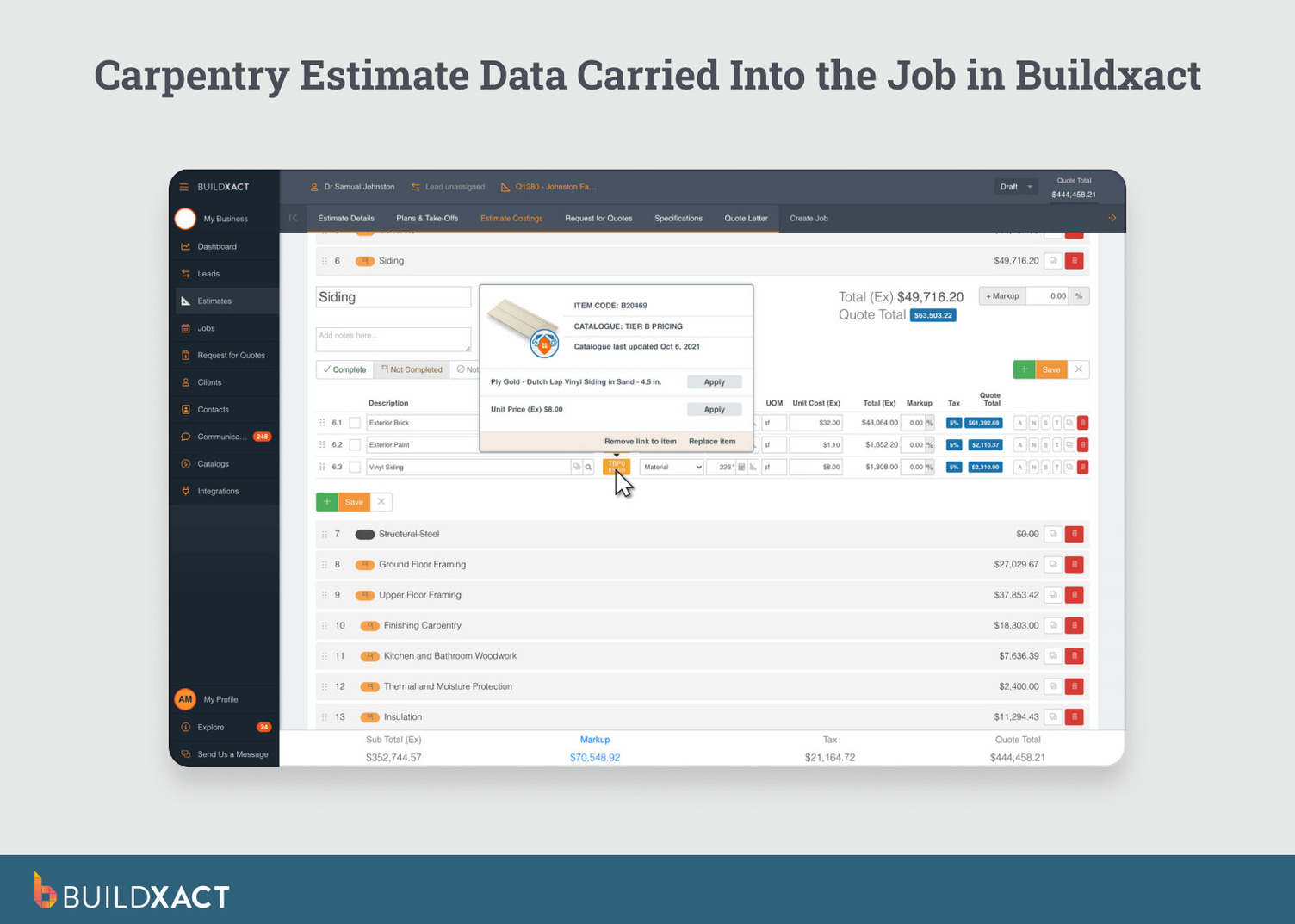
Buildxact is an estimating-first software built specifically for residential builders and remodelers. It starts with digital takeoff and carries quantities, pricing, and markup forward into the bid and project management within the same system.
AI that accelerates the estimate without replacing your judgment
Blu, Buildxact’s digital building assistant, generates task-level estimates and suggests materials based on your plans.

It aligns quantities with live, local labor and material costs, so the estimate reflects what you’ll actually pay in your market, not a national average or an outdated catalog. After generating, Blu checks line items to flag gaps before the bid goes out.
The speed matters, but the structure matters more. Estimates built through Blu carry the same pricing logic forward into bidding and job preparation. The AI handles the assembly; you review, adjust, and approve.
Estimating that stays intact after approval
An estimate is often approved in one system, while scheduling and purchasing occur in another.
That separation forces you to move numbers, recreate scope, or manually reconcile changes before the job begins.
Buildxact keeps estimating inside the same workflow that runs the build. You measure from plans, structure line items, apply markup, and generate the bid in one place. When the client approves, you continue working from that same estimate rather than rebuilding it elsewhere.
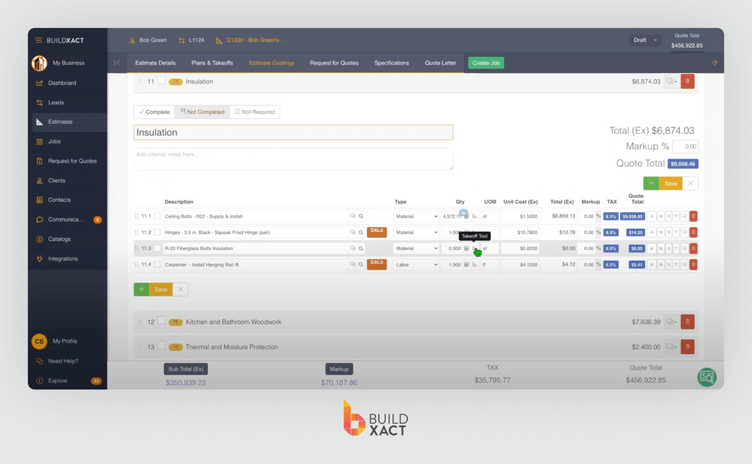
If scope changes, you update the estimate and regenerate the bid directly from the revised numbers. The estimate remains the working reference as the job moves forward.
Built around residential carpentry workflows
Buildxact structures estimates around repeatable residential work. Assemblies reflect how framing, doors, trim, drywall, and finishes are priced across similar jobs.

Instead of rebuilding similar layouts from scratch, you reuse structured components that preserve quantities, labor, and markup logic. That consistency reduces variation between projects and keeps pricing decisions visible.
Clear line of sight from estimate to project management
After approval, scheduling, purchasing, and tracking continue from the same dataset. You do not re-enter pricing into another platform before preparing the job.

When you update a quantity or adjust a material price, totals recalculate immediately. Reviewers frequently note time savings from eliminating spreadsheet transfers and describe bid revisions as straightforward because pricing logic stays intact.
The connection between takeoff, estimate, and job preparation remains visible, reducing the need to double-check parallel versions before work begins.
Benefits
- Digital takeoff connects directly to the estimate, bid, and job tracking, so quantities carry forward without re-entry.
- After approval, scope changes are updated in the estimate and flow through to the bid without rebuilding in a separate system.
- Assemblies and markup logic remain attached to line items, so revisions update totals rather than requiring a manual recalculation.
- Built for residential builders estimating their own work rather than enterprise teams with dedicated preconstruction staff.
Drawbacks
- Reporting and customization are built for residential projects and remodels, not enterprise complexity.
- Teams that prefer fully unstructured spreadsheets may need to adapt to a more defined estimating format.
Who it’s best for
Residential builders and remodelers who want the estimate to remain the controlling document from takeoff through job preparation without exporting or rebuilding pricing elsewhere.
Procore
Procore is a construction management platform built for larger teams managing complex projects. Estimating is part of a broader system focused on budgeting, cost tracking, and coordination across field teams, subcontractors, and stakeholders.
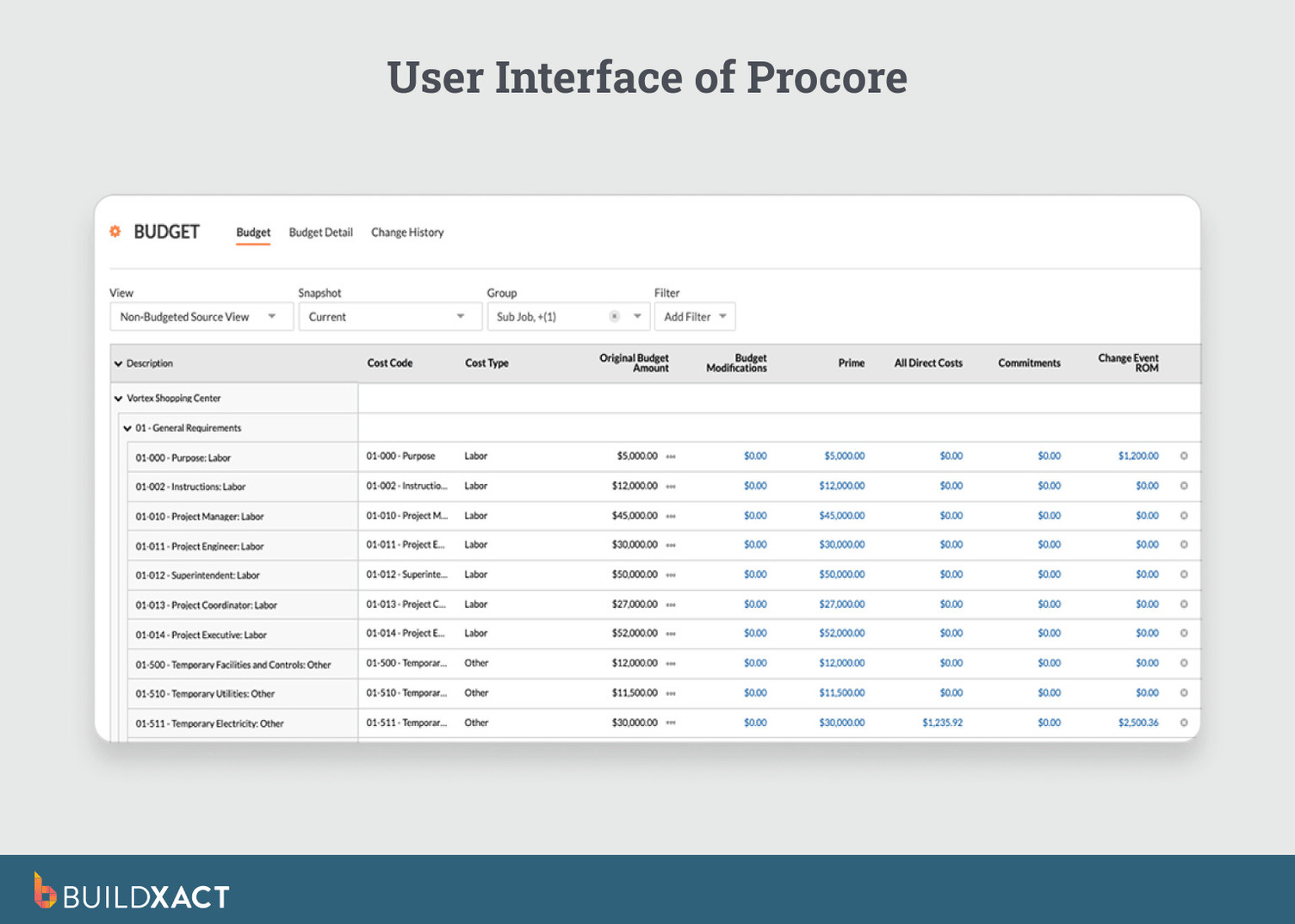
Estimates typically enter the system after project decisions are already underway. Once approved, estimating connects to Procore’s budgeting and financial controls.
Pricing continuity resides in the cost-tracking layer rather than in the estimate itself, so teams managing scope changes update budgets and commitments across the platform’s financial modules rather than revising a single estimate that carries forward.
For builders running multi-stakeholder projects where estimating is one of many financial inputs, that structure works.
For builders who need the estimate to remain the governing document through purchasing and job prep, estimating may function as a starting input that hands off to the broader financial system.
Benefits
- Estimating directly connects to budgeting and cost tracking throughout the project lifecycle.
- Centralized visibility across field teams, subcontractors, and stakeholders.
- Supports structured financial oversight on complex, multi-party projects.
Drawbacks
- After approval, pricing continuity is moved from the estimate to the budgeting and cost-tracking modules.
- Onboarding requires a formal setup before teams are fully productive.
- Pricing is provided through custom quotes rather than public plans.
Who it’s best for
Builders and contractors managing larger, multi-stakeholder projects where estimating feeds into a broader financial and coordination system rather than directly controlling pricing decisions.
Not sure whether your estimates need a financial tracking layer or a system that keeps pricing intact from takeoff? Buildxact vs Procore breaks down where each approach fits.
STACK
STACK centers on digital takeoff and estimate creation directly from plans. It positions estimating as a front-end activity, so you measure drawings, generate quantities, and build estimates before the bid goes out.
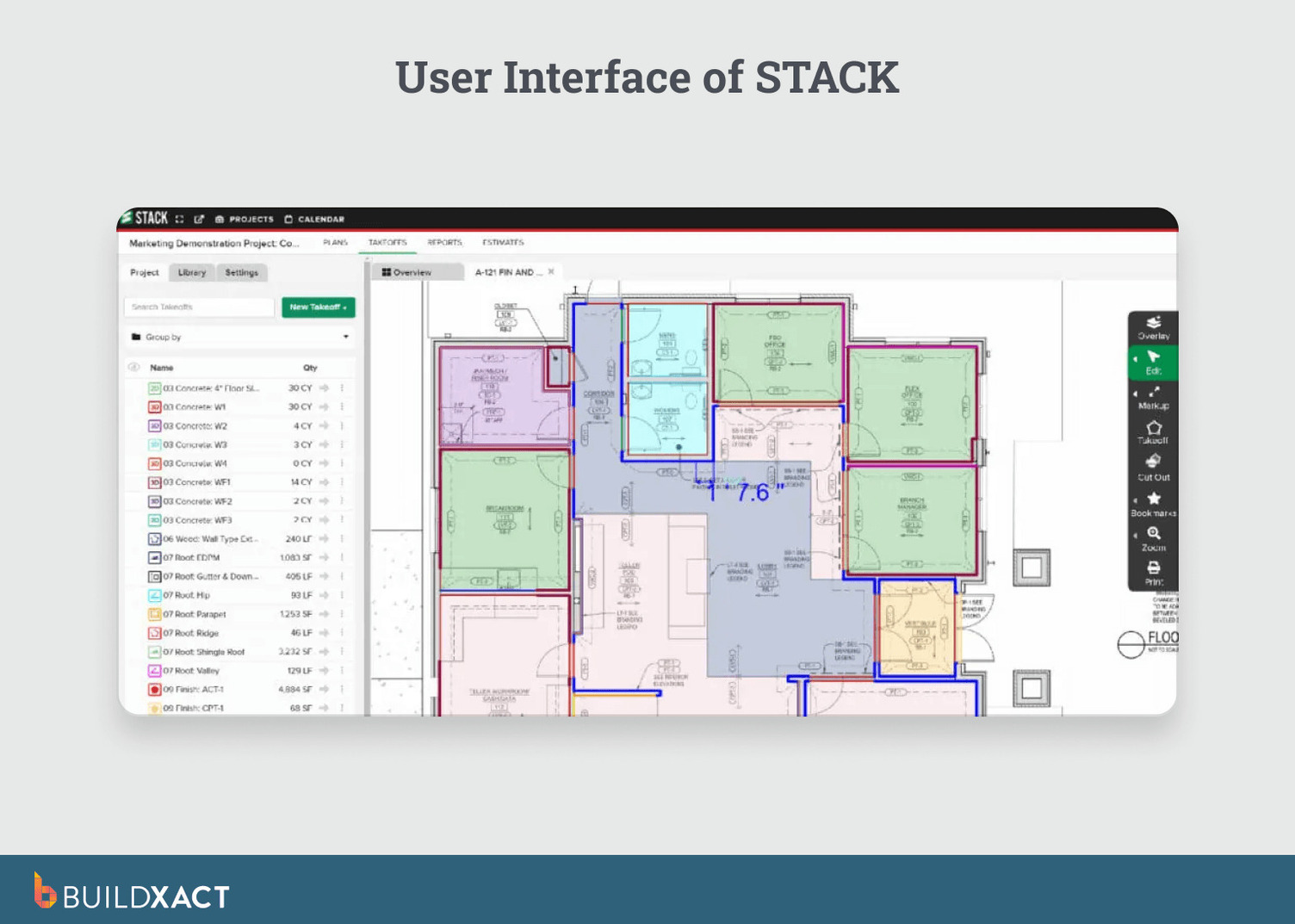
That front end is where STACK is strongest. After the bid is complete, estimates typically need to be exported or transferred into another system for scheduling, contracts, or project management.
That handoff is where pricing continuity breaks. Quantities and markup generated in STACK don’t carry forward into a connected workflow. Builders manage the transition manually, so the estimate no longer serves as the working reference once the job moves past bidding.
For teams that treat estimating and takeoff as distinct phases with their own tooling, STACK handles those phases well.
Benefits
- Digital takeoff is built specifically for measuring plans and generating quantities quickly
- Structured estimate creation before bid submission.
- Strong front-end estimating for teams that separate takeoff from project management.
Drawbacks
- After bid submission, estimates must be exported into separate systems, so pricing continuity depends on manual transfer.
- Field functionality is more limited than full project management platforms.
Who it’s best for
Builders and preconstruction teams who treat takeoff and estimating as a standalone phase and are comfortable managing the handoff into separate project management tools.
Houzz Pro
Houzz Pro is a business management platform for contractors and design professionals. It brings lead management, proposals, invoicing, and client communication into a single system.
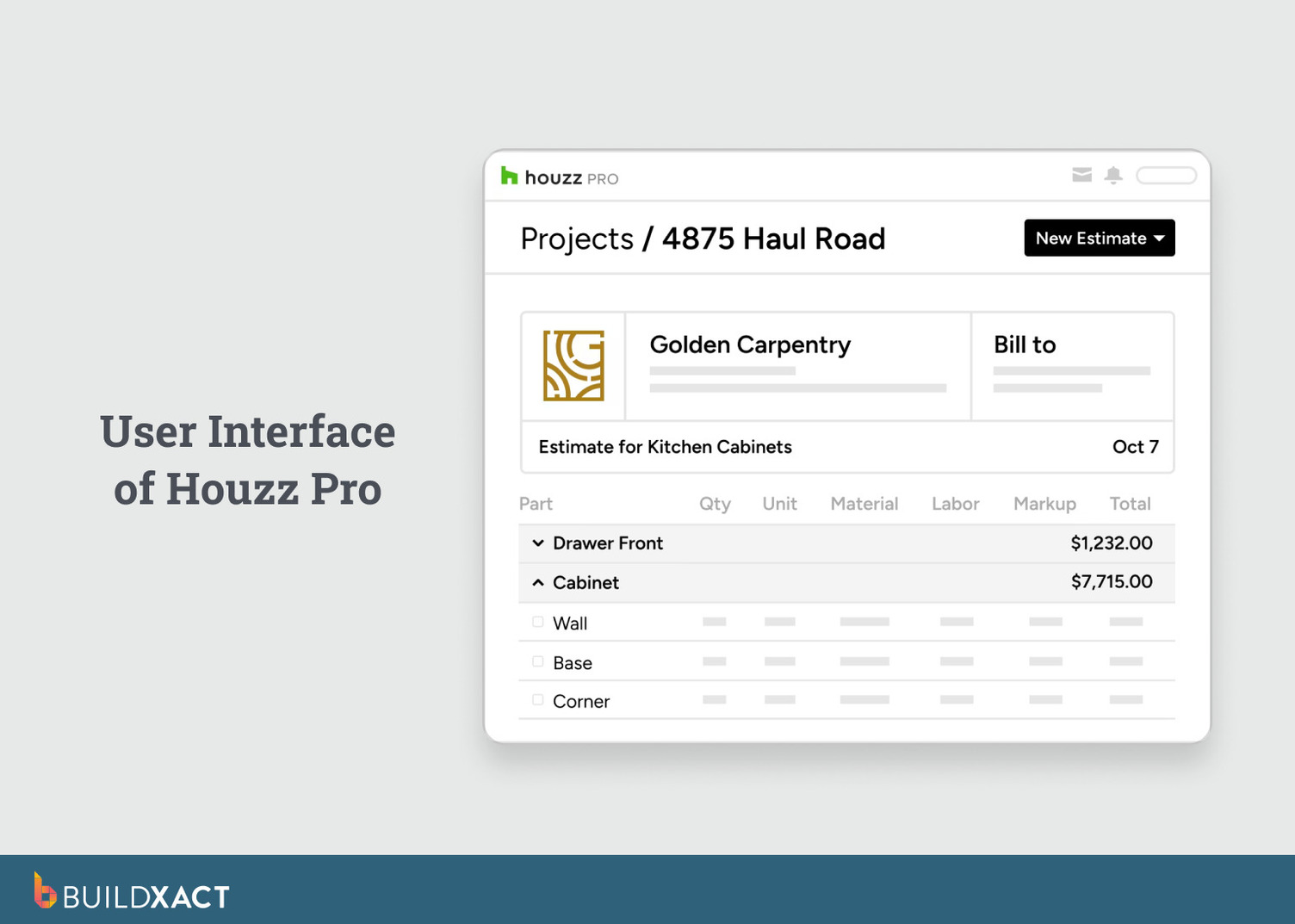
Estimating typically begins after a lead becomes an active project. Builders create estimates that connect directly to proposals and contracts within the same client workflow. After approval, pricing lives inside that proposal-and-invoicing loop.
Scope changes are updated through the client-facing side of the system rather than flowing back through a structured estimate.
For teams whose pricing decisions happen at the proposal stage and stay there, that connection works. For teams that need the estimate itself to govern purchasing and scheduling as the job progresses, pricing continuity may require managing updates outside the platform.
Benefits
- Leads, proposals, contracts, and invoicing are managed in one system.
- Branded proposals and client-facing documentation.
- Estimating is connected directly to sales and communication workflows.
Drawbacks
- Estimating depth is secondary to CRM and client management tools.
- Limited takeoff capability compared to estimating-first platforms.
- After approval, pricing updates flow through proposals rather than back through the estimate.
Who it’s best for
Remodelers and design-build firms whose pricing decisions are finalized at the proposal stage and don’t need the estimate to remain the working reference through job preparation.
For a closer look at how Houzz Pro’s proposal-driven workflow compares to estimating-first pricing continuity, see our full Buildxact vs Houzz Pro comparison.
Buildertrend
Buildertrend is construction management software for residential builders and remodelers. Estimating is part of a broader platform that manages scheduling, documents, communication, and job tracking.
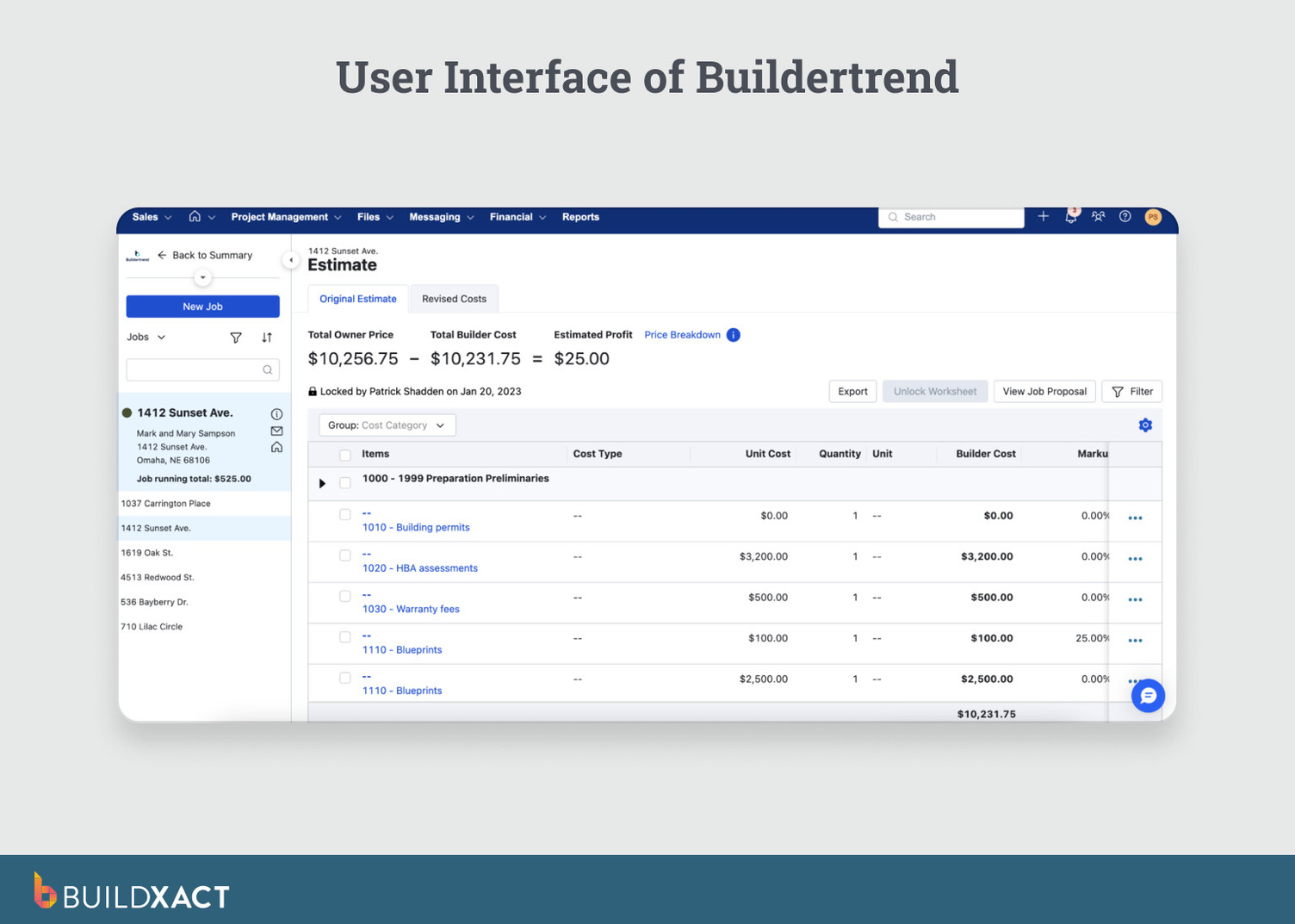
Builders create estimates that are converted into proposals and carried forward into the job costing budget.
After approval, the estimate becomes the baseline with actual expenses from purchase orders, change orders, and selections tracked against it in real time. Bids and allowances are automatically updated in the estimate as they’re approved, so pricing doesn’t need to be manually reconciled.
Where Buildertrend differs from estimating-first tools is in emphasis. The platform’s primary investment is in operational coordination: scheduling, client communication, selections, and field management.
Estimating works within that system, but the estimating experience itself: takeoff depth, assembly logic, and measurement workflows reflect a tool built to support operations rather than one built around the estimate as the starting point.
For builders who already manage scheduling and client communication inside Buildertrend, estimating the benefits from that proximity. For builders who want the most specialized estimating workflow, particularly around takeoff and measurement, the platform may feel broader than deep in those areas.
Benefits
- Estimating connects directly to scheduling and client communication.
- Proposal creation and cost tracking inside the same system.
- Centralized project organization across documents and timelines.
Drawbacks
- After approval, pricing continuity depends on managing updates across scheduling and operational modules.
- Platform setup requires time to align estimating with communication and scheduling workflows.
- Estimating functions as part of a broader management system rather than the primary driver.
Who it’s best for
Residential builders who prioritize operational coordination and client communication, where estimating supports the workflow rather than governing pricing decisions after approval.
If you’re weighing whether estimating should support operations or drive them, Buildxact vs Buildertrend walks through the tradeoff.
Buildern
Buildern is operations-centric construction management software designed for residential builders managing multiple workflows. It connects estimating, CRM, scheduling, and job tracking inside a single platform.
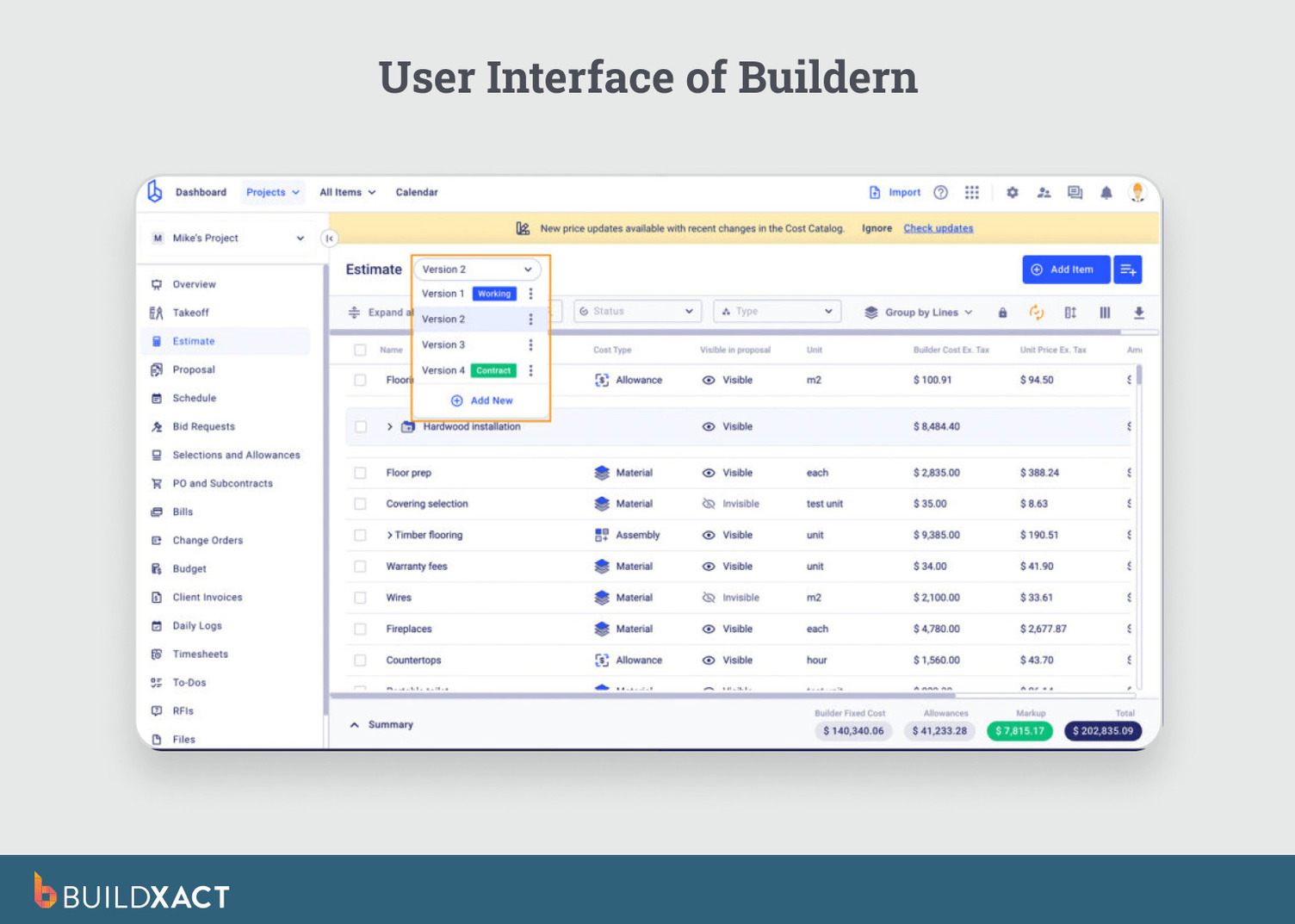
Estimating begins within that broader operational context. Builders create estimates alongside client records, project timelines, and document management.
After approval, the estimate feeds into the operational system rather than remaining a standalone reference. Scope changes and pricing updates flow through connected modules, so the estimate’s role shifts from governing document to one input among several as the job progresses.
For builders who want estimating tightly linked to CRM and scheduling without switching platforms, that cohesion reduces friction.
For builders who need the estimate to remain the single source of truth throughout purchasing and job prep, the integration may distribute pricing decisions across modules rather than consolidating them in a single place.
Benefits
- Estimating is integrated with CRM, scheduling, and job tracking in a single system.
- Estimates reference downstream into proposals and project workflows.
- Reusable templates and assemblies reduce rebuild time across similar jobs.
Drawbacks
- After approval, pricing continuity depends on how updates are managed across connected modules, not within the estimate itself.
- Estimating structure may require adapting existing habits to fit the platform’s integrated workflow.
Who it’s best for
Residential builders who prioritize operational cohesion across CRM, scheduling, and job tracking, where estimating supports the system rather than anchoring pricing decisions after approval.
Choosing Estimating Software That Maintains Pricing Continuity After Approval
Estimating breaks when quantities, pricing, and scope stop carrying forward. Builders lose time rechecking numbers, rebuilding bids, and reconciling versions across spreadsheets, documents, and memory. Those mistakes rarely come from effort. They come from fragmentation.
The right carpentry estimating software keeps the estimate alive after approval. When a client changes scope or material pricing shifts, you update one source and see the impact immediately.
Buildxact positions estimating as the starting point of the workflow. Quantities and pricing move directly into quotes and job preparation without re-entry. For residential builders estimating their own work, that continuity protects both time and margin.
Start for free or book a demo to run that test before your next bid goes out. Once you start for free, pick a current job you are working on, build the estimate the way you normally would, and see whether pricing carries forward into the bid without rebuilding it elsewhere.