

Construction projects don’t just involve building. They involve managing a mountain of information. Drawings, schedules, pricing, change orders, and approvals can change as the job progresses. And keeping that information aligned is often harder than the build itself.
BIM management was developed to solve this problem on complex projects by controlling how building information is created, shared, and maintained across teams. And it works. Especially when multiple designers, consultants, and systems are involved.
But residential building is a different game. Most builders don’t need heavy BIM software and 3D digital models to stay in control. What they do need are the practical parts of BIM: accurate information, clear costs, reliable schedules, and visibility when things change.
This guide explains what BIM management is designed to do and where it makes sense to use it. We’ll show you how to apply the same principles without taking on the operational overhead of full BIM platforms.
What Is BIM Management?
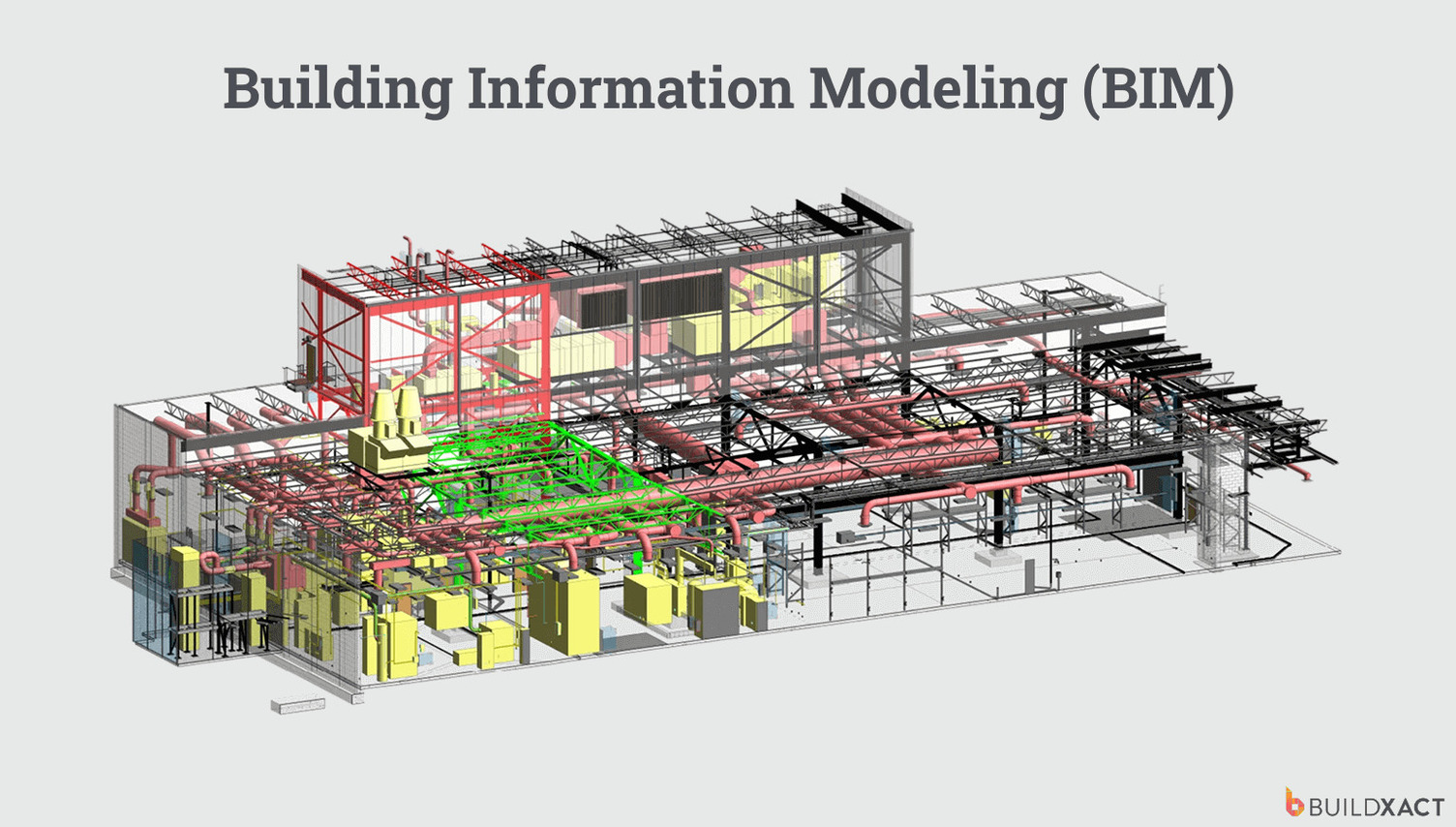
Building Information Modeling (BIM) is a way of creating a digital representation of a building. Instead of having drawings in one place, construction schedules in another, and quantities somewhere else, BIM pulls that information into a single digital view of the building.
But the model itself is only part of the story. BIM management is what keeps everything organized once that information exists. It covers who’s responsible for updates and how changes are tracked.
There’s an important distinction:
- Building Information Modeling is about creating the digital model (most often a 3D model)
- Building Information Modeling (BIM) management is about managing the information around that model as the project changes
For small to mid-sized builders, that distinction matters. Most don’t need intricate model-based technology or specialist BIM software. What you really need are the core BIM principles of clear information, reliable quantities, and full control.
What BIM Management Involves
BIM management isn’t just a tool you switch on. It’s a complete project management framework with multi-layered BIM standards. It’s designed to control how information flows across large teams, long timelines, and multiple systems.
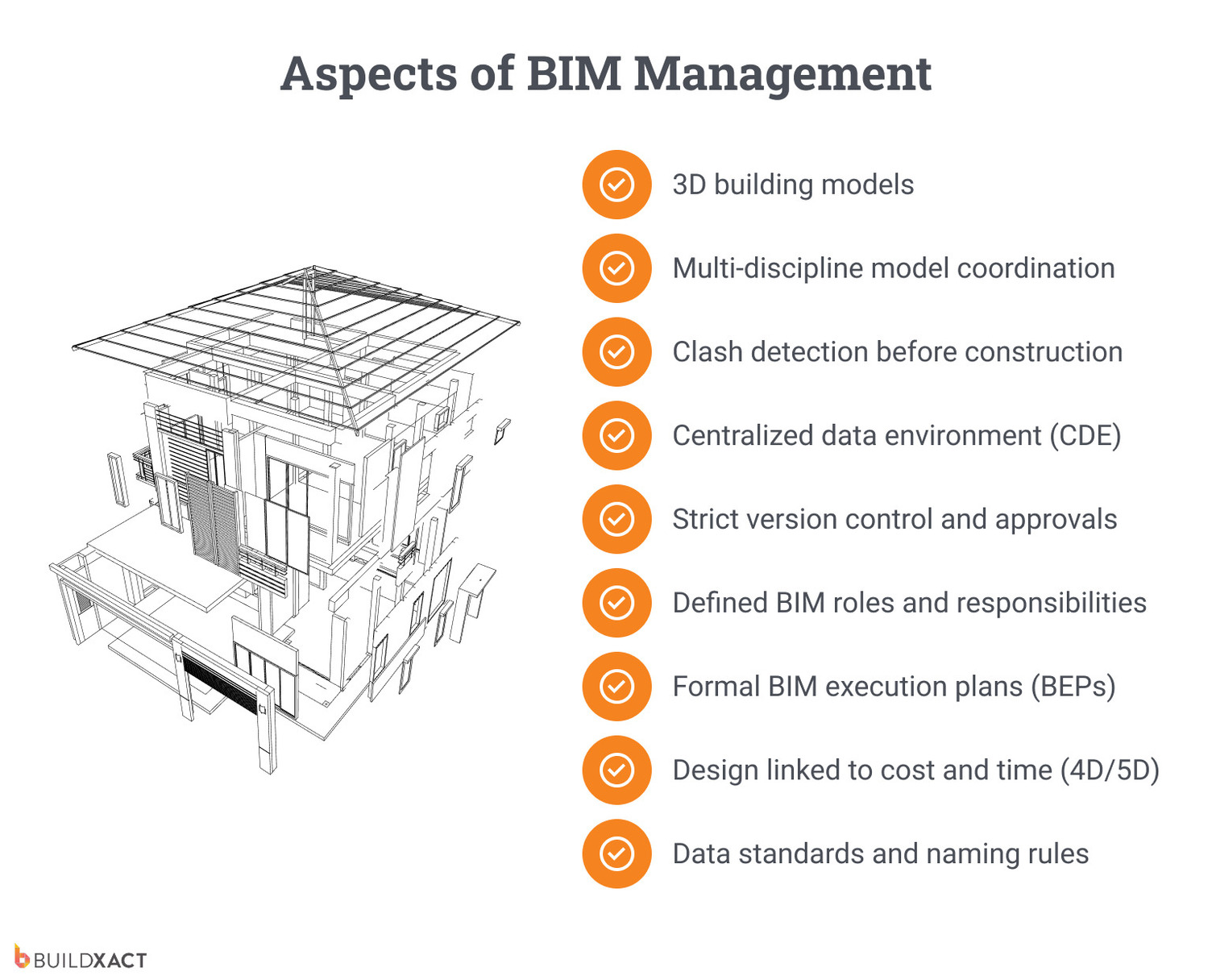
That usually includes:
- 3D models created and maintained by architects and engineers
- Model coordination across multiple disciplines, like structure, services, and finishes
- Clash detection to identify conflicts before work starts on site
- A Common Data Environment (CDE) to store and manage project documents
- Strict version control so teams don’t work off outdated drawings
- Clearly defined roles such as BIM managers, coordinators, and model authors
- Formal workflows documented in BIM Execution Plans (BEPs)
- 4D and 5D BIM to link design, cost, and scheduling to the 3D model
- Data standards and naming rules to keep information consistent across systems
There’s a reason BIM management has so many moving parts. It’s designed to improve operational efficiency on projects and track every component of a construction project, from structural elements to electrical systems. And it works well in that context.
But for residential work, all that structure and ongoing coordination can create more work than value.
Common Misconceptions About BIM Management
Around 47% of contractors across Europe are familiar with BIM, but only about 1 in 10 actively use it on projects. That gap isn’t about awareness. It’s about practicality.
BIM sounds promising in theory, but feels mismatched to the realities of project management in the residential construction industry. And that’s where a lot of these misconceptions creep in.
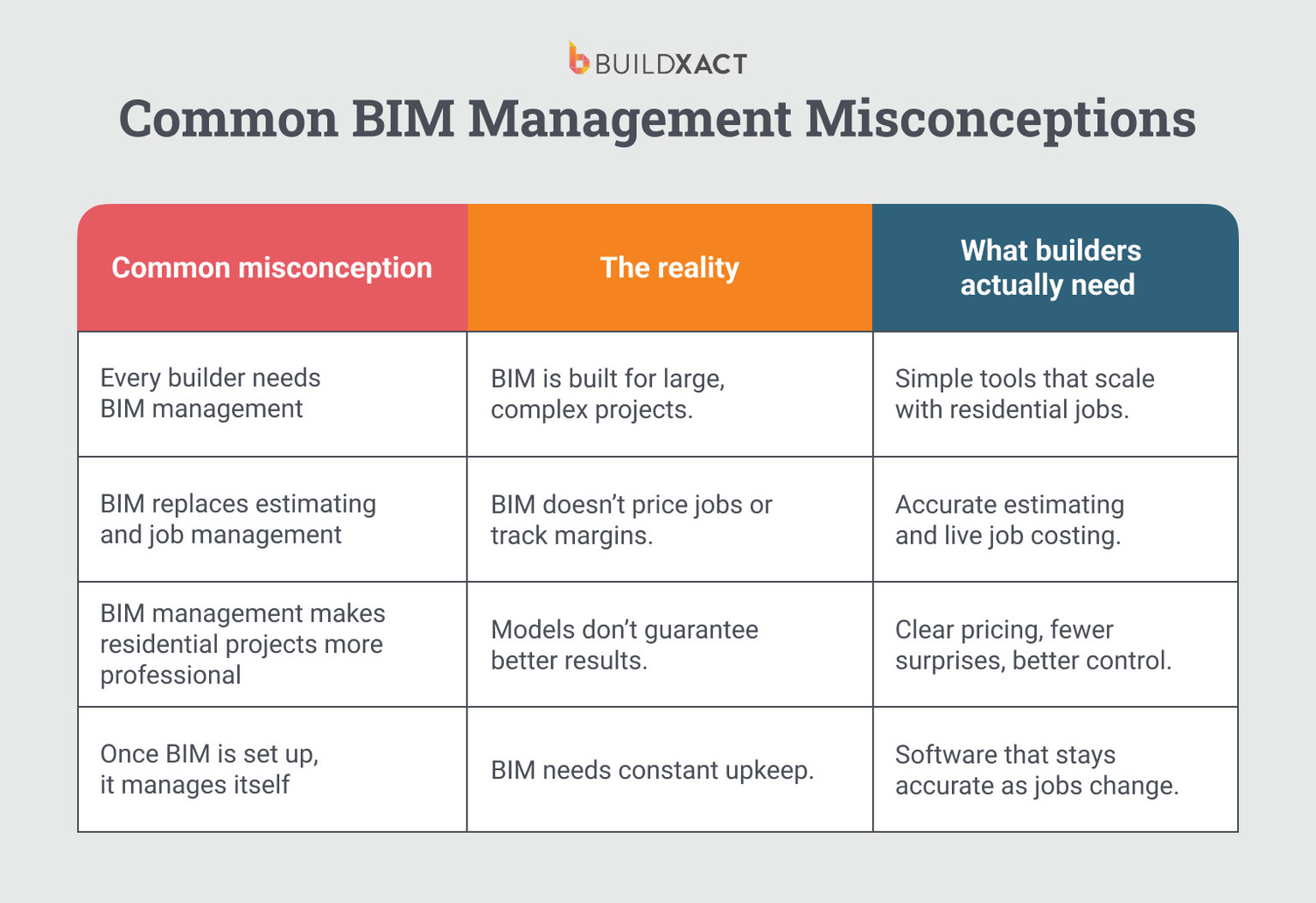
“Every builder needs BIM management”
BIM management was built for resource-intensive construction projects with multiple designers, consultants, and extended project timelines. It shines when coordination itself is a significant risk.
On most residential builds and remodels, that level of structure can be more of a burden than a benefit. What most builders actually need isn’t more systems. They need clear information, efficient cost estimation, and fast decision-making.
“BIM replaces estimating and job management”
BIM is great at organizing design information. But it doesn’t price jobs, manage change orders, or keep cash flow in check.
You still need tools that handle construction estimating, quoting, approvals, budgets, and day-to-day job control. Without those in place, changes still slip through, and profits still take a hit. BIM or not.
“BIM management makes residential projects more professional”
Professional jobs don’t come from fancy models. They come from accurate pricing, clear communication, and tight control.
Most clients don’t care how information is managed behind the scenes. They care about timelines, costs, and not being surprised halfway through the build. Adding BIM alone doesn’t improve site execution, change order control, or margins. And on smaller jobs, it can actually slow things down.
“Once BIM is set up, it manages itself”
BIM isn’t a set-and-forget system. It needs constant input, coordination, and ownership to stay useful.
Models, costs, and schedules need to be actively maintained as projects change. Without active management, BIM data becomes outdated just as fast as a spreadsheet or a PDF.
Is BIM Management Right for Your Project?
Whether BIM management makes sense comes down to the type of work you’re doing and what you actually need to manage your day-to-day tasks. For many residential builders, the goal isn’t full model coordination. It’s clear information, accurate costing, and control when things change.
Ask yourself these questions to choose a system that supports your work, rather than adding unnecessary headaches.
- How big and complex is the project?
BIM makes the most sense for big, multi-phase builds with many designers involved. On most residential jobs, it can be more process than payoff.
- Do you need ongoing 3D model coordination?
If your job lives and dies by coordinating multiple models, BIM helps. If you’re working from plans and managing changes on site, it’s often unnecessary.
- Do you have the skills and resources to support it?
BIM needs active management, not just software. If no one has the time or training, it won’t deliver the benefits.
“The adoption of BIM-based practices in residential construction is hindered by integration complexity, initial investment and cost, data quality and consistency, and regulatory and standardization requirements.”
- Does the investment make sense for the return?
In a peer-reviewed study on the residential construction industry, initial cost and investment were the strongest barriers to BIM adoption, ranking higher than technical complexity, data quality, or regulatory compliance. Even small residential BIM projects can cost up to $20,000, and that’s before ongoing updates.
For many builders, that budget is better spent on simple but powerful construction management tools.
BIM Management vs Construction Management Software
You don’t need full BIM to work in a more organized, professional way. Construction management software delivers many of the same principles builders look for in BIM.
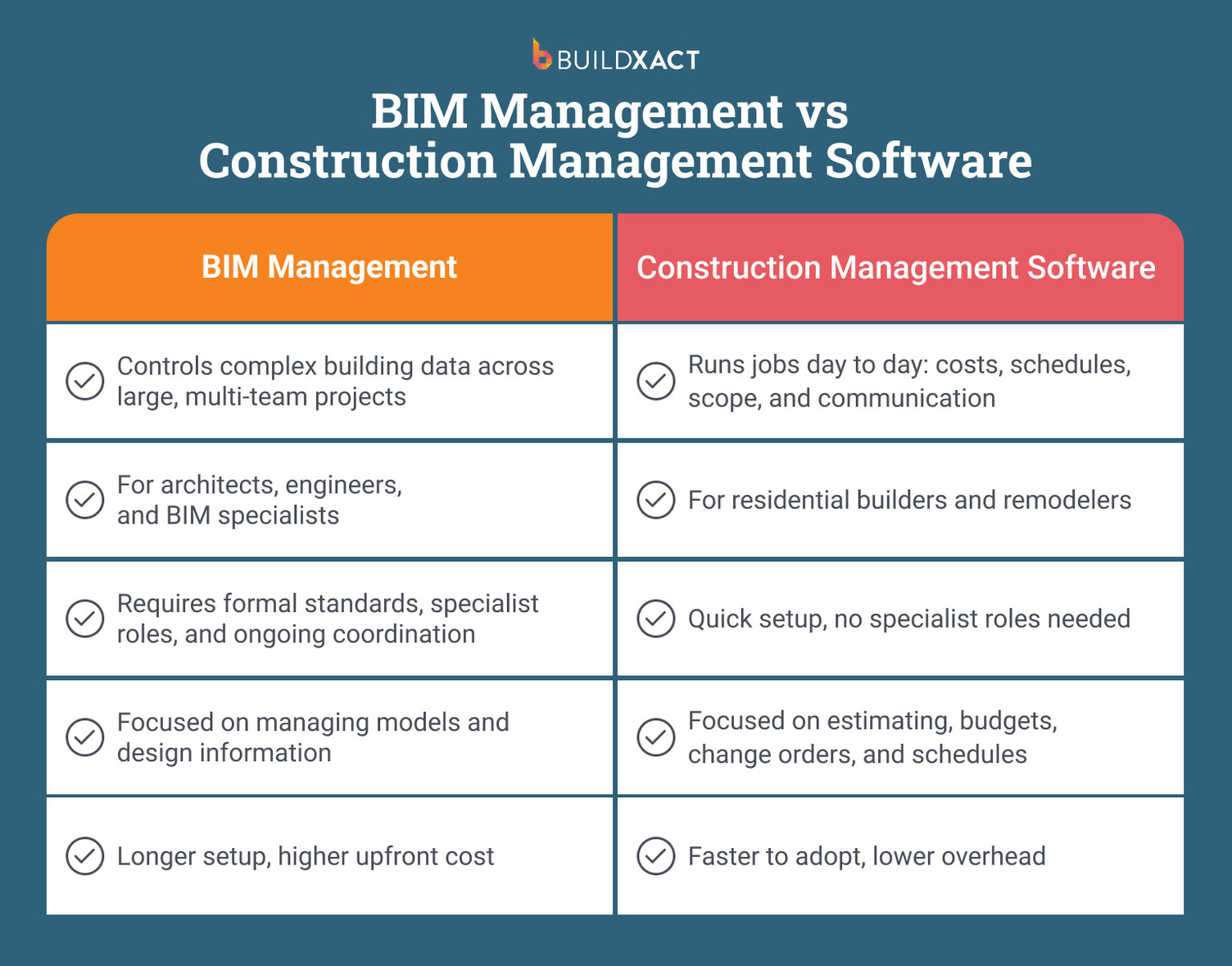
Purpose
- BIM management is designed to control complex digital building information across large, multi-disciplinary projects.
- Construction management software is built to help builders run jobs day to day, keeping costs, schedules, scope, and communication aligned.
Typical users
- BIM management is typically used by architects, engineers, BIM managers, and coordinators on large commercial or institutional builds.
- Construction management software is used by residential builders, remodelers, and construction business owners juggling multiple jobs at once.
Set up and skills required
- BIM management is a lengthy process and relies on formal standards, execution plans, specialist roles, and ongoing coordination. Converting a 2D sketch into a BIM model can take weeks, with a turnaround time of 4 – 6 weeks costing $140.
- Construction management software is designed to be set up quickly and used directly by builders, without specialist training and support.
Best-fit project types
- BIM management suits operationally heavy builds with long timelines and heavy model coordination.
- Construction management software fits residential builds and remodels where costs change, schedules shift, and decisions need to happen fast.
Get Hands-On Control Without Complicated Processes
You don’t need full BIM workflows to get the benefits that actually matter. The right construction software and project management tool can give you the clarity, coordination, and cost control associated with BIM, but without the heavy setup and BIM manager specialists.
Here’s what residential builders can do from one place with Buildxact:
Centralized project information
BIM management aims to create a single source of truth. Builder-first software does the same thing, just without the administrative burden.
- Plans, takeoffs, cost estimations, and change orders live in one place
- Everyone works from the same approved information
- No more juggling spreadsheets, emails, and PDFs
Accurate quantities through digital plan takeoffs
BIM models generate quantities. Digital quantity takeoffs achieve the same outcome but are faster to learn and use, and more useful for day-to-day estimating.
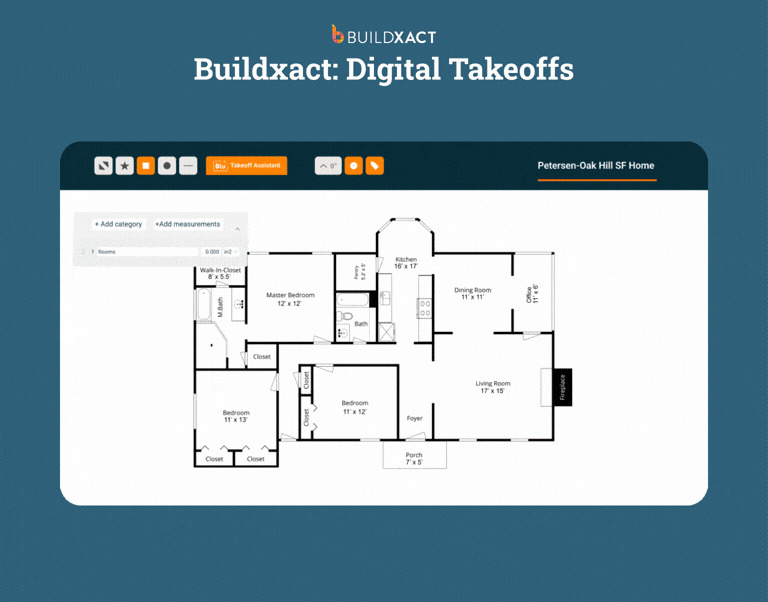
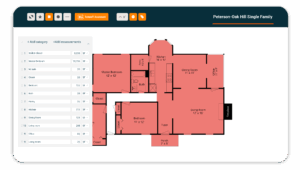
- Measure directly from uploaded 2D plans (PDFs)
- Quantities stay linked to your estimate
- Fewer errors from re-measuring or re-entering data
Clear links between scope, cost, and change
BIM connects design changes to cost and time. Buildxact’s job costing software does the same, but in a way that shows the financial impact immediately, not buried inside a model.
- Estimates flow directly into live job budgets
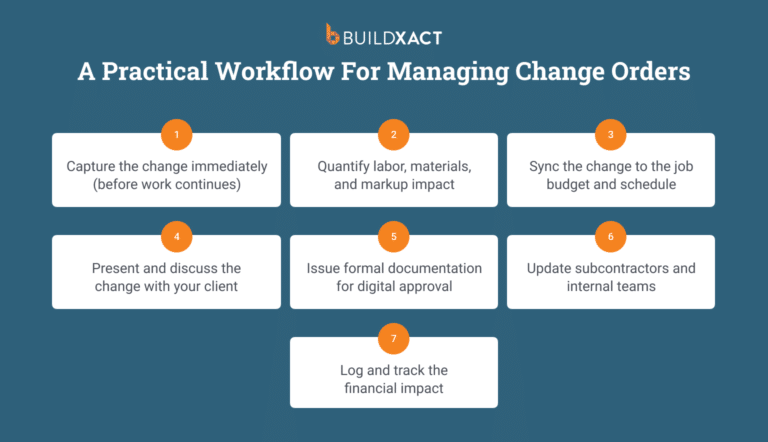
- Change orders update costs automatically
- Builders can see the financial impact of changes as they happen
Version control and change traceability
BIM environments track changes to prevent outdated information from being used. Buildxact applies the same principle to real builder workflows, but without the overhead.
- Bids, revisions, and change orders are clearly recorded
- See what changed, when, and why
- No digging through old emails or guessing which version is current
Simple coordination you can use from day one
BIM workflow procedures often require dedicated specialists, such as BIM managers and consultants, who typically charge $40 per hour. Intuitive builder-first platforms like Buildxact put control back in the builder’s hands, without extra people or hourly fees. They also typically have mobile apps that make it easy to coordinate and access information on the job site.
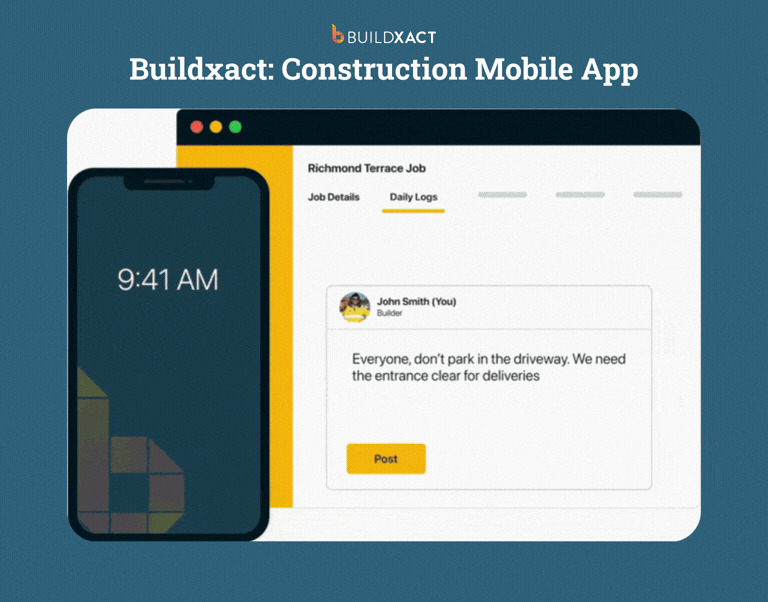
With the Buildxact mobile app, you can:
- Share project details with your team in one easy-to-use app
- Expect minimal training and fast adoption
- Don’t need to create execution plans or handle drawn-out setup
Get Full Control of Your Construction Projects Without Slowing Down Your Business
We understand how difficult it is to find tools that improve your processes without slowing you down. The right software should make your job easier, not harder.
Buildxact is built for residential builders who want to keep jobs moving, stay on top of costs, and grow their business without learning a complicated new system. You don’t need to spend hours becoming a BIM specialist to run organized, profitable construction projects.
From takeoffs to digital floor plans, we’ve put everything you need into one construction management platform built for residential work, not tech experts.
See how much easier managing your jobs can be. Sign up for free and get started today.