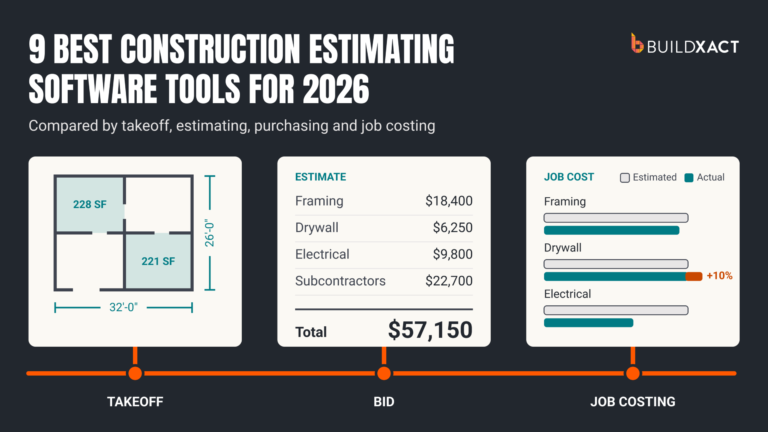
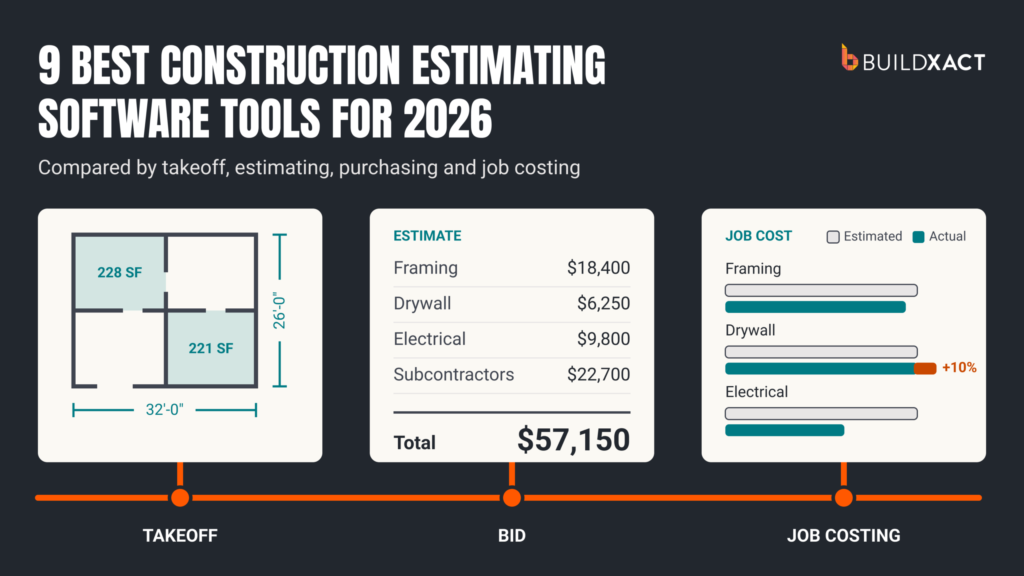

Most construction estimating software lists takeoffs, estimates and job costing on its feature page, so the lists don’t tell you much. What separates these tools is whether your estimate stays connected to what you actually spend once you win the job.
You need to check quantities and prices before sending your bid, then compare what you estimated with what you spend as the job progresses. Otherwise, you still have to reconnect those numbers yourself.
This guide compares nine tools by their estimating workflows, purchasing and cost-tracking capabilities, limitations, and relevant plan prices, so you can decide which ones deserve a closer look.
How We Chose the Construction Estimating Software in This List
We compared nine tools using official product documentation, published pricing, and customer reviews. The list includes residential estimating platforms, specialist takeoff tools, and commercial estimating software, so you can narrow your options around the work you do.
We assessed each tool on five areas:
- Takeoff and estimate creation: How you measure plans, enter quantities, and build an estimate.
- Cost inputs: How you price labor, materials, subcontractors, and allowances, including where the cost data comes from.
- Review and adjustment: How you check scope, change assumptions, and inspect AI suggestions where available.
- Purchasing and job costs: Whether the estimate carries into purchase orders, receipts, and actual-cost tracking.
- Fit and cost: Who the tool serves and which plan you need for the workflow described.
We considered specialist tools on their estimating strengths. For broader platforms, we also examined how estimating connects with the work after you win the bid.
Construction Estimating Software Compared at a Glance
The nine tools below range from dedicated takeoff and estimating software to platforms that also handle purchasing, scheduling, and job costs. Each offers a different mix of capabilities, so your shortlist will depend on how much of your workflow you want the software to cover.
| Tool | Best for | Main trade-off | Price |
| Buildxact | Connecting residential estimates with purchasing and actual job costs | Takeoff Assistant and Estimate Reviewer costs extra on Pro | Foundation: $199/mo; Pro: $399/mo; Master: $599/mo |
| JobTread | Managing estimates, budgets, dealer connections, and field work together | Additional paid internal users increase the cost | $199/mo, including one internal user; $20/mo per additional internal user through 10 users |
| Buildertrend | Managing estimating within broader residential operations | Price rises with the onboarding package and annual volume while the rollout involves more business processes. | Pricing starts at $499 per month for the full platform |
| Contractor Foreman | Getting broad construction functionality at a lower starting price | Required features and users may need a higher tier | From $49/mo, billed annually. |
| Clear Estimates | Preparing detailed remodeling estimates and proposals | Less purchasing and job-cost functionality than broader platforms | Standard: $59/mo; Pro: $99/mo, billed annually |
| STACK | Collaborative cloud takeoff and estimating | Per-user pricing and a 12-month subscription term | Pro: $349/user/mo, billed annually |
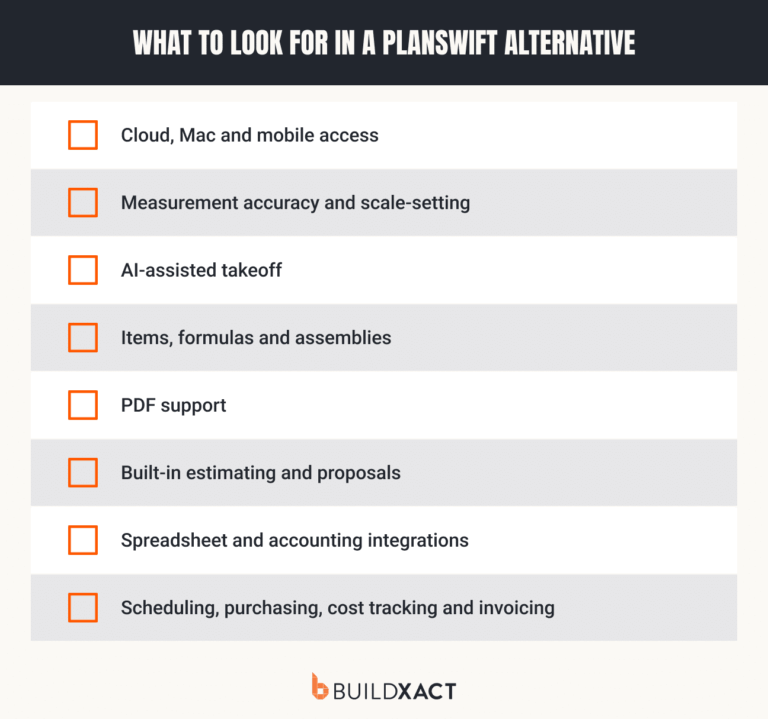
| PlanSwift | Working with takeoffs and estimates on a Windows desktop | Per-seat licensing; downstream project management needs other tools | Essential: $2,000/yr; Core: $3,000/yr per seat |
| Sage Estimating | Commercial estimating within the Sage ecosystem | More setup and administration than most small residential teams need | Request for a custom quote based on your needs |
| Houzz Pro | Combining remodeling estimates with design and client presentation | You may pay for design and client tools you do not need | Pro: $199/mo for one user |
1. Buildxact: Best for Connecting Residential Estimates With Purchasing and Job Costs
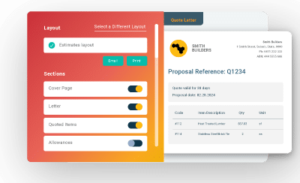
Buildxact is cloud-based construction estimating and project management software for residential builders and remodelers. It connects your takeoff, bid, purchasing, and job costs, so you spend less time moving figures between tools and can spot costs eating into your profit margin while the job is still underway.
Why we chose Buildxact
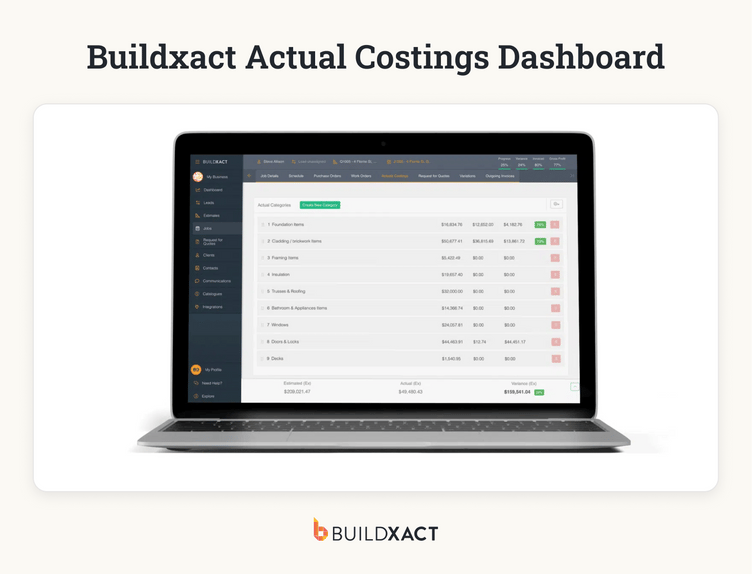
Track job costs against what you estimated
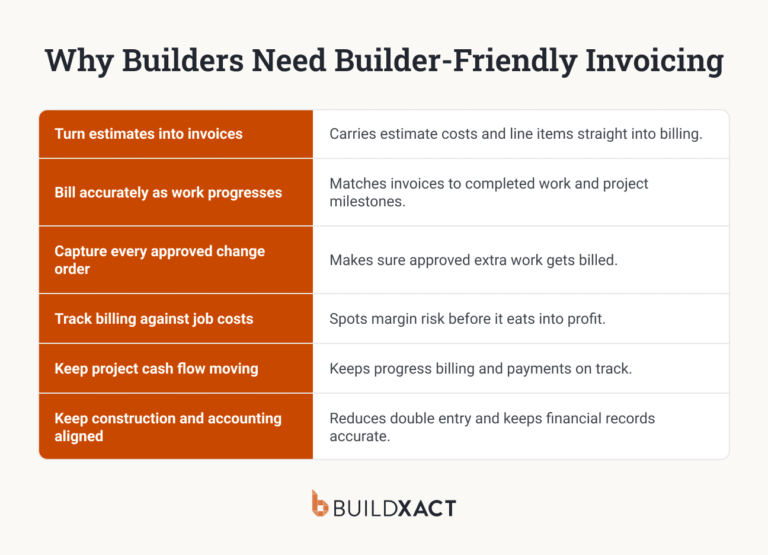
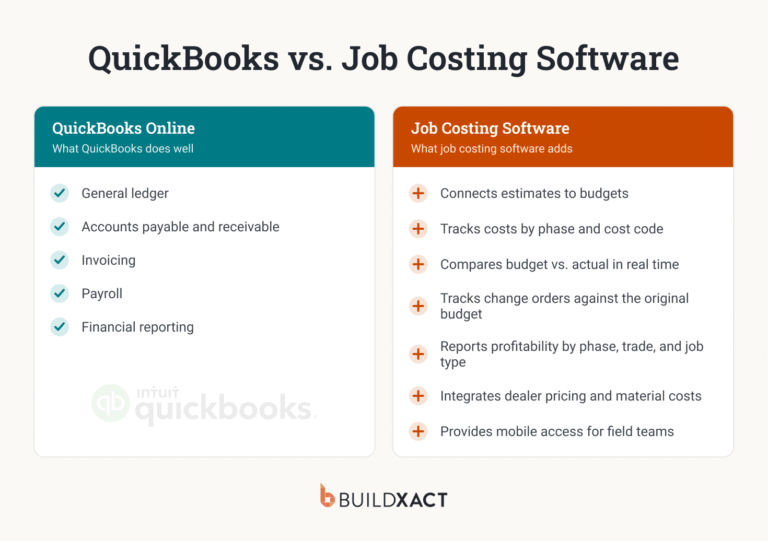
Buildxact carries your estimate into the job budget, so you can compare the costs you allowed for with committed and actual spending. As you record purchase orders, invoices, receipts, and time against the job, you can see which costs are exceeding the estimate and investigate the difference.
That comparison depends on keeping your cost records up to date. It helps you spot changes while the job is running, giving you more time to decide how to respond.
Build and review your estimate before sending the bid
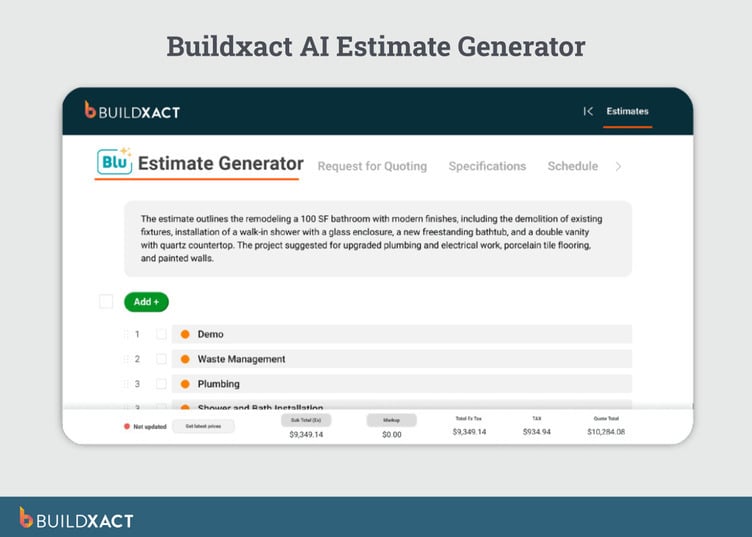
Blu Estimate Generator gives you a draft estimate to work from, so you spend less time building it from scratch and more time checking the scope, quantities and prices before sending your bid.
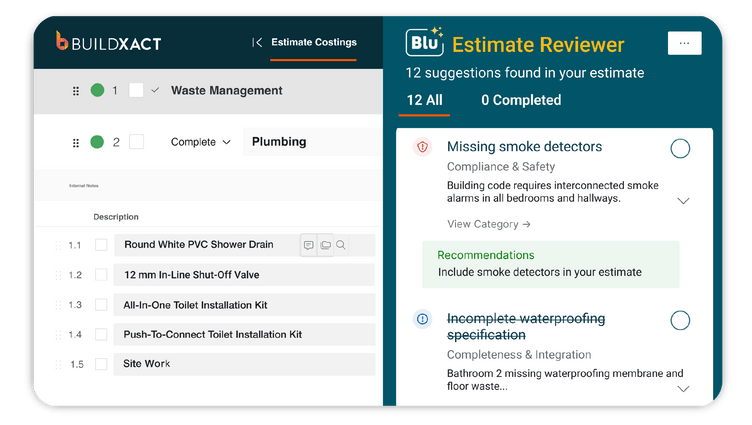
Estimate Reviewer adds another check by flagging possible missing costs, quantity issues and risks. You inspect its suggestions and decide what to change before sending the bid.
Connect material pricing and purchases with your job
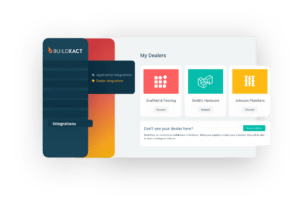
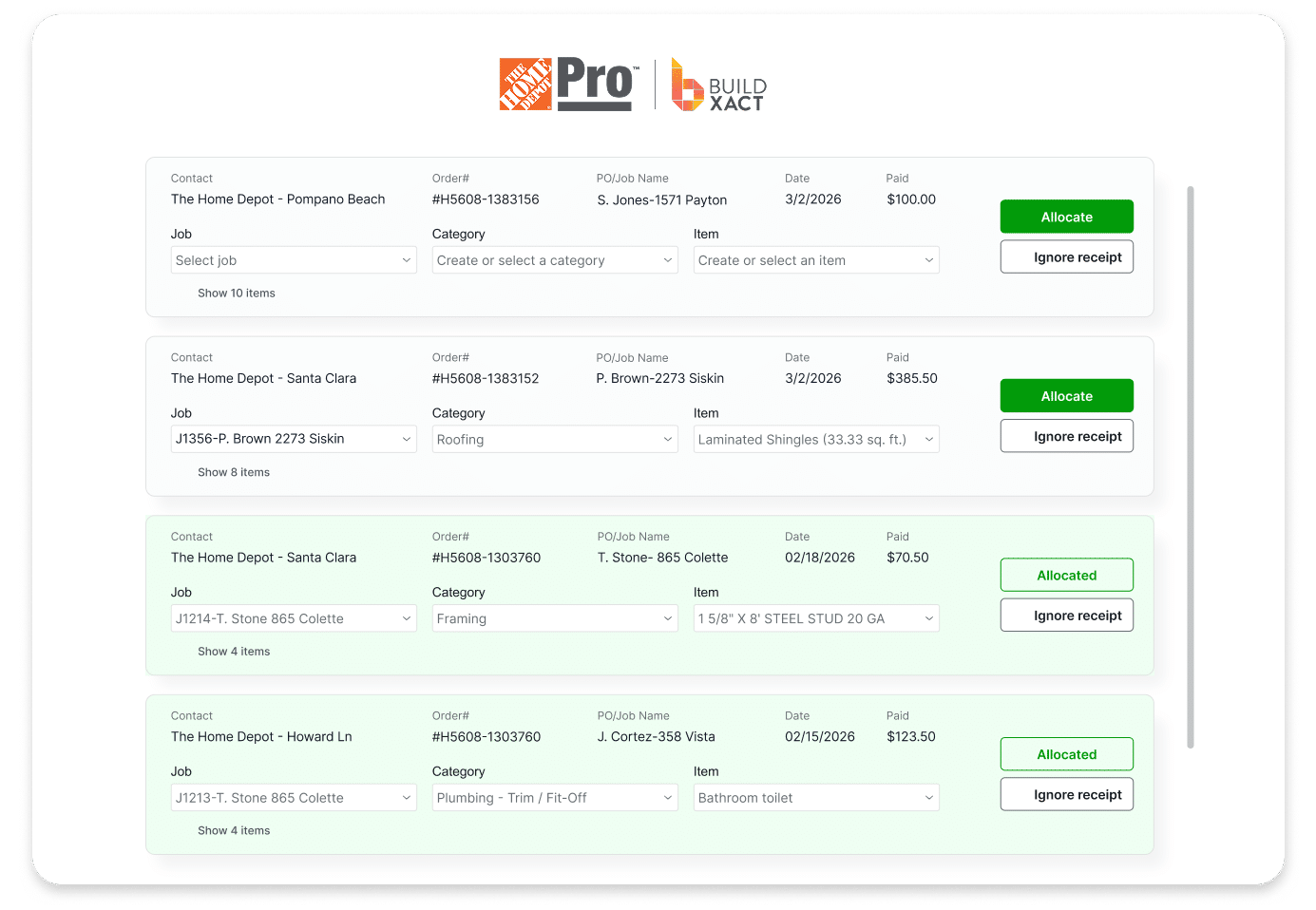
If you buy materials from The Home Depot, the Pro Xtra connection brings supported local or account prices into your estimate. You can also place orders, receive order updates, and assign receipts to jobs, reducing the information you need to transfer manually. If you mainly buy from other dealers, this connection may be less useful to you.
Assigning a Home Depot receipt to the job lets you compare what you paid with what you estimated. If prices rose between preparing the bid and buying the materials, you can see the extra cost and review your remaining spending while there’s still time to protect the job’s margin.
Key features
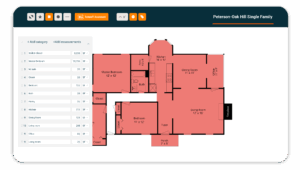
- Digital takeoff: Measure quantities from your plans and use them in your estimate without entering the same figures again.
- Blu Takeoff Assistant: Prepare supported plan measurements for you to inspect and correct before estimating.
- Cost breakdowns: Include labor, materials, subcontractors and allowances so your bid accounts for more than material quantities alone.
- Job-cost tracking: Compare estimated, committed and actual costs to identify where spending is exceeding your budget.
- Scheduling and client tools: Organize tasks, approvals and invoices alongside the job information.
- Accounting integrations: Transfer supported financial records between Buildxact and your accounting software, reducing duplicate entry.
Pros
- Connects your estimate with purchasing and job-cost tracking
- Adds an AI-assisted review step before you send the bid
- Brings supported Home Depot prices and purchase records into your workflow
- Includes unlimited users on paid plans
Cons
- Reliable cost comparisons require consistent recording of actual spending
- Takeoff Assistant and Estimate Reviewer cost extra on the Pro plan but are included in the higher-tier Master subscription
- Less suited to enterprise governance and complex project controls
Pricing
Foundation costs $199 per month. Pro costs $399 per month and adds Estimate Generator, project management, scheduling, and the Onsite mobile app.
On Pro, Estimate Reviewer costs an additional $149 per month, bringing the total to $548. Adding Takeoff Assistant as well brings Pro to $647 per month.
Master costs $599 per month and includes both tools, user access controls, and priority support. If you need both Blu add-ons, Master costs $48 less per month than the Pro configuration.
Annual billing receives a 15% discount.
2. JobTread: Best for Budget-Based Project Management and Multiple Dealer Connections
JobTread is a cloud-based construction estimating and management software that connects your job budget with purchasing, project management, and actual costs.
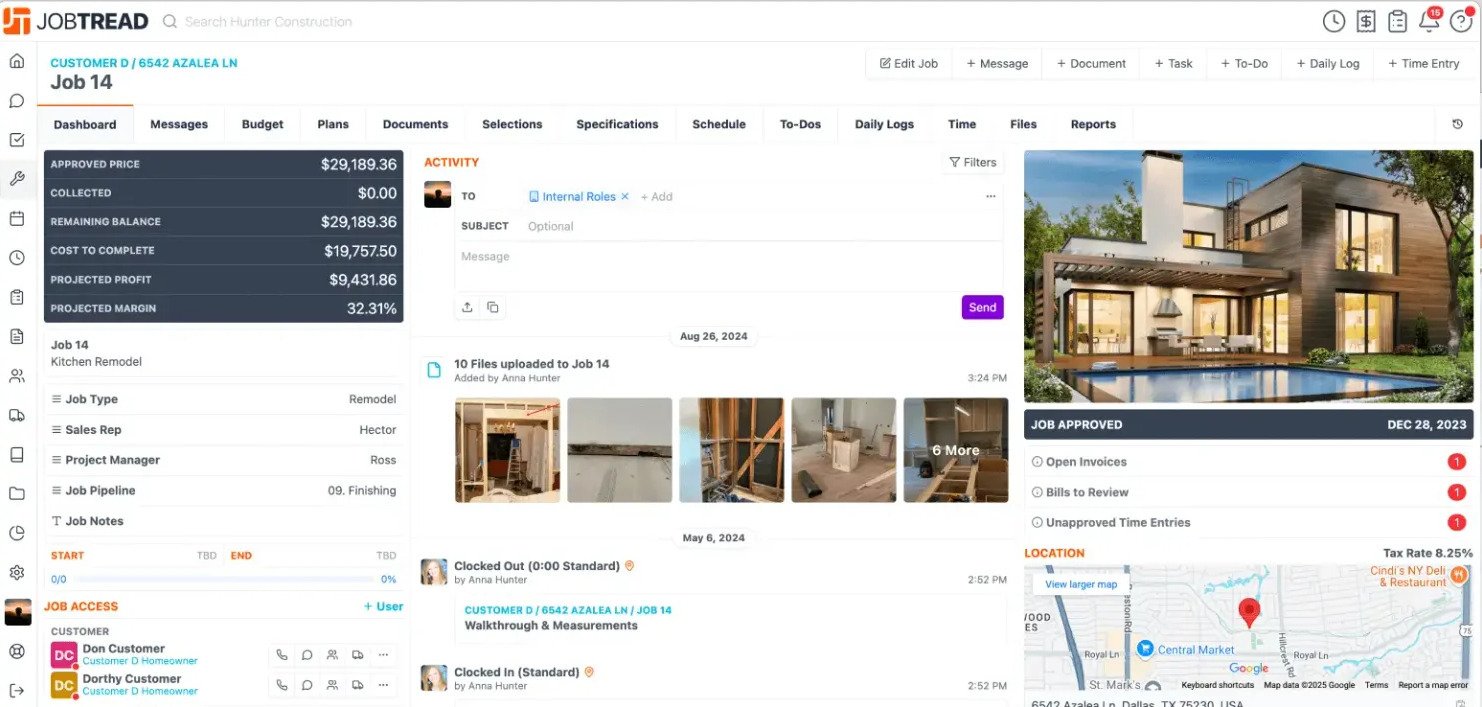
You can prepare estimates, manage customer and vendor approvals, schedule work, and track spending in the same platform.
Why we chose JobTread
Manage the job against your budget
JobTread keeps your budget connected with purchase orders, change orders, invoices, and job costs. You can track spending against what you estimated as work progresses. Customer and vendor portals let you share documents and collect approvals within the job workflow.
Connect with the dealers you use
JobTread lists integrations with The Home Depot, SRS Distribution, QXO, Heritage Pool Supply Group, and PoolCorp. If you purchase across several dealers, check which connections support your purchasing process.
The capabilities vary by integration, so confirm how each handles pricing, orders, and receipts.
Create and inspect a starting budget with AI
AI Budget Builder can create an initial budget from your project requirements. You can also ask it to audit an existing budget and suggest changes. You still need to check the scope, quantities, and prices before using those numbers in a bid.
Key features
- Budget-based estimating and job costing
- Digital takeoff
- AI Budget Builder
- Purchase orders, change orders and invoices
- Customer and vendor portals
- Scheduling and mobile field access
- Multiple dealer integrations
- QuickBooks Online integration
Pros
- Connects estimating, purchasing and job costs around your budget
- Offers connections with several dealer networks
- Combines office, customer, vendor and field workflows
- Includes free external portal users and certain limited field users
Cons
- Additional paid internal users increase your subscription cost
- Dealer integrations vary in the tasks they support
- Configuring budgets, templates and workflows requires setup time
Pricing
JobTread costs $199 per month, including one internal user. Users two through 10 cost an additional $20 each per month. Five paid internal users would therefore cost $279 per month.
Customer, vendor and subcontractor portal users are free. Certain field users are also free when they only need limited functions, such as uploading photos, adding daily notes and viewing schedules or checking off tasks.
Price breaks begin above 10 internal users. Annual subscriptions receive a 20% discount.
3. Buildertrend: Best for Managing Broader Residential Operations
Buildertrend is a construction project management software for custom home builders and remodelers. It combines estimating with lead management, scheduling, client selections, communication and financial tools, so you can manage more of your business in one platform.
Why we chose Buildertrend
Coordinate estimates, schedules and client decisions
Buildertrend belongs on your shortlist if you need to manage the work surrounding your estimate as well as the numbers. You can prepare proposals, organize schedules, track selections and change orders, and manage bills and budgets within the same platform.
That breadth matters when your team needs a shared process for handling client decisions and project updates. It also means you need to assess the setup and training required across those workflows, rather than judge the software on estimating alone.
Manage purchasing and costs alongside project delivery
Buildertrend includes purchase orders, bills, budgets and financial reporting. Compare these workflows with your requirements for tracking commitments, recording spending and keeping project costs up to date.
If you buy from The Home Depot, note that Buildertrend retired its Cost Catalog pricing and product sync on July 17, 2026. Existing catalog items remain, but their prices no longer update automatically. The Home Depot receipt integration remains available.
Key features
- Estimates, proposals and lead management
- Scheduling
- Client selections and change orders
- Client portal
- Purchase orders, bills and budgets
- Financial reporting
- Mobile access
- Accounting integrations
Pros
- Covers estimating alongside broader residential operations
- Keeps client selections, approvals and project communication together
- Supports shared processes across your team
Cons
- Adopting several workflows can require more setup and training
- You may pay for capabilities you do not need if estimating is your main priority
- Home Depot catalog prices require manual updates following the sync retirement
Pricing
Buildertrend’s pricing starts at $499 per month for the full platform. However, that price may increase depending on the onboarding package you choose and your annual construction volume.
4. Contractor Foreman: Best for Broad Functionality at a Lower Starting Price
Contractor Foreman is construction estimating and project management software for small and midsize contractors.
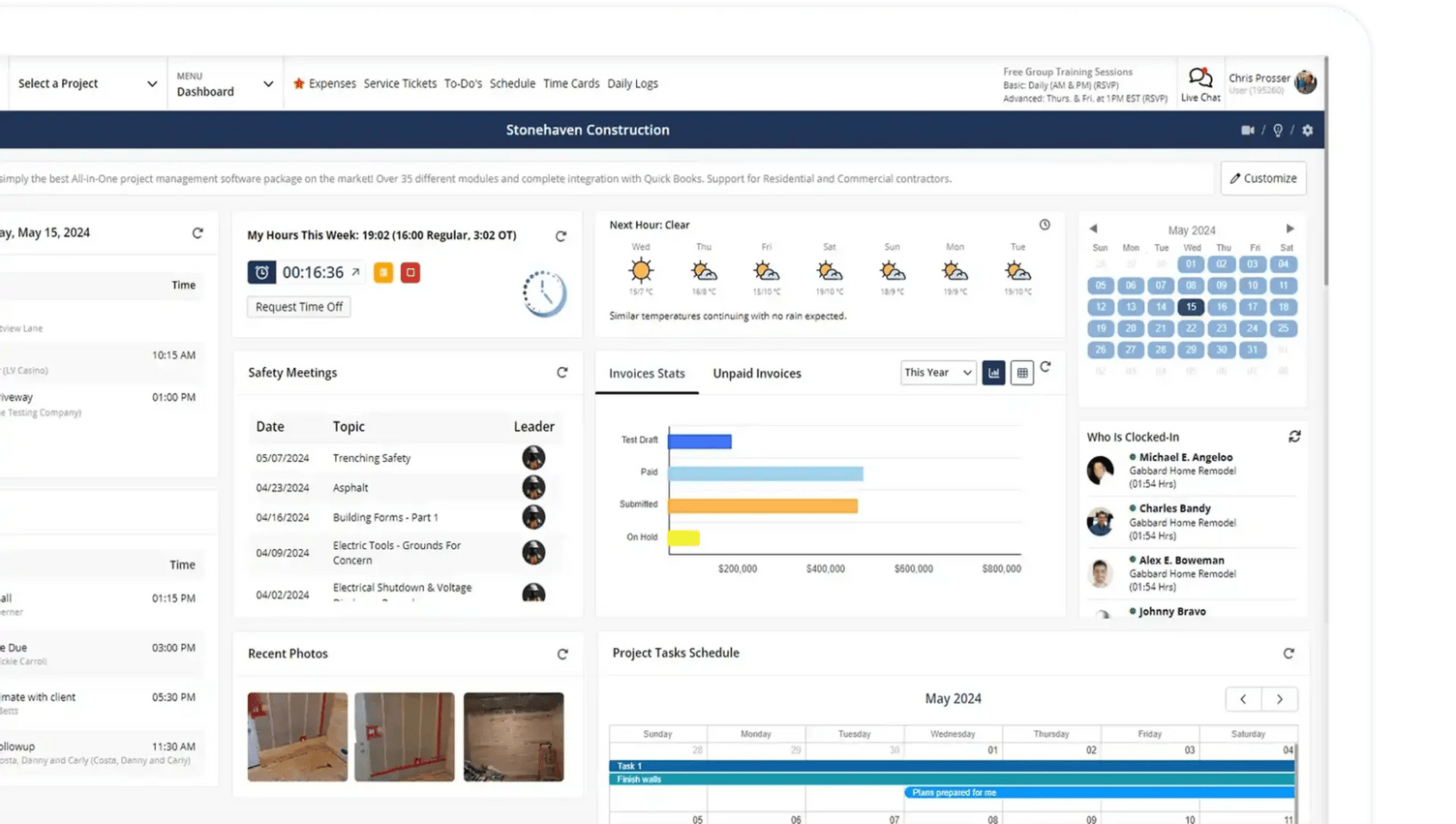
It combines estimates, job costing, purchasing, scheduling and field tools, giving you several ways to manage your work within one platform.
Why we chose Contractor Foreman
Manage estimating, finances and field work together
Contractor Foreman offers a broad set of tools at a lower entry price than many platforms in this list. You can prepare estimates, manage purchase orders and invoices, schedule work and collect daily logs and time records.
If you currently use separate tools for these tasks, assess how much of that work your chosen plan can cover.
Build estimates using cost data and your own prices
Contractor Foreman lets you use a material cost database and maintain your own cost library. Compare database prices with what your dealers charge, your labor rates, and each job’s requirements.
Key features
- Estimates and proposals
- Digital takeoff
- Job costing
- Purchase orders and invoices
- Scheduling and daily logs
- Time tracking
- Client portal
- Safety and field tools
- Accounting integrations on supported plans
Pros
- Combines estimating with financial, project, and field tools
- Offers several plans for different team sizes
- Provides published pricing for initial budget comparison
Cons
- Local material pricing is not included in the Basic or Standard plans
- Cost data still needs checking against your dealers and project
- Setting up your estimates, schedules, and job-cost tracking takes time
Pricing
Published annual plans start at $49 per month for one user, followed by $105 for up to three users, $166 for up to eight, $221 for up to 15, and $332 for unlimited users.
5. Clear Estimates: Best for Detailed Remodeling Estimates and Proposals
Clear Estimates is residential estimating software for remodelers and small contractors.
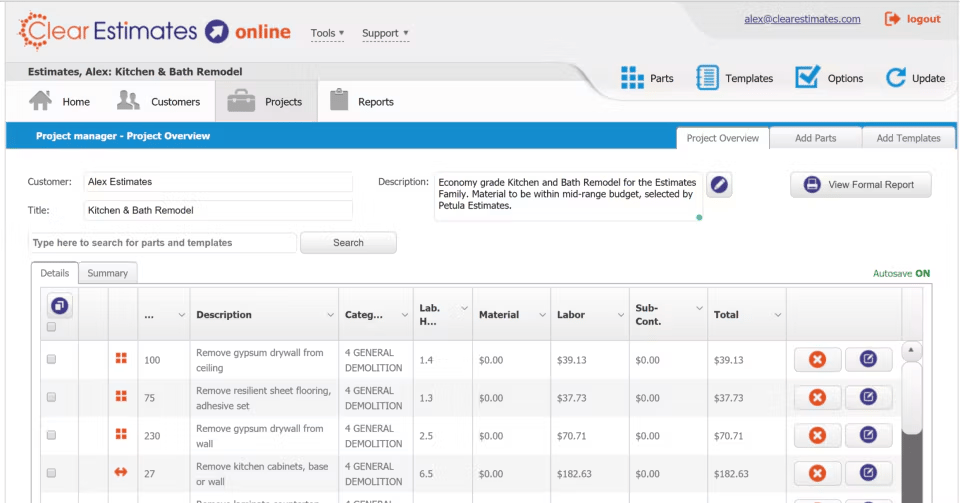
You can build estimates using its cost database and templates, adjust the figures for your work and turn the estimate into a proposal.
Why we chose Clear Estimates
Start with an existing cost library
If you spend too much time building estimates from scratch, Clear Estimates gives you preloaded line items and templates to work from. Its database includes labor and material costs, with quarterly rate updates.
You still need to check those figures against your dealers, labor rates and project conditions. Database costs provide a starting point rather than the price you will necessarily pay.
Turn your scope into a detailed proposal
You can customize estimate items and present the work in a proposal with an electronic signature. Pro adds AI-powered image and plan uploads, along with Buildertrend and Zapier connections.
If you also need purchasing and actual-cost tracking, examine how those tasks will connect with your estimate before choosing.
Key features
- Residential labor and material cost database
- Preloaded templates
- Custom estimate items
- AI estimates
- Proposals and electronic signatures
- Payable invoices
- Image and plan uploads on Pro
- Integrations on supported plans
Pros
- Gives you a starting library for residential estimates
- Combines estimate preparation with proposals and signatures
- Offers published pricing and a 30-day trial
Cons
- Database prices require checking against your actual costs
- Pro is required for image and plan uploads
- You need to assess separate tools or integrations for broader project management
Pricing
Standard costs $79 per month and Pro costs $119 per month on monthly billing. Annual billing reduces the effective monthly prices to $59 and $99, respectively. Both offer a 30-day free trial.
6. STACK: Best for Collaborative Cloud Takeoff and Estimating
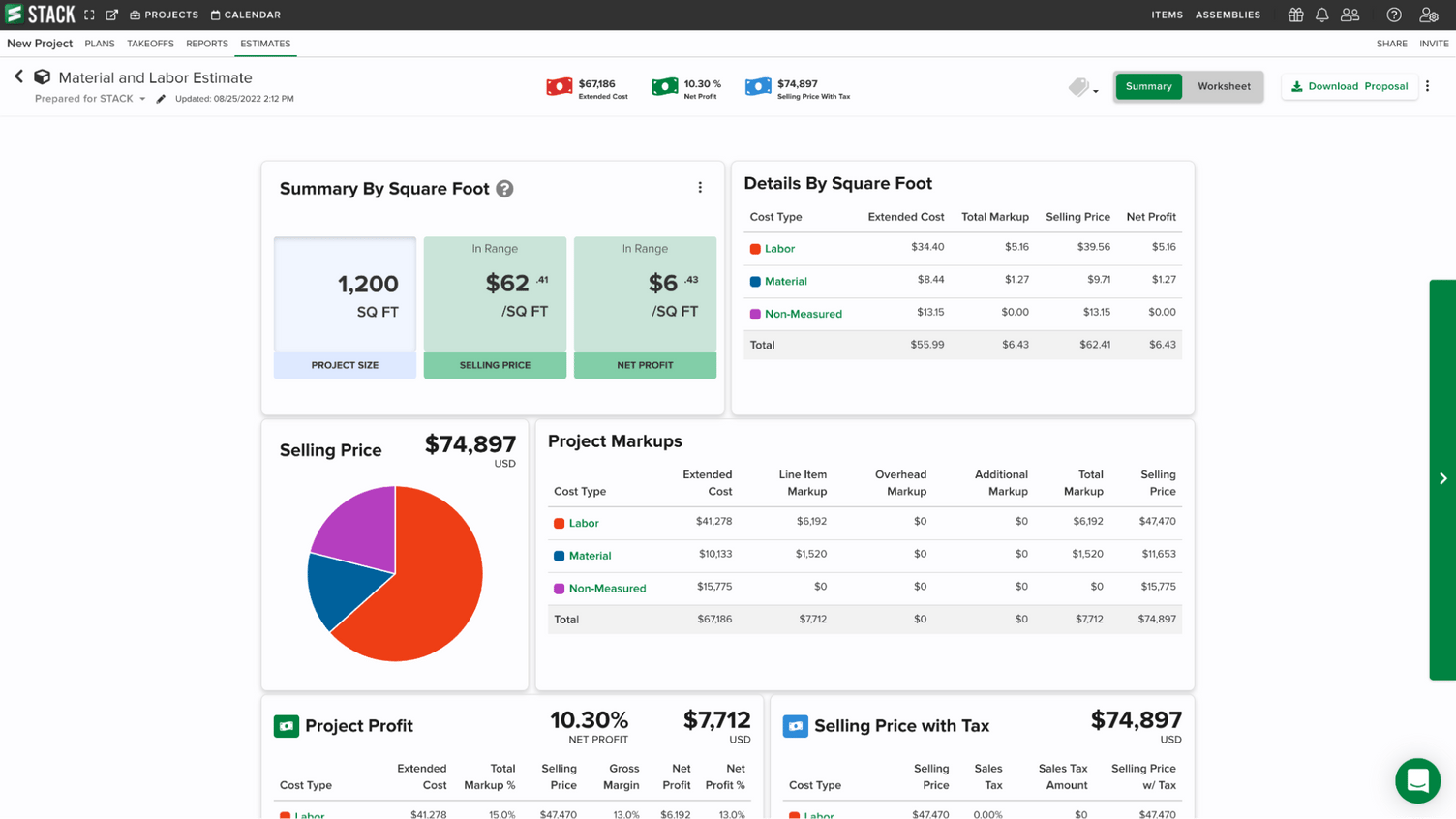
STACK is cloud-based takeoff and estimating software. You can measure digital plans, organize quantities and price bids in a browser, making it worth considering when several people contribute to preconstruction.
Why we chose STACK
Work from shared plans and quantities
STACK lets your estimating team work from shared plans, organize measurements and compare drawing versions. If you need browser access across locations, this avoids relying on a single desktop installation for your takeoff workflow.
Carry measurements into a priced estimate
The Pro plan adds worksheet-style estimating, labor and material pricing through items and assemblies, and proposal generation.
You can group and review costs before preparing the bid. ERP connectors are available as an add-on, so check the supported connections if you need purchasing or accounting data to move between systems.
Key features
- Browser-based takeoff
- Shared plans and markups
- Drawing-version comparison
- AI takeoff tools
- Item and assembly libraries
- Worksheet-style estimating on Pro
- Proposal generation on Pro
- ERP connectors as an add-on
Pros
- Supports estimating teams working across locations
- Connects plan measurements with estimate preparation
- Includes unlimited viewer seats on paid plans
Cons
- Paid estimating licenses are priced per user
- Subscriptions require a 12-month term
- Broader operational workflows and integrations can add cost
Pricing
Premium costs $299 per user per month and Pro costs $349 per user per month, billed annually. Pro is the relevant plan for the integrated takeoff and estimating workflow described here. Subscriptions have 12-month terms, including when payments are spread monthly.
7. PlanSwift: Best for Windows Desktop Takeoff and Estimating
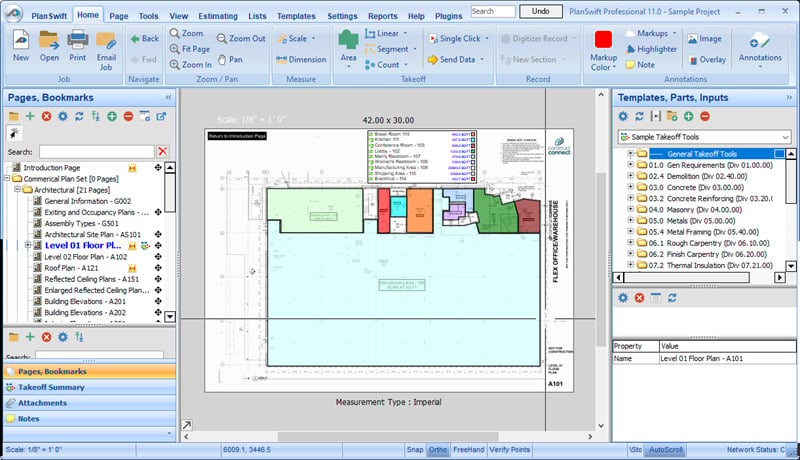
PlanSwift is a Windows-based takeoff and estimating software. You can measure digital drawings and use parts, assemblies and formulas to turn those quantities into material and labor costs.
Why we chose PlanSwift
Reuse your estimating methods
PlanSwift lets you build estimates around reusable assemblies and formulas. If you already have established ways to calculate materials and labor, assess how those methods translate into its desktop workflow.
This makes it a useful option when takeoff and estimating are your main requirements and you plan to retain other systems for purchasing and project management.
Use AI to prepare a takeoff for review
Essential includes Auto Count, Auto Scale and Auto Bookmark. Core adds Auto Takeoff, which creates a first pass of area, length and count measurements for you to inspect before pricing the work.
Check the results against your drawings and scope before using the quantities in your bid.
Key features
- Point-and-click takeoff
- Material and labor estimating
- Parts, assemblies and reusable formulas
- Trade-specific customization
- Auto Count, Auto Scale and Auto Bookmark
- Auto Takeoff on Core
- Excel import and report workflows
Pros
- Lets you reuse assemblies and estimating formulas
- Combines measurement and pricing in one tool
- Offers a 14-day trial of the full Core feature set
Cons
- Windows deployment may not suit a browser-first team
- Annual subscriptions are priced per seat
- Purchasing and job-cost management require other systems
Pricing
The Essential plan costs $2,000 per year for one seat. The Core plan costs $3,000 per year for one seat and adds Auto Takeoff. Both include updates, support and training. Additional-seat discounts are available.
8. Sage Estimating: Best for Commercial Estimating Within the Sage Ecosystem
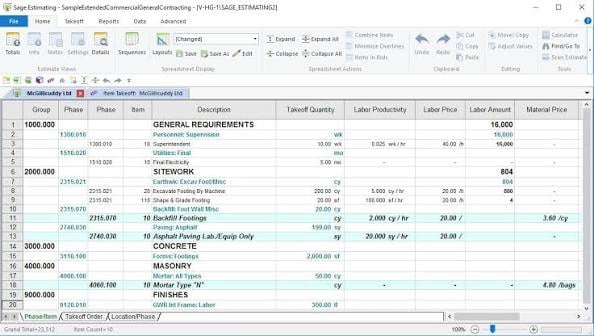
Sage Estimating is construction cost-estimating software for teams that need detailed databases, assemblies and structured estimating processes.
It belongs on your shortlist if you handle commercial bids or need estimating to work with existing Sage construction systems.
Why we chose Sage Estimating
Standardize how your team builds estimates
You can use cost databases and assemblies to apply consistent estimating methods across projects. That matters when you have dedicated estimators and need repeatable cost structures that others can review and maintain.
Assess the database setup and ongoing maintenance required. This approach asks more of your team than a lightweight proposal tool.
Choose the configuration your workflow requires
Sage Estimating offers separately licensed extensions, so the product name alone does not establish every capability included in your purchase. Confirm the modules and connections needed for your estimating and finance processes.
Key features
- Estimating databases
- Assemblies and cost structures
- Estimate analysis and reporting
- Configurable pricing methods
- Separately licensed extensions
- Connections with supported Sage construction products
Pros
- Supports structured, repeatable estimating
- Gives specialist teams control over their cost databases
- Worth evaluating when you already use Sage construction systems
Cons
- Database setup and maintenance require time and expertise
- Some capabilities require additional licenses
- You need a custom quote to establish the full cost
Pricing
Sage doesn’t publish pricing for Sage Estimating. Contact Sage for pricing based on the modules, extensions and connections you need.
9. Houzz Pro: Best for Combining Remodeling Estimates With Design and Client Presentation
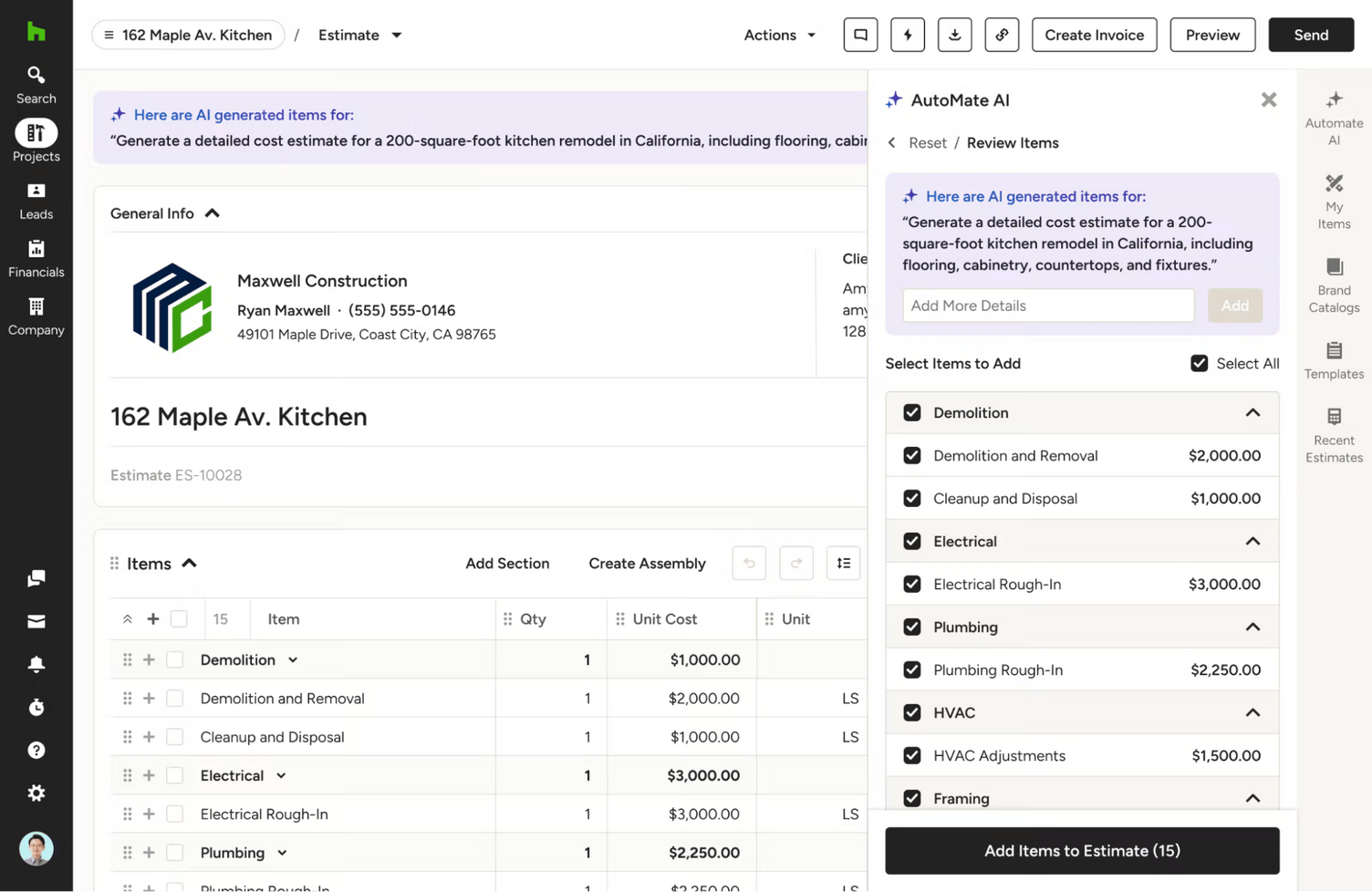
Houzz Pro is business management software for remodeling and design professionals. It combines estimating with design, customer management and project tools, so you can prepare bids and manage the client decisions surrounding the work.
Why we chose Houzz Pro
Connect estimates with design and selections
If design and presentation help you sell your projects, Houzz Pro brings estimates together with 3D floor plans and selections. You can use those tools to explain the proposed work and organize the choices your client needs to make.
Manage client decisions alongside the project
Houzz Pro also offers schedules, budgets, change orders and client-facing tools. This makes it worth evaluating when your requirements extend from preparing the estimate to coordinating decisions during delivery.
If estimating and cost control are your main priorities, check which design and presentation features you would use before paying for the broader package.
Key features
- Estimates and proposals
- Takeoff on supported plans
- Customer management and client dashboard
- 3D floor plans and selections
- Bid management
- Change orders and budgets
- Scheduling and daily logs
- QuickBooks Online integration
Pros
- Combines estimating with design and client presentation
- Keeps selections and project decisions within the broader workflow
- Offers published plan prices for initial comparison
Cons
- Design tools may add little value if you mainly need estimating
- Required takeoff and project features determine your plan choice
- Team access can change the total subscription cost
Pricing
Design costs $99 per month, Pro costs $199 per month and Teams starts at $399 per month. Pro is the relevant starting point for the takeoff and broader project workflow discussed here.
Which Construction Estimating Software Should You Choose?
Choose software that handles the work you need to improve, whether that’s takeoff, bid preparation or managing costs after you win the job.
If you only need takeoff, STACK suits teams working in a browser and PlanSwift suits Windows desktop users. Sage Estimating fits commercial estimators already using Sage. Houzz Pro fits remodelers who sell through design and 3D presentation, and Contractor Foreman offers the lowest entry price for broad functionality.
If you estimate and run residential projects, Buildxact is worth a closer look. You can measure plans, build and review your estimate, then use those numbers as the baseline for purchasing and job-cost tracking. That means less time moving figures between tools and more opportunity to spot costs eating into your profit margin while the job is still underway.
Blu helps you prepare and check the estimate, while the Home Depot connection reduces manual price checking and receipt entry for supported purchases. Together, these tools can reduce the estimating and administrative work that competes with running your jobs.
Getting that value takes some setup. You need to review AI suggestions, record actual costs consistently and choose the plan or add-ons your workflow requires.
Book a Buildxact demo and ask to see a project like yours move from takeoff through purchasing and actual-cost tracking. Use that walkthrough to judge whether it will reduce the work you currently handle manually and give you the cost information you need to manage your margin.