
Construction task management involves breaking a build into individual tasks, planning the order of work, assigning tasks, and tracking progress so that work happens in the right order and delays get caught early.
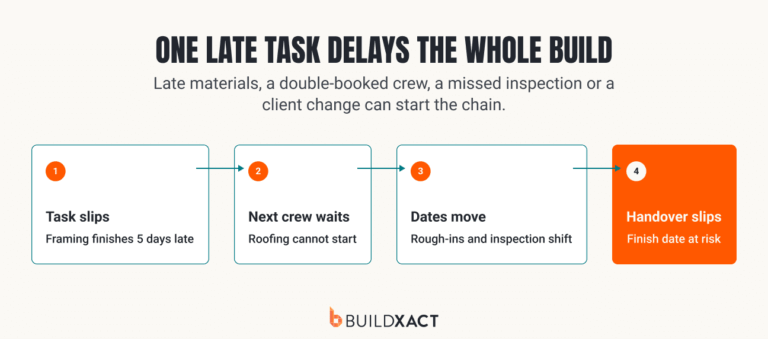
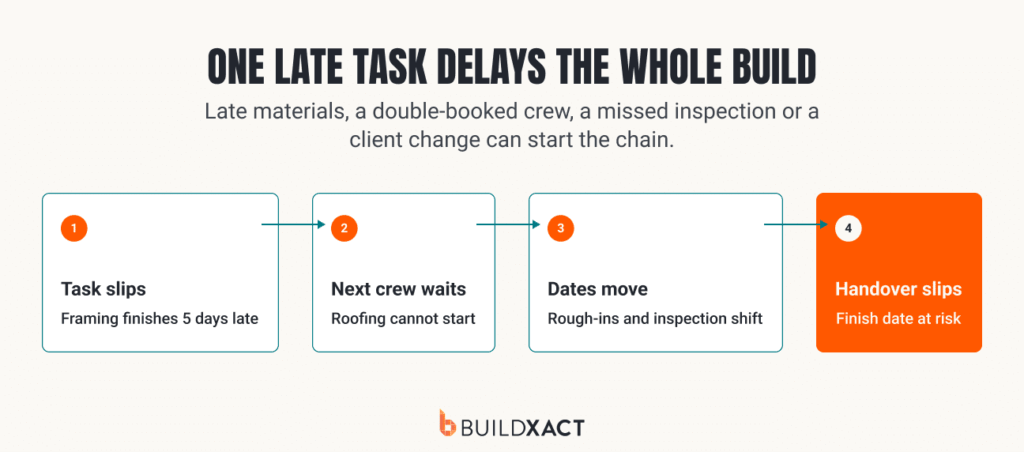
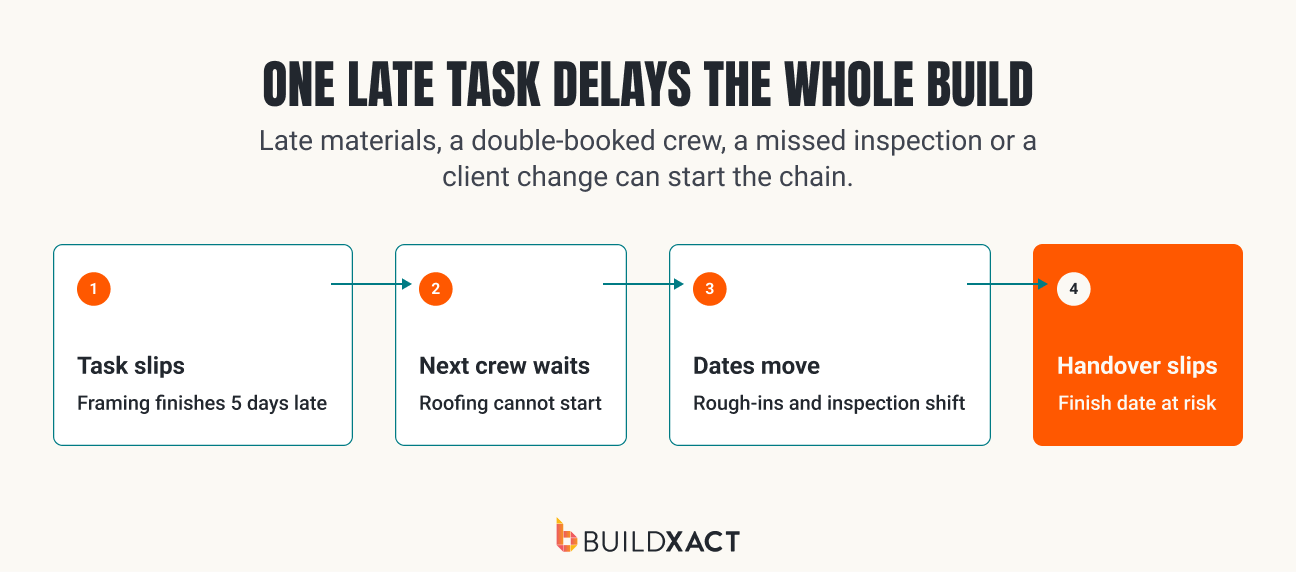
You planned the framing to wrap by Friday. Then the lumber ran a week late, the framing crew moved to another job, and now the roofers you booked are standing around while you scramble.
On a residential build, one slipped task drags every task behind it, and you find out on-site rather than on paper. That domino effect is hard to stop when you are estimating one job, ordering materials for another, and fielding calls from crews across several sites.
If tasks live on a whiteboard, in text threads, or in your head, you often spot a problem only after it has cost you time and margin.
Construction task management fixes that by turning a build into a clear list of tasks, in the right order, with an owner and a date for each.
This guide shows you how to break a residential build into tasks, connect dependencies, assign crews, track progress from your phone, and adjust the plan before a small delay spreads across the job.
Key Takeaways
- Construction task management means breaking a build into prioritized, assigned, trackable tasks.
- Most delays are knock-on effects: one late task pushes every task that depends on it, so the order of work and task dependencies matter more than a longer to-do list.
- Residential builders complete 56% more jobs on time using a schedule built for home building rather than a generic tool.
- Set task dependencies and a critical path so a slip shows up before it costs you the week.
- Track and update tasks from the job site on your phone, not from a desk after hours.
Why Do Construction Tasks Slip and What Does It Cost Your Margin?
Most late tasks come back to one of four things:
- The site isn’t ready: The previous work is unfinished, access is blocked, or the area has not been cleared for the next subcontractor.
- Something is missing: The crew, equipment, or materials aren’t available when planned.
- You’re waiting for an answer: An inspection, client selection, or change order has not been approved.
- The project schedule is out of date: What is shown in the plan no longer matches what has happened on-site.
Knowing which one you are dealing with is crucial to choosing the right response. Moving the task to another date won’t fix a purchase order that went out too late or a subcontractor who was never confirmed. It only moves the same problem further down the schedule.
Once dates start to move, the risk of cost overruns increases. You may need to pay overtime or bring a subcontractor back for another visit. The site stays open longer, and the people needed on the next build remain tied up. All of that reduces the margin allowed for in the estimate.
The scale of these costs is easy to underestimate. A 2025 study published by the National Association of Home Builders found that skilled labor shortages added an average of 1.98 months to construction time. The additional carrying costs reached an estimated $2.663 billion a year.
Before you start moving dates around, check three things:
- Reach: Which tasks, subcontractors, and other construction projects will be affected?
- Cost: What labor, overhead, and carrying costs will the delay add?
- Options: What work can still move ahead without creating rework or another conflict?
Some delays are outside your control. Bad weather can close a site regardless of how carefully you planned. Others point to a problem in the process, such as a late inspection booking, an unconfirmed subcontractor, or materials ordered without enough lead time. Scope creep can be harder to catch because it often builds through smaller client requests that never make it into the schedule or estimate.
The earlier you can tell the difference, the more options you have to keep work moving and protect the margin in your estimate.
Why Does Your Task List Stop Working Across Multiple Jobs?
A task list can work well when you have one active build. You know what “start framing” includes, which subcontractor is booked, and what has to be ready first.
But with three or four jobs, the list no longer gives you enough information to make decisions across them. One schedule may show framing as a single task. Another may split it into floor, wall, and roof framing. A third may include delivery and inspection dates as well.
When every job is planned at a different level of detail, it’s difficult to see which one needs attention first.
Use this four-step check to make your construction job schedules easier to compare:
- Standardize the main phases and task details
Use a similar structure across every job. The schedules don’t need to be identical, but “framing” shouldn’t be one line on one job and ten separate tasks on another. Consistent detail makes it easier to compare project timelines and delays.
- Link task dependencies
A start date doesn’t tell you whether the site, materials, and previous work will be ready. Link dependent tasks so you can see which dates are fixed and where there is still room to move work.
- Flag resources shared across jobs
Mark where the same site supervisor, construction crew, equipment, or subcontractor appears in more than one schedule. Reviewing bookings across all active jobs exposes conflicts before two sites need the same resource.
- Identify what controls each completion date
Mark the critical path, fixed inspections, delivery dates, and client commitments for every job. Then note which delays would extend the build, increase carrying costs, or put the expected margin at risk.
This gives you a better way to decide what needs attention first. The loudest request or closest date should not automatically take priority. One task may have two days of flexibility, while a less visible task on another job controls the handover date and another month of carrying costs.
Good project management across several jobs requires more than a list of task due dates. It should show what each task affects, which resources it shares, and where a missed date creates the most risk.
Why Does the Plan Break Down Between the Whiteboard and the Site?
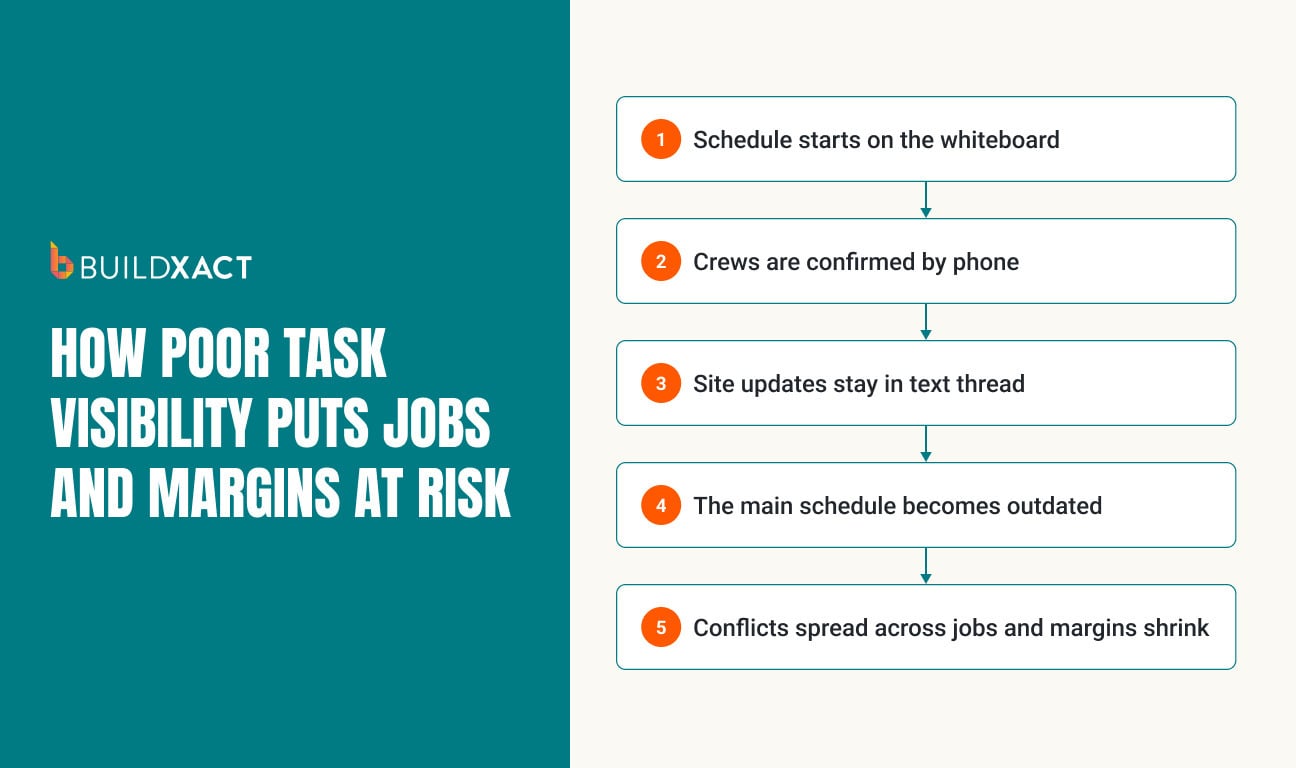
The plan breaks down because the whiteboard reflects only what was known at the last update. Work keeps moving on-site, but progress, delays, and revised subcontractor dates often stay in calls and messages instead of making it back into the schedule.
The gap usually appears during the handoff. When you are also the project manager across several jobs, an update can arrive while you are dealing with something else and never make it back into the plan. Your site team moves forward with the latest information while the office continues working from the original dates.
That is when you start seeing:
- Completed tasks are still marked as open
- Subcontractors booked before the site is ready
- Crews promised to do two jobs at the same time
- Schedule decisions based on old information
Keeping the plan current comes down to what happens after an update is received. Update the task status and expected dates as soon as progress or delays are reported, then notify anyone still working from the previous plan. You can then check whether the change affects dependent work or resources booked on another active job.
Cost tracking should be part of that review. A changed date may extend equipment rental or keep site supervision running for longer. Moving a shared crew might protect one completion date while putting another job’s margin under pressure.
Decide who owns each update and make sure they have one place to record it. Without clear responsibility and a shared plan, you end up chasing information and piecing together where each job stands from messages, calls, and memory.
Project management software makes it easier to keep those updates in one place and give everyone the latest dates.
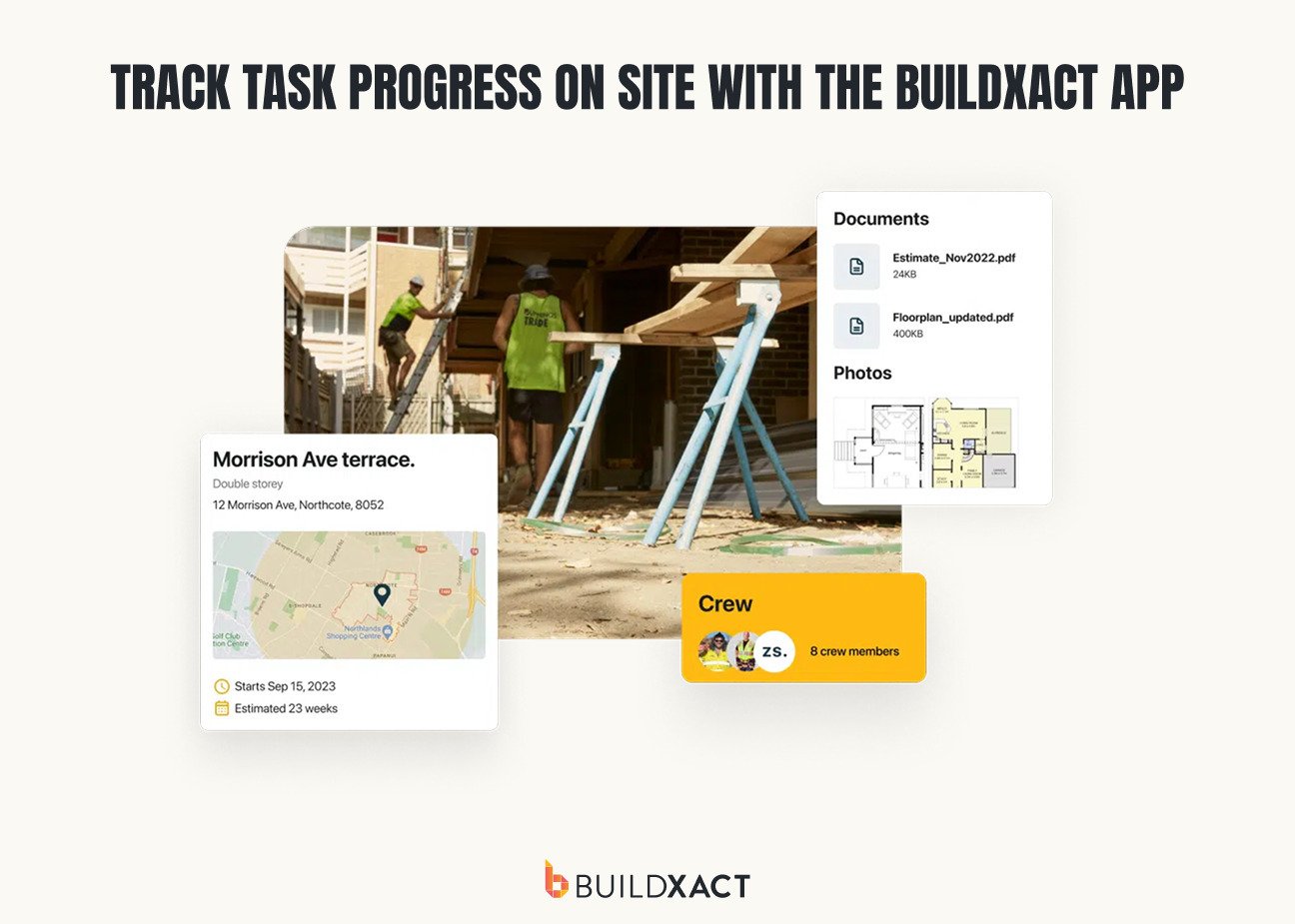
With Buildxact Onsite, your team members can see assigned tasks, reminders, and site updates in a single mobile app. Crews can check what they need to do from their phone or tablet, and you can see where each job stands without chasing calls and messages. Buildxact data shows that builders save 16 hours a month on administration.
How Reviewing Task Delays Protects Future Margins
A schedule template should get more accurate every time you use it. If the same task keeps running late, your project timeline may be based on assumptions that no longer match how the work gets done.
At the end of a job, use time tracking to compare the planned and actual durations of tasks that missed their targets.
Check:
- How long the task was expected to take
- How long did it actually take
- What caused the difference
- What the delay added to labor, overhead, or carrying costs
Look for patterns rather than an isolated bad week. If rough plumbing takes five days on three similar jobs when you allowed three, use five in the next schedule and account for the extra labor and site costs in the estimate.
Use what you find to update the next job. Adjust task durations, bring material order dates forward, add missing dependencies, and change the window used to book subcontractors. If the delay added labor or kept the site open longer, update the estimate and job costing records as well.
Avoid adding extra time to every task “just in case.” Make targeted changes where delays recur or have a meaningful effect on the completion date and margin.
The more jobs you run, the more those changes matter. A small project planning error repeated across ten or twelve builds can take a sizable bite out of annual profit. Using actual task performance gives you more realistic schedules, cost allowances, and margins on the work ahead.
Using Construction Task Management Software for Better Cost Control
Spreadsheets and texts can be enough for one straightforward job, especially when you’re the only person updating the plan. They become harder to rely on when you have several builds, shared subcontractors and schedule changes happening at the same time.
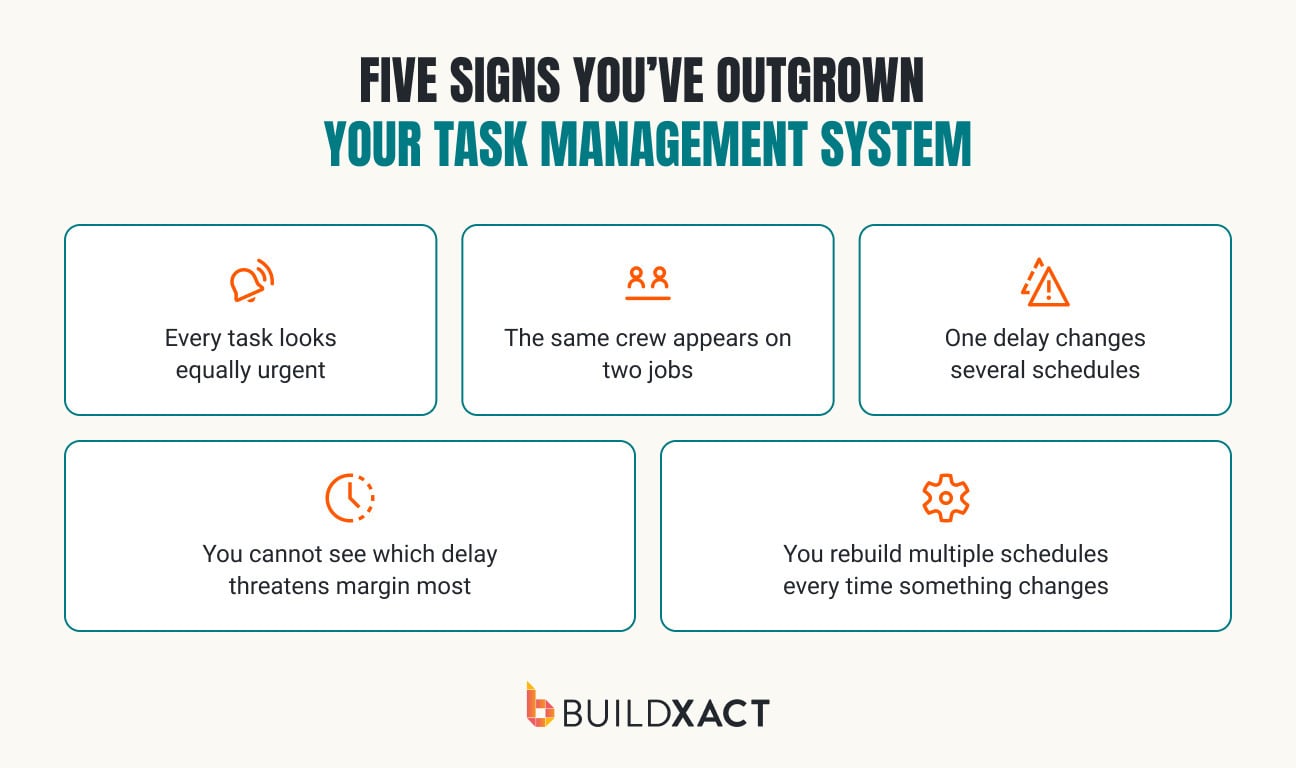
Before paying for construction task management software, check whether your current setup lets you quickly answer:
- Which tasks are late across all active jobs?
- Where are crews or equipment booked twice?
- Which delay puts the most margin at risk?
If answering those questions means opening several files and chasing down messages, it may be time to adopt project management software that brings the plan together.
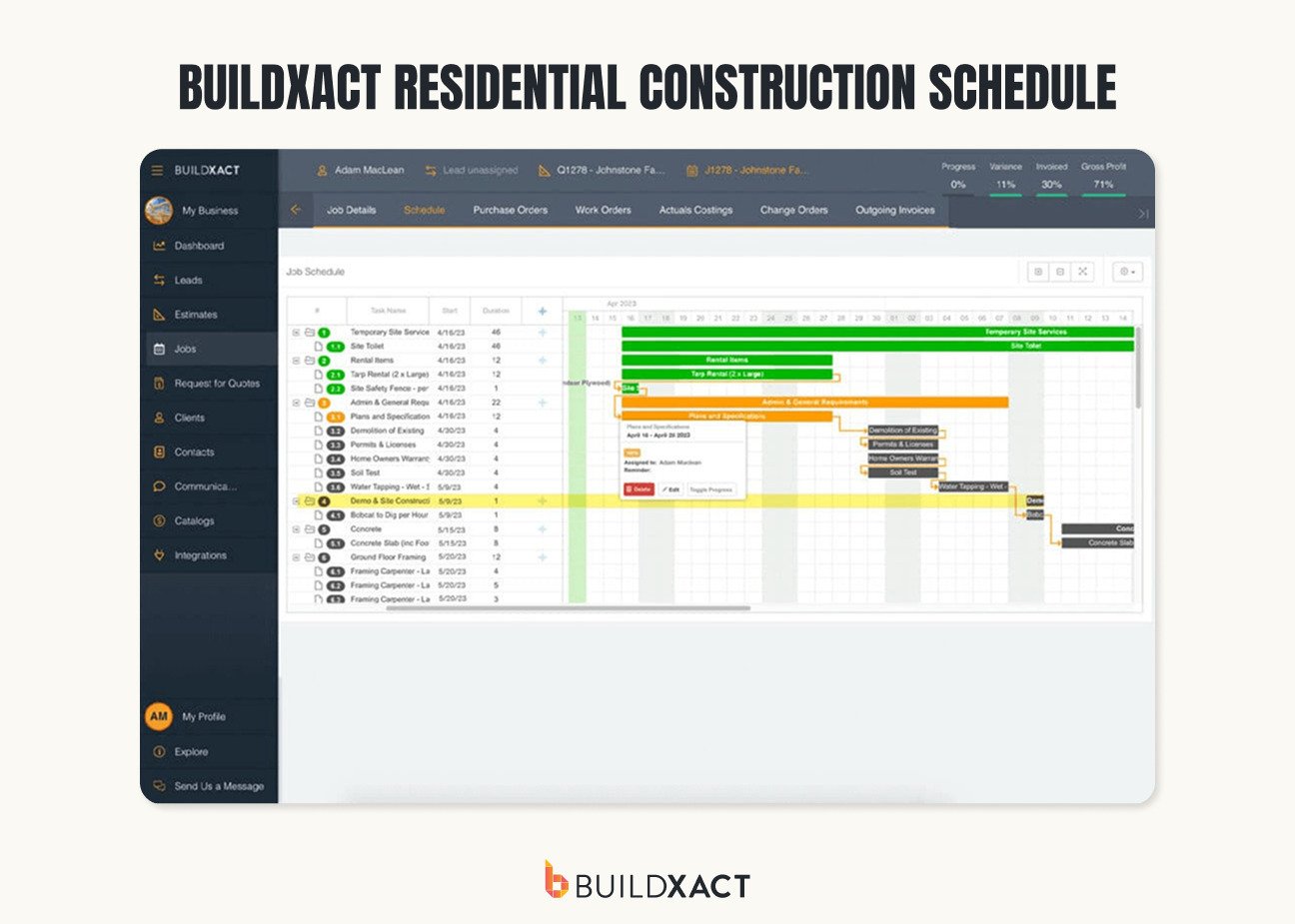
The right residential project management tool should give you greater project visibility without the setup and administration needed for a broad enterprise construction management platform. It should connect tasks, schedules, and subcontractors with job costing in a format your team will actually use.
The real test is whether the software keeps your project timelines realistic and helps you maintain the margin you planned.
According to Buildxact, small home builders using residential construction scheduling software complete 56% more jobs on time each year. Buildxact data also show that builders who track their margins achieve a 7% net profit, compared with the industry median of 3%.
Keeping task, schedule, and cost information connected makes it easier to see where time and money were lost and plan the next job using better information.
Keep Every Job Moving From Estimate to Handover
Every job comes down to the same question: Does your schedule know what your site knows?
Start by turning the estimate into a task list, then put those tasks in the right order and link what depends on what.
That’s what shows you the critical path: the handful of dates that actually control when you hand the job over. Assign your crews to that schedule, not to guesswork, and you’ll spot a slip while it’s still a phone call, not a lost week.
That’s what’s really at stake: a quick fix, or a costly one. Catch a delay late, and it turns into overtime, an extra week of rental, or another subcontractor visit, all of it coming straight out of the margin you built into the job estimate.
One current plan beats chasing the job across a whiteboard and a dozen text threads.
To keep more of that margin on your next job, give Buildxact’s construction scheduling features a try. Start for free.
FAQ
How do you prioritize tasks across multiple construction jobs?
Prioritize tasks based on their effect on the completion date, dependent work, and expected profit. Start with critical-path tasks, fixed inspections, and work involving subcontractors or equipment shared across jobs. The closest deadline is not always the highest priority.
How can you tell which delayed task will affect the completion date?
Check whether the task sits on the critical path and how much float it has. A delayed task with no room to move will push the completion date unless you can adjust other work. A task with several days of float may slip without delaying handover.
How often should a residential construction schedule be updated?
Update the schedule whenever work finishes early or late, a subcontractor changes availability, or an inspection, delivery, or client decision moves. Review active jobs from the site each day and check all project schedules together at least once a week.
How do you calculate the cost of a construction schedule delay?
Start with time tracking to calculate the extra labor cost, then add any extended rentals, repeat visits, and additional carrying costs. Then subtract any costs recovered through an approved change order or insurance claim. Also, check whether the delay prevents crews or equipment from starting another job.