
Few things frustrate a builder more than avoidable rework, especially when a flawed takeoff is the cause.
Missing just one measurement or miscounting a key material can trigger a chain reaction: inaccurate estimates, blown budgets, costly site delays, and unhappy clients.
But if you’re still relying on paper plans, spreadsheets, or hand-calculated quantities, mistakes are not only inevitable, they also become so frequent that you become resigned to them. But is there a better way?
Modern takeoff software is the answer to that. With digital tools that measure and price directly from your plans, often using AI, it’s possible to complete takeoffs 50% faster, with accuracy that protects your margins and wins you more of the jobs you want.
In this guide, we compare the top takeoff software platforms for residential builders. You’ll learn what to look for, how the leading tools stack up, and which solution is best equipped to help you quote with confidence, every time.
How Does Digital Takeoff Software Help Residential Builders?
For small residential construction firms, building is only part of the job. A crucial element of success lies in bidding quickly and precisely enough to keep the work flowing in consistently.
The right takeoff software can assist with this essential business priority, automating repetitive tasks and cutting hours of manual effort. As a result, you can bid with speed and confidence, and have more time in your day to focus on everything else that needs your attention.
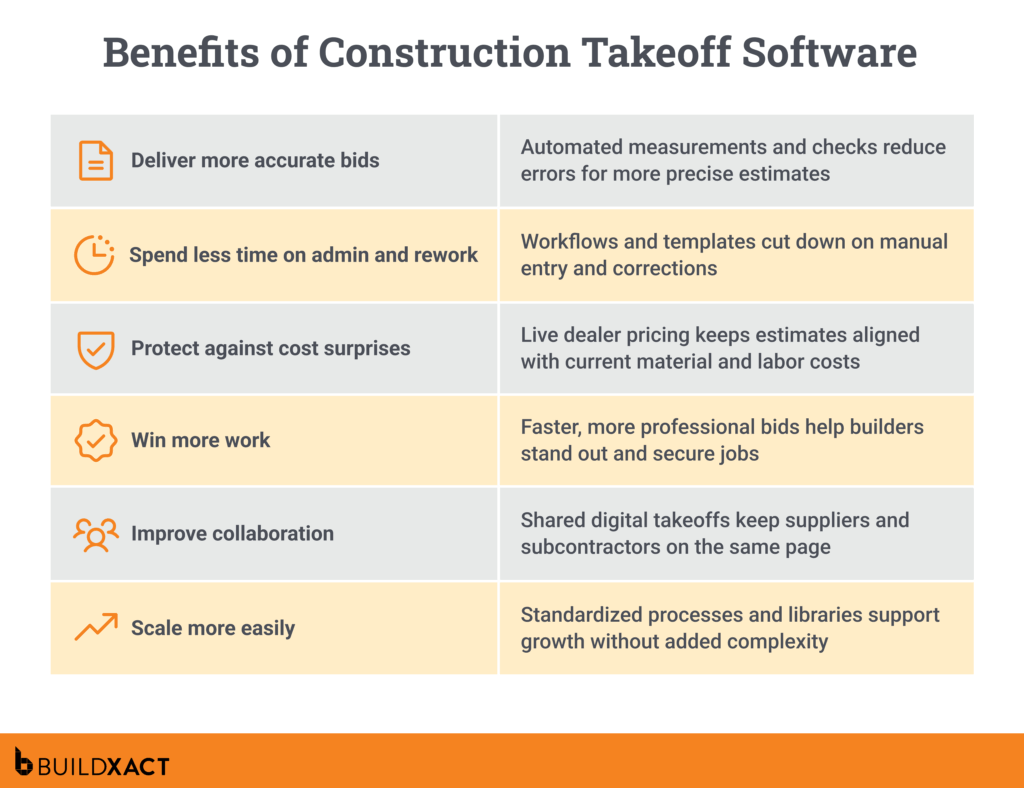
And that’s just one example of the range of benefits that construction businesses can gain. Below, we break down the key benefits that make takeoff software a must-have for growing builders.
Deliver more accurate bids
Inaccurate estimates can cost you the job or your profit margins. Digital takeoff tools act as a barrier against human errors, automating measurements and double-checking quantities to ensure every figure is correct.
“The intricacy of contemporary construction projects requires comprehensive budgeting, risk assessment, and cost prediction, which makes automated tools a necessity”.
— Construction Estimating Software Market, S&S Insider
Protect against cost surprises
Fluctuating material and labor prices put you at risk of underquoting. Takeoff software that integrates with live dealer pricing ensures your takeoffs always reflect the latest costs.
Win more work
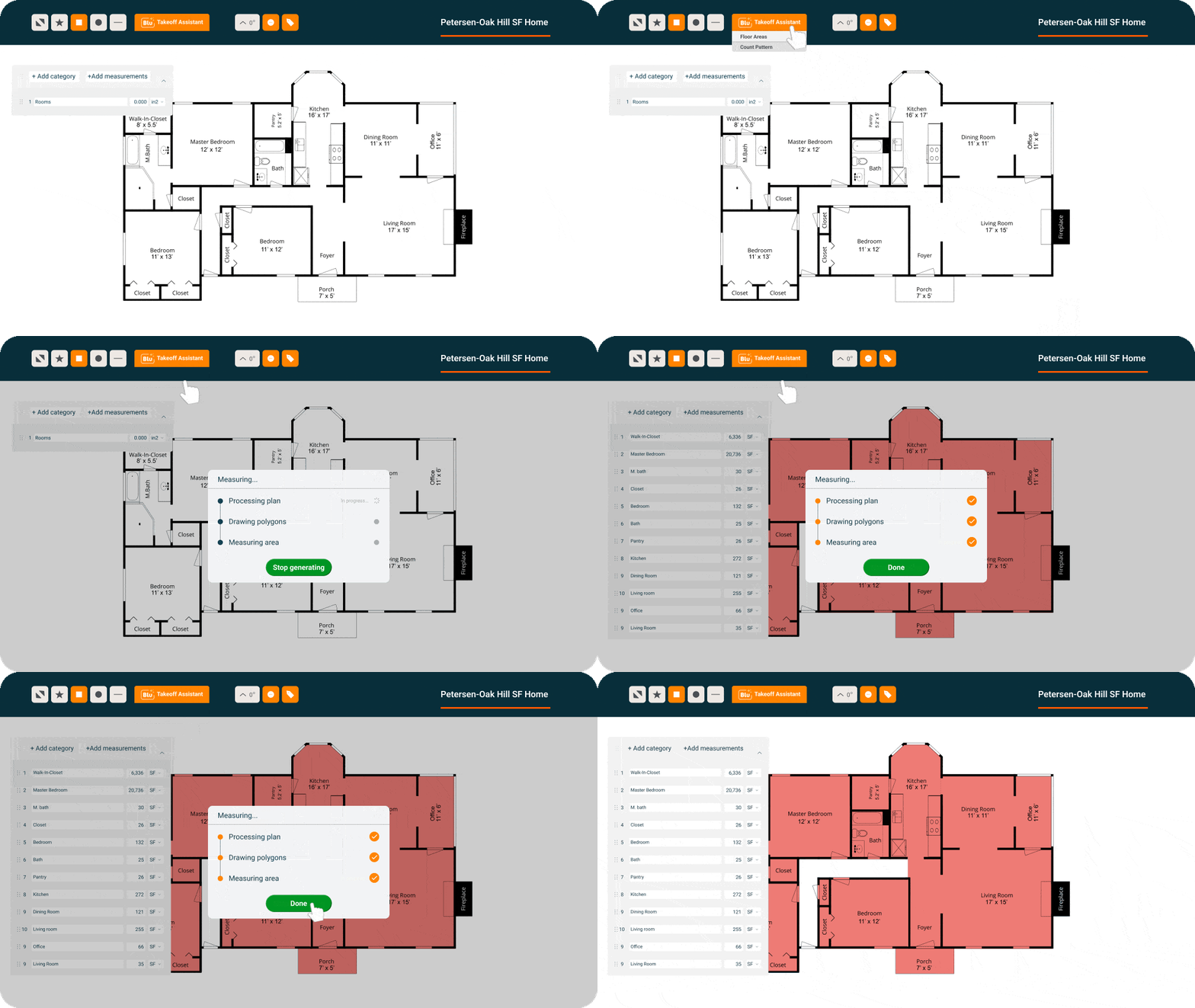
When a hot lead is waiting, your response time matters. Intelligent takeoff software can help you quickly generate professional bids, avoiding the frustration of losing opportunities to faster competitors. For example, Buildxact’s digital takeoff software, using the takeoff toolbar, enables you to deliver accurate bids seven times faster than doing them manually.
Improve collaboration
Scattered takeoff data spread across spreadsheets and notes stands in the way of smooth collaboration. Digital takeoffs can be shared with suppliers and subcontractors to keep everyone working from the same accurate information.
Spend less time on admin and rework
If manual entry and corrections consume your evenings and weekends, digital takeoff software can reclaim your time. Automated workflows and reusable templates streamline routine tasks, saving you valuable hours.
“Without automation, construction managers end up spending excessive time on administrative tasks rather than focusing on strategic decision-making”.
— How to Stand Out in Your Category: Buyer Insights for Construction Software, Gartner
Scale more easily
Without standardized, repeatable processes, it’s virtually impossible to scale your operations. Smart takeoff software provides tools such as reusable templates and saved libraries, making it easier to manage a high volume of jobs without adding complexity.
Swapping manual tasks for digital workflows can be a game-changer for completing takeoffs quickly and accurately. But to truly drive improvement in this critical area of your business, you need takeoff software with features designed to fit the way you work.
Essential Features of Residential Construction Takeoff Software in 2026
Automated measurement tools, AI-powered estimating, customizable templates, and more — takeoff software usually also includes related features that further boost speed and accuracy in your overall processes as well.
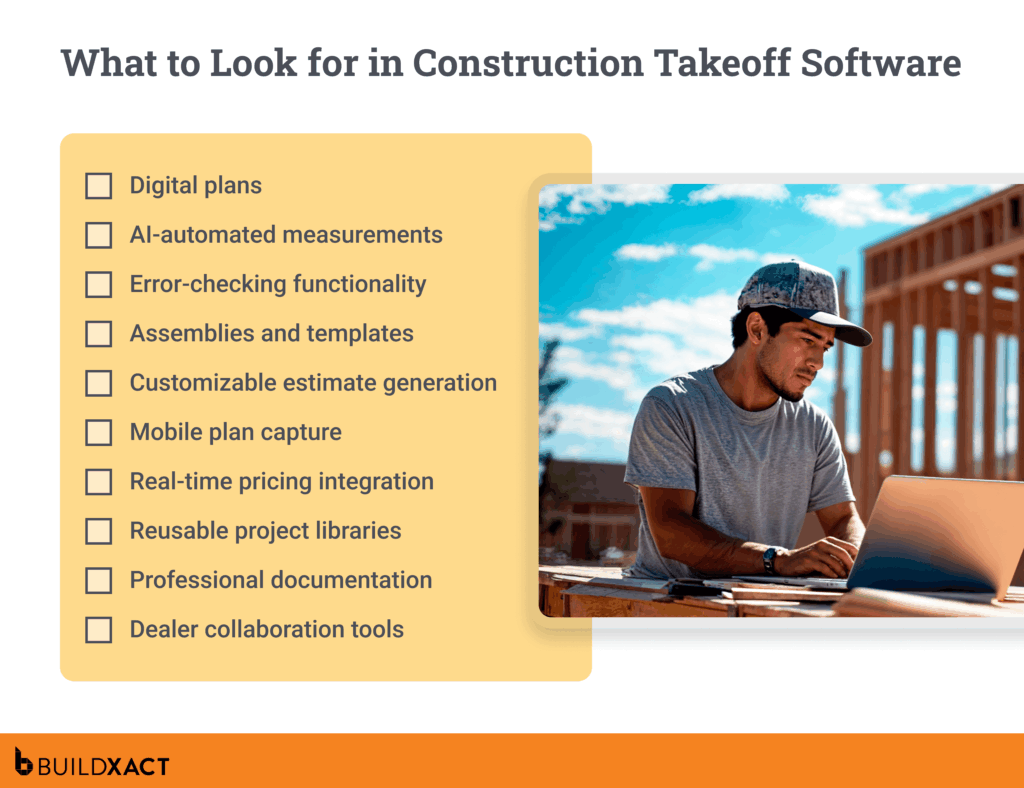
We’ve narrowed these down to a list of the most critical features that small to mid-sized residential builders should also look for, in addition to takeoff software functionality.
Digital plans
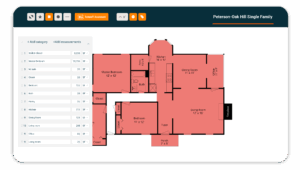
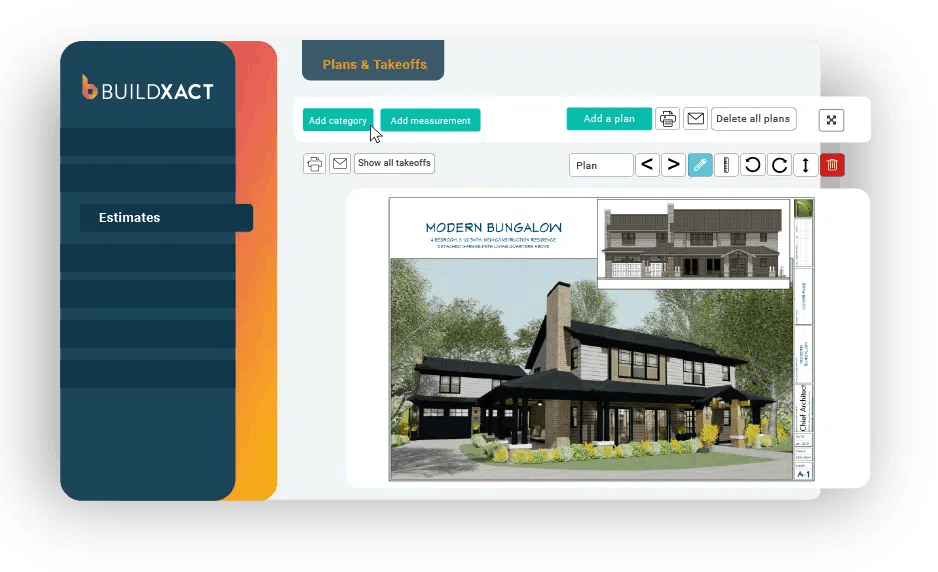
Digital plans enable you to accurately scale your paper or PDF blueprints online, eliminating time-consuming and error-prone manual measurements and costly rework.
AI-automated calculations
AI-driven measurement tools automatically count areas, rooms, and materials, dramatically improving accuracy and letting you send bids in a fraction of the time.
“AI tools can detect areas of cost savings, allocate resources more efficiently, and forecast future budget overruns before they arise”
— Construction Estimating Software Market, S&S Insider
Error-checking functionality
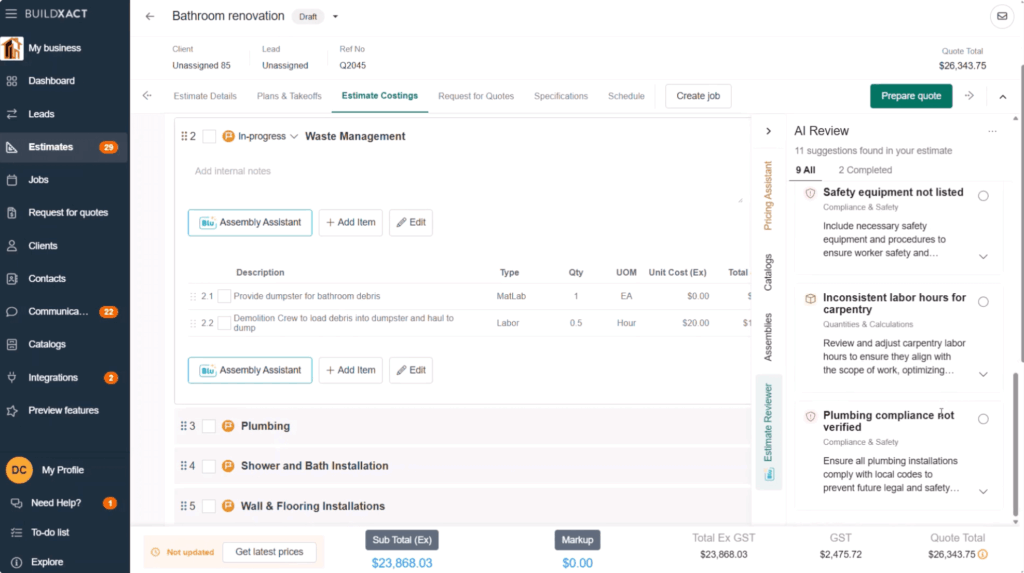
No matter how many times you go over your figures, human error inevitably creeps in, especially when you’re reviewing takeoffs after a busy day on-site. Automated reviews flag missed items or common oversights, avoiding costly mistakes that cut into profits.
Assemblies and templates
Pre-built recipes for common or repeatable jobs ensure consistency and accuracy in every project, saving you time and offering scalable processes that facilitate business growth.
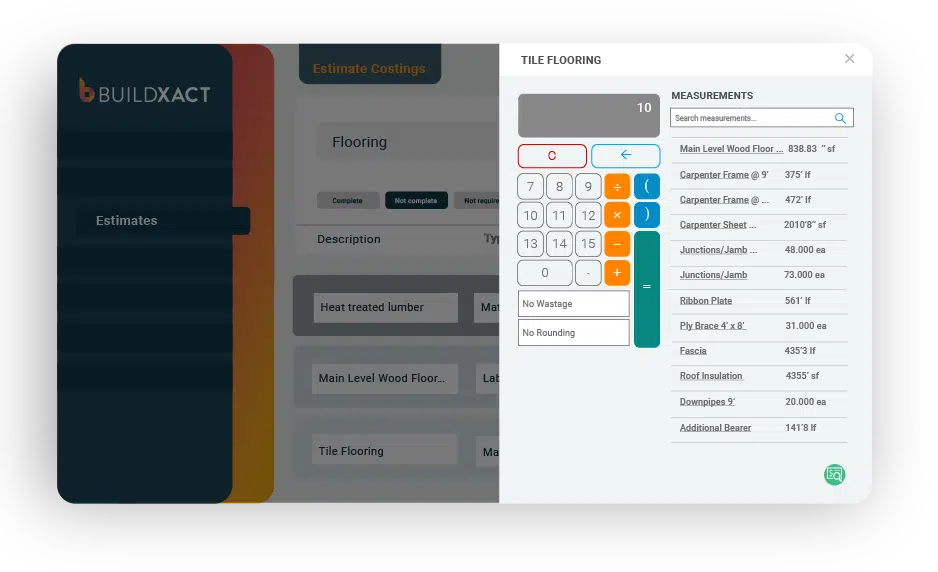
Customizable estimate generation
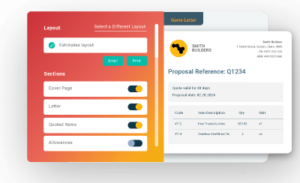
Professional, transparent bids boost your credibility and build client trust. Software that converts takeoff data into editable, tailored estimates makes it easy to present quality bids to prospects.
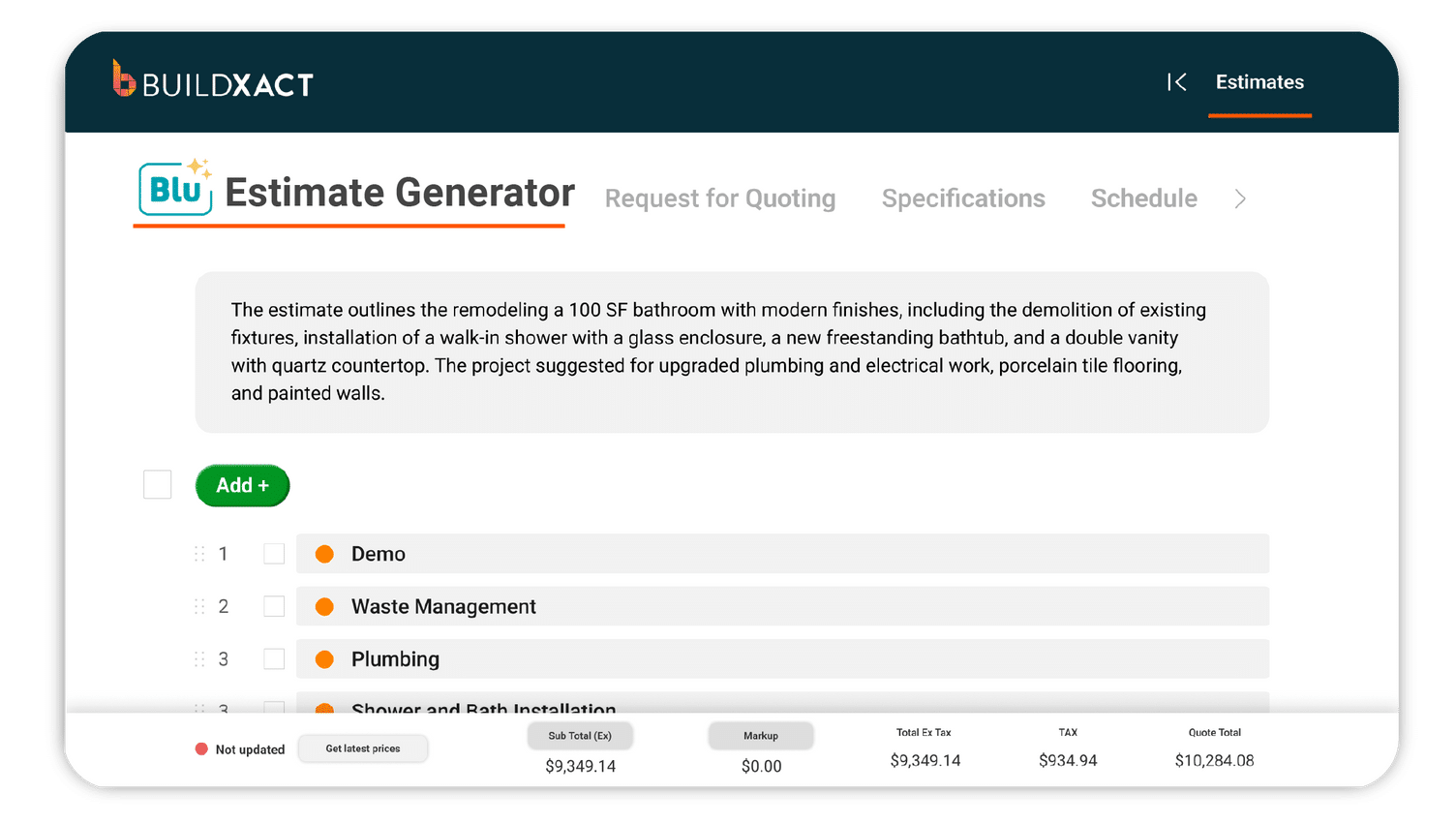
Mobile plan capture
When clients don’t provide complete documentation, it can stall the entire project. 3D scanning or mobile tools enable you to create digital floor plans with minimal information, keeping projects moving forward.
Real-time pricing integration
Takeoff software that links to dealer material prices and regional labor rates ensures your estimates are always up-to-date with the latest pricing – and your margins stay protected.
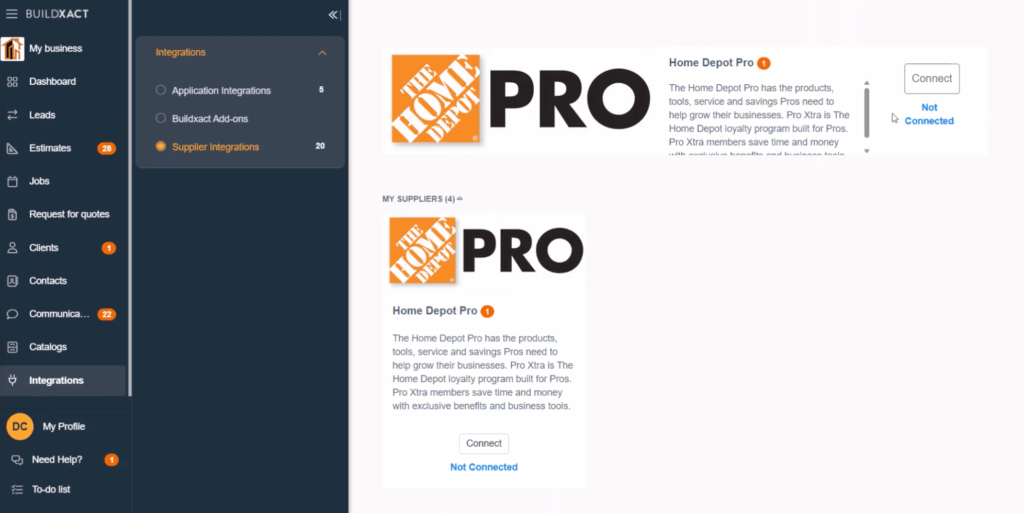
Reusable project libraries
A feature that lets you save takeoffs, templates, and assemblies for future jobs cuts admin time and makes quoting more consistent as your workload increases.
Dealer collaboration tools
The ability to share takeoff outputs with dealers for review and validation can minimize costly ordering errors and strengthen the valuable dealer relationships you rely on.
Choosing construction takeoff software with these essential features can empower you with faster, more accurate estimates and free up your time to focus on building, not paperwork.
Comparison Guide: The Best Takeoff Software for Residential Construction 2026
By now, it should be clear that manual takeoff processes can hinder winning projects, reduce after-hours admin, and hinder business growth.
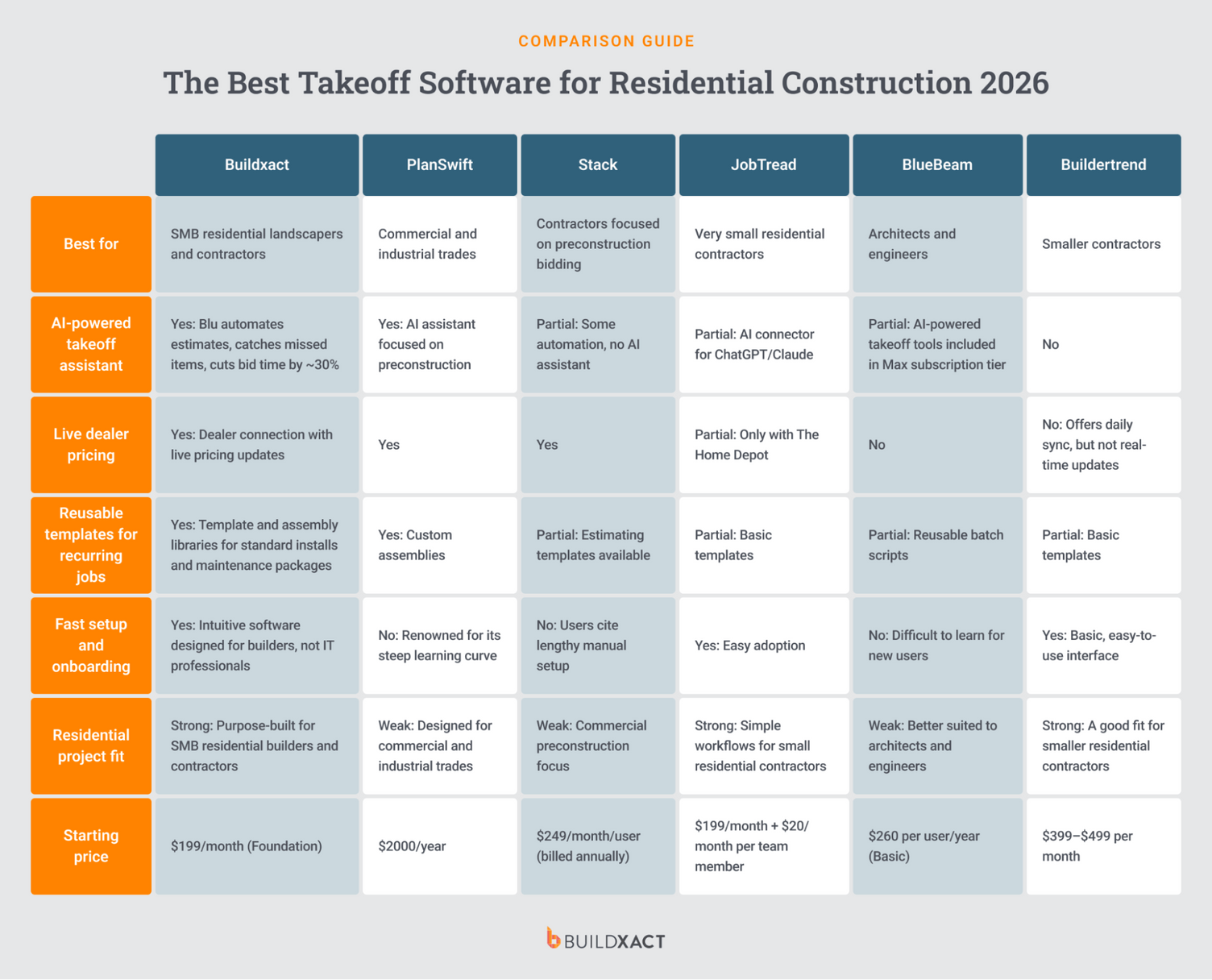
Check out our reviews of six takeoff software platforms below, so you can find the best fit for your residential construction business.
Buildxact
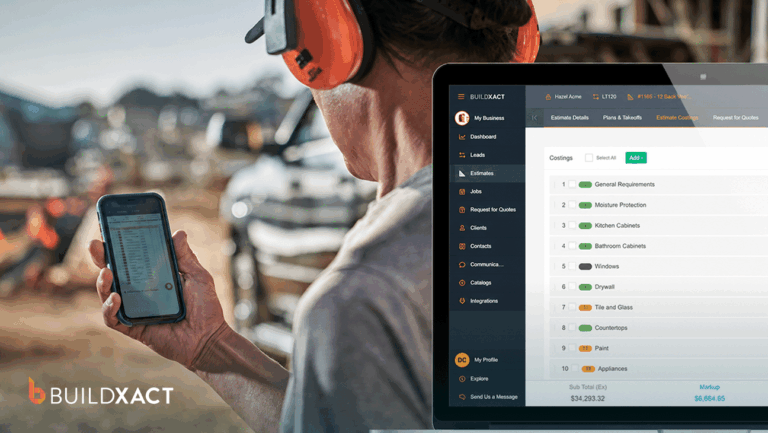
Buildxact is all-in-one residential construction management software designed for small to mid-sized builders, remodelers, and contractors. Its intuitive platform covers a full range of construction-specific tasks, including estimating, ordering, scheduling, communication, and job management.
As Buildxact is purpose-built for residential workflows, home builders receive the tools they need for their day-to-day work, without the complexity or cost of an enterprise solution.
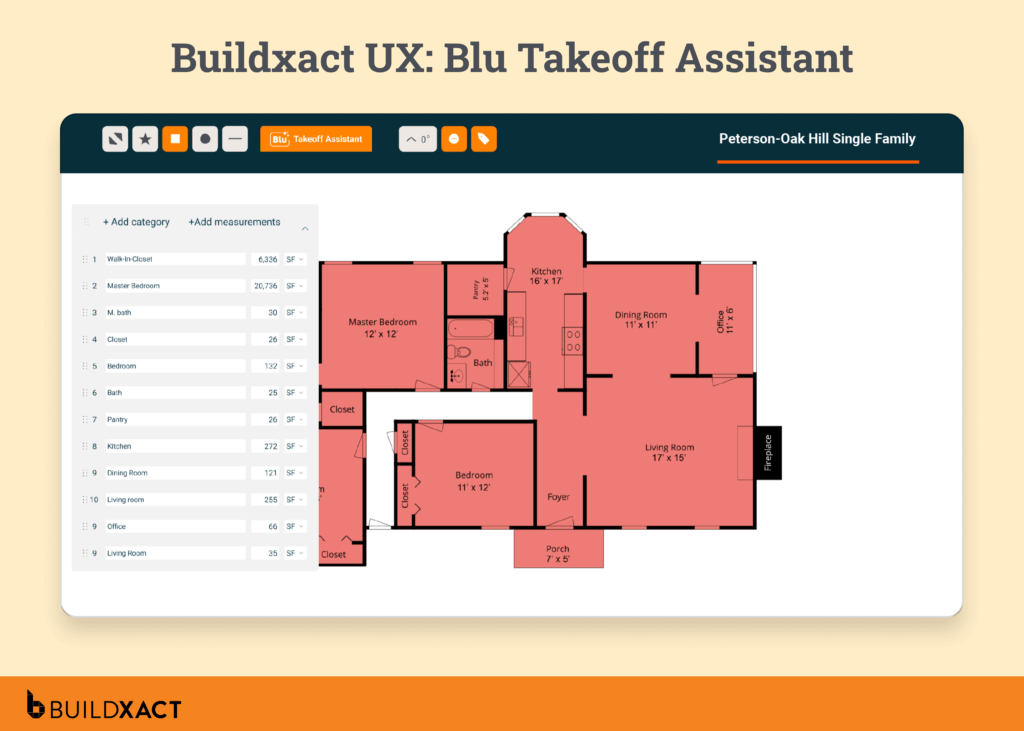
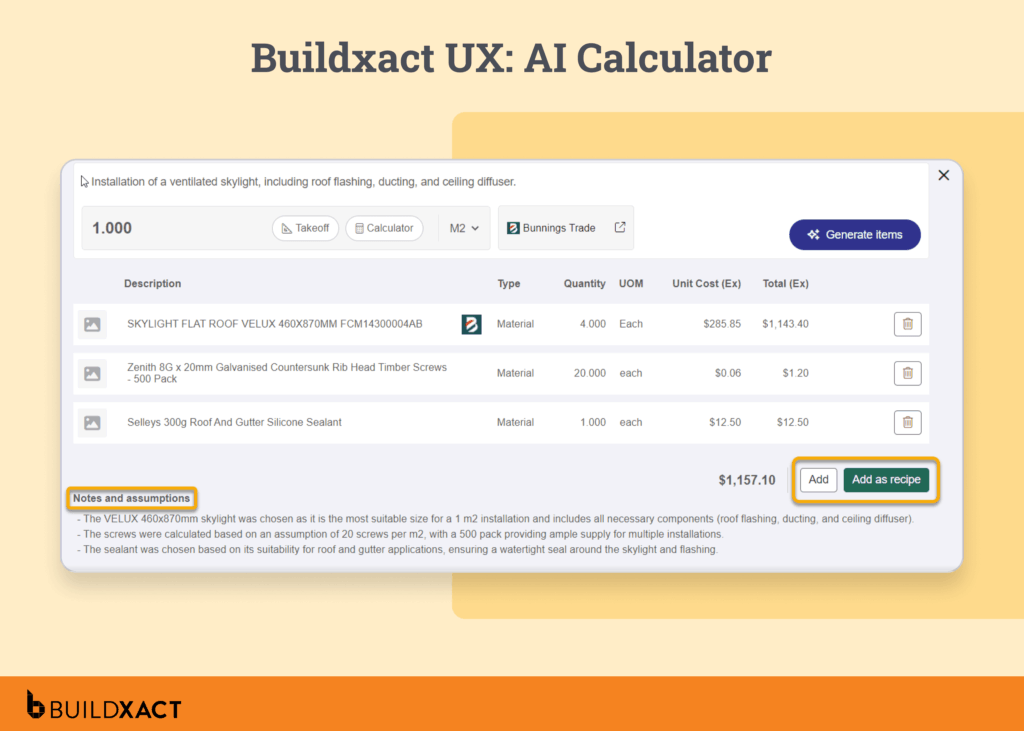
Buildxact’s powerful takeoff software is one of its key differentiators. A dedicated AI-driven estimating assistant, Blu, enables builders to complete material takeoffs in a fraction of the time, with accurate digital takeoffs designed to reduce manual administration and increase project wins.
Buildxact’s residential focus makes it ideal for small to mid-sized home builders who need takeoff software that helps them respond to opportunities faster and with greater accuracy, without the complexity or cost of enterprise software.
Pros
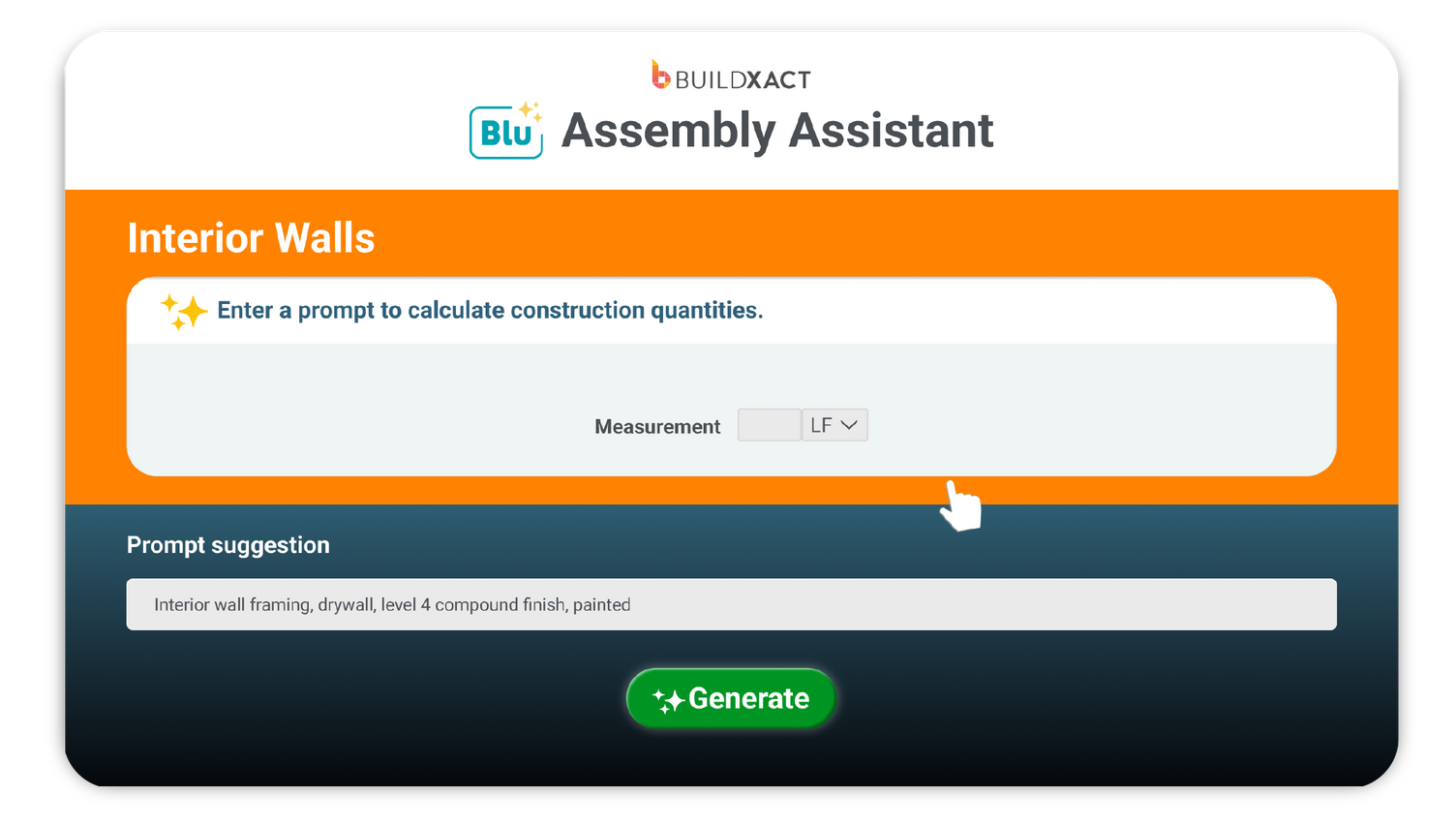
AI-powered takeoff and estimating tools (Blu): Trained on thousands of residential projects, Blu is fully integrated in Buildxact’s estimating and planning workflow.
- Takeoff Assistant scales and measures quickly to speed up the bidding process.
- Estimate Reviewer double-checks estimates for common oversights.
- Assembly Assistant ensures accurate estimating on repeatable jobs.
- Estimate Generator creates full, customizable quotes up to 50% faster.
Point-and-click editing: Buildxact’s takeoff software enables builders to adjust, add to, or edit areas directly on digital plans, reducing the need for manual steps.
Rendr integration: The ability to create digital floor plans by scanning rooms with a mobile phone enables projects to move forward even when client information is limited.
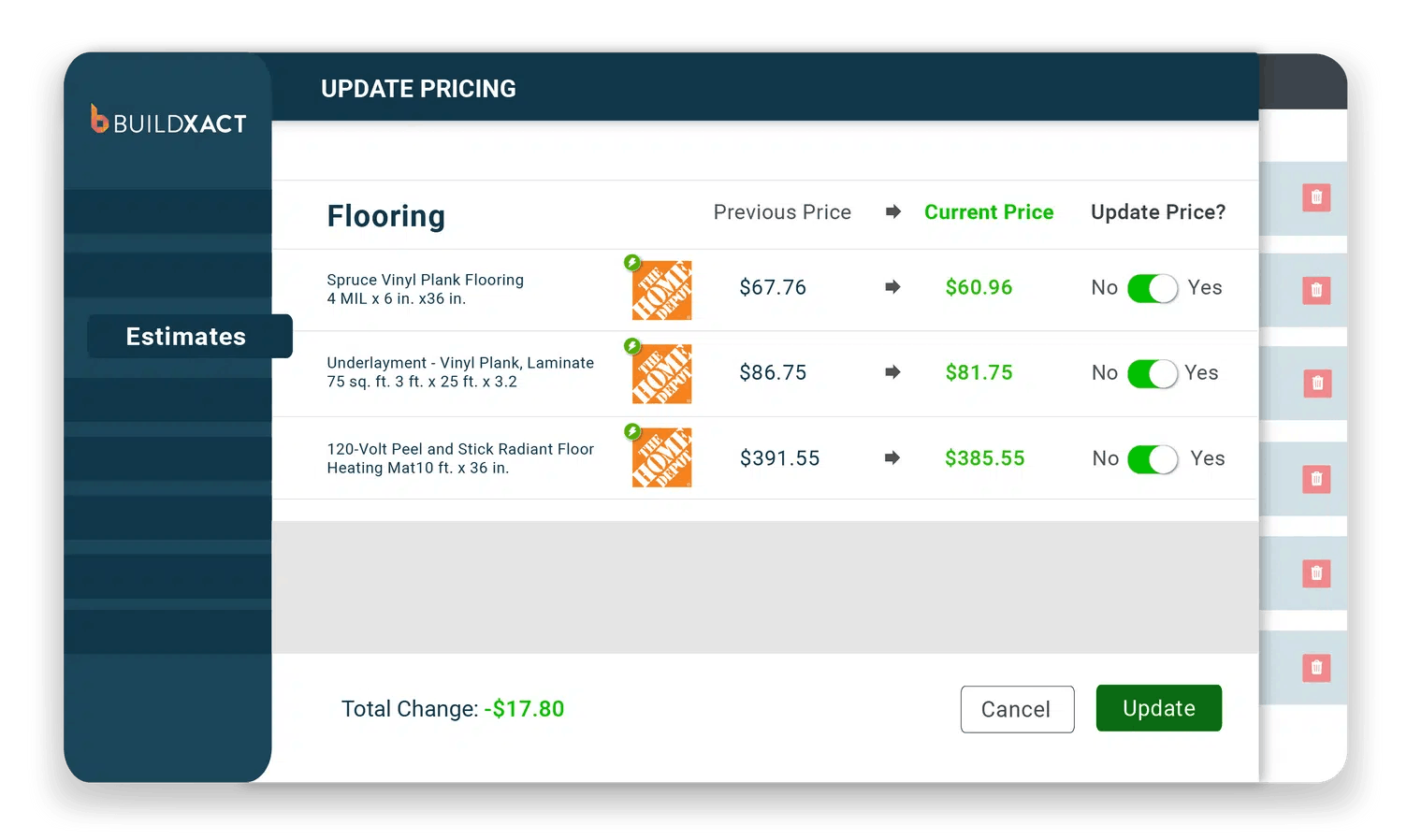
Real-time dealer pricing integration: Buildxact connects takeoff quantities directly to live dealer pricing, ensuring accurate figures, even against market fluctuations.
Professional output: Converting takeoffs directly into branded bids and invoices allows builders to generate professional documents that build client trust.
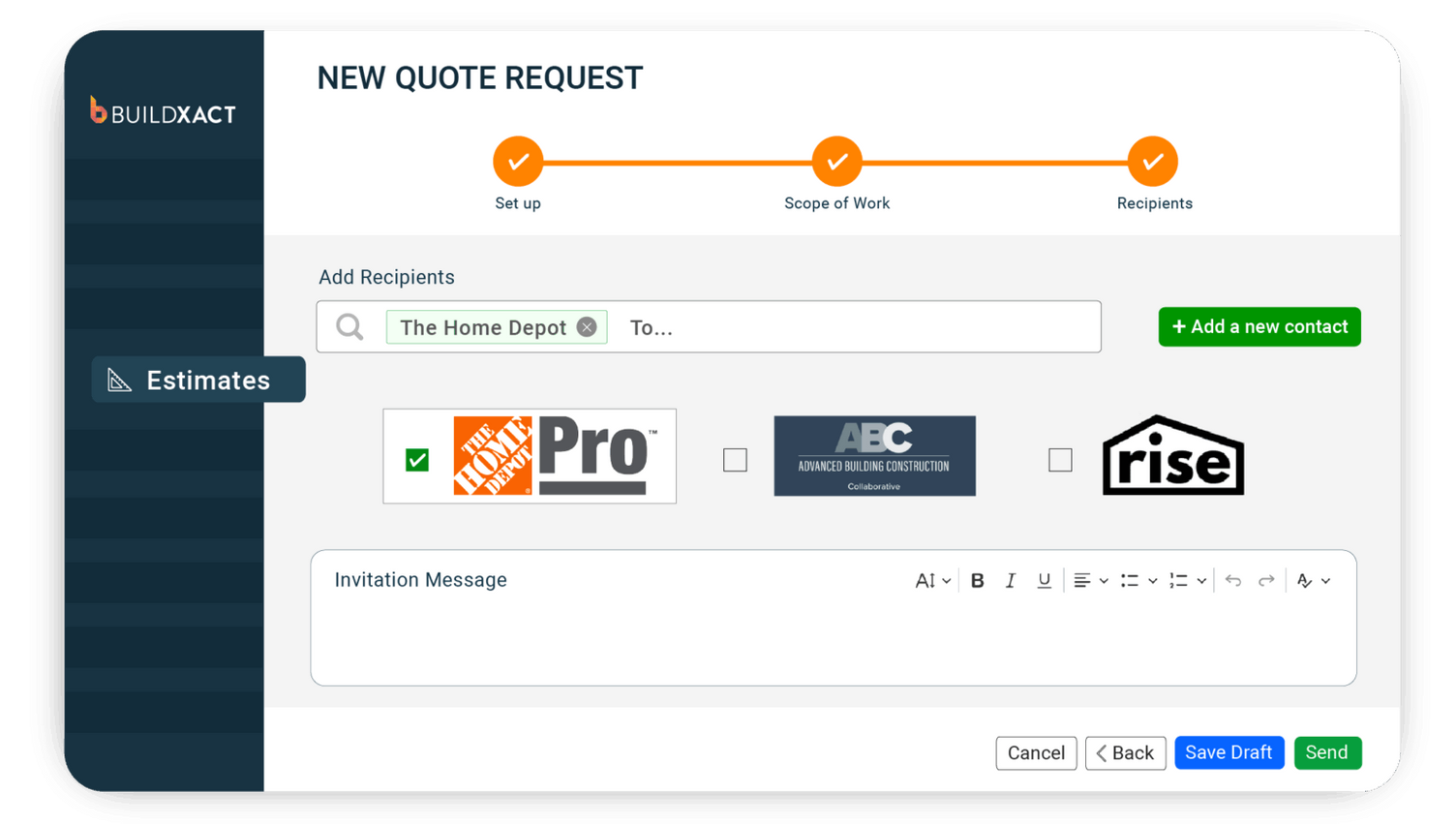
Dealer collaboration: Takeoff outputs can be shared with dealers to avoid order errors and improve builder-dealer relationships.
Cons
While Buildxact’s AI-powered takeoff software offers significant benefits to residential builders, its construction management platform isn’t tailored to commercial projects. For example, construction firms undertaking complex, multi-phase commercial jobs with more extensive compliance requirements may benefit from software designed specifically for the commercial sector.
What people say about Buildxact
For Dustin Ballew, owner of Blue Bexar in Texas, estimating was the part of the job that took the most time. Growing up on paper plans meant adding fractions and decimals by hand — a process that didn’t scale as his business grew.
“One of the main reasons I chose Buildxact was to be able to do takeoffs in a digital format and save all that information where I don’t have to do it again and again and again,” Dustin says. “It’s been a big time saver.”
With Buildxact, Dustin now completes takeoffs faster, keeps costs up to date in one place, and produces accurate, professional quotes that win more work.
Pricing
Buildxact offers three tiers
- Foundation ($199/mo or $169/mo annually) covers estimating with digital takeoffs, dealer integration, and Blu’s Assembly Assistant, with optional AI add-ons.
- Pro ($399/mo or $339/mo annually) adds project management and scheduling.
- Master ($599/mo or $509/mo annually) includes full Blu AI tools, user controls, and priority support.
PlanSwift
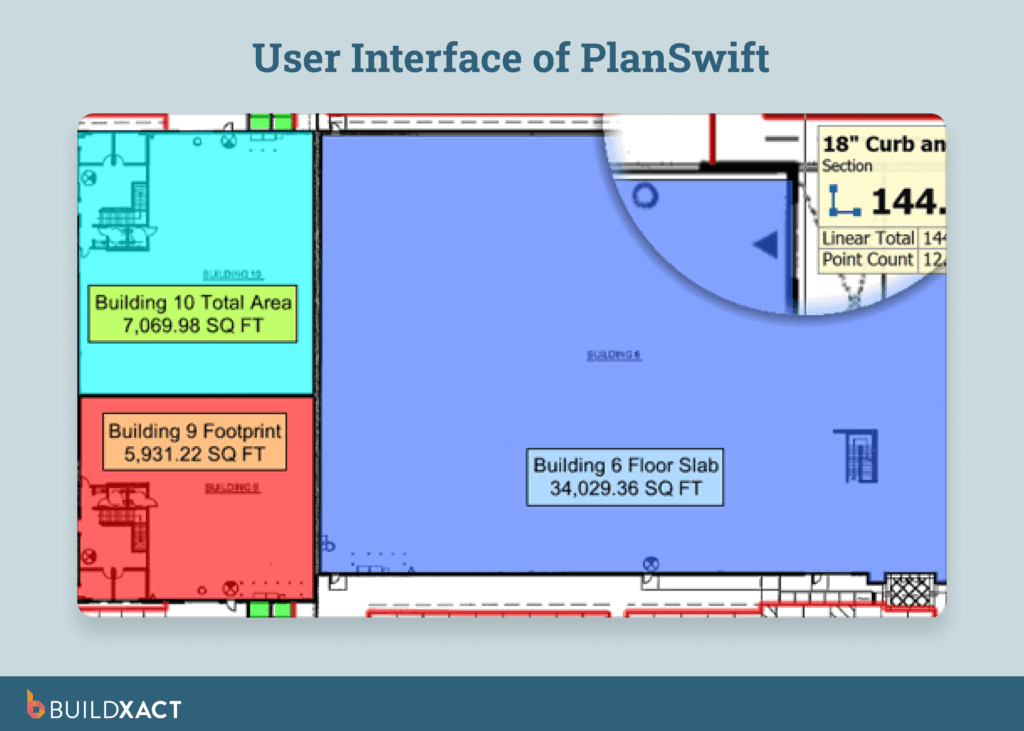
PlanSwift offers digital takeoff and estimating software to a wide range of construction trades, allowing users to measure dimensions directly from digital blueprints and generate cost estimates. It features a point-and-click interface and uses custom assemblies to automate takeoff calculations.
Unlike residential construction-focused platforms, PlanSwift targets a broad range of trades, from electrical and flooring to HVAC and earthwork. It’s best suited to commercial and industrial trades seeking customizable takeoff features to fit their specific requirements.
Pros
- Advanced customization: PlanSwift offers extensive customization, enabling users to build custom formulas and assemblies for a wide range of trades and project types.
- Excel integration: Users can export quantified data directly to Excel, simplifying the process of pricing estimates and developing bids.
Cons
- Dated interface: PlanSwift’s interface can feel outdated and lacking in modern features.
- Steep learning curve: While basic features are usable, more advanced tools require a more time-consuming onboarding process.
- Frequent glitches: Users report regular crashes, lock-ups, and bugs, especially when working with large files.
Pricing
- Professional subscription: $2000 USD per user per year.
- The price includes 2 hours of training; additional costs apply if extra training is required.
- PlanSwift offers a free trial on request.
STACK
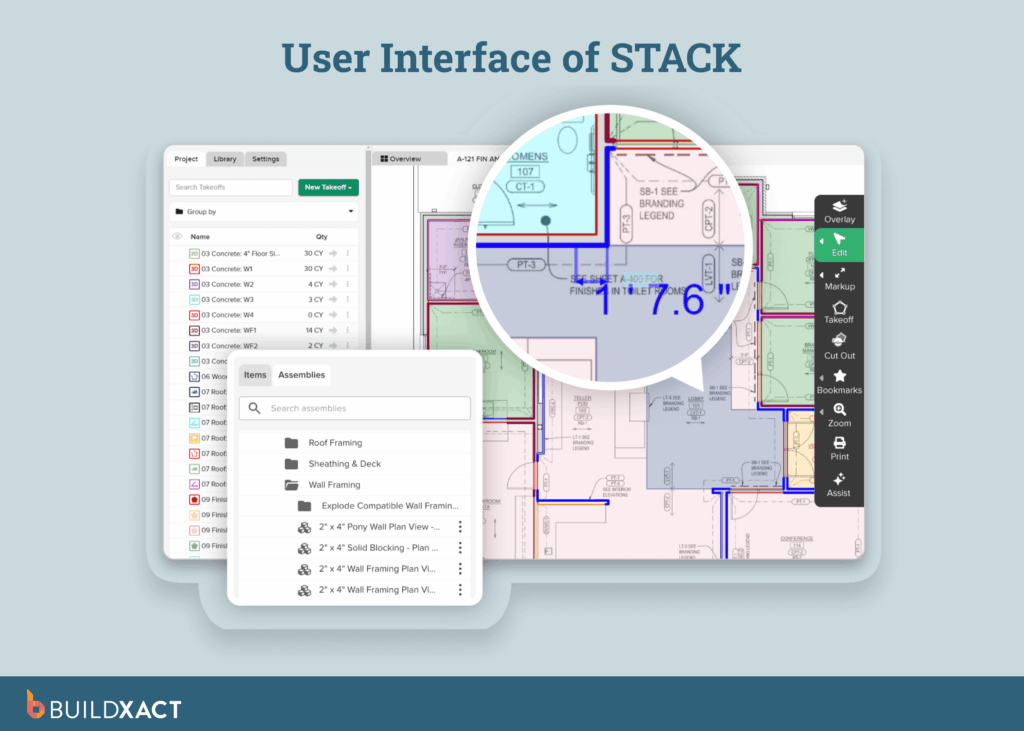
STACK Construction Technologies is a cloud-based preconstruction platform specializing in digital takeoffs and estimating for small to large construction contractors. It offers advanced measurement tools, cost estimating, and collaboration features to streamline the bidding process before projects move to the construction phase.
STACK offers a robust solution for contractors focused on preconstruction, particularly in commercial projects where advanced takeoffs and estimates drive bidding. Conversely, small to mid-sized residential builders may find its limited project management features and commercial focus problematic.
Pros
- Advanced automation: STACK’s automated takeoffs offer a high level of speed and accuracy.
- Accessible from anywhere: As a cloud-based platform, it’s easy for teams to collaborate and manage estimates from the field or the office.
- Customized and pre-built items: STACK’s pre-built assemblies streamline takeoff and estimating processes.
Cons
- UX issues: STACK users indicate concerns with takeoff deletion functionality requiring manual workarounds
- Manual setup for advanced features: Setting up more complex automated estimating assemblies and logic can be time-consuming.
- Limited reporting: customization: Some users find STACK’s reporting formats restrictive.
Pricing
- Standard license: $2,599/user/year
- Premium license: $2,999/user/year
- Pro license: $3,999/user/year
- One-time onboarding fee may apply
- Estimating-only pricing project management requires a separate subscription
Buildertrend
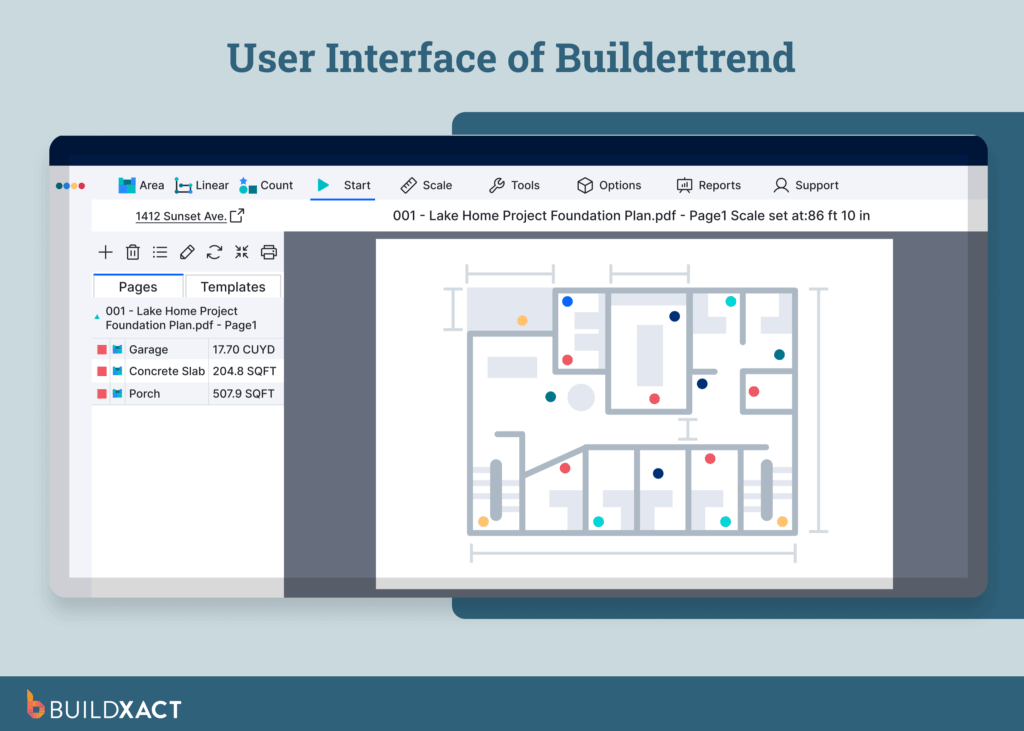
Buildertrend is a cloud-based construction management platform for residential and commercial contractors. In addition to dedicated takeoff software, Buildertrend offers tools for project scheduling, client communication, and financial management, with features designed to support growing construction businesses of all sizes.
Buildertrend offers a range of useful features for contractors. Small- to mid-sized residential builders may prefer a tool with stronger AI capabilities to address common takeoff headaches, such as inaccurate estimates and slow bidding processes.
Pros
- User-friendly interface: The Buildertrend platform is easy to operate without technical expertise.
- Simple collaboration: As Buildertrend is a cloud-based tool, it’s ideal for cross-team collaboration and accessibility.
Cons
- Limited AI or predictive functionality: Buildertrend lacks advanced AI features that are instrumental in accelerating tasks, reducing errors, and keeping teams up to date on project requirements.
- High price point: Subscription costs can be steep for small home builders and new businesses.
- Steep learning curve: Buildertrend’s extensive features can be overwhelming and unnecessary for smaller building firms.
Pricing
- Pricing is only available via a custom quote request, but online results suggest prices range from $399 to $1,099+ per month.
- Buildertrend does not offer a free trial, but a video demo is available.
JobTread
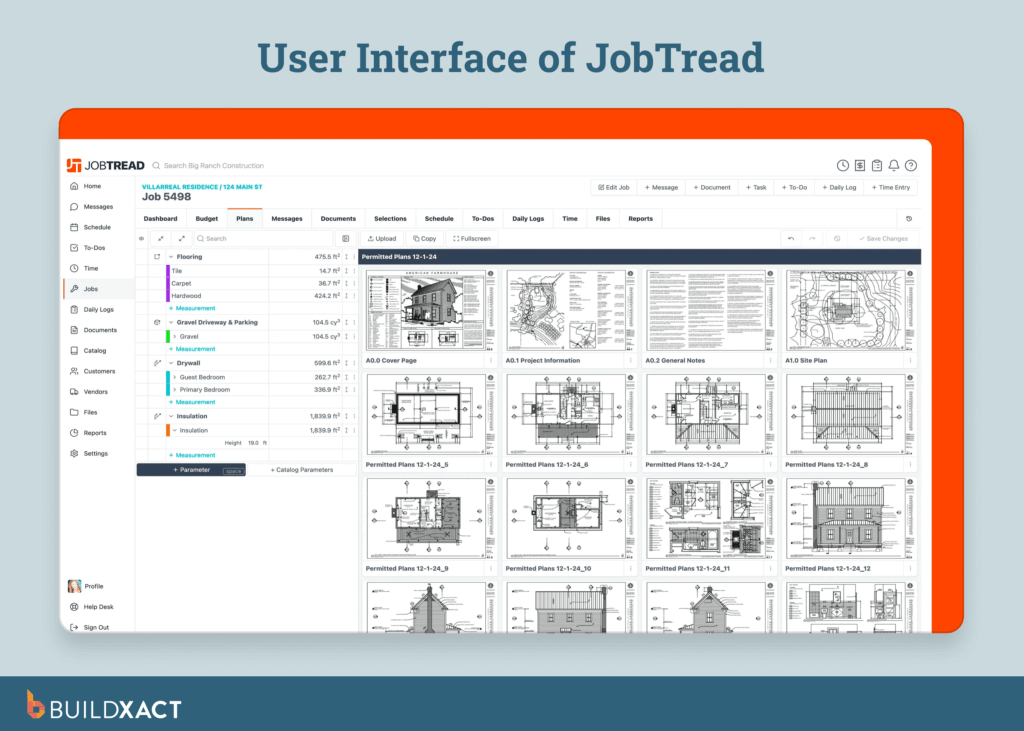
JobTread is construction software designed for small contractors, focusing on estimating, budgeting, and project tracking. Its user-friendly interface and straightforward workflows aim to help teams stay organized without the complexity of enterprise systems.
Very small contractors in both residential and commercial construction will find a good fit in JobTread’s simplicity and affordable price point. However, small to mid-sized residential builders looking to scale their operations may find JobTread’s limited automation a hurdle to growth, as takeoffs often require manual work or external tools.
Pros
- Fast onboarding: JobTread stands out for its user-friendly design and straightforward setup, making it quick for small teams to adopt.
- Strong QuickBooks integration: For QuickBooks users, JobTread offers seamless integration that simplifies accounting and reduces duplicate data entry.
Cons
- Lack of advanced automation and AI: With limited AI capabilities, builders are faced with more manual inputs and slower workflows, leading to extra admin time to complete takeoffs.
- Functionality gaps: Some JobTread users report issues with takeoff tool functionality and workflows.
Pricing
- $199 USD per user per month
- Additional team members can be added for $20 per user per month
- Tiered price breaks begin after 10 users
- JobTread does not offer a free trial, but does provide a 30-day money-back guarantee.
Bluebeam
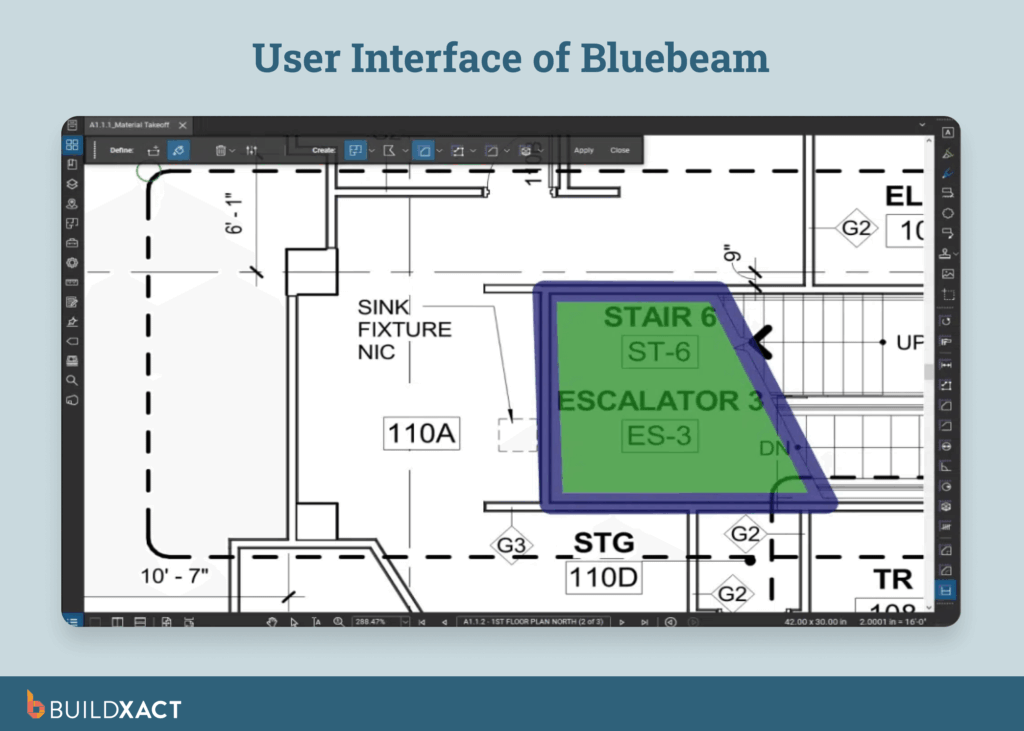
Bluebeam provides digital tools for the construction industry, featuring a platform that enables digital markups, measurements, and document management to streamline workflows, enhance communication, and connect office and field teams for improved collaboration and accuracy.
Bluebeam is a good choice for architects and engineers seeking superior document management and a centralized repository for project files. Small- to mid-sized builders may prefer an all-in-one construction management solution that offers more comprehensive takeoff and estimating tools.
Pros
- Centralized document management: Bluebeam provides a single hub for project files that ensures everyone is working from the same, accurate documentation.
- Robust mobile tools: The platform’s advanced mobile functionality enables document access from anywhere.
- Highly accurate measurements: Bluebeam users cite the tool’s impressive accuracy when calculating measurements.
Cons
- Not a full takeoff tool: Bluebeam focuses on PDF markup and management, so it doesn’t provide the end-to-end functionality small builders need for important takeoff, estimating, and quoting workflows.
- Steep learning curve: A high number of features and a tool-heavy interface can be difficult for new users to get to grips with.
- Cluttered UI: The software’s cumbersome interface generally requires large, multi-screen setups, which can be inconvenient for builders wanting fast mobile access.
Pricing
- Basic license: $260 USD per user per year
- Core license: $330 USD per user per year
- Complete license: $440 USD per user per year
- Subscription to higher tiers is required to access more features
Adopting the right takeoff software can do more than just save you time. Equipped with automated takeoff workflows and AI-powered tools designed for residential construction, you can minimize errors, avoid underquoting, and share professional bids that put you ahead of your competitors.
Construction Takeoff Software: FAQs
What is the best AI takeoff software for construction?
The best AI takeoff software helps builders automate measurement processes and generate professional bids fast, saving time and boosting accuracy. Look for platforms combining automation with cost visibility and estimating tools.
Can ChatGPT do construction takeoffs?
ChatGPT can process text and numbers, but it isn’t designed for construction takeoffs. Purpose-built estimating platforms deliver the accuracy and workflow integration professionals require.
Will digital takeoffs save me time?
Yes. Digital takeoffs reduce manual counting, streamline measurement, and connect directly to estimates, helping builders save hours while improving accuracy and transparency into project costs.
Bid and win more of the right work, with Buildxact’s AI-powered takeoff tools
Manual takeoffs slow you down and open the door to errors that cut into profit. Digital estimating tools designed for small- to mid-sized home builders address these challenges by automating measurements, accessing material costs in real time, and generating professional bids in a fraction of the time.
Buildxact leverages AI technology to further enhance these capabilities. Our AI-driven takeoff tools deliver estimates you can stand behind, backed by live dealer pricing and templates designed around real residential workflows. The result: faster bids, fewer mistakes, and more of the right jobs won.Ready to start winning with confidence? Sign up for a free trial today or book an interactive demo.