

In a custom build, every selection, design change, and one-off cost is a potential source of margin leakage.
Estimates must be built from scratch, allowances get set before final selections are made, and change orders pile up fast. Track all of that in a spreadsheet or a generic project management tool, and the project margin you’d built into your original price is not the one you see at the end of a job.
Custom home builder software helps retain margin in the job by keeping estimates, pricing, and change orders connected as the job evolves, as it so often does on a custom build.
In this guide, we compare the software tools that custom home builders use to run their jobs, what each tool does well, what they cost, and who they’re best for.
Key Takeaways
- Custom builds carry more margin risk than standard builds because estimates are built from scratch, allowances get set before selections are finalized, and change orders arrive constantly.
- Tracking estimates, pricing, and change orders in spreadsheets or generic project management tools makes it easy for the price you started with to drift from the price you finish with.
- Buildxact keeps takeoffs, pricing, purchasing, and change orders tied to the same estimate from which the job was bid.
- BuildTools, Buildertrend, and BuildBook each solve a piece of the custom-build problem, whether that’s scheduling and documentation, standardized workflows across build types, or client-facing communication.
- The right custom home builder software should handle unusual material pricing, support subcontractor bidding, manage extended and shifting timelines, centralize client communication, and get up and running with minimal onboarding.
Custom Home Builder Software Comparison Guide: The Best Tools for Residential Builders
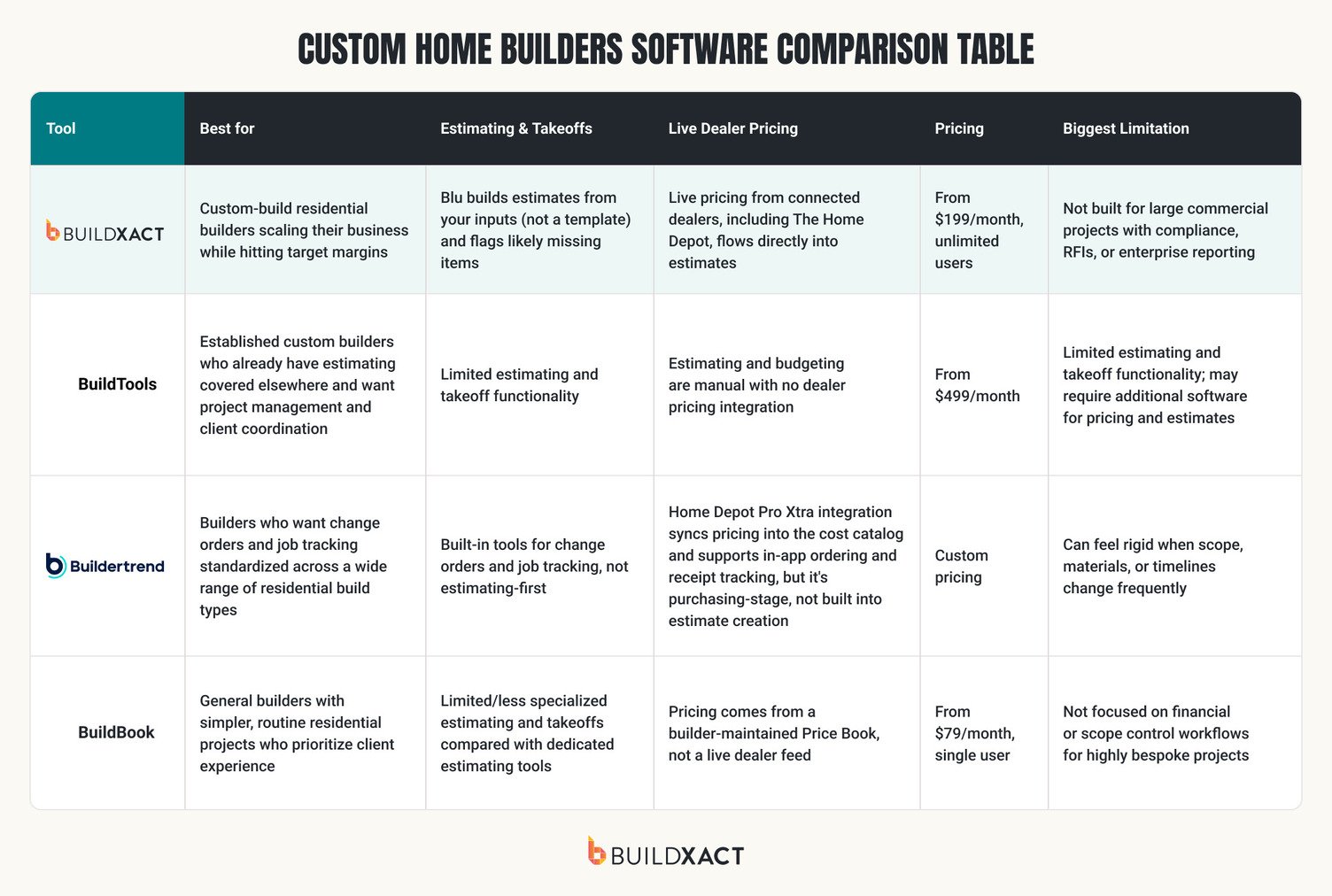
Some tools shine at scheduling and client updates, while others focus on estimating and pricing control. Below is a practical comparison of popular software options used by residential builders for custom jobs.
We’ll compare each of them across four specific dimensions:
- What it’s built to do best
- How it handles estimating and pricing on one-off custom work
- Where it falls short for custom builds
- The type of builder it suits
Buildxact
Buildxact helps custom home builders keep hitting their target profit margin as the business scales and more estimators, crews, and job types enter the mix.
On a custom build, the biggest risk isn’t that you price the job wrong; it’s that the pure volume of change orders, one-off materials, and timeline adjustments slowly eat your margin as the job progresses.
That’s why on the typical residential job, based on Buildxact’s own data, costs come in at an average of $34,596 higher than originally calculated.
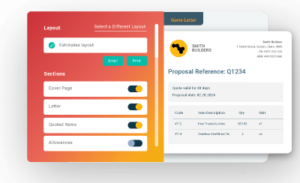
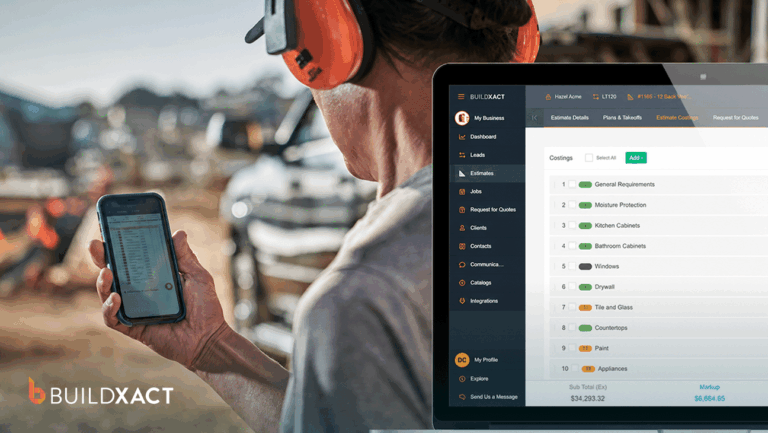
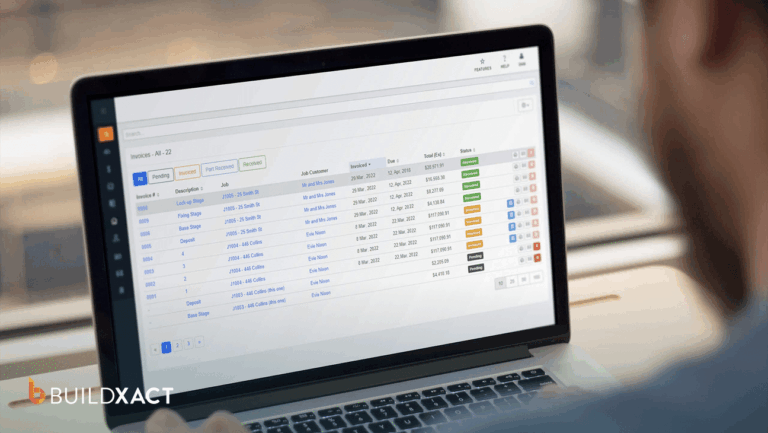
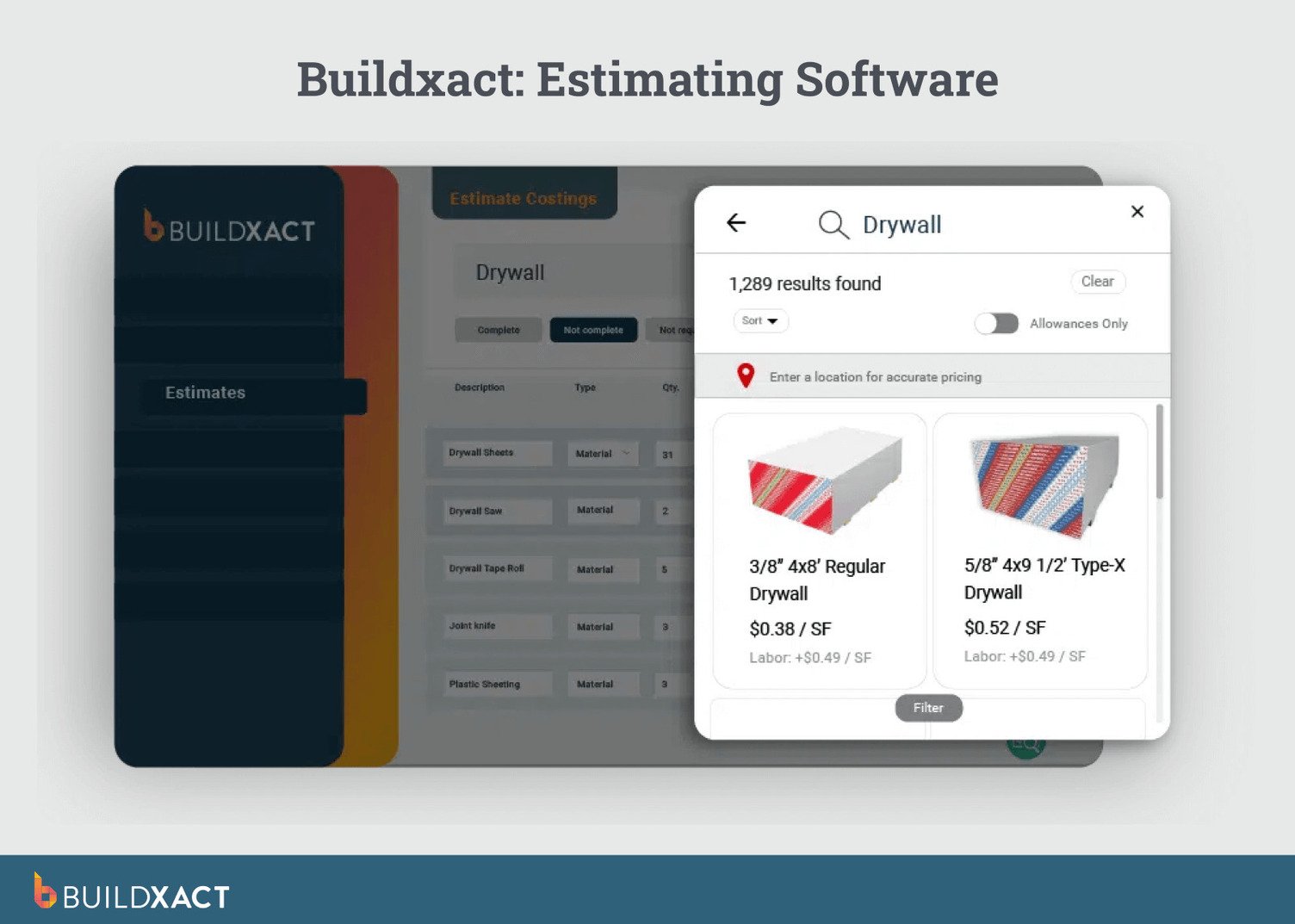
Buildxact gives you a system for tracking costs and keeping the estimate accurate as the job moves, not just accurate the day you signed it. It keeps takeoffs, pricing, purchasing, and change orders tied to the same estimate the job was bid from.
What makes Buildxact great software for custom home builders?
- Blu AI Building Assistant: Blu’s Estimate Generator and Estimate Reviewer build the estimate from your inputs (not a template) and flag likely missing items before the bid goes out.
- Flexible templates for custom work: Start with ready-made templates that aren’t locked into standard inclusions, providing a faster starting point while still supporting fully bespoke homes.
- Centralized client portal: Share updates, documents, and key information in one place to keep clients informed and conversations organized, speeding up client review timelines and keeping the project schedule on track.
- Fast estimate updates as designs evolve: Adjust quantities, materials, and pricing as plans change, keeping the estimate accurate without manual rework or double entry.
- Immediate setup and fast adoption: Sign up and start estimating immediately, without lengthy onboarding or complex configuration for small teams.
- Custom material catalogs: Create and manage your own material catalogs for one-off fixtures and specialty finishes. Unique items are tracked with the same accuracy as standard materials.
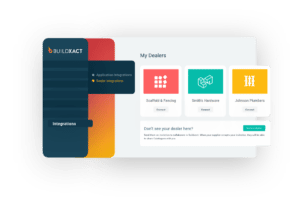
- Live dealer pricing integration: Buildxact’s dealer pricing integration, including The Home Depot, pulls current pricing into the estimate, so you’re never running on outdated numbers. On a build that runs 12 to 15 months, that can significantly impact what your margin comes in at, especially when working with materials with volatile pricing.
What clients say about Buildxact
“To builders out there thinking about using Buildxact, give it a shot and just see how quickly you will be able to work the key features into your daily workflow.”
Limitations of Buildxact
Buildxact is purpose-built for residential builders. If your work primarily involves large commercial projects with complex compliance requirements, RFIs, and enterprise reporting, it’s likely not the right fit.
Who is Buildxact best for?
Buildxact is best for custom-build residential builders looking to scale their business while continuing to hit their target profit margin.
Book a demo to find out how Buildxact helps keep custom home builds profitable.
BuildTools
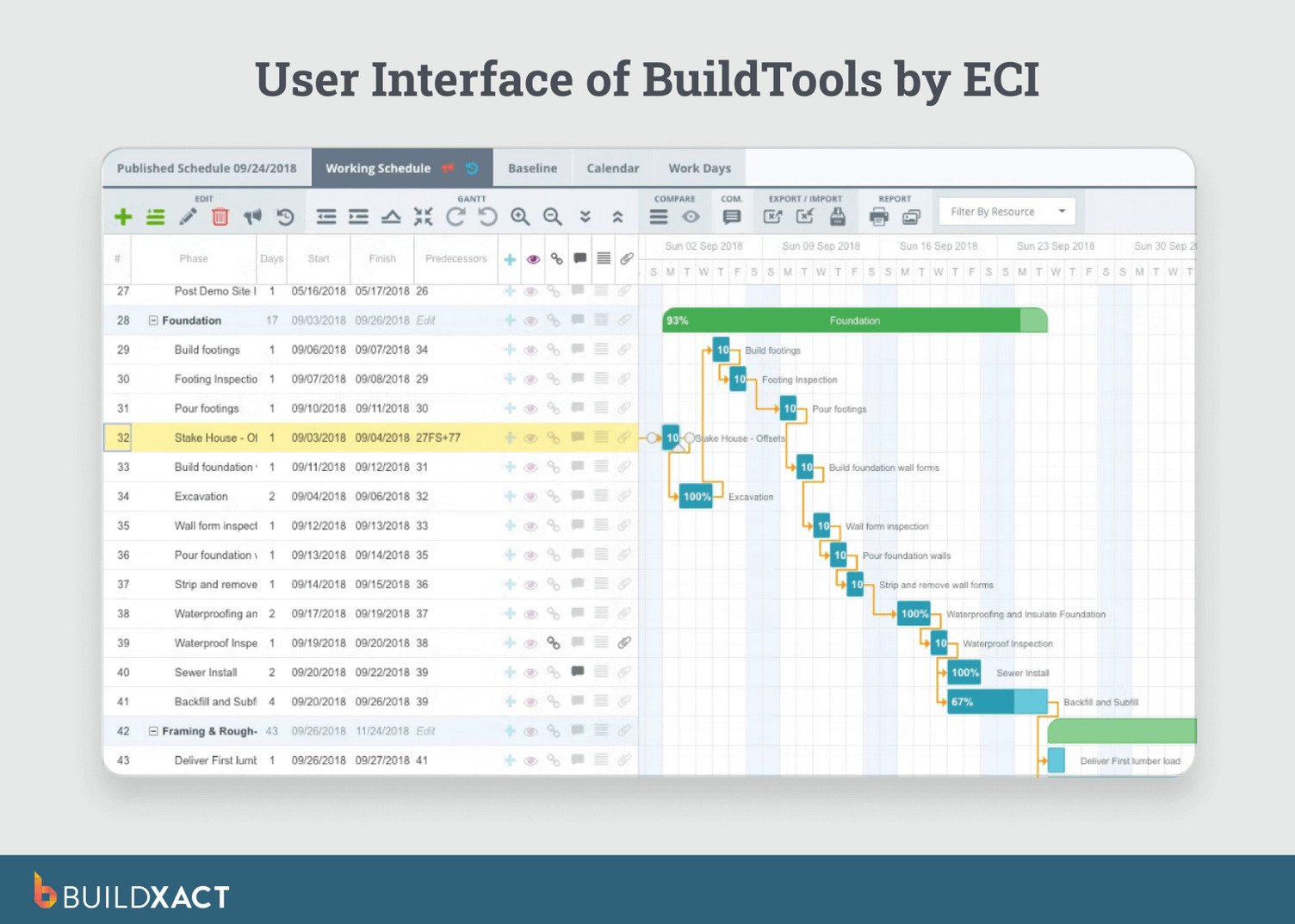
BuildTools is a cloud-based project management software focused on project tracking, scheduling, and documentation rather than estimating or pricing. It’s built to handle longer, more complex custom home builds where keeping plans and timelines organized is the main priority.
The platform is often used alongside separate estimating or takeoff tools, rather than as an all-in-one system.
What are the benefits of BuildTools?
- Strong project scheduling and document control
- Good visibility across long, complex builds
Limitations of BuildTools
- Limited estimating and takeoff functionality
- Slightly steeper learning curve for small teams
- May require additional software for pricing and estimates
Who is BuildTools best for?
BuiltTools is best for established custom builders who want home builder project management software and client coordination but already have estimating covered elsewhere.
Buildertrend
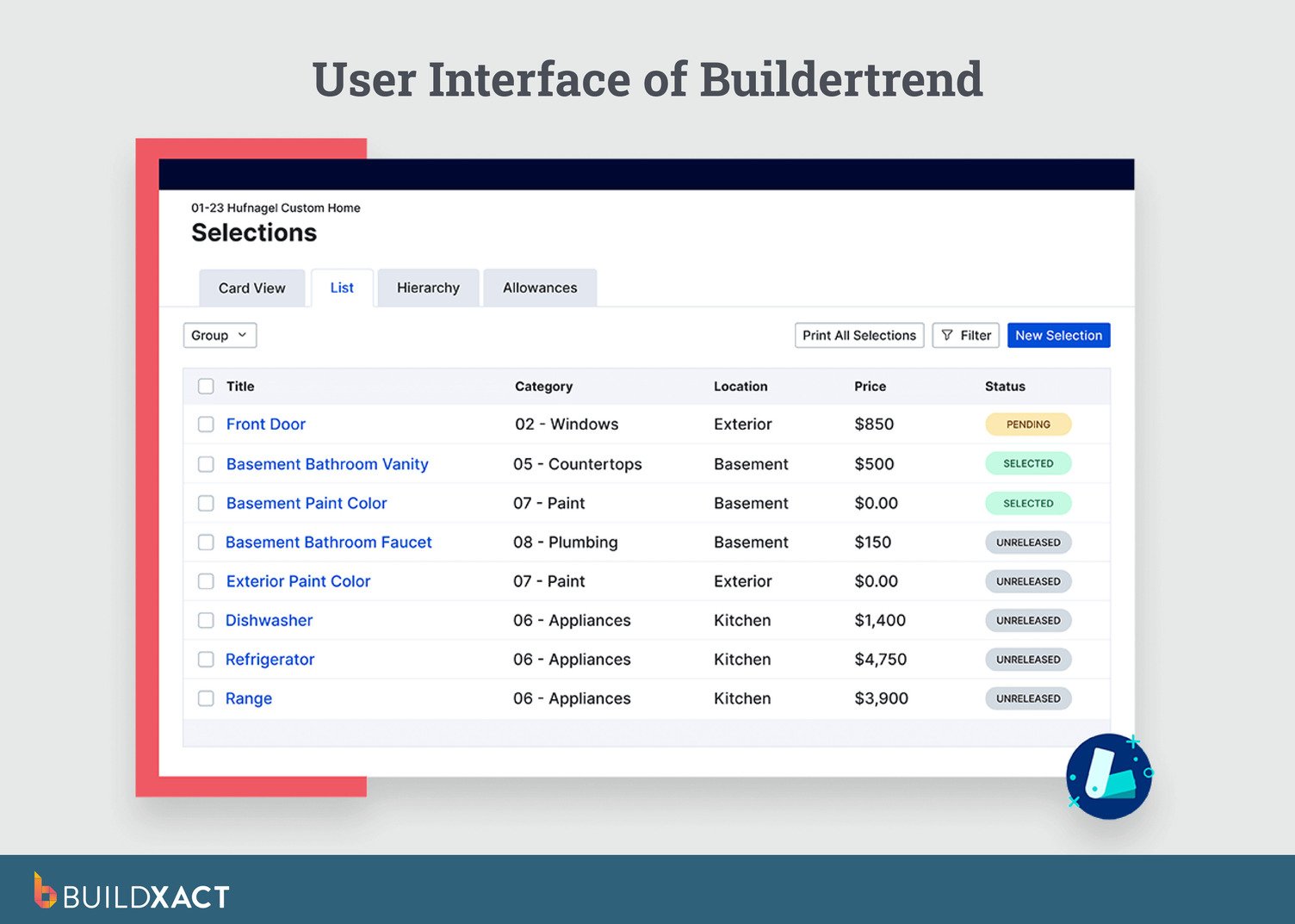
Buildertrend is a broad construction platform used across custom homes, renovations, and production builds. It combines scheduling, client communication tools, change orders, and job tracking into a single system that standardizes how projects are run.
It works best when jobs follow predictable phases and processes, rather than evolving design-and-price cycles.
What are the benefits of Buildertrend
- Centralized scheduling, documents, and daily logs
- Built-in tools for change orders and job tracking
Limitations of Buildertrend
- Can feel rigid when the scope, materials, or timelines change frequently
- Feature-heavy for smaller teams that want speed over structure
Who is Buildtrend best for?
Buildertrend is best designed to support a wide range of residential build types, rather than custom-first workflows.
BuildBook
BuildBook is focused on the client experience. The software’s core focus is helping builders present timelines, selections, updates, and progress clearly to homeowners throughout the build.
Internally, BuildBook is lighter on operational depth and is often used to complement other tools that handle estimating, purchasing, or detailed cost control. It’s less about managing complexity behind the scenes and more about keeping clients informed and confident.
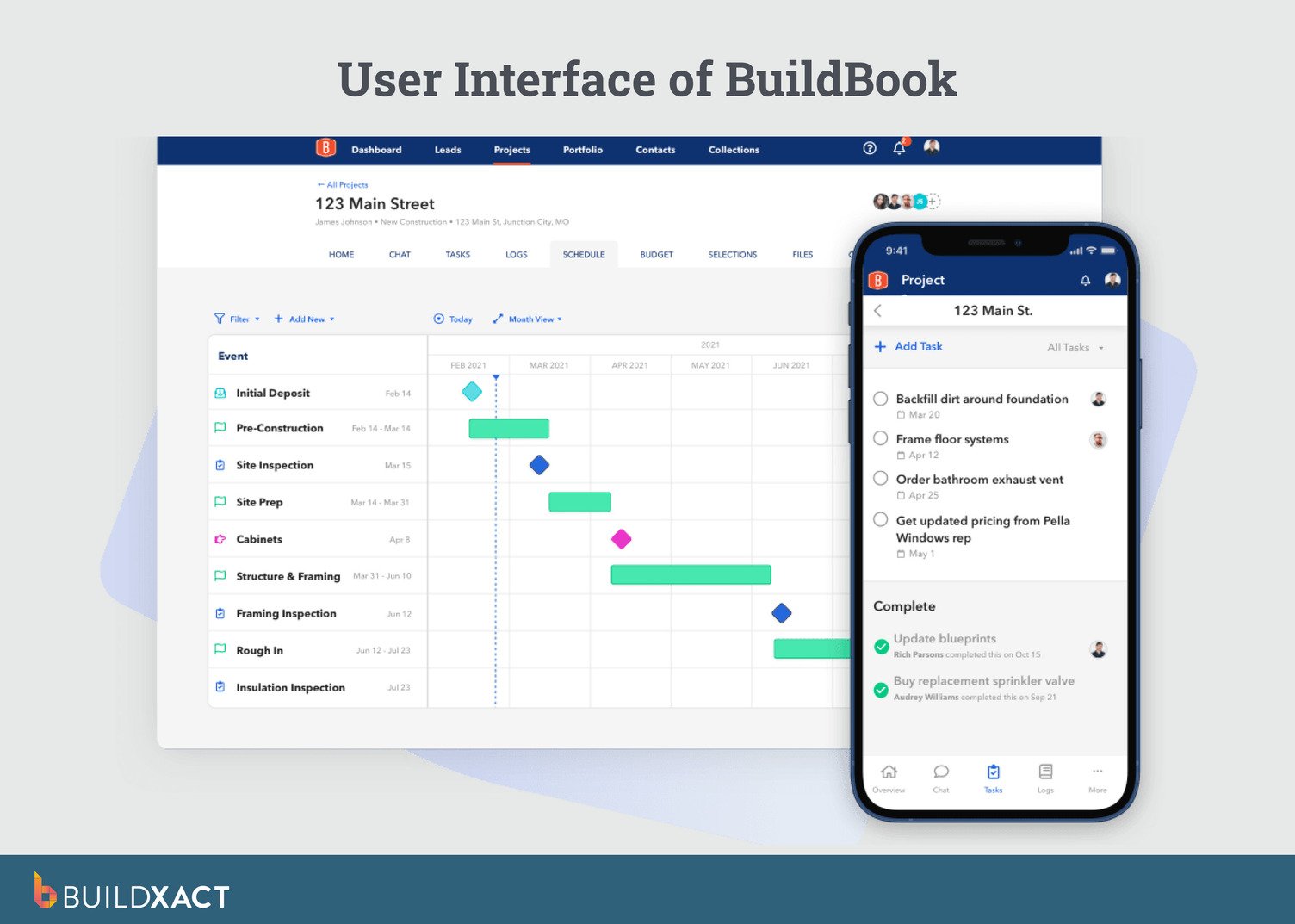
What are the benefits of BuildBook?
- Centralized communication and collaboration for teams, clients, and subcontractors
- Intuitive project management with scheduling, task tracking, and daily logs
Limitations of BuildBook
- Not as focused on financial or scope control workflows for highly bespoke projects
- Less/limited specialized estimating and takeoffs compared with dedicated estimating tools
Who is BuildBook best for?
BuildBook is best for general builders with simpler, routine residential projects.
How Custom Home Builder Software Helps Residential Builders
The demand for custom-built homes is on the rise — last year alone, 19% of all single-family starts were custom homes, up from 17.5% from the previous year. With this growing demand for bespoke homes, custom home builders are under more pressure to manage their projects efficiently.
To stay relevant and competitive, builders are steadily moving away from spreadsheets and paper-based processes. Recent industry research shows that construction teams using modern, data-driven tools are seeing productivity gains of up to 15%.
Here’s why software adoption is less about innovation and more about keeping pace.
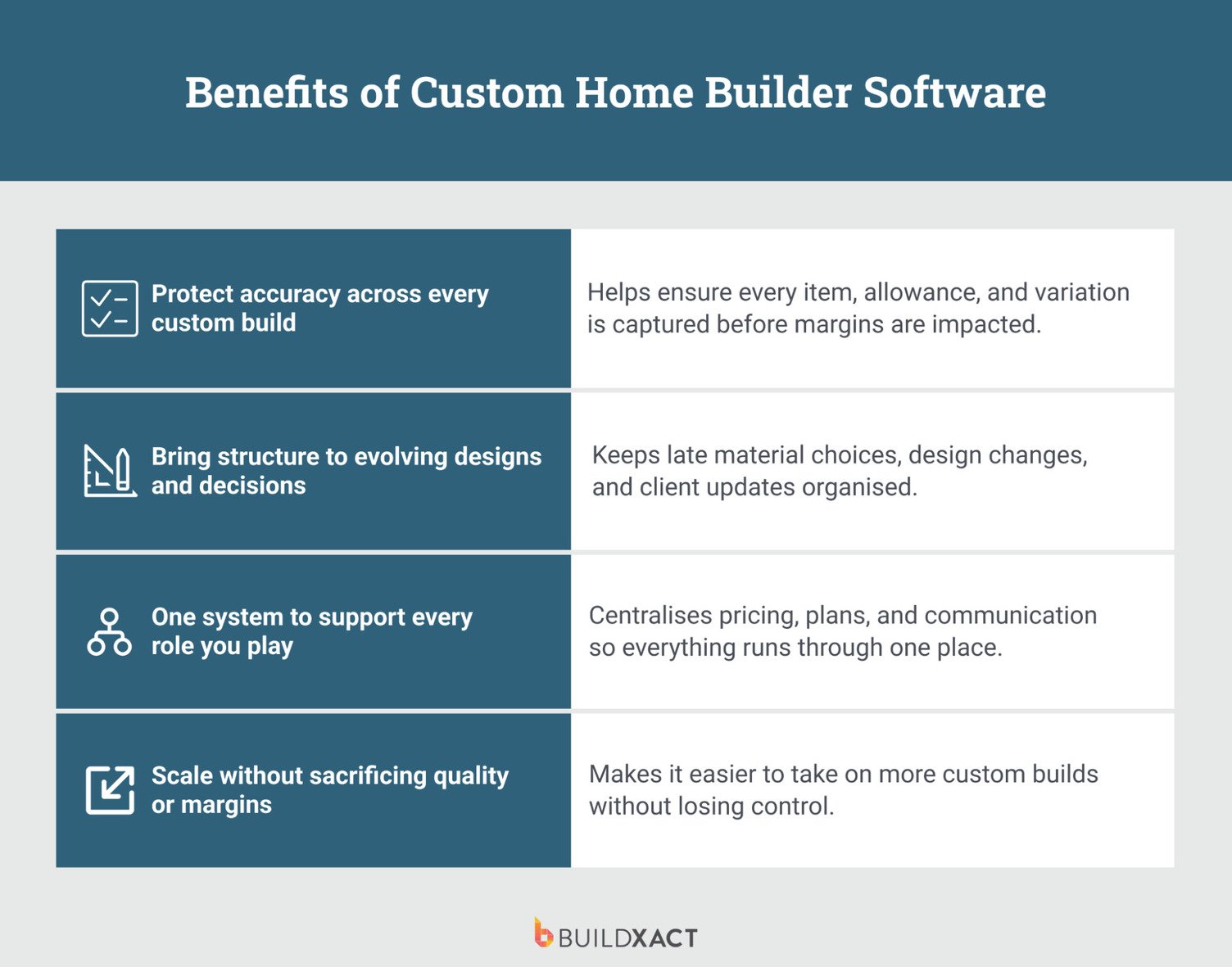
Protect accuracy across every custom build
Custom homes don’t come cheap. At roughly $200 to $550 per square foot, with materials eating up close to 60% of total build costs, there’s very little room for “near enough.” When prices shift, even a cost estimation miss can quietly wipe out your margin.
Builders lose an average of $18,416 in missed line items per job, and that number only gets harder to control as you grow. You can’t personally check every estimate once you’re running multiple jobs with more people involved, which means more places for a line item to fall through the cracks.
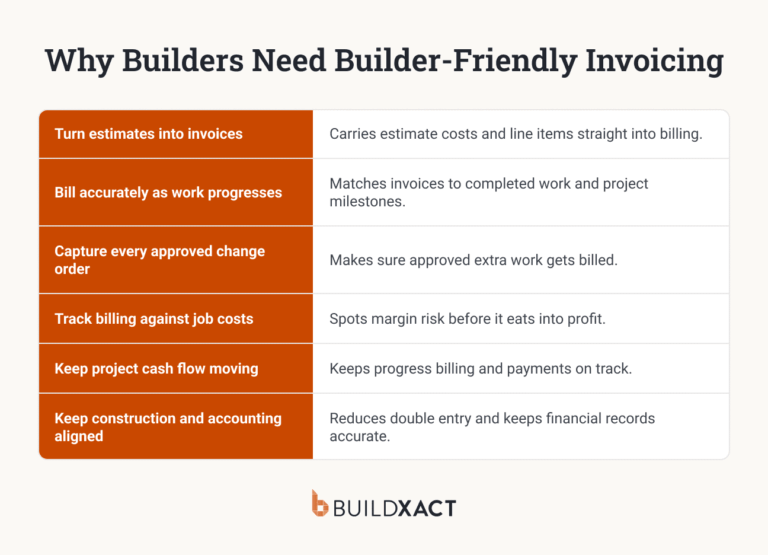
Custom builder software helps you stay ahead of that risk by keeping takeoffs, pricing, allowances, and change orders fully connected. Nothing relies on memory or scattered notes, and when changes pop up mid-build (as they always do), the numbers update with them instead of slipping through the cracks.
Bring structure to evolving designs and decisions
Custom homes come with more ambiguity than your run-of-the-mill home. They don’t follow fixed templates or standard inclusion.
The big calls tend to happen during the build. Materials are finalized late, designs evolve as walls go up, and clients change their minds once rooms start to feel real.
That flexibility is part of what makes custom builds exciting. But without structure, this excitement turns into mental clutter and last-minute scrambles. The right systems keep freedom intact without letting chaos take over.
One system to support every role you play
Custom builders wear a lot of hats, from early site advice to design input, build delivery, and even future renovations.
Once you’re running multiple jobs at once, those hats don’t disappear; they just get worn by different people. Your site lead is tracking one job, your office admin another, and a sub’s update lives in a text thread only one person ever saw.
Homebuilder software pulls information on every job it all into one place, keeping plans, pricing, schedules, and change orders connected, across every job and everyone working it. Less mental load and fewer loose ends mean more time to focus on the build itself.
Scale without sacrificing quality or margins
Many custom builders limit how much work they take on just to stay sane. But that puts growth and quality at odds with each other.
Estimating is usually the real limit. You can only put out so many accurate bids yourself before something has to give, and that ceiling caps how many jobs you can run no matter how much demand is out there.
With better systems in place using a custom home builder software, you take on more projects without added stress, and keep your profits intact as you grow. You can see margin across your whole pipeline instead of checking one job at a time, and reminders, due dates, and notes tied to each job mean quality doesn’t depend on you personally remembering to follow up.
Key Features to Look For in Custom Home Builder Software
Not all construction software is built for bespoke homes. Custom projects demand flexibility, clarity, and tools that work with you, not systems that assume every job looks the same.
Here’s what matters.
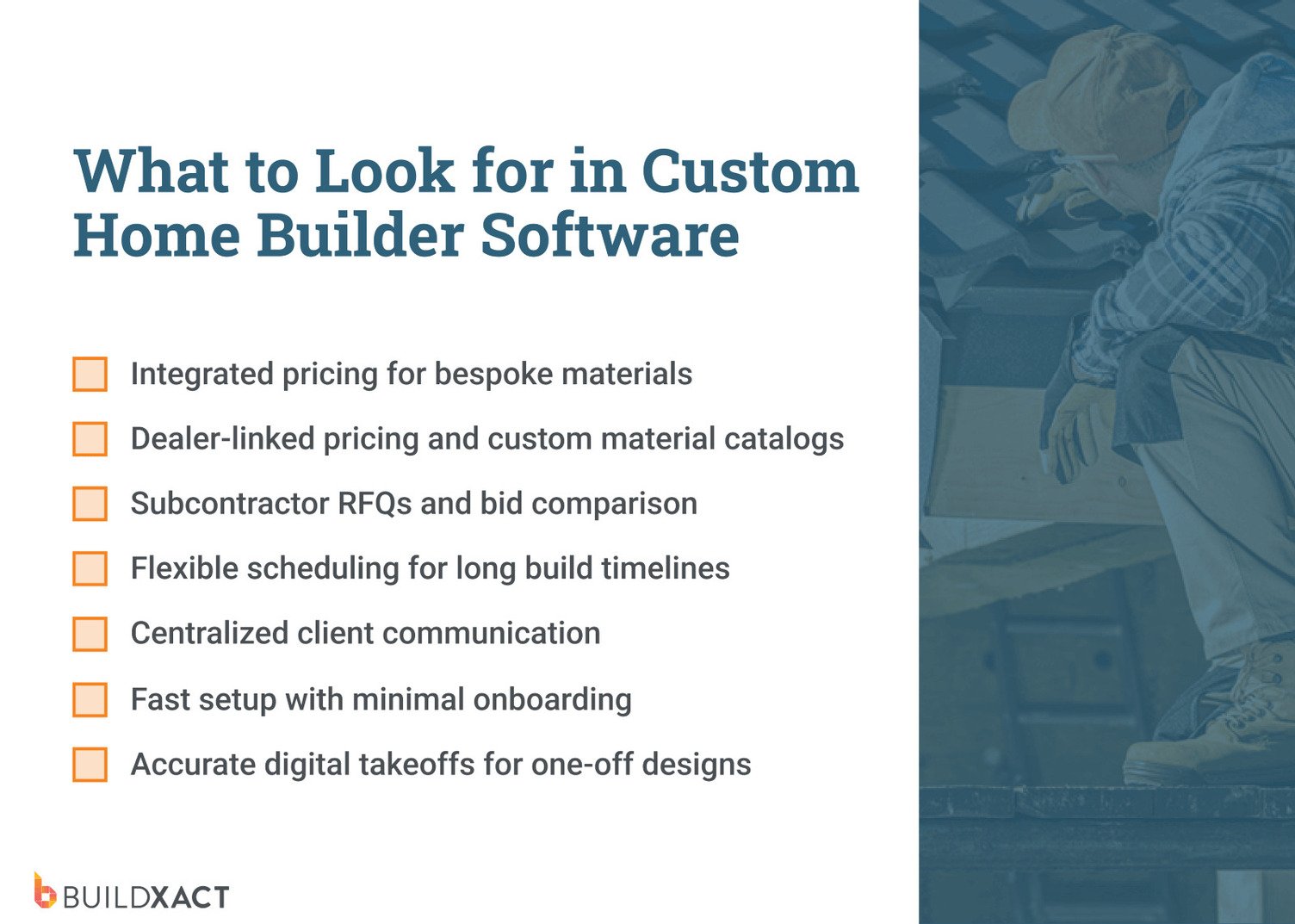
Integrated pricing that can handle the unusual
One custom home might use standard brick and tile. The next includes imported stone, custom steelwork, and cabinetry that’s literally designed for one wall. Those bespoke items rack up fast, and pricing mistakes hurt more here than anywhere else.
Your software should handle everyday materials and one-off selections, connect to major dealers, and let you create custom material catalogs for the oddball stuff that never appears twice.
Built-in tools for managing subcontractor bids
Custom builds live or die by specialist trades. Think custom joinery, stonework, glazing, or steel. With construction bidding software, you can send RFQs to multiple subcontractors at once, they can submit their bids, and you can choose who to work with.
Scheduling for extended build timelines
Custom homes take time. A spec build might wrap in under nine months, but a true custom home can stretch past 15 months. And no two schedules look the same.
Good home builder project management software makes it easy to build timelines and project milestones from scratch, tweak them when scope changes (again), and share updates with trades who just want to know when they’re needed.
Centralized client communication
Custom clients want updates, and lots of them. Instead of hunting for a message about the kitchen tap, using customer communication software keeps conversations, approvals, and real-time updates in one place.
Fast setup with minimal onboarding
Most custom builders don’t have time for week-long onboarding or training sessions. If you can’t set up a project quickly and use it live, it’s not helping. The best tools feel intuitive from day one.
Accurate takeoffs for one-off designs
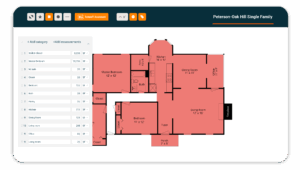
Every custom home is a first build. There’s no template or standard design blueprints to fall back on. Construction takeoff tools need to handle odd layouts, reduce manual measuring, and make updates easy when plans change.
Software for One-off Homes, Not One-Size-Fits-All
On a custom build, the number you signed at contract and the number you finish with only match if your systems keep pricing the job as it changes.
The four custom home builders software platforms reviewed above help with that, and each has its use case.
For builders looking to scale their firm and keep hitting their target margins as they do it, Buildxact is often the best fit.
In Buildxact, the estimate is the live record the job runs on, so when a selection is finalized or a design changes mid-build, that update happens inside the same estimate instead of a separate change log you have to reconcile later.
See how Buildxact can simplify your next custom home project. Start using it for free today.